Mobile banking app overhaul
We owned sign-in and authentication in the full overhaul of a mobile banking app used by millions, rebuilt so that banking, card, securities, and insurance services sit in one app. If sign-in fails, customers can neither check balances nor send money, and authentication is tangled across many screens and external modules, so fixing one place easily breaks another. We rewrote the legacy sign-in and authentication screens in a new way of building screens, and reorganized identity verification, biometric authentication, and ID-card verification into separate business units. We integrated an external face-recognition solution into the app and its authentication flow, and designed a calling interface so other developers could use authentication easily.
Sign-in rewritten while old and new screens ran side by side
We rewrote the mobile banking app's sign-in and authentication screens in a new, declarative way of building screens. Screen state, inputs, validation results, and authentication progress were organized to be managed in one place, making it easy to follow when and why a screen changes. During the overhaul, old and new screens lived together in one app, so we weighed the impact of each screen and checked the points where existing flows might break. The app on the other platform was changing its screen approach at the same time, so we aligned with it: implementations differed, but the user flow and authentication policy looked the same.

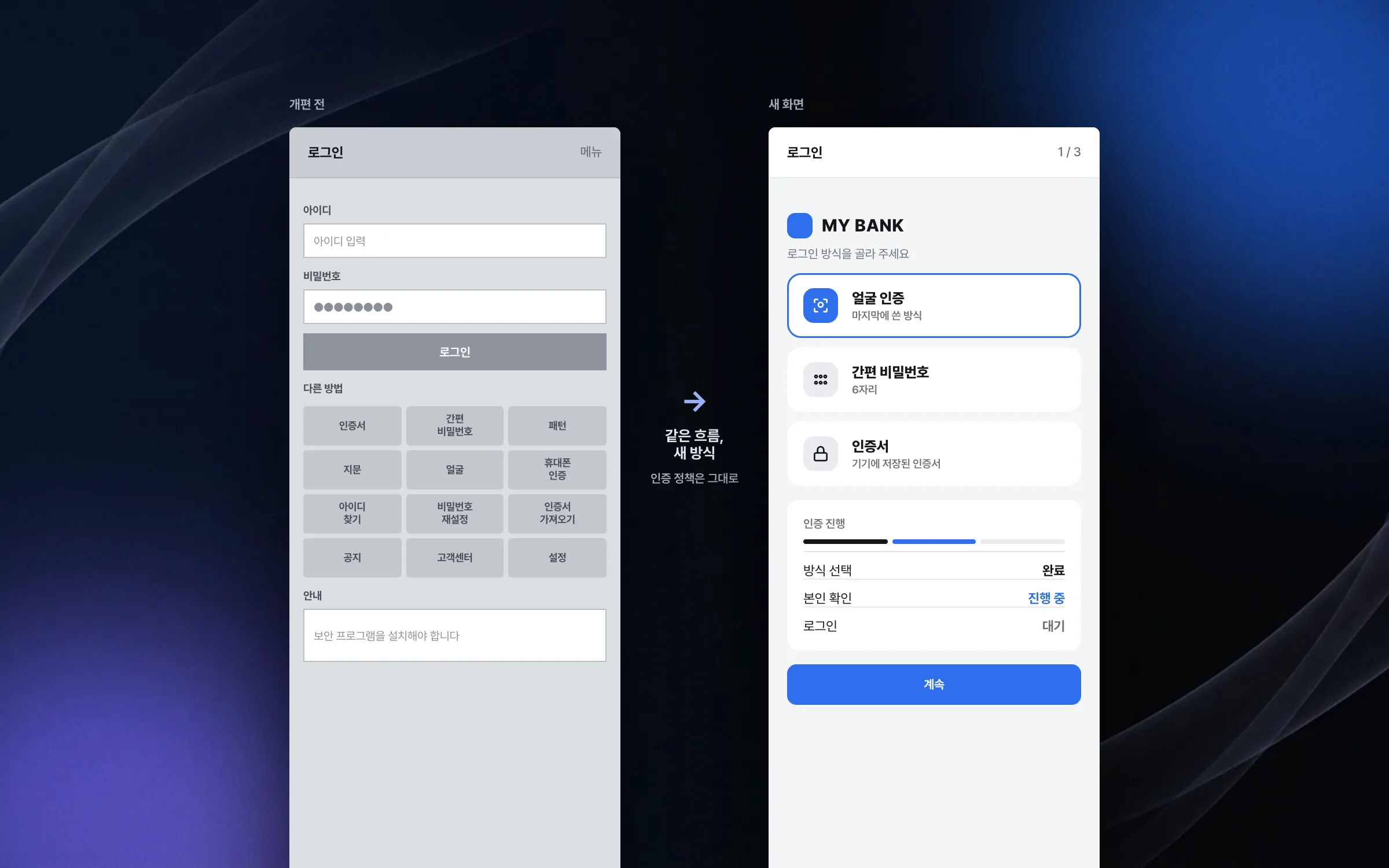
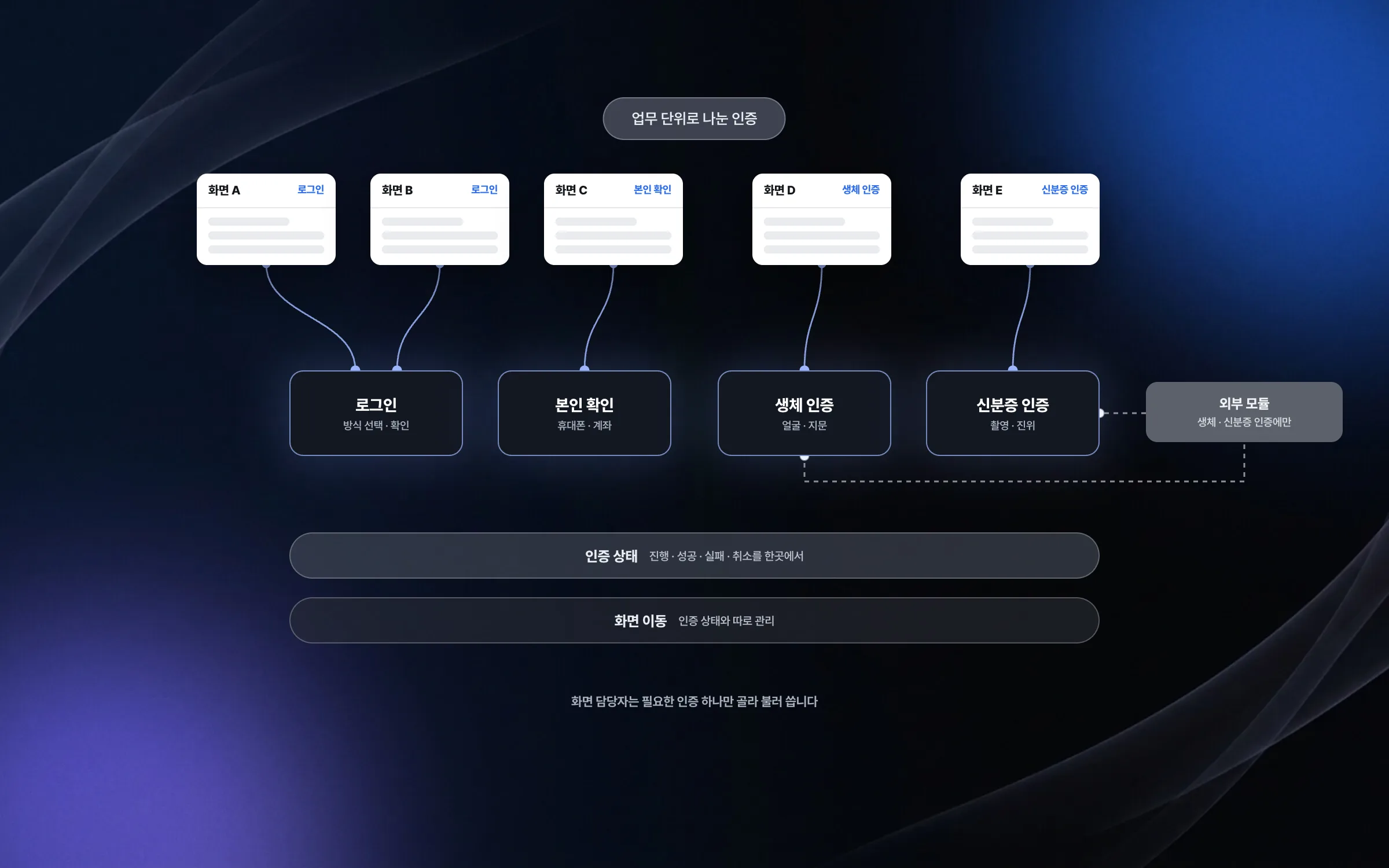
Authentication split into sign-in, identity check, biometrics, and ID card
Authentication in a banking app weaves sign-in, identity verification, biometric authentication, and ID-card verification across many screens and external modules. We split this flow into business units and managed navigation separately from authentication state. Each screen's developer now calls only the authentication functions they need, reliably.

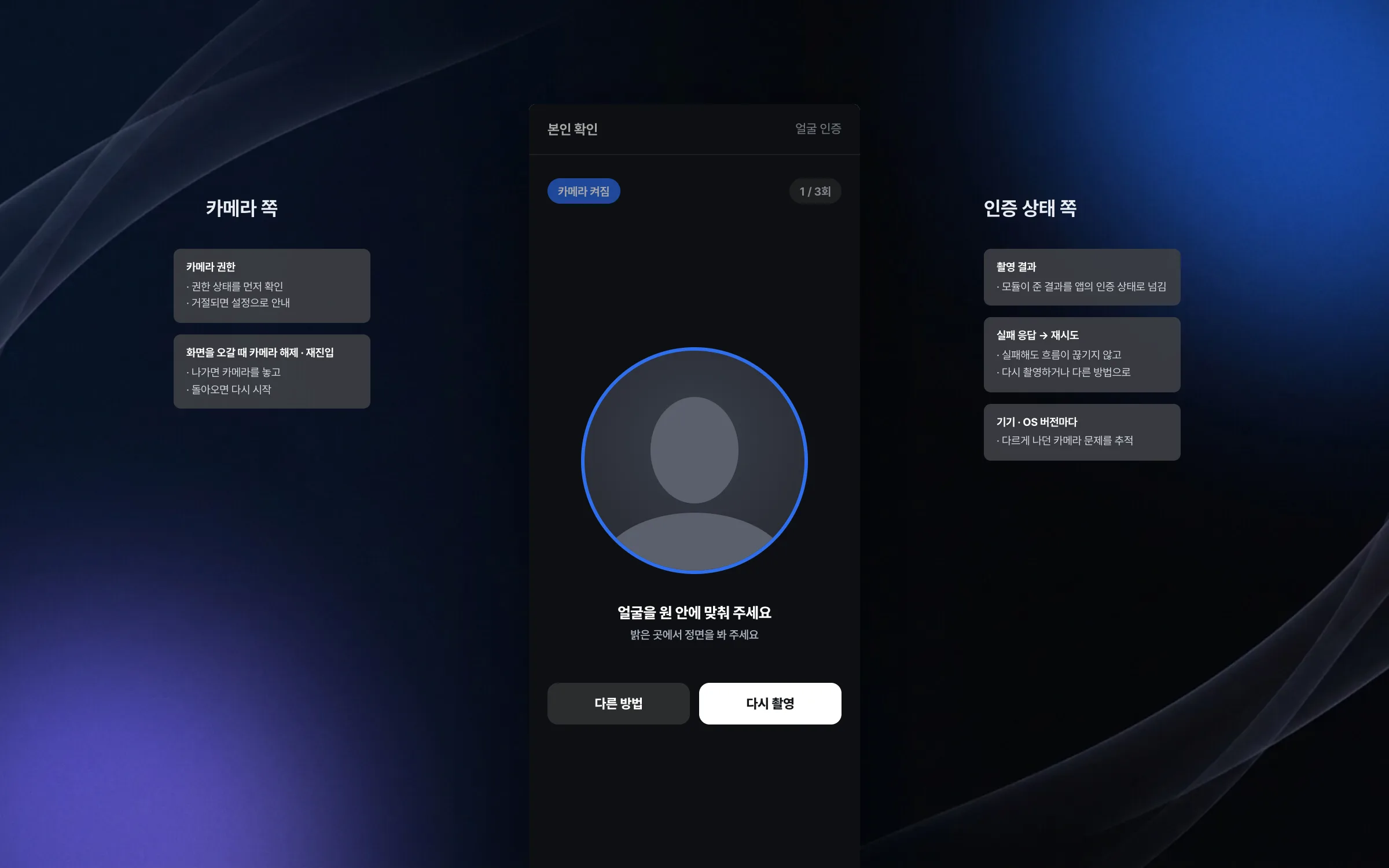
Identity checks that hold up when face recognition or the camera fails
Face-recognition identity checks in the mobile banking app were built by integrating an external face-recognition solution into the app. We plugged the solution directly into the sign-in and authentication flow and tied its setup, camera permission, capture results, failure responses, and retries to the app's authentication state, so the customer's flow does not break even when a step fails. We also tracked down camera problems that varied by device model and OS version. Exceptions in permission states, camera startup, releasing and re-entering the camera when moving between screens, and passing on capture results were found and fixed one by one.

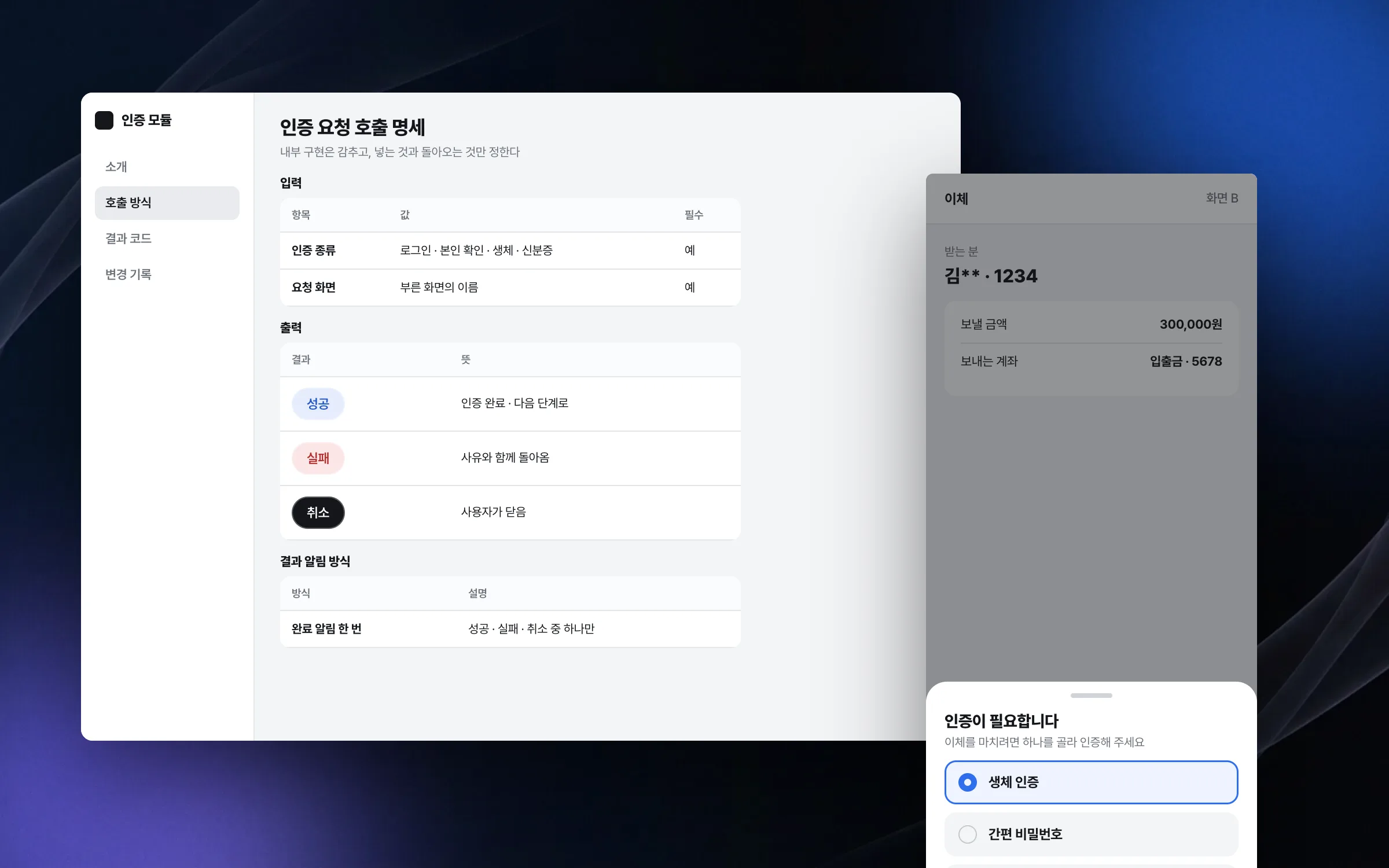
An auth module others can call without knowing what is inside
In a large banking app, authentication is shared by several developers working on sign-in and by many screens. To cut the cost of coordination among them, we designed and provided the calling interface for the authentication module. Internals stay hidden; only what goes in, what comes back, and how results are reported are clearly defined, so any screen can attach authentication easily.

Highlights
An authentication structure split by task: sign-in, identity check, biometrics, and ID card
External face-recognition integration and camera fixes across devices and OS versions
An auth-module interface other developers can call without knowing its internals
Insights
GA4 client_storage: 'none'은 정말 쿠키를 막을까?
두 달 전 이 블로그에 「GA4 쿠키 없이 쓰기」라는 글을 썼습니다. clientstorage: 'none' 으로 쿠키 저장을 끄고, 자체 분석이 쓰던 익명 ID 를 clientid 로 넘기면 쿠키 0개로 GA4 를 쓸 수 있다는 내…
GA4 Measurement Protocol: gtag.js 없이 서버에서 이벤트 보내기
랜딩 페이지의 전송량을 파일 단위로 쪼개 보다가, 가장 큰 파일이 우리 코드가 아니라는 것을 알았습니다. Google Analytics 의 gtag.js 였고, 방문 한 번에 176KB 를 받고 있었습니다. 페이지 전체가 1,094K…
중소 제조업 AI 도입 순서: DX를 먼저 끝내야 할까?
공장을 가진 중소·중견 제조기업 16만여 곳 가운데 스마트공장을 도입한 곳은 19.5%입니다. 회사가 작을수록 이 비율은 더 떨어집니다. 중소벤처기업부가 2025년 4월에 낸 제1차 스마트제조혁신 실태조사 결과입니다. 그림: 기업 규…
Next.js loading.tsx와 404: 버튼이 화면보다 먼저 살아나게 하기
관리 화면 왼쪽 위에 사이드바를 접고 펴는 ☰ 버튼이 있습니다. 폭 하나 바꾸는 버튼인데, 대시보드에서 누르면 2초 넘게 아무 반응이 없었습니다. 레이아웃만 바꾸는 일이 왜 이렇게 오래 걸리는지부터 들여다봤습니다. Next.js 16…