Bus information map service for new towns
We took part in building a bus information web map that a provincial government created for residents of its new towns. Residents check where each route's buses are and when they are expected at each stop, live on the map. The people using it were new arrivals still unfamiliar with local transit, so if routes, stops, and buses could not be read at a glance, there was no reason to use it. Our part was extending map technology developed for an oil refiner's web map to public transit, and carrying traffic data through to the map screen.
A map that shows where the bus is and when it will come
The new-town bus information map is a public service where residents check live bus positions and arrival times by route on a web map. In a bus information system, a terminal on each bus sends its satellite-tracked position to a control center, which uses those positions to calculate expected arrival times for every stop and shows them online and on display boards at stops. The web map is where residents check that information before heading out to catch a bus. Its main users were new arrivals who did not yet know the bus routes, so opening the map had to show stops and approaching buses right away. We took part in building these screens.

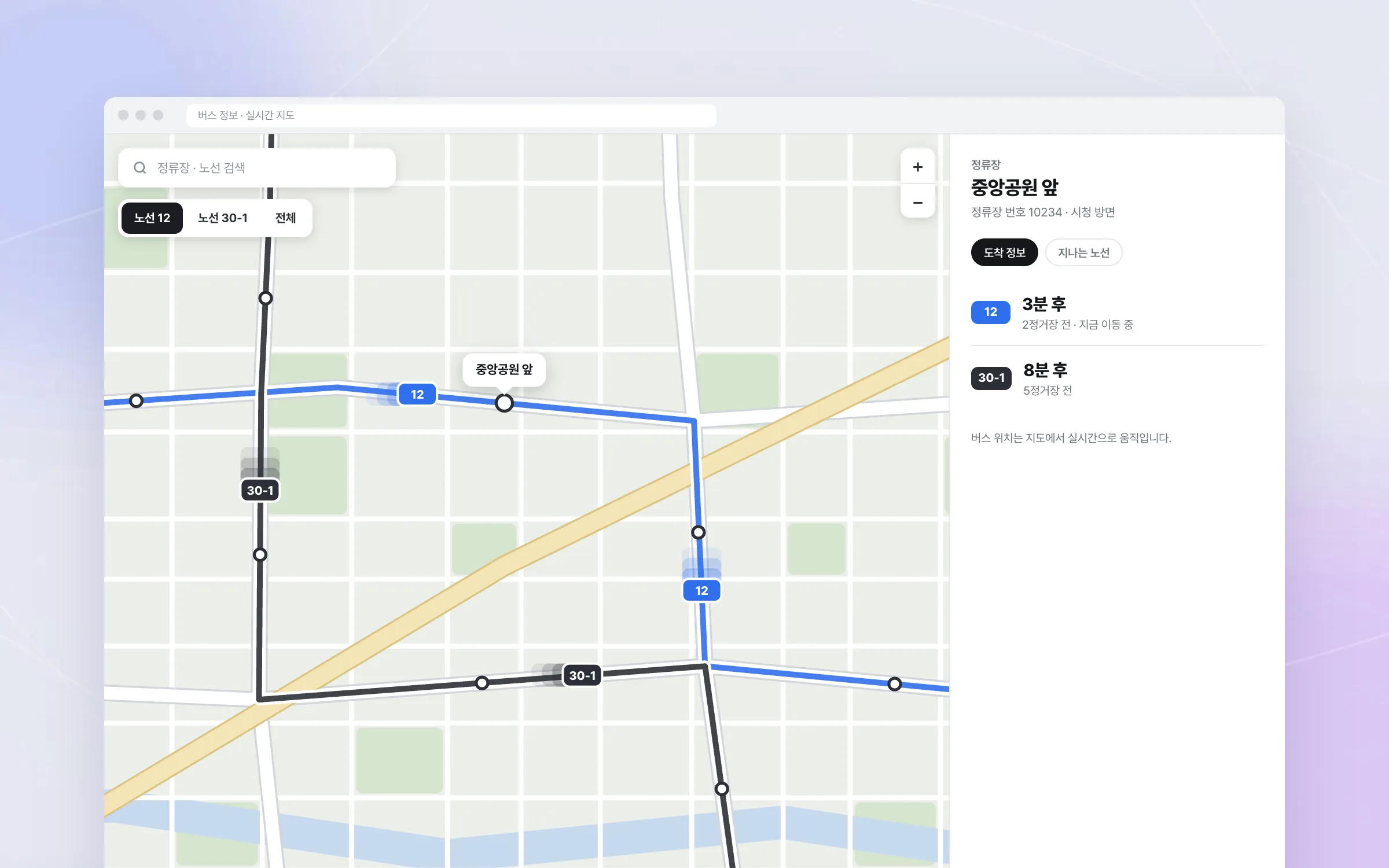
Routes, stops, and buses layered onto one map
Bus information is data where routes, stops, bus positions, and arrival times are all tangled together. A resident opening a bus information service usually wants two things: where the stop they need is, and how many stops away their bus is right now. Laid out as a table, residents get stuck just finding their own route. We drew all four together on the map so that which route's bus is near which stop can be read from a single map.

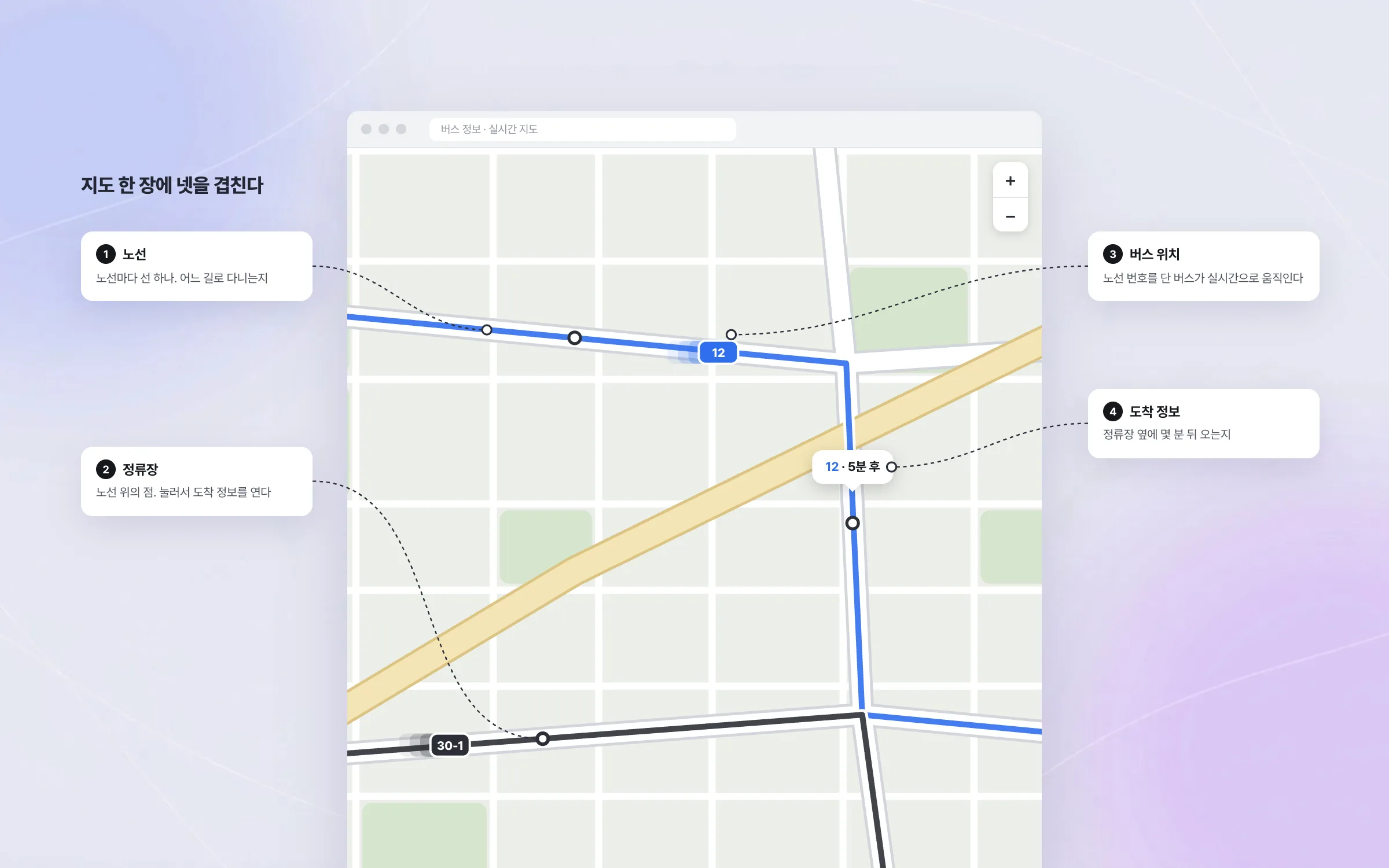
Map technology stretched from an oil refiner's web map to public transit
The bus information map was built on map technology developed earlier for an oil refiner's web map and fuel-station locator. Map display, panning, zooming, and position rendering were extended to meet what the bus information service required. A map that had shown fuel stations standing still now showed buses moving along their routes.

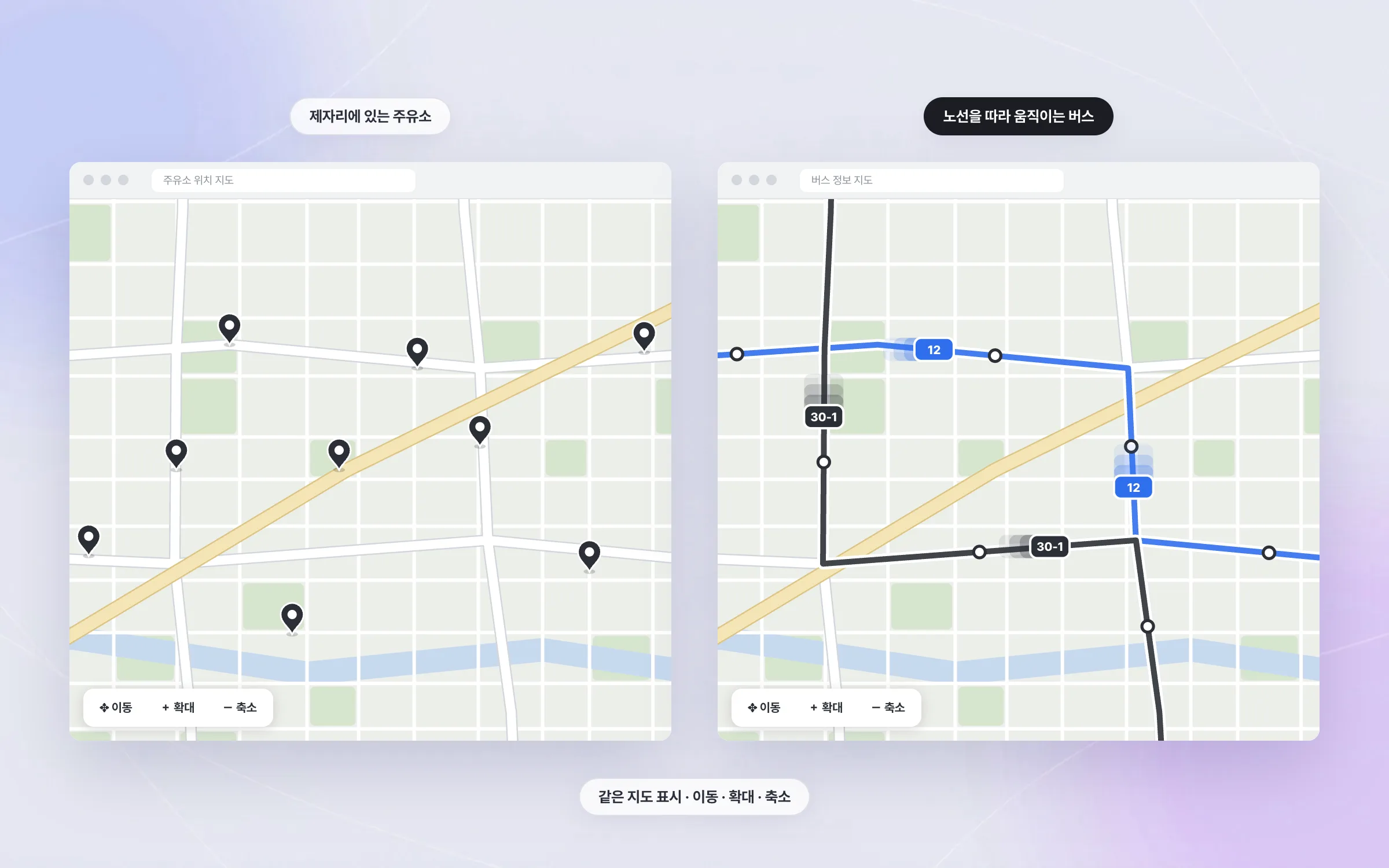
A processing flow that carries heavy traffic data to the map
Bus positions and arrival times arrive as a continuous, large stream of traffic data. We set up the processing flow that takes in this data and turns it into the form the web map screen needs, and connected it to the map. Real new-town residents used the service and sent feedback, and it became the starting point for later work on public and map services.

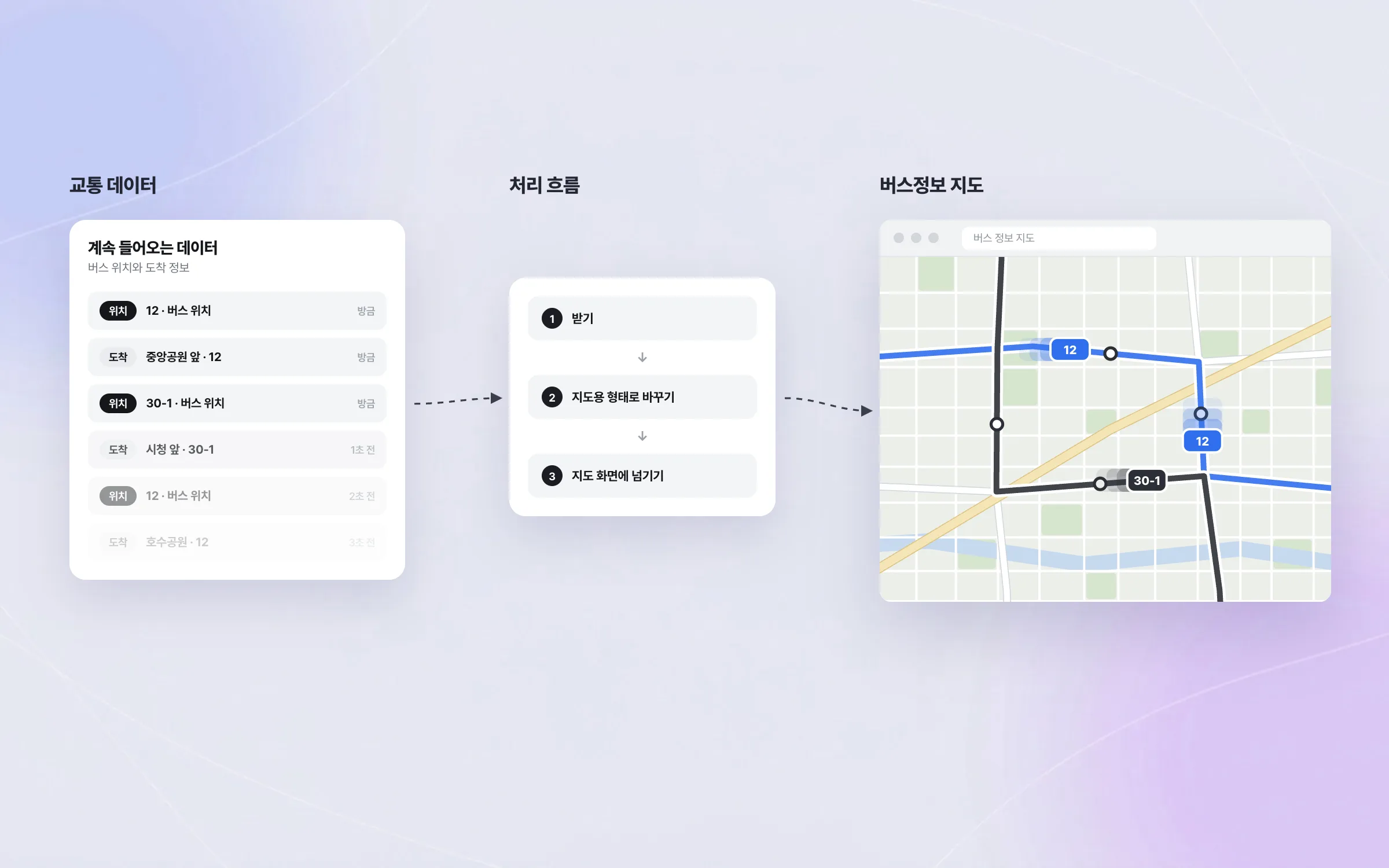
Highlights
Live bus positions and arrival times by route on the map
Web map technology extended for a public transit service
A processing flow carrying large volumes of traffic data to the map
Insights
GA4 client_storage: 'none'은 정말 쿠키를 막을까?
두 달 전 이 블로그에 「GA4 쿠키 없이 쓰기」라는 글을 썼습니다. clientstorage: 'none' 으로 쿠키 저장을 끄고, 자체 분석이 쓰던 익명 ID 를 clientid 로 넘기면 쿠키 0개로 GA4 를 쓸 수 있다는 내…
GA4 Measurement Protocol: gtag.js 없이 서버에서 이벤트 보내기
랜딩 페이지의 전송량을 파일 단위로 쪼개 보다가, 가장 큰 파일이 우리 코드가 아니라는 것을 알았습니다. Google Analytics 의 gtag.js 였고, 방문 한 번에 176KB 를 받고 있었습니다. 페이지 전체가 1,094K…
중소 제조업 AI 도입 순서: DX를 먼저 끝내야 할까?
공장을 가진 중소·중견 제조기업 16만여 곳 가운데 스마트공장을 도입한 곳은 19.5%입니다. 회사가 작을수록 이 비율은 더 떨어집니다. 중소벤처기업부가 2025년 4월에 낸 제1차 스마트제조혁신 실태조사 결과입니다. 그림: 기업 규…
Next.js loading.tsx와 404: 버튼이 화면보다 먼저 살아나게 하기
관리 화면 왼쪽 위에 사이드바를 접고 펴는 ☰ 버튼이 있습니다. 폭 하나 바꾸는 버튼인데, 대시보드에서 누르면 2초 넘게 아무 반응이 없었습니다. 레이아웃만 바꾸는 일이 왜 이렇게 오래 걸리는지부터 들여다봤습니다. Next.js 16…