On-site inspection app for installers
We single-handedly developed an internal app that a furniture and interiors company's visiting technicians use in customers' homes to record inspection items, customer requests, and inspection results. The company's own technicians handle kitchen and bathroom installation and furniture setup, and they also make the after-sales service visits that follow. Inspection items vary in type and input method, and technicians use both tablets and smartphones depending on the job. A missed or mixed-up record means the customer's request is not handled properly, so screen transitions and input states were checked one by one.
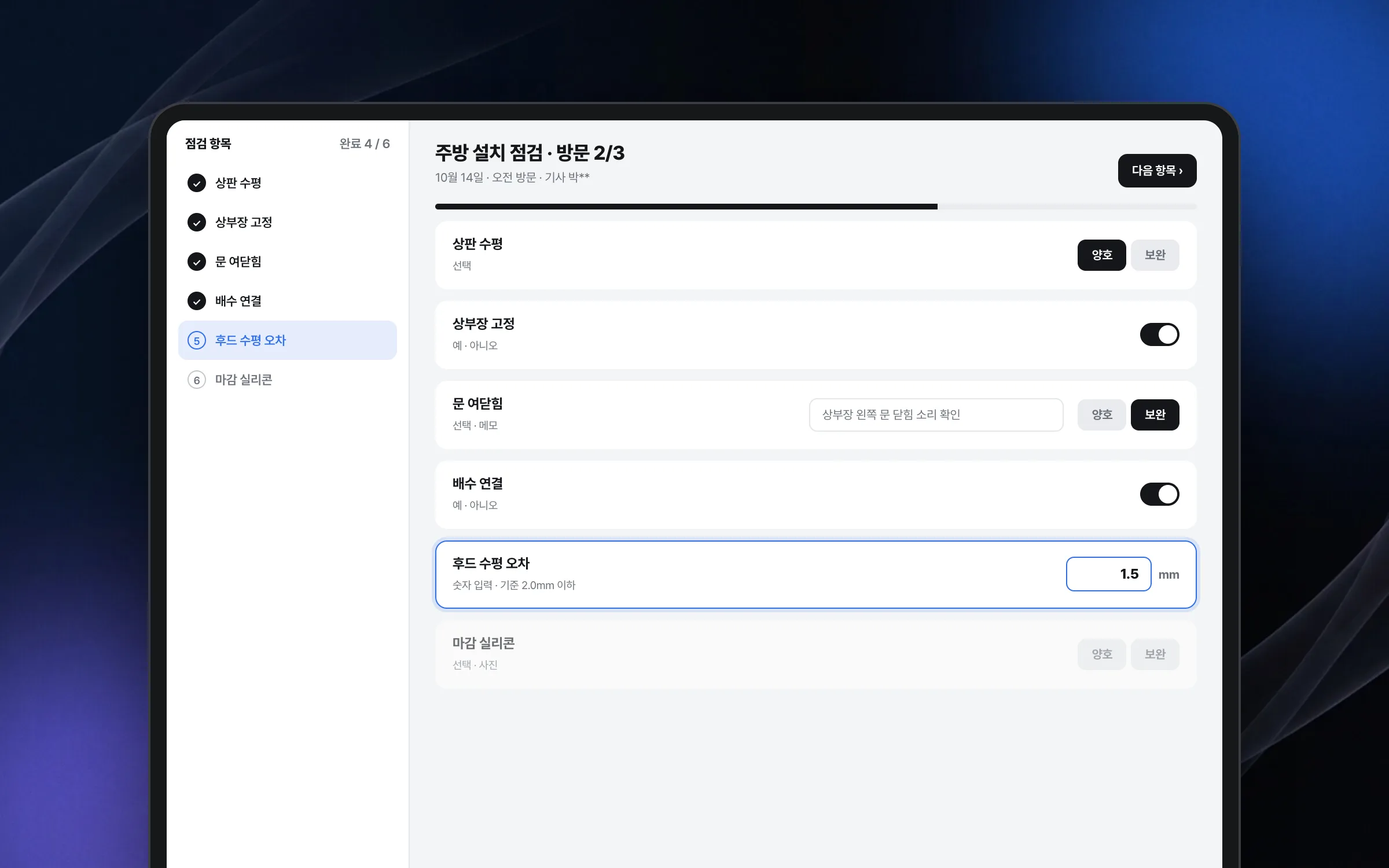
A checklist that fits different kinds of inspection items into one flow
The inspection items in the field inspection app come in many types and input methods. Rather than building a separate screen for each type, items of every type are shown in a consistent form within a single screen flow. The information structure and input order of the items were arranged so technicians can check and enter them quickly on site.

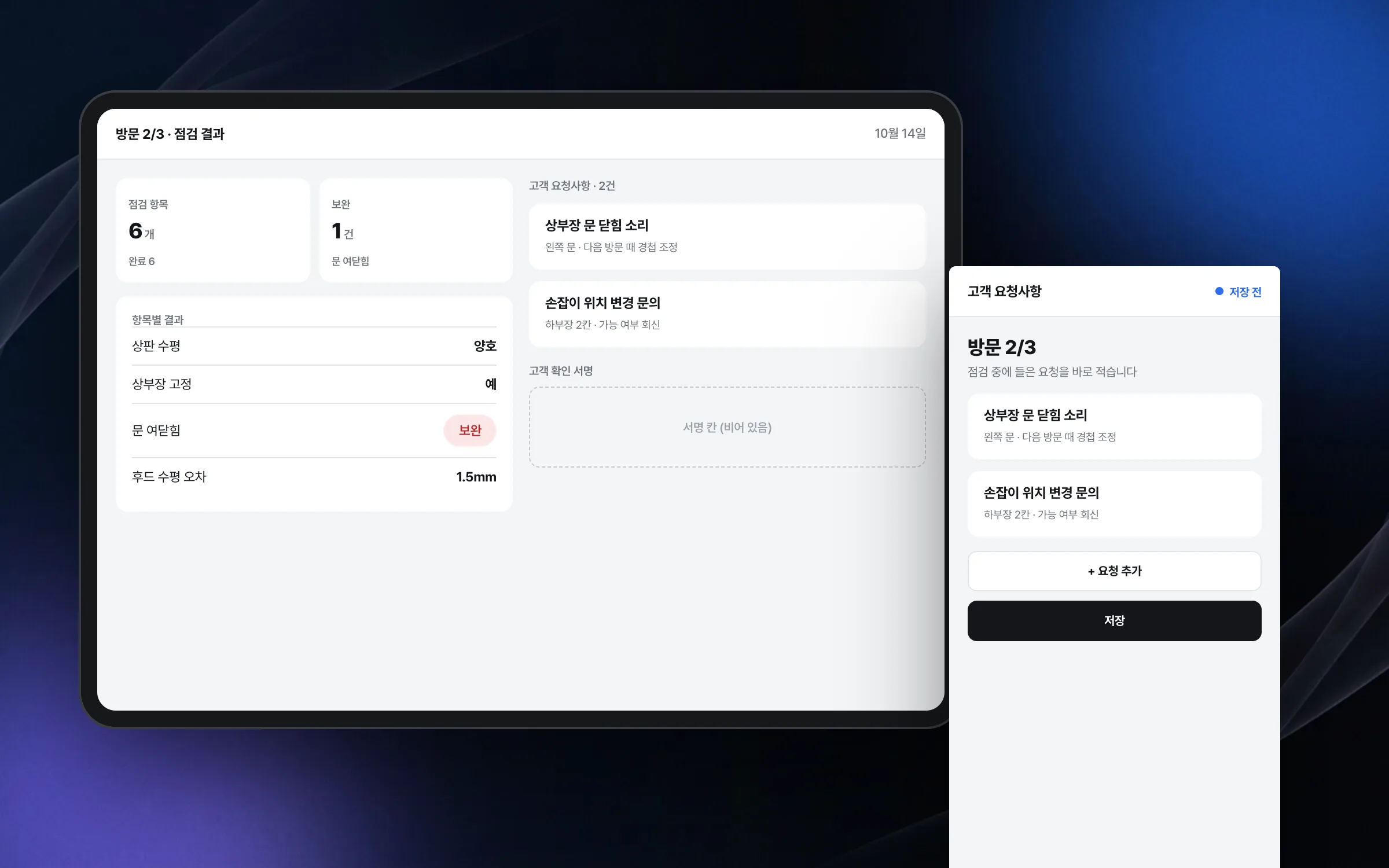
Recording screens that leave no customer request or inspection result behind
During after-sales visits that follow an installation, visiting technicians record customer requests and inspection results in the app as they inspect. On-site work tends to pile several tasks on top of each other, so an entry gets missed or mixed up with something else. Screen transitions and input states were checked so that what was entered is neither lost nor misplaced while moving between screens.

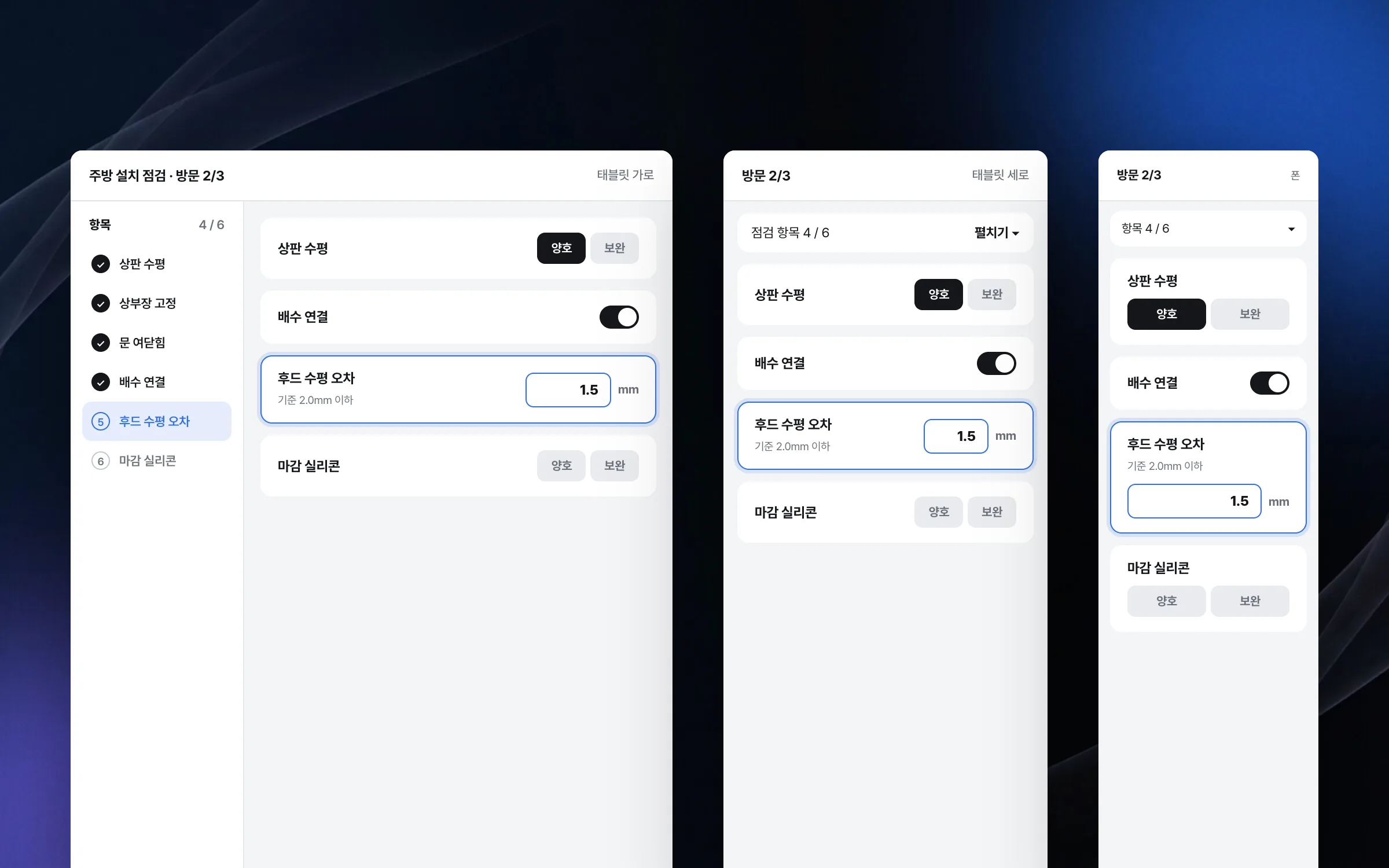
A responsive layout that gives tablets and smartphones the same features
Visiting technicians use both tablets and smartphones depending on the situation on site. Taking each device's resolution, orientation, and input area into account, the app was built so the same features work comfortably on any of them. A single screen design stretches and shrinks to fit both device sizes.

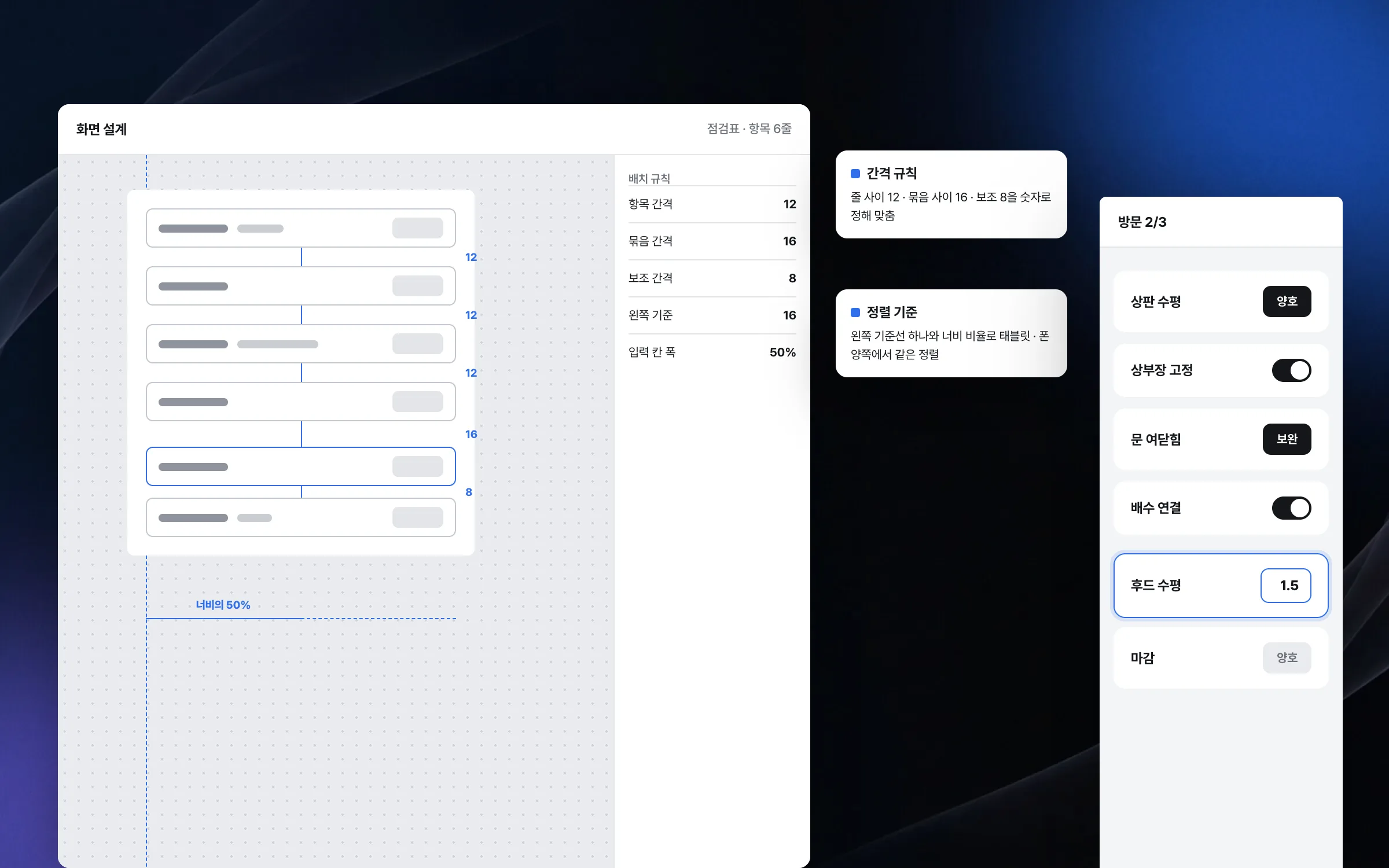
A many-item layout held together by layout rules alone, without convenience tools
When the field inspection app was built, the development tools offered little in the way of features that line up screen elements automatically. The item-heavy inspection screens were assembled by defining the spacing and alignment between elements as rules, one by one, and those rules were checked to hold steady on both tablets and smartphones. This app was the first project our founder carried through alone from start to finish as an independent developer.

Highlights
Inspection items of different types and input methods in one screen flow
A recording flow that leaves no inspection result or customer request behind
The same features on either a tablet or a smartphone
Insights
GA4 client_storage: 'none'은 정말 쿠키를 막을까?
두 달 전 이 블로그에 「GA4 쿠키 없이 쓰기」라는 글을 썼습니다. clientstorage: 'none' 으로 쿠키 저장을 끄고, 자체 분석이 쓰던 익명 ID 를 clientid 로 넘기면 쿠키 0개로 GA4 를 쓸 수 있다는 내…
GA4 Measurement Protocol: gtag.js 없이 서버에서 이벤트 보내기
랜딩 페이지의 전송량을 파일 단위로 쪼개 보다가, 가장 큰 파일이 우리 코드가 아니라는 것을 알았습니다. Google Analytics 의 gtag.js 였고, 방문 한 번에 176KB 를 받고 있었습니다. 페이지 전체가 1,094K…
중소 제조업 AI 도입 순서: DX를 먼저 끝내야 할까?
공장을 가진 중소·중견 제조기업 16만여 곳 가운데 스마트공장을 도입한 곳은 19.5%입니다. 회사가 작을수록 이 비율은 더 떨어집니다. 중소벤처기업부가 2025년 4월에 낸 제1차 스마트제조혁신 실태조사 결과입니다. 그림: 기업 규…
Next.js loading.tsx와 404: 버튼이 화면보다 먼저 살아나게 하기
관리 화면 왼쪽 위에 사이드바를 접고 펴는 ☰ 버튼이 있습니다. 폭 하나 바꾸는 버튼인데, 대시보드에서 누르면 2초 넘게 아무 반응이 없었습니다. 레이아웃만 바꾸는 일이 왜 이렇게 오래 걸리는지부터 들여다봤습니다. Next.js 16…