Field app for service engineers, deployed globally
We took part in overhauling the field app that service engineers around the world use on repair visits to check repair jobs, manage visit schedules, and report their results. The app has to work in overseas areas with unreliable networks, and if results entered while the connection is down are lost, work done on site drops out of the record. We built a sync that stores work on the device while offline and sends it to the server automatically once the connection returns, and kept that transfer from stopping midway when the app moves to the background.
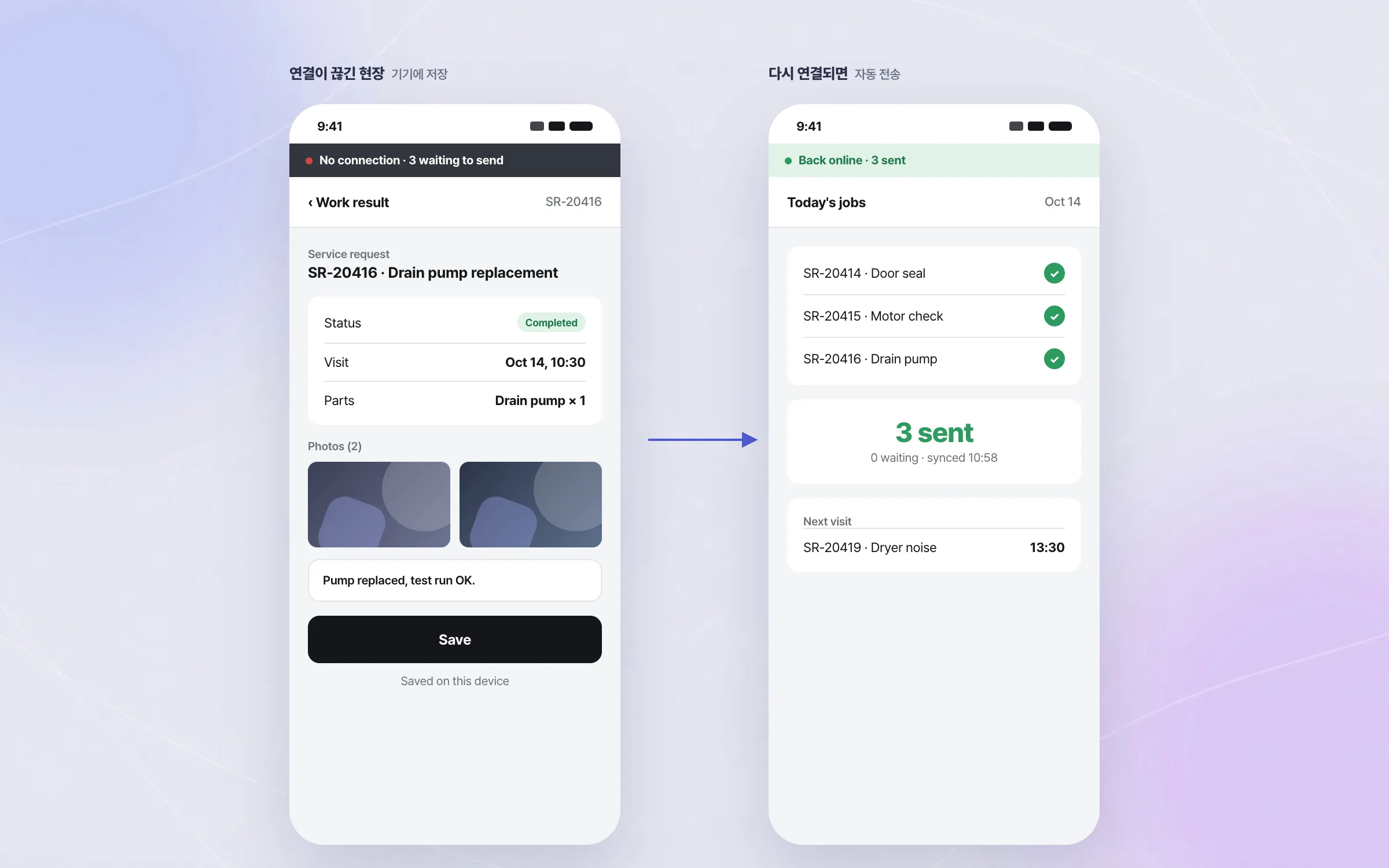
Field work records that stay on the device when the network drops
Service engineers use the field app to check repair jobs, manage customer visit schedules, and report work results. Work data entered while the network is down is stored in an on-device database and in files, and is sent to the server automatically once the connection is back. Network conditions at overseas sites are uneven, so not losing data was the app's core requirement.

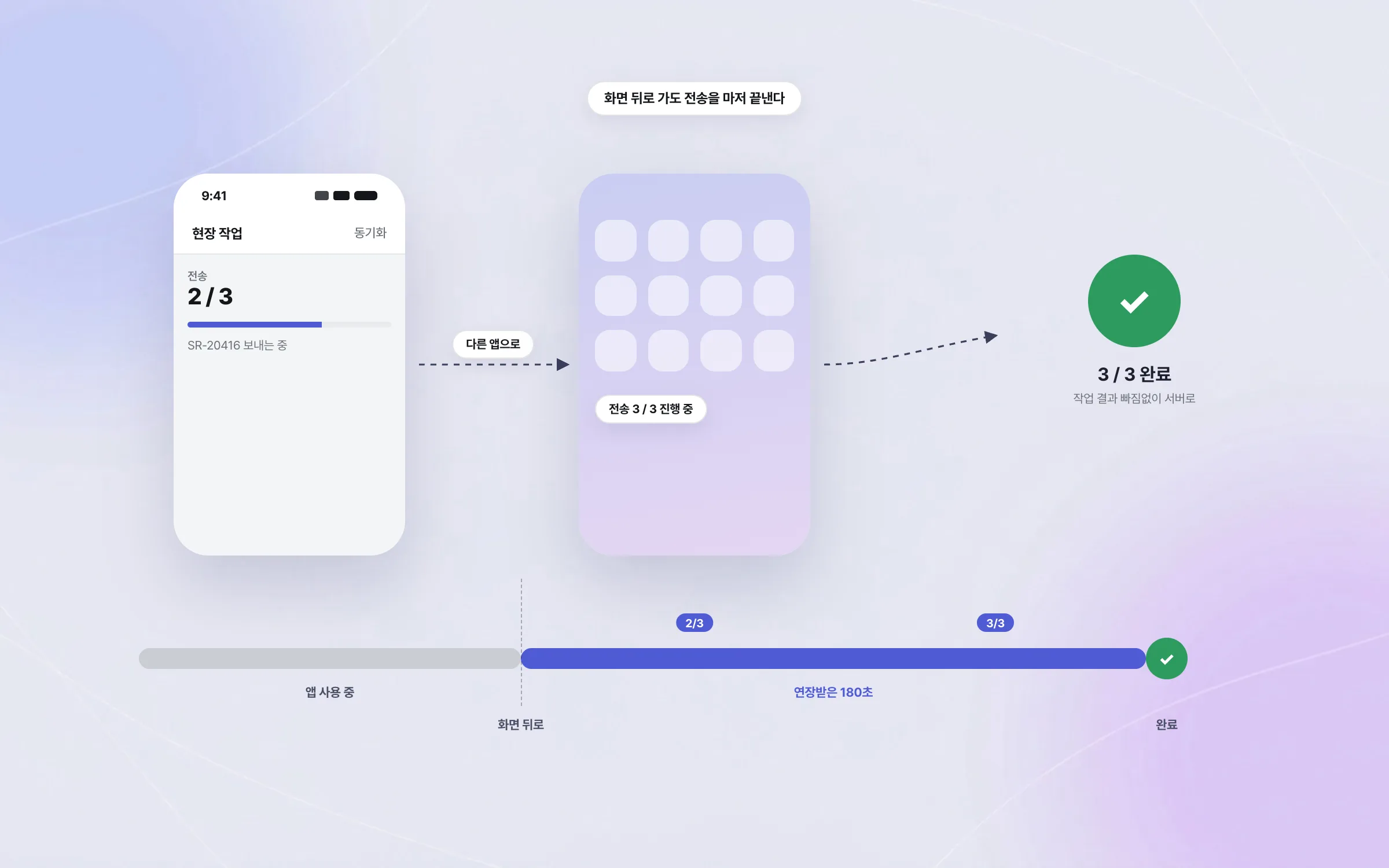
Sync that keeps going after the app leaves the screen
At the time, the smartphone operating system strictly limited how long an app could keep running once it left the screen. When the field app moves to the background, it obtains a 180-second extension from the operating system and is designed to finish syncing within that window. The aim is that a transfer in progress carries through as far as it can, even when the engineer switches to another app.

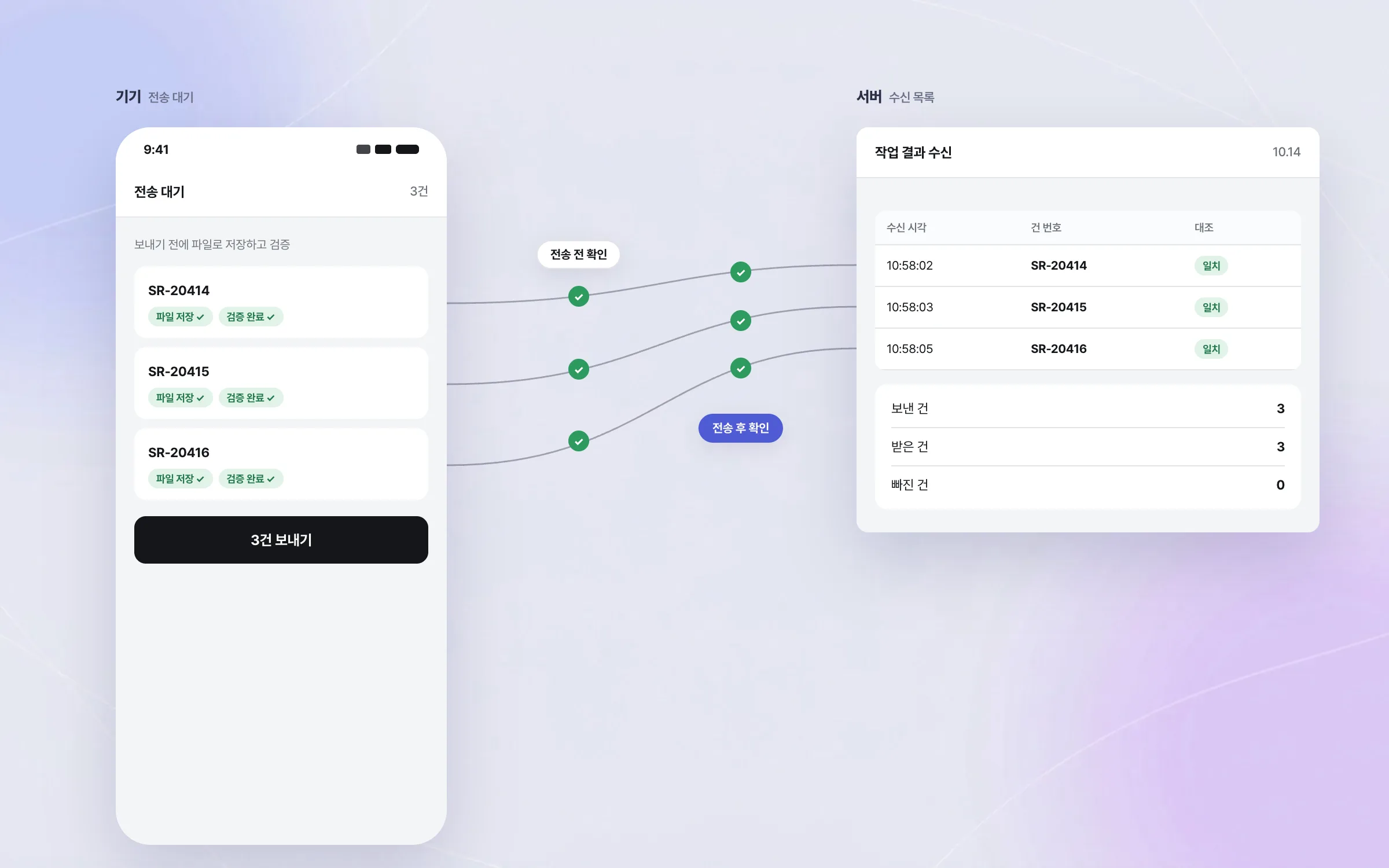
Before-and-after checks that keep work results from going missing
Between a network dropping and coming back, the data on the device and on the server can drift apart. The field app saves work results to files and runs them through a verification step. By checking the state before and after each transfer to the server, no field work result slips out along the way.

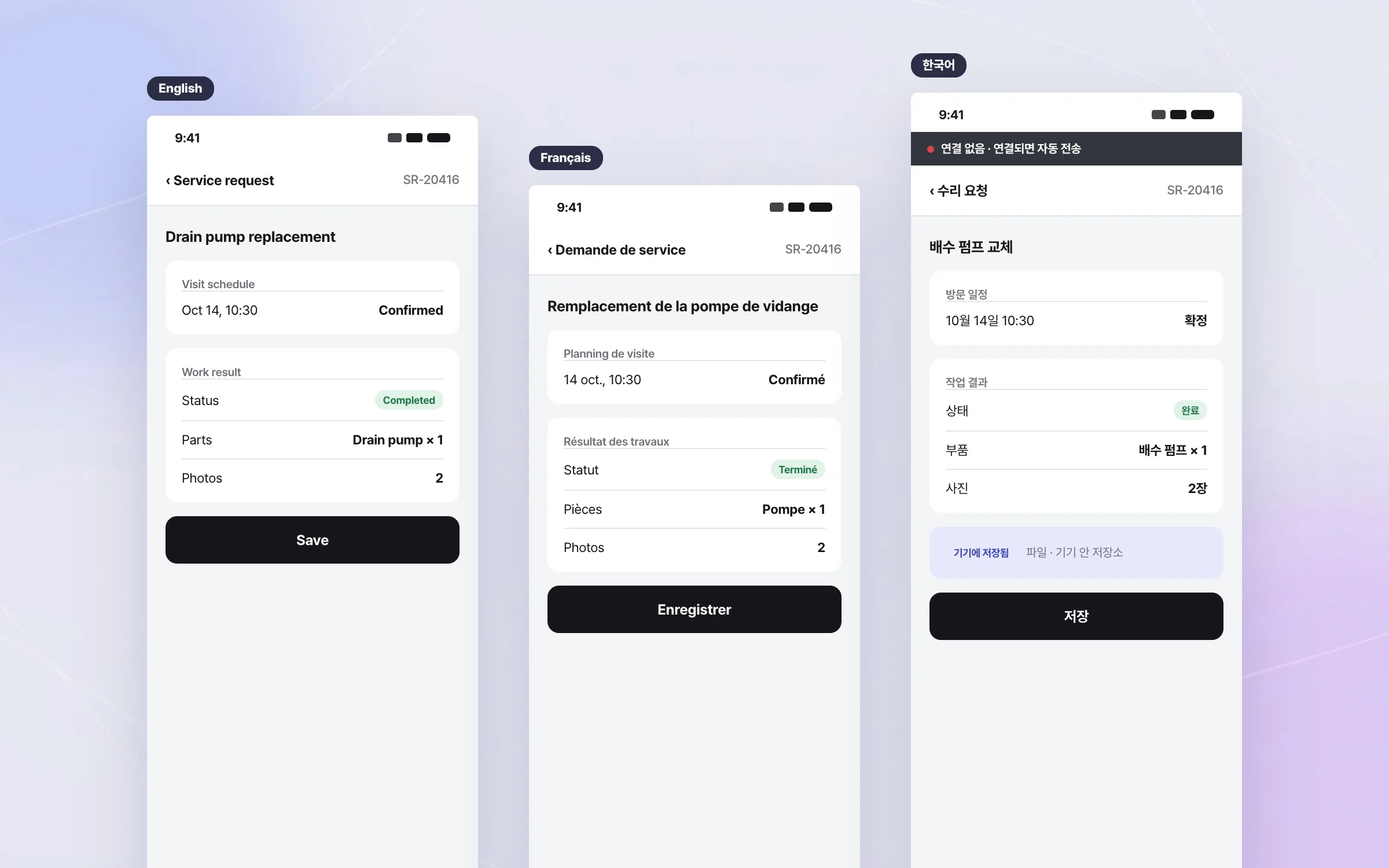
A multilingual field app with device features built onto web screens
The service engineers' field app is built from web screens carried inside a native app frame. Within it, we built the device-side features the web alone cannot provide, such as saving files, on-device storage, and background processing. Engineers in many countries use it in their own languages, so we checked the multilingual screens and the exception flows that let work continue where the network is unreliable.

Highlights
Offline sync that stores work on the device and sends it automatically on reconnect
Sync that carries on after the app moves to the background
Before-and-after checks on each transfer so no work result goes missing
Insights
GA4 client_storage: 'none'은 정말 쿠키를 막을까?
두 달 전 이 블로그에 「GA4 쿠키 없이 쓰기」라는 글을 썼습니다. clientstorage: 'none' 으로 쿠키 저장을 끄고, 자체 분석이 쓰던 익명 ID 를 clientid 로 넘기면 쿠키 0개로 GA4 를 쓸 수 있다는 내…
GA4 Measurement Protocol: gtag.js 없이 서버에서 이벤트 보내기
랜딩 페이지의 전송량을 파일 단위로 쪼개 보다가, 가장 큰 파일이 우리 코드가 아니라는 것을 알았습니다. Google Analytics 의 gtag.js 였고, 방문 한 번에 176KB 를 받고 있었습니다. 페이지 전체가 1,094K…
중소 제조업 AI 도입 순서: DX를 먼저 끝내야 할까?
공장을 가진 중소·중견 제조기업 16만여 곳 가운데 스마트공장을 도입한 곳은 19.5%입니다. 회사가 작을수록 이 비율은 더 떨어집니다. 중소벤처기업부가 2025년 4월에 낸 제1차 스마트제조혁신 실태조사 결과입니다. 그림: 기업 규…
Next.js loading.tsx와 404: 버튼이 화면보다 먼저 살아나게 하기
관리 화면 왼쪽 위에 사이드바를 접고 펴는 ☰ 버튼이 있습니다. 폭 하나 바꾸는 버튼인데, 대시보드에서 누르면 2초 넘게 아무 반응이 없었습니다. 레이아웃만 바꾸는 일이 왜 이렇게 오래 걸리는지부터 들여다봤습니다. Next.js 16…