Global shopping service expansion
We quickly ported a large electronics company's official global shopping app, where it sells its own phones, TVs, and appliances directly, to another platform, working from the implementation and screen flows already running on the first one. The app is a hybrid that shows web screens inside an app shell, so the same web page behaves differently in each environment, and the first question was always whether a problem lived in the web or in the app. We built the app shell, entry into web screens, external links, and app permissions for the new platform, and patched web screens that were hard to change directly by injecting scripts from the app. We split issues with the web team and shipped after addressing store review feedback.
A hybrid app that carries a web-run shopping service in an app shell
The global shopping app is a hybrid that displays a web-run shopping service inside an app shell. Customers order products, receive member rewards, and track deliveries in real time with notifications in this app. The version for the other platform was ported quickly against the existing app's implementation and screen flows. We worked out the parts that differ by platform, such as the shell that holds web screens, the path into web screens, external link handling, and app permissions, and built them into a releasable app. Problems in loading web content and at the boundary between app features and the web were also tuned from the app shell's side.

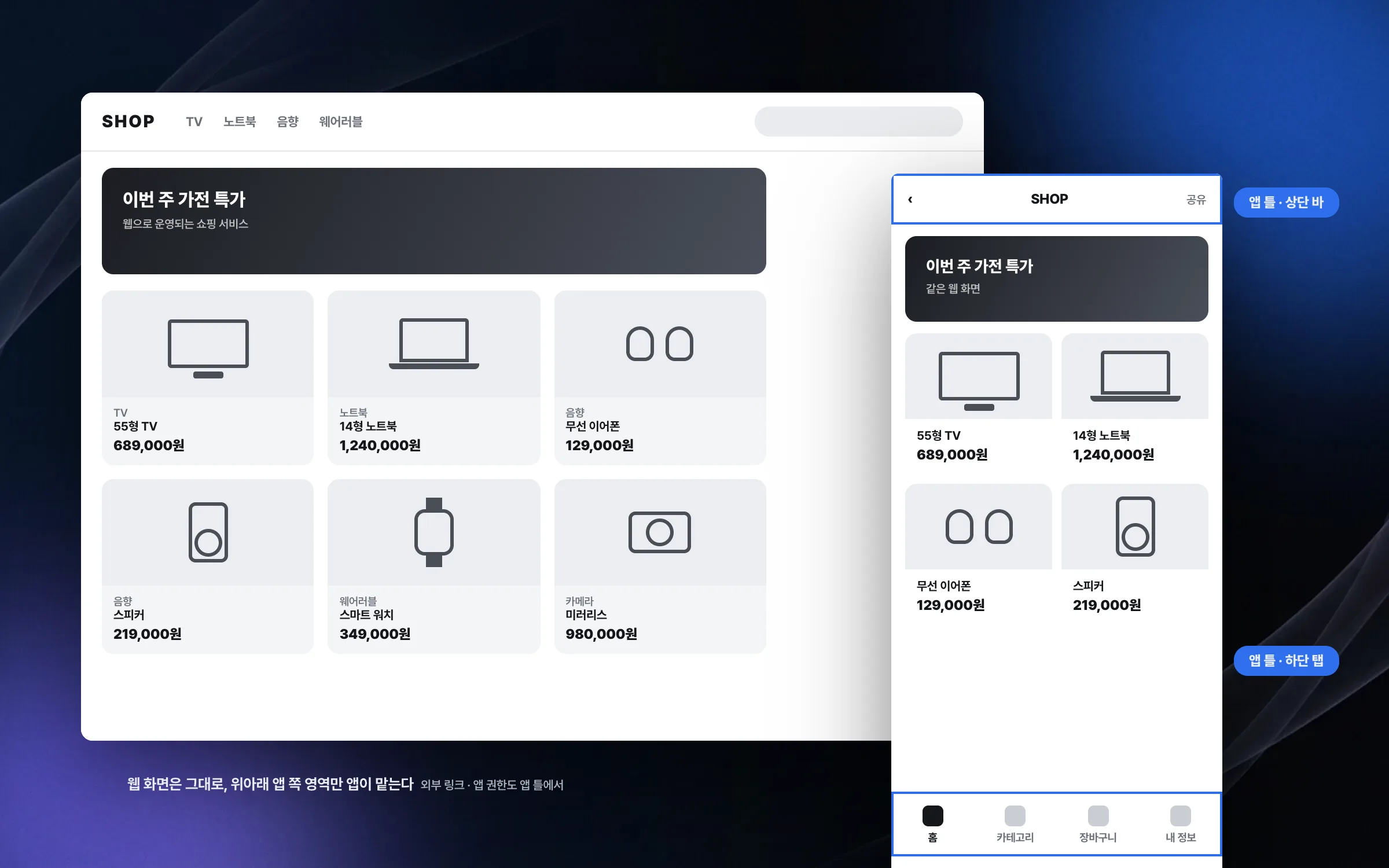
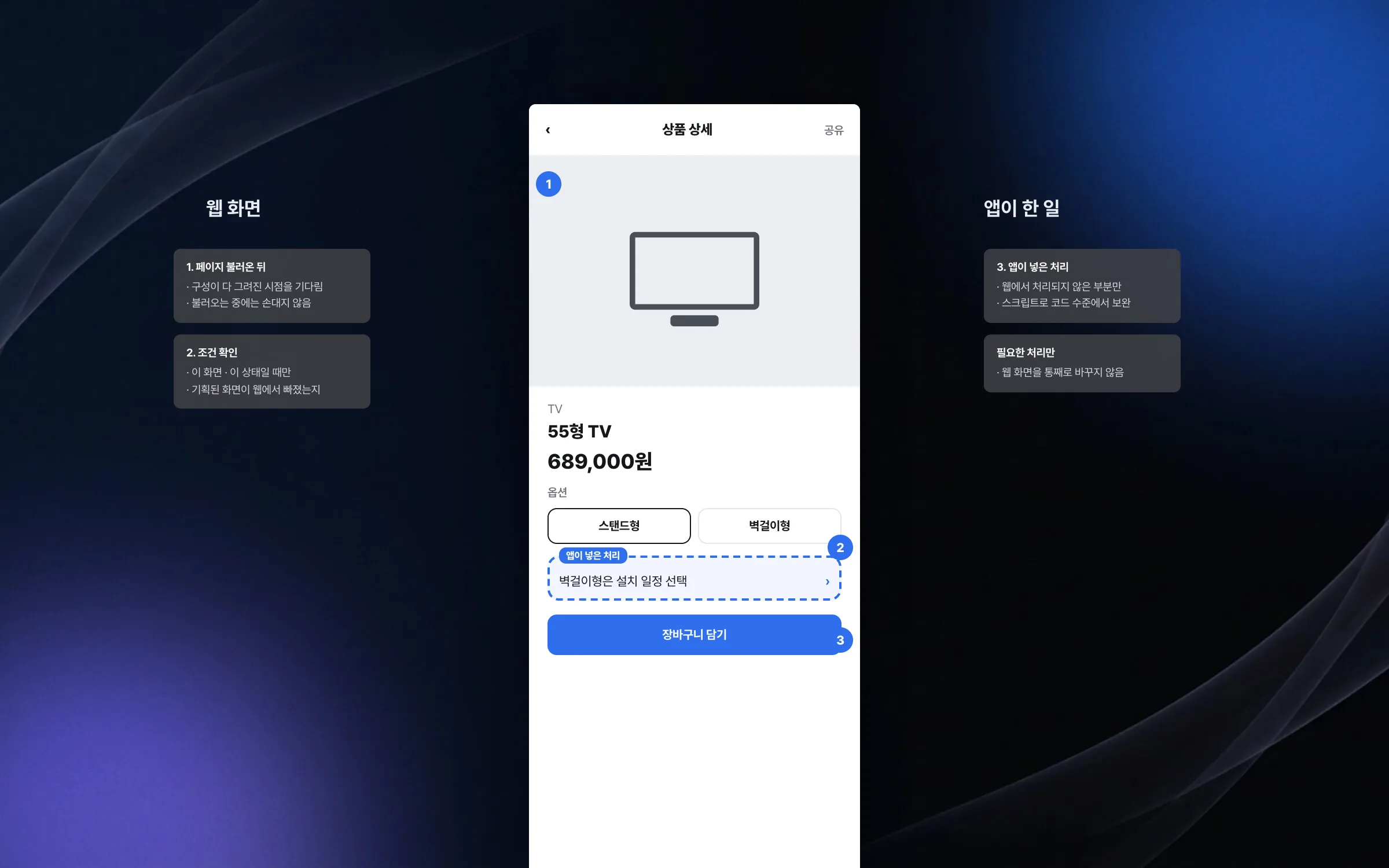
Script injection that patched hard-to-change web screens from the app
The web screens of the global shopping service were hard for the app side to change directly. When a planned screen or an edge case was not handled on the web, the app injected scripts into the web screen to fill the gap at the code level. Each fix was applied only after checking the page's structure, its load timing, and which screen should appear under which condition.

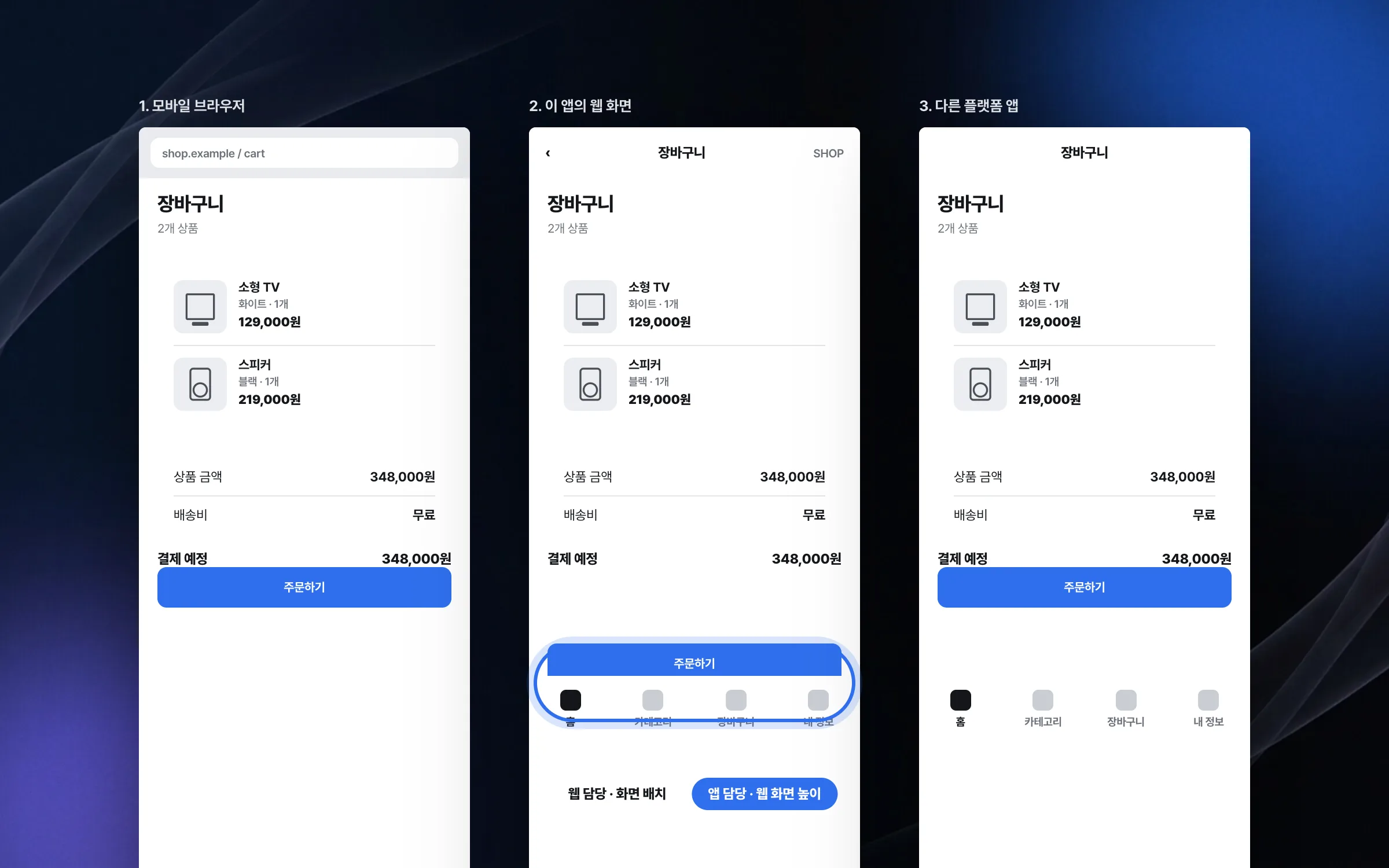
One page compared across three environments, with fixes divided accordingly
A web page in the hybrid shopping app can behave differently in a mobile browser, inside this app's web screen, and inside the other platform's app. Together with the web team we compared the three side by side and first determined whether a problem belonged to the web or to the app shell. Issues were then resolved by dividing the fix between the people responsible for each part.

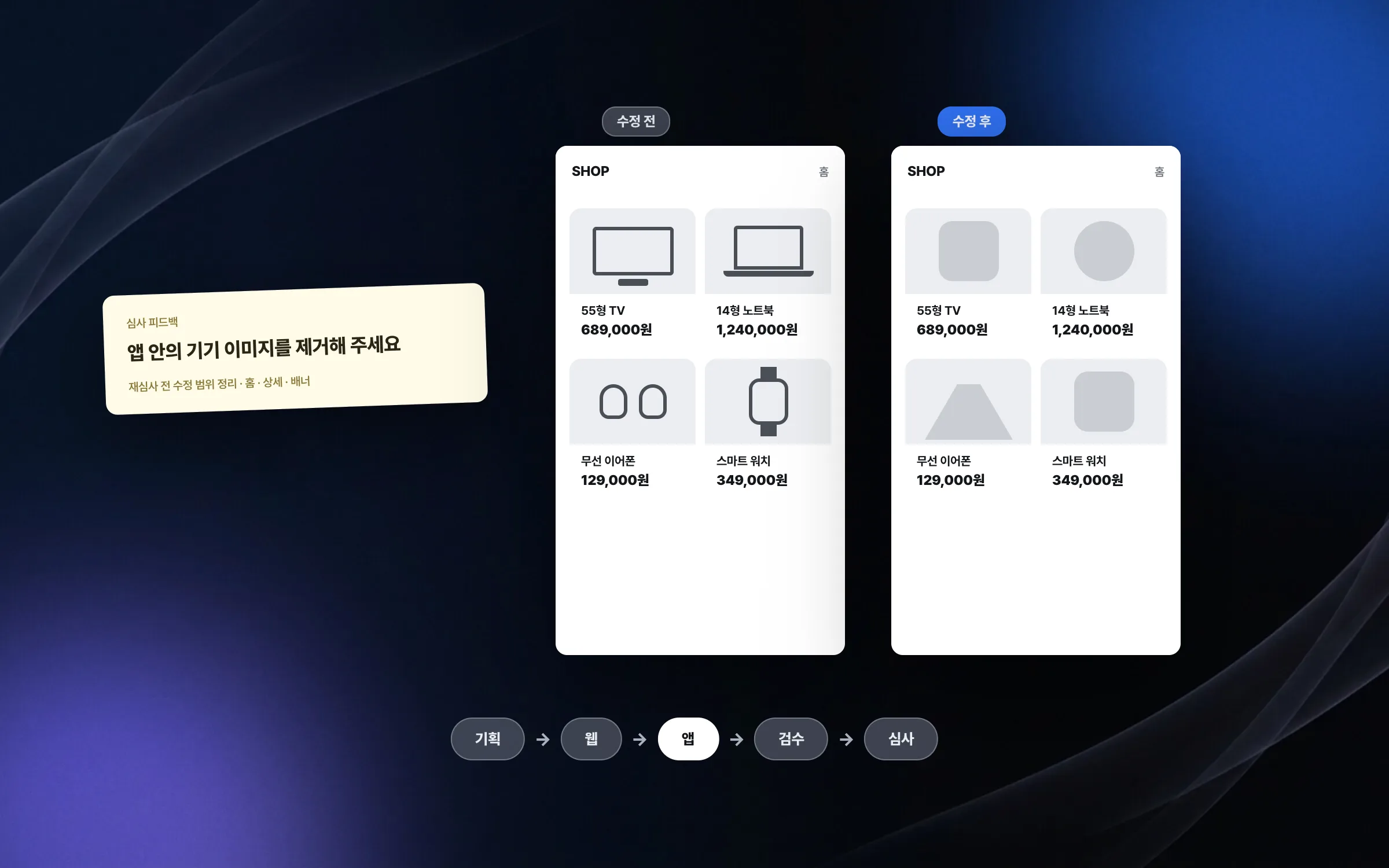
A release that took in unexpected review feedback right away
During the release of the global shopping app, store review came back with change requests, including one to remove every device-related image from the app. We applied the feedback quickly and set out the scope of changes needed for re-review. Planning, web, app, QA, and review were separate stages, so every time requirements changed or an exception came up, quick communication and quick fixes were what kept the release steady.

Highlights
A hybrid shopping app ported against the existing implementation and flows
Web screens that could not be edited directly, patched with scripts injected from the app
Issue fixes split between web and app by environment, plus store review response
Insights
GA4 client_storage: 'none'은 정말 쿠키를 막을까?
두 달 전 이 블로그에 「GA4 쿠키 없이 쓰기」라는 글을 썼습니다. clientstorage: 'none' 으로 쿠키 저장을 끄고, 자체 분석이 쓰던 익명 ID 를 clientid 로 넘기면 쿠키 0개로 GA4 를 쓸 수 있다는 내…
GA4 Measurement Protocol: gtag.js 없이 서버에서 이벤트 보내기
랜딩 페이지의 전송량을 파일 단위로 쪼개 보다가, 가장 큰 파일이 우리 코드가 아니라는 것을 알았습니다. Google Analytics 의 gtag.js 였고, 방문 한 번에 176KB 를 받고 있었습니다. 페이지 전체가 1,094K…
중소 제조업 AI 도입 순서: DX를 먼저 끝내야 할까?
공장을 가진 중소·중견 제조기업 16만여 곳 가운데 스마트공장을 도입한 곳은 19.5%입니다. 회사가 작을수록 이 비율은 더 떨어집니다. 중소벤처기업부가 2025년 4월에 낸 제1차 스마트제조혁신 실태조사 결과입니다. 그림: 기업 규…
Next.js loading.tsx와 404: 버튼이 화면보다 먼저 살아나게 하기
관리 화면 왼쪽 위에 사이드바를 접고 펴는 ☰ 버튼이 있습니다. 폭 하나 바꾸는 버튼인데, 대시보드에서 누르면 2초 넘게 아무 반응이 없었습니다. 레이아웃만 바꾸는 일이 왜 이렇게 오래 걸리는지부터 들여다봤습니다. Next.js 16…