Legacy payment app modernization
We handled feature development and maintenance, over a long period, for a payment app that processes card payments and other payment methods on mobile. Running it alongside another payment app built on the same foundation, we reflected this app's own requirements in its screens and payment flows. In a payment service, repeatedly confirming that existing payments still run correctly matters more than building fast. The work spans payment-state handling, camera document submission, multilingual messages, and app error management.
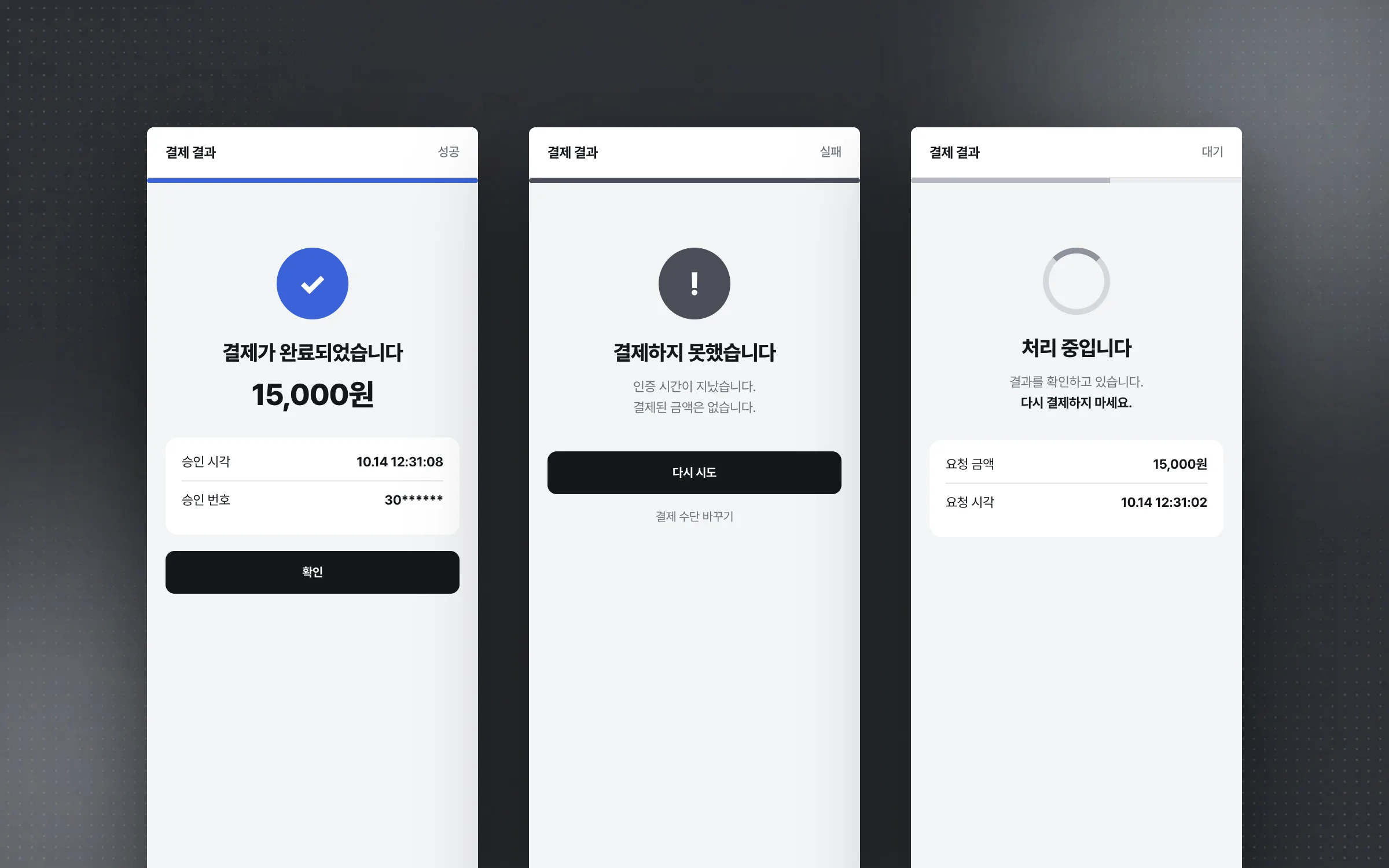
Payment results where success, failure, and pending are told apart at a glance
The core flow of the mobile payment app is payment request, authentication, result confirmation, and error-response handling. While keeping that flow stable, payment results were made to show three clearly separated states: success, failure, and pending. If a user mistakes pending for failure, or failure for success, they either pay again or walk away thinking the payment went through.

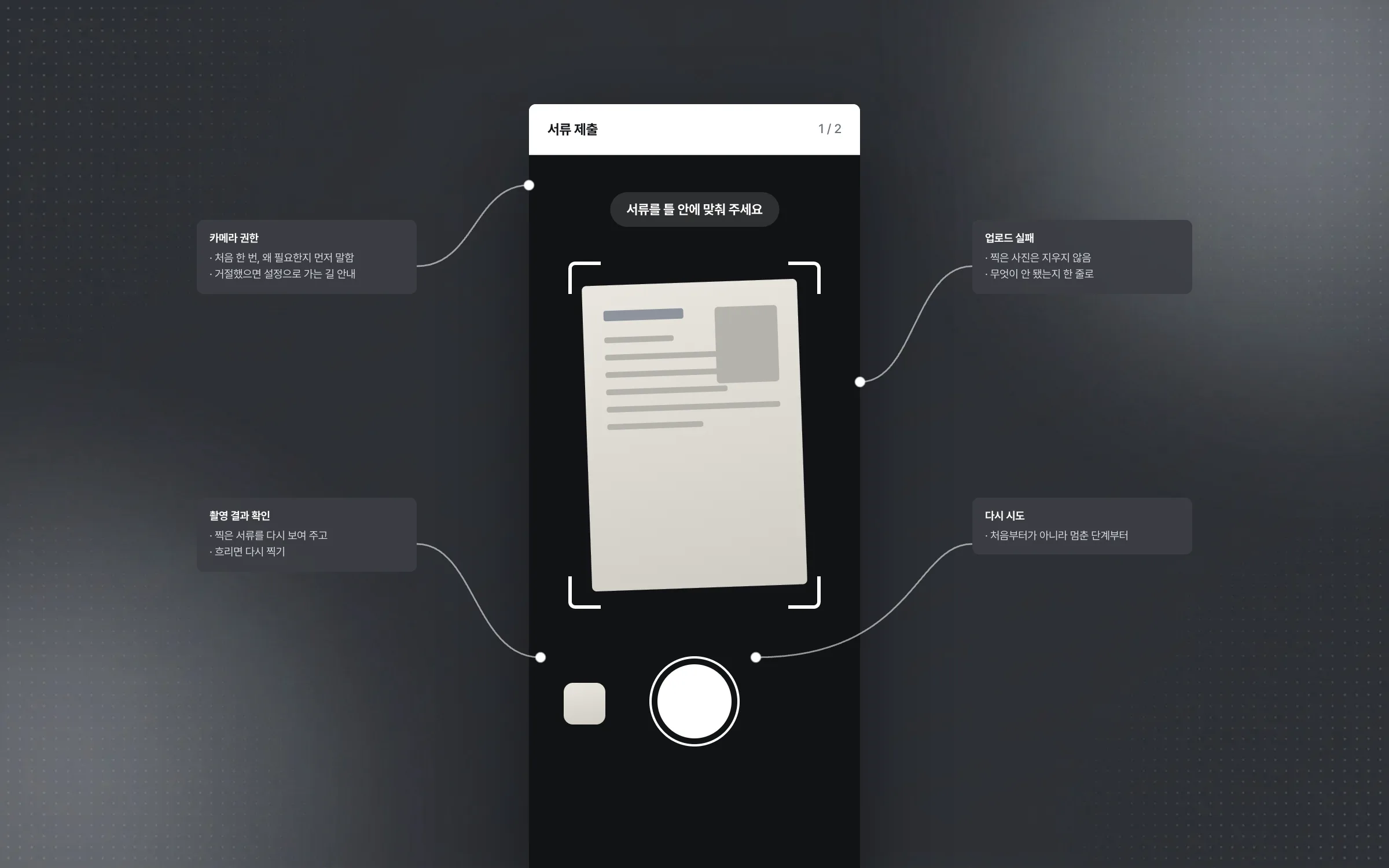
Camera document submission that holds together from permission to retry
The mobile payment app lets users photograph documents with the camera and submit them right in the app. This flow was built and maintained together with the exceptions that can occur in operation: camera permission requests, checking the captured result, upload failures, and retries. The rule was that wherever the flow stops, the user can tell what to do next.

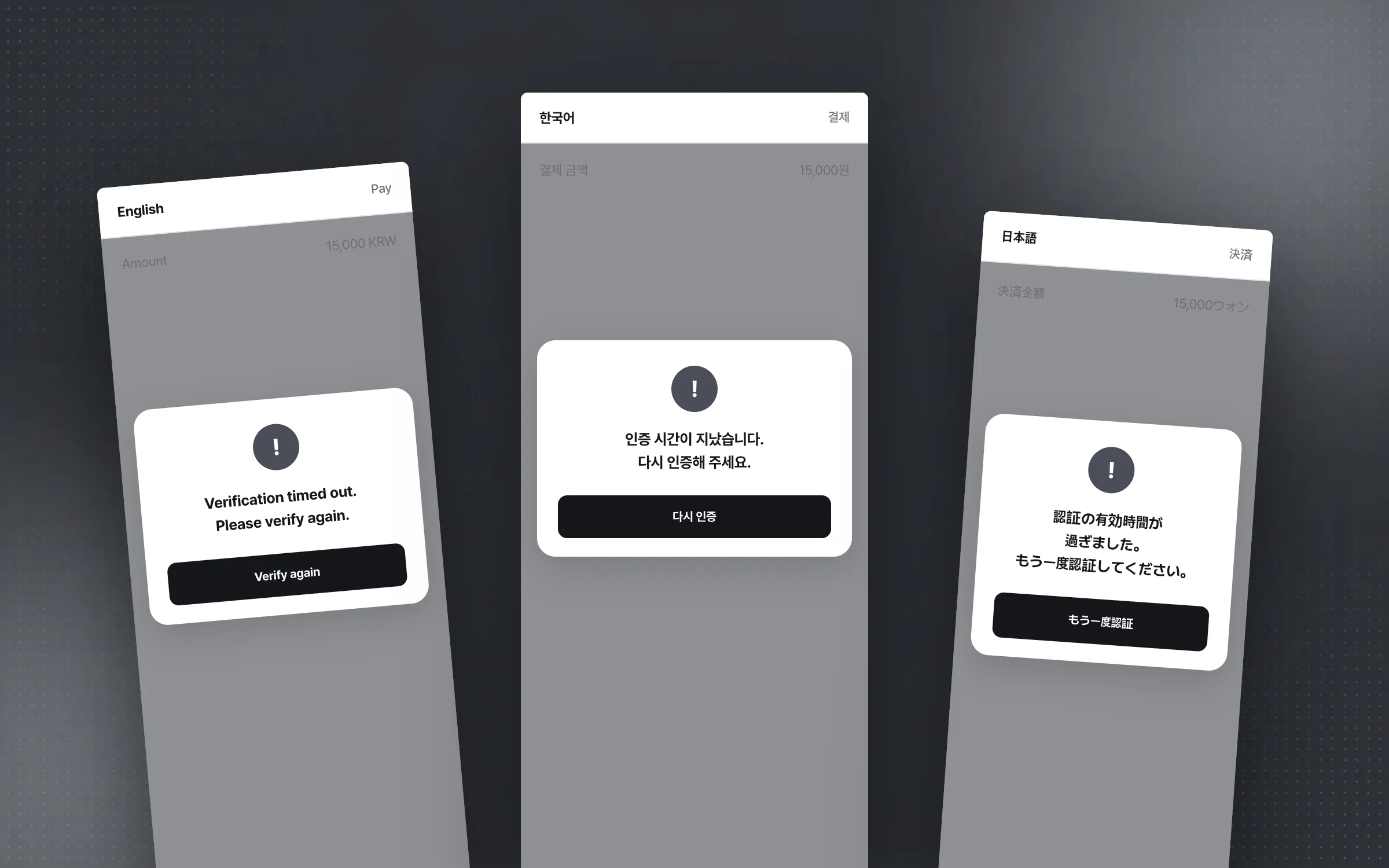
Payment and authentication error messages, reread in every language
The mobile payment app serves a broad range of users, so its screens and messages are offered in several languages. While applying the multilingual screens and text, error messages in the payment and authentication steps were singled out and checked. The test was less whether the translation was correct than whether a user reading the message knows at once what to do next.

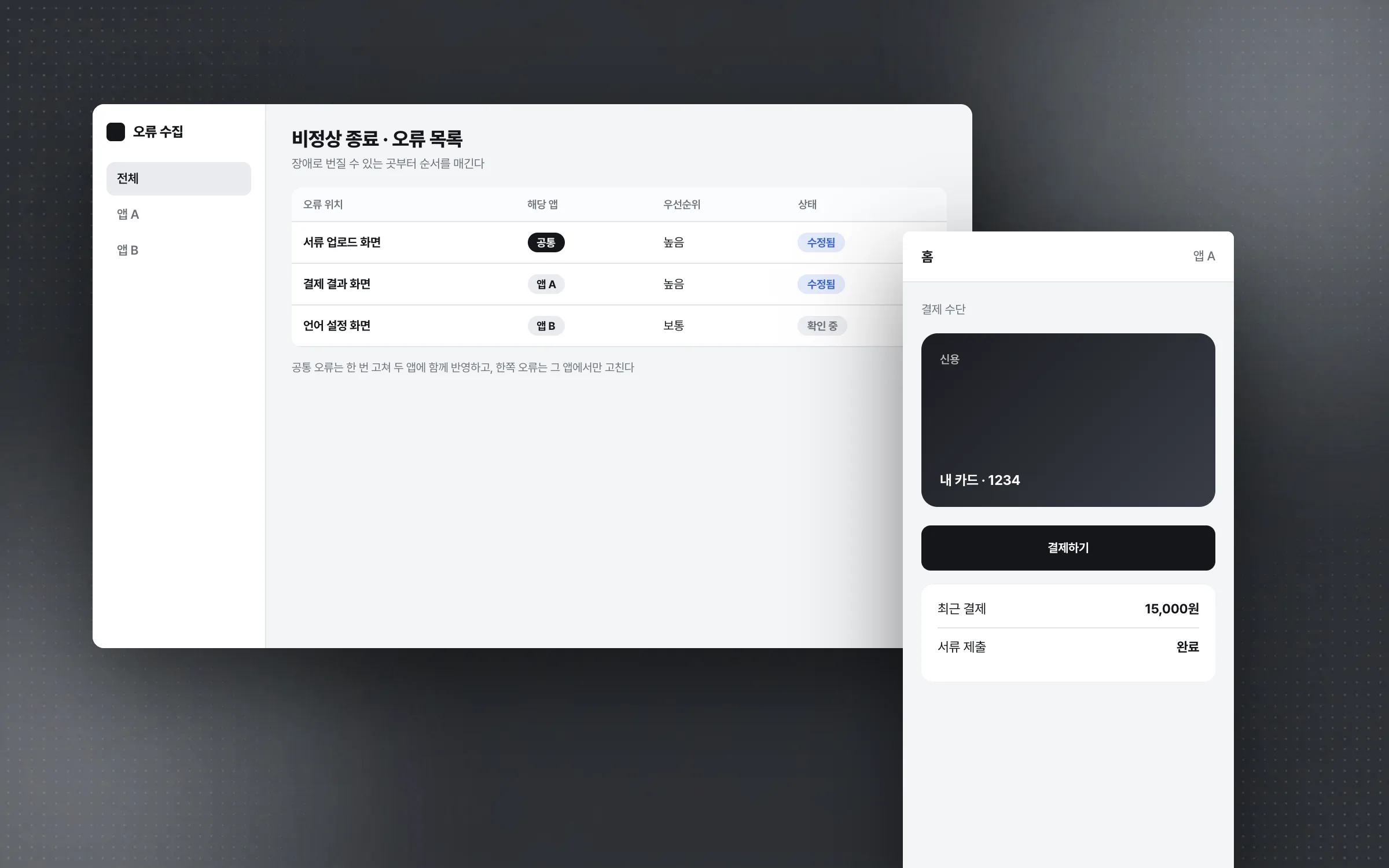
Separating shared errors from app-specific ones across two payment apps on one foundation
Crashes of the live mobile payment app were watched with an error-collection tool and fixed in priority order, starting with the spots that could grow into outages. This payment app was run alongside another payment app built on the same foundation, and problems common to both were handled separately from those found in only one. Payment services tolerate no defects, and the crash rate was kept very low throughout operation.

Highlights
Payment status display that keeps success, failure, and pending unmistakable
Camera document submission that covers permission, upload failure, and retry
Quality control that separated shared and app-specific errors across two payment apps on one foundation
Insights
GA4 client_storage: 'none'은 정말 쿠키를 막을까?
두 달 전 이 블로그에 「GA4 쿠키 없이 쓰기」라는 글을 썼습니다. clientstorage: 'none' 으로 쿠키 저장을 끄고, 자체 분석이 쓰던 익명 ID 를 clientid 로 넘기면 쿠키 0개로 GA4 를 쓸 수 있다는 내…
GA4 Measurement Protocol: gtag.js 없이 서버에서 이벤트 보내기
랜딩 페이지의 전송량을 파일 단위로 쪼개 보다가, 가장 큰 파일이 우리 코드가 아니라는 것을 알았습니다. Google Analytics 의 gtag.js 였고, 방문 한 번에 176KB 를 받고 있었습니다. 페이지 전체가 1,094K…
중소 제조업 AI 도입 순서: DX를 먼저 끝내야 할까?
공장을 가진 중소·중견 제조기업 16만여 곳 가운데 스마트공장을 도입한 곳은 19.5%입니다. 회사가 작을수록 이 비율은 더 떨어집니다. 중소벤처기업부가 2025년 4월에 낸 제1차 스마트제조혁신 실태조사 결과입니다. 그림: 기업 규…
Next.js loading.tsx와 404: 버튼이 화면보다 먼저 살아나게 하기
관리 화면 왼쪽 위에 사이드바를 접고 펴는 ☰ 버튼이 있습니다. 폭 하나 바꾸는 버튼인데, 대시보드에서 누르면 2초 넘게 아무 반응이 없었습니다. 레이아웃만 바꾸는 일이 왜 이렇게 오래 걸리는지부터 들여다봤습니다. Next.js 16…