Overseas stock investment service
We built new screens and maintained existing features in a brokerage's investment app where local investors overseas trade stocks, mutual funds, and ETFs in one place. We designed and implemented a chart of buying and selling by broker, an investment calendar that puts dividend dates on a calendar, and a portfolio screen that gathers the profit, loss, and weighting of holdings. A financial app loses trust the moment quotes lag or values disagree after returning to a screen, so we also tracked down and fixed defects in live quotes, order entry, and screen transitions. This ran in parallel with the same firm's app for another country.
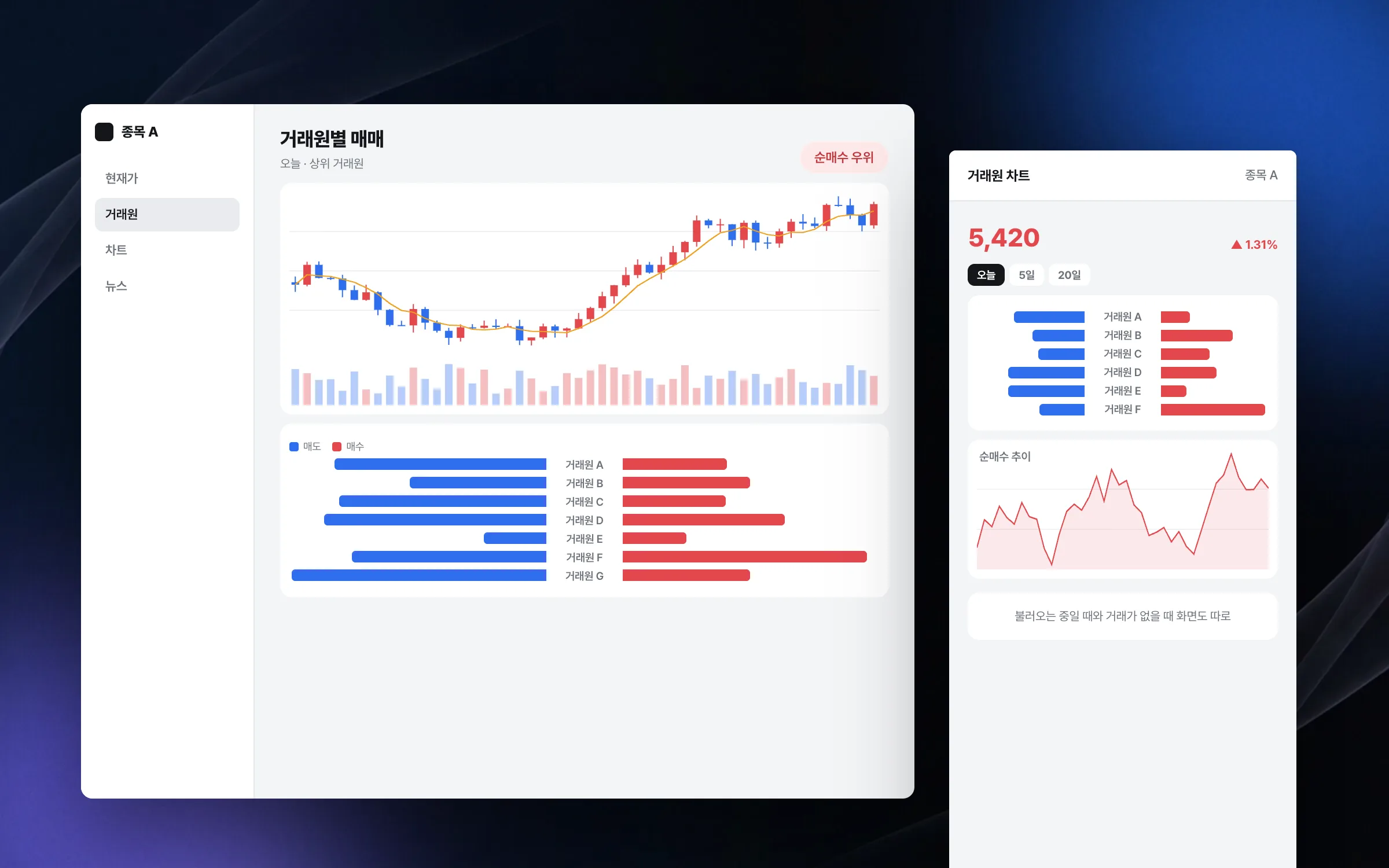
A chart that lines up who is buying and who is selling, broker by broker
The broker chart shows, for a single stock, how much each brokerage is buying and selling. To make it easy to compare at a glance which market participants are behind the buying and the selling, we shaped the incoming data for the chart and decided how the chart is laid out. Screen states while the data loads or when it is empty were handled as well.

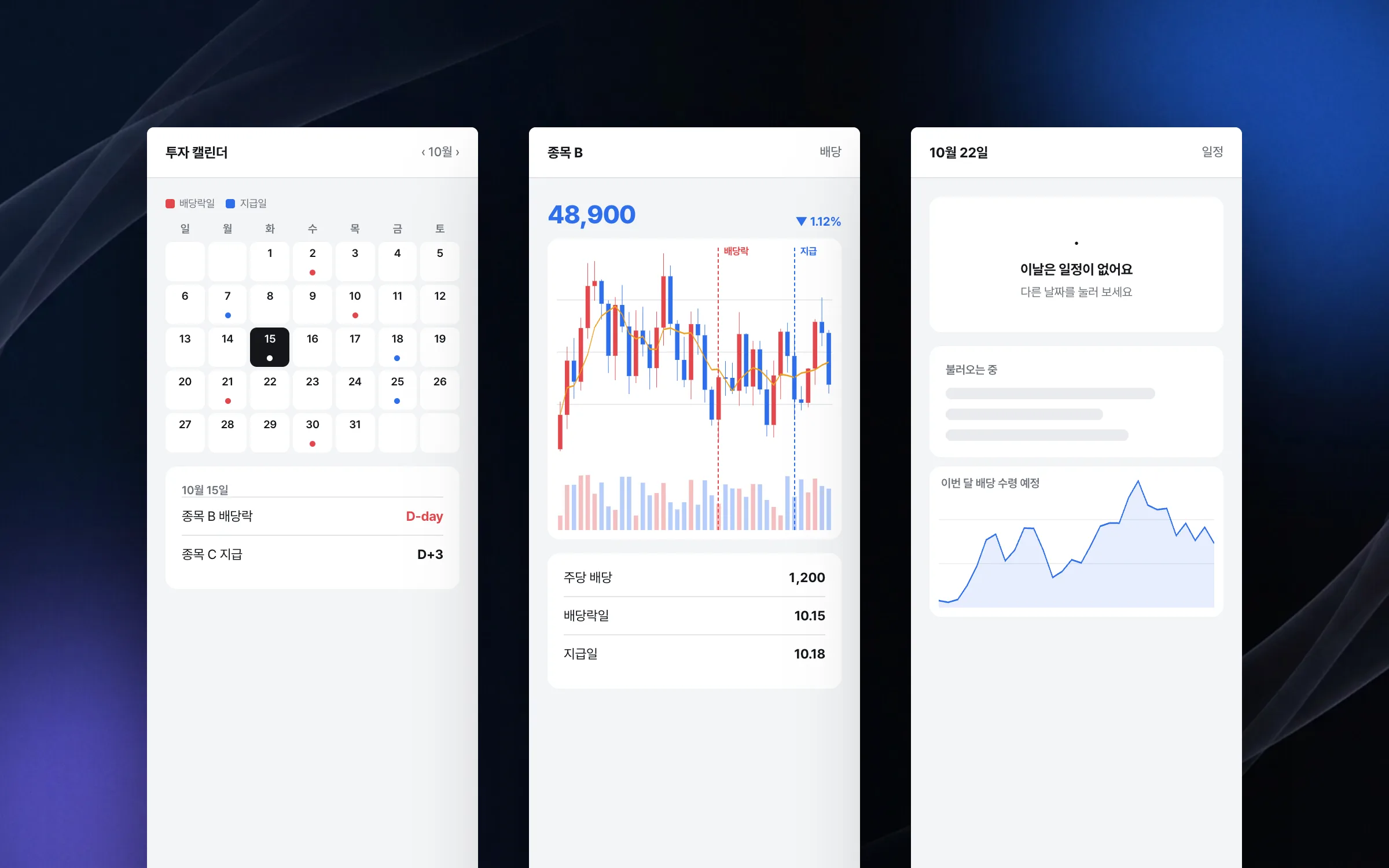
An investment calendar that pins dividend dates to the day
The investment calendar shows key investment dates, such as dividend payment dates and ex-dividend dates, on a calendar. Events are pinned to their dates, the calendar moves month by month, and tapping a date opens the details for that day. Screens for when there are no events and while data is loading were worked out separately.

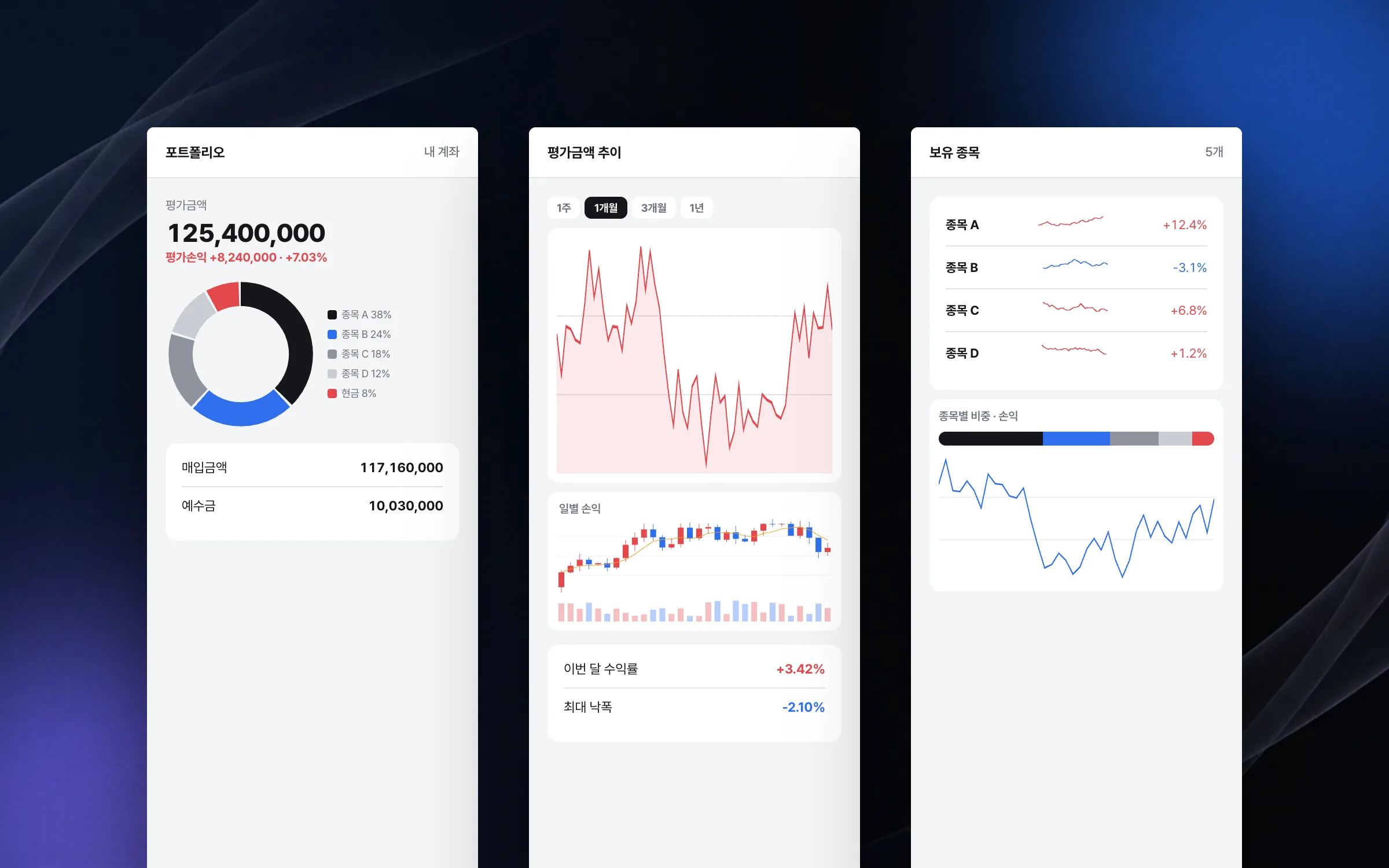
A portfolio that puts value, profit, and weighting on one screen
The portfolio screen gathers the market value, profit and loss, return, and per-stock weighting of holdings on one screen. We arranged the order and grouping of information so investors can read the state of their account first, without hunting for each number. The standard for this screen was that profit and weighting stay readable at a glance even with many holdings.

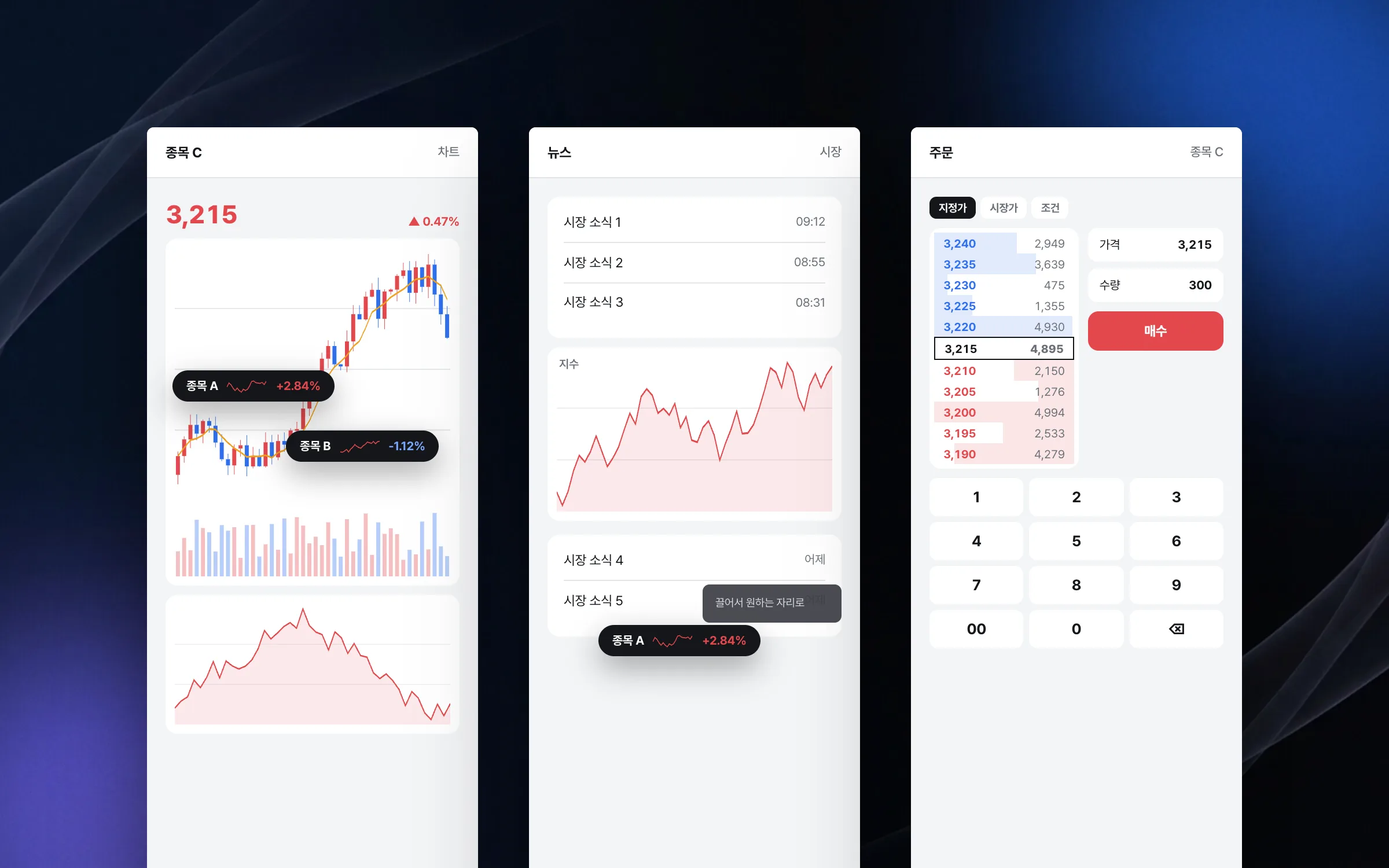
A floating price ticker and order modes that switch without leaving the screen
The floating ticker is a small element that keeps showing a chosen stock's price move while the app is in use. Investors pin stocks they follow as these tickers and keep seeing price moves while moving between other menus. Like a widget, the ticker can be dragged to any spot on the screen. We had it reflect live price changes, keep its state across screen changes, and appear in a way that does not get in the way of other actions. On the order screen, the trading mode changes without leaving the menu, and we reinforced the flow so each mode's keypad, inputs, and quantity calculated from a target amount work reliably.

Highlights
A chart comparing buying and selling by broker
An investment calendar with dividend payment and ex-dividend dates
A floating price ticker across the app, and order-mode switching without leaving the screen
Insights
GA4 client_storage: 'none'은 정말 쿠키를 막을까?
두 달 전 이 블로그에 「GA4 쿠키 없이 쓰기」라는 글을 썼습니다. clientstorage: 'none' 으로 쿠키 저장을 끄고, 자체 분석이 쓰던 익명 ID 를 clientid 로 넘기면 쿠키 0개로 GA4 를 쓸 수 있다는 내…
GA4 Measurement Protocol: gtag.js 없이 서버에서 이벤트 보내기
랜딩 페이지의 전송량을 파일 단위로 쪼개 보다가, 가장 큰 파일이 우리 코드가 아니라는 것을 알았습니다. Google Analytics 의 gtag.js 였고, 방문 한 번에 176KB 를 받고 있었습니다. 페이지 전체가 1,094K…
중소 제조업 AI 도입 순서: DX를 먼저 끝내야 할까?
공장을 가진 중소·중견 제조기업 16만여 곳 가운데 스마트공장을 도입한 곳은 19.5%입니다. 회사가 작을수록 이 비율은 더 떨어집니다. 중소벤처기업부가 2025년 4월에 낸 제1차 스마트제조혁신 실태조사 결과입니다. 그림: 기업 규…
Next.js loading.tsx와 404: 버튼이 화면보다 먼저 살아나게 하기
관리 화면 왼쪽 위에 사이드바를 접고 펴는 ☰ 버튼이 있습니다. 폭 하나 바꾸는 버튼인데, 대시보드에서 누르면 2초 넘게 아무 반응이 없었습니다. 레이아웃만 바꾸는 일이 왜 이렇게 오래 걸리는지부터 들여다봤습니다. Next.js 16…