Official app for a pro sports league
We took part in building versions 1.0 and 2.0 of a pro sports league's official app, which shows fans fixtures, results, player information, news, and game videos, and handles ticket booking and the mobile ticket used to enter the arena inside the app. It is a hybrid structure in which screens built for the web open inside the app, so link navigation, media display, and loading that work on the web can behave differently inside the app. The web and app teams were separate, so the job began with telling whose problem a given issue was. The work spans the structure joining web screens to app features, special handling of web screens, and the data passing and function calls between the two sides.
From fixtures to tickets, laying out what fans open again and again
A pro sports league's official app puts information fans check over and over, such as fixtures, results, player information, news, and tickets, on mobile screens. It also shows game videos and photos, and tickets run inside the app from booking to the mobile ticket used at the arena gate. Content screens for reading and functional screens for doing something, like booking, are mixed in one app, so issues were adjusted screen by screen to keep navigation from getting tangled. The work on these screens spanned two versions, 1.0 and 2.0.

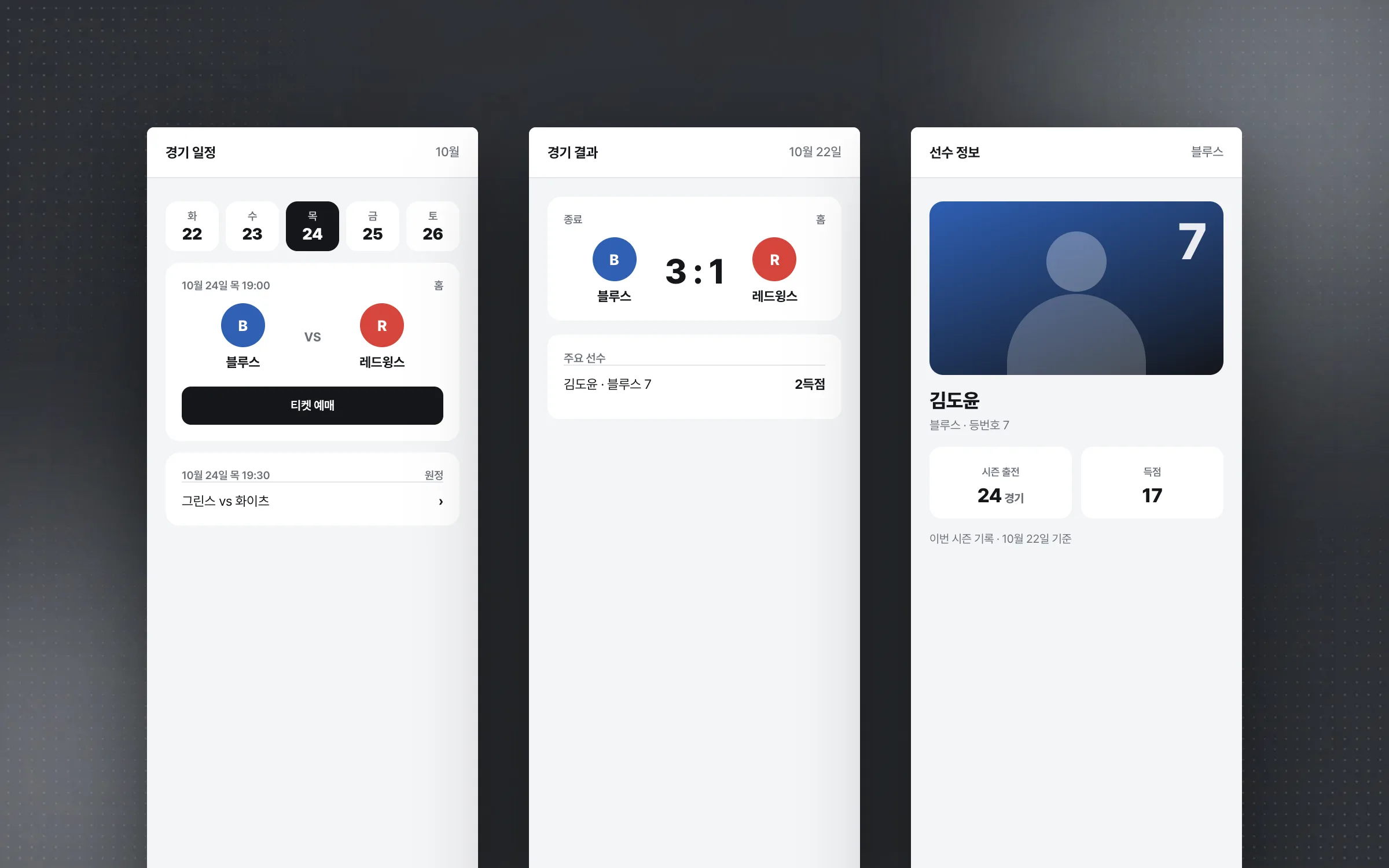
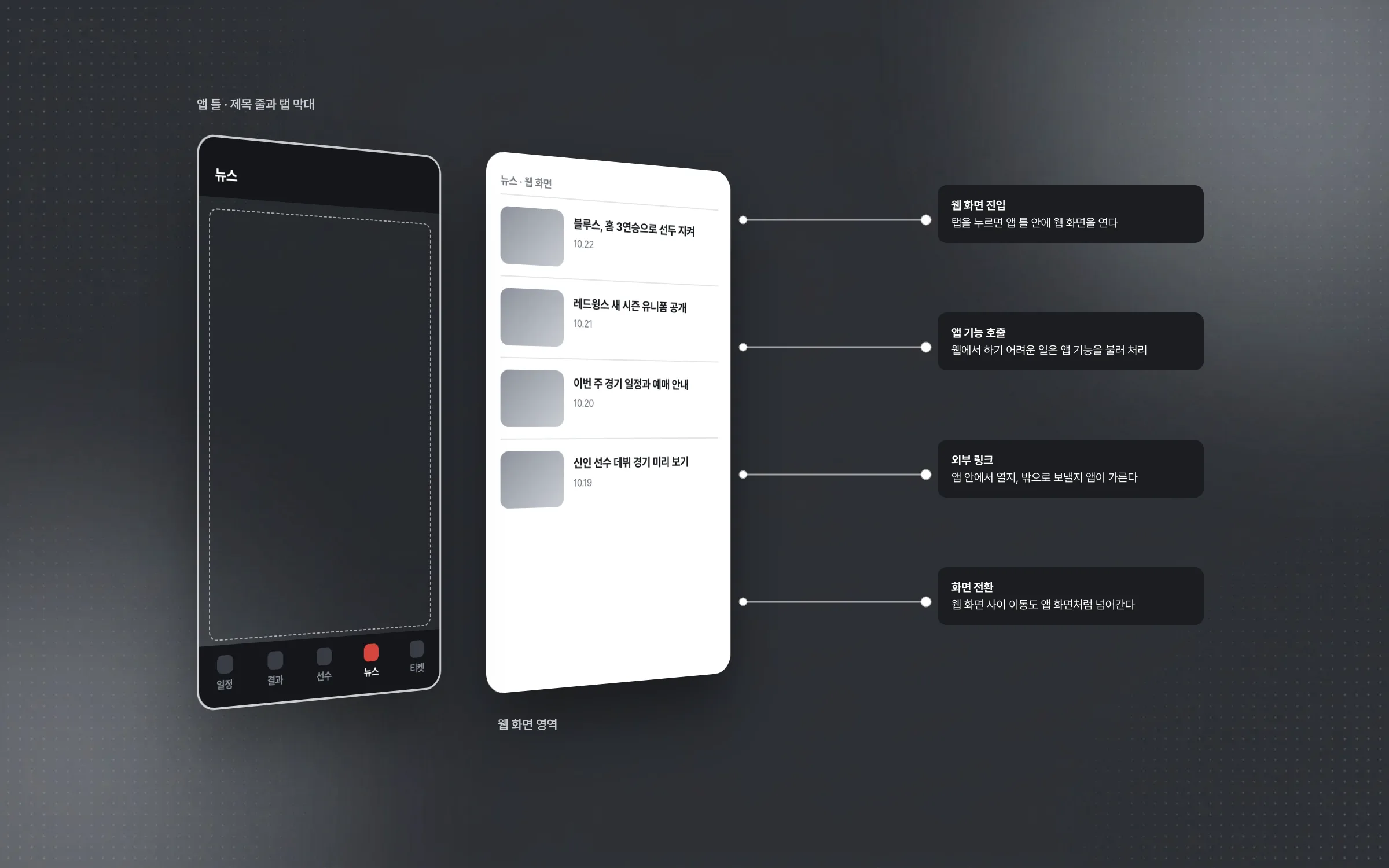
A structure in which screens built for the web open inside the app like the app itself
A hybrid app wraps screens built for the web and shows them inside the app, calling on app features for things the web cannot easily do. The structure was organized so that entering a web screen, calling an app feature, handling external links, and moving between screens inside the app run as one flow. Features the web struggles with are filled in by the app, so users never need to think about whether the screen in front of them is web or app.

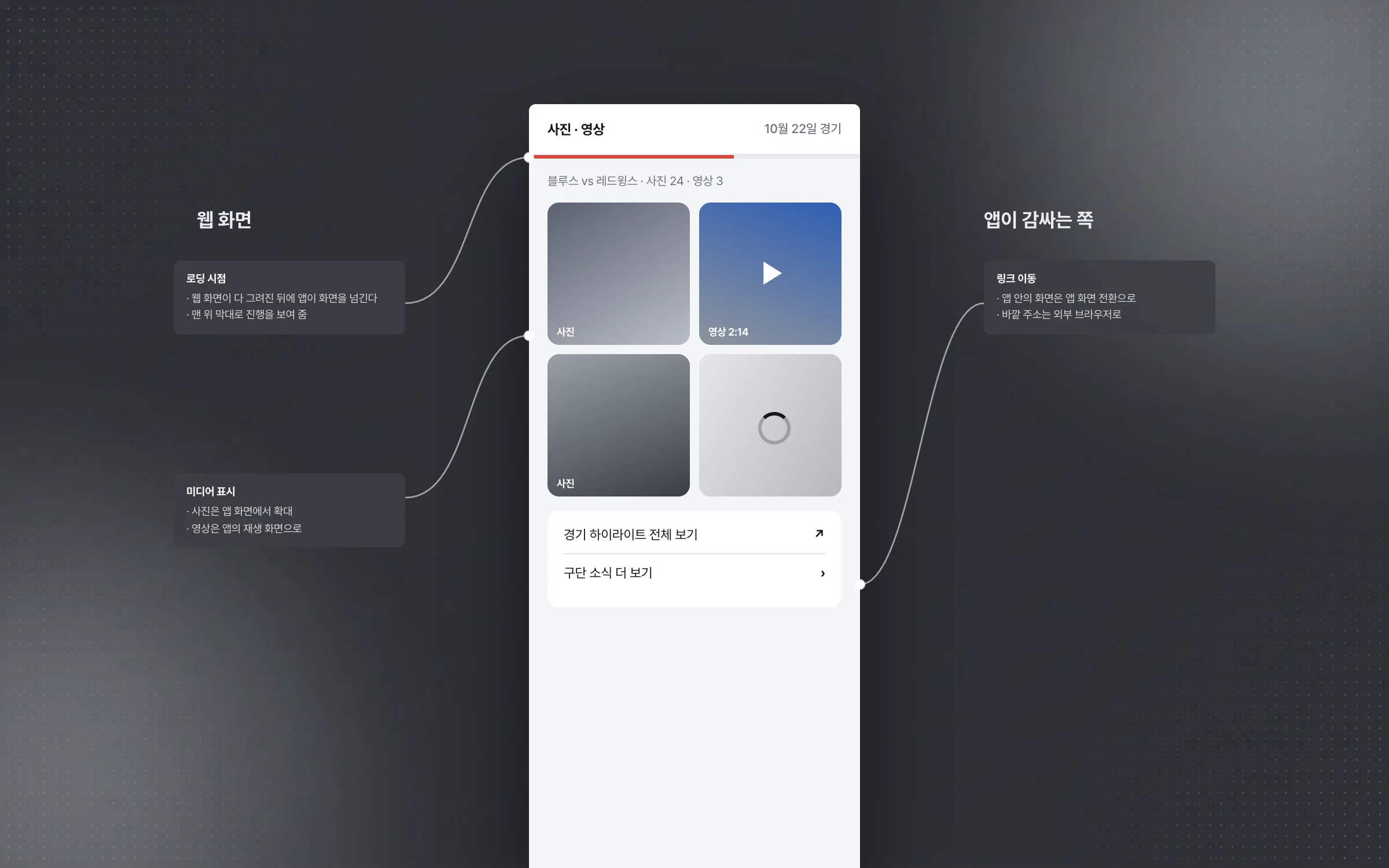
Web-screen handling that re-tuned links, media, and load timing inside the app
Link navigation, file and media display, and screen load timing that work fine on the web can behave differently inside an app. Each of those cases was patched on the app side, the wrapper, so that web screens work properly inside the app as well. The flow for exchanging data and calling functions between web and app was organized at the same time, so state changes on a web screen stay in step with the app's flow.

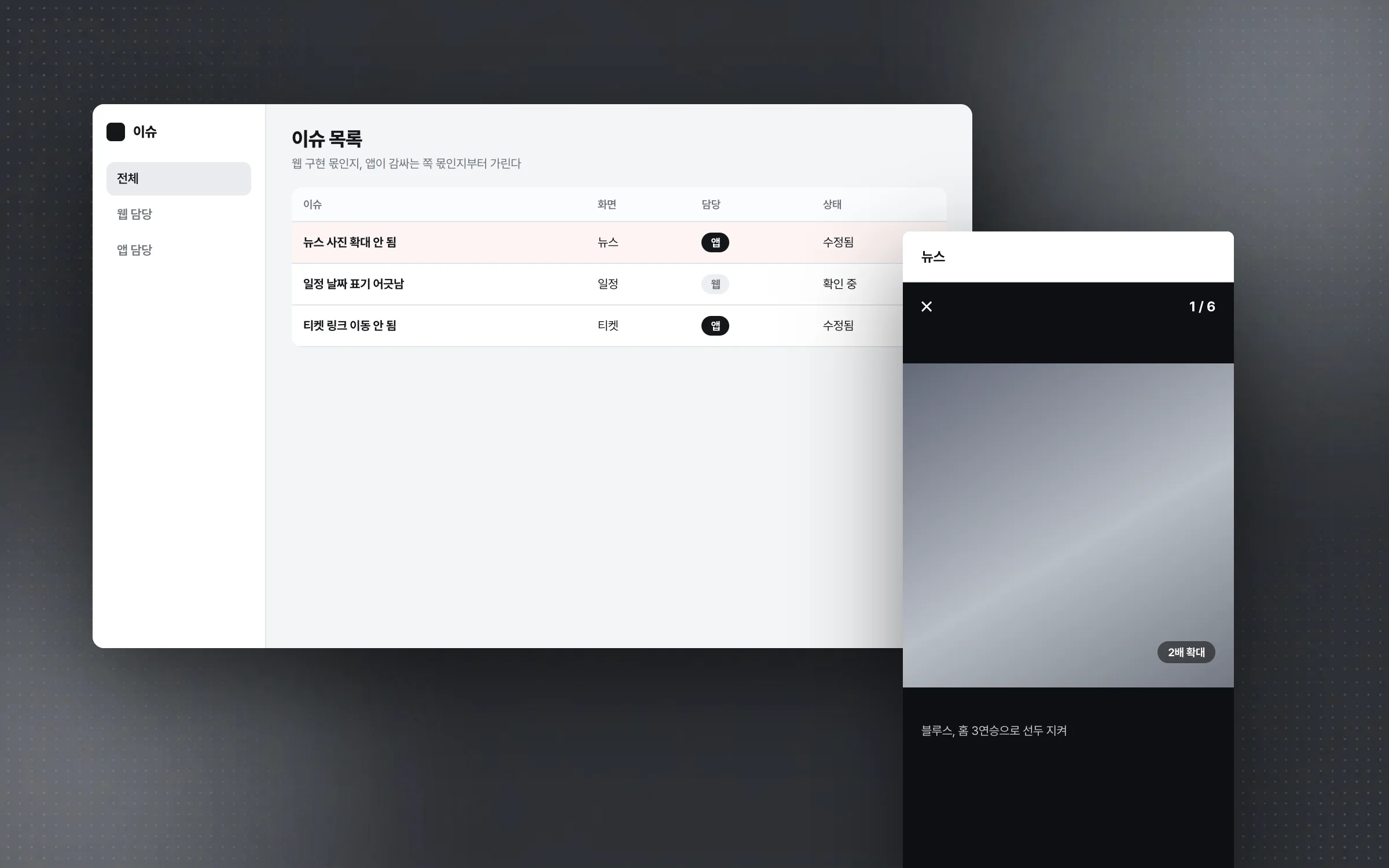
A working rule that first decided whether a problem belonged to web or app
The official app was built with planning, web, and app teams working separately. When a problem appeared on a screen, the first step was to decide whether it came from the web implementation or had to be handled on the app side that wraps it, and only then were requirements and the scope of the fix agreed. Working remotely, communication sometimes crossed wires, but along the way came a deep understanding of web-screen loading, the link between web and app, and where each side's responsibility ends. That understanding later became the base for bringing advanced web-based features into apps.

Highlights
A hybrid structure where web screens and app features connect within one app
Web-screen handling that re-tuned link navigation, media display, and load timing inside the app
Settled conventions for passing data and calling functions between web and app
Insights
GA4 client_storage: 'none'은 정말 쿠키를 막을까?
두 달 전 이 블로그에 「GA4 쿠키 없이 쓰기」라는 글을 썼습니다. clientstorage: 'none' 으로 쿠키 저장을 끄고, 자체 분석이 쓰던 익명 ID 를 clientid 로 넘기면 쿠키 0개로 GA4 를 쓸 수 있다는 내…
GA4 Measurement Protocol: gtag.js 없이 서버에서 이벤트 보내기
랜딩 페이지의 전송량을 파일 단위로 쪼개 보다가, 가장 큰 파일이 우리 코드가 아니라는 것을 알았습니다. Google Analytics 의 gtag.js 였고, 방문 한 번에 176KB 를 받고 있었습니다. 페이지 전체가 1,094K…
중소 제조업 AI 도입 순서: DX를 먼저 끝내야 할까?
공장을 가진 중소·중견 제조기업 16만여 곳 가운데 스마트공장을 도입한 곳은 19.5%입니다. 회사가 작을수록 이 비율은 더 떨어집니다. 중소벤처기업부가 2025년 4월에 낸 제1차 스마트제조혁신 실태조사 결과입니다. 그림: 기업 규…
Next.js loading.tsx와 404: 버튼이 화면보다 먼저 살아나게 하기
관리 화면 왼쪽 위에 사이드바를 접고 펴는 ☰ 버튼이 있습니다. 폭 하나 바꾸는 버튼인데, 대시보드에서 누르면 2초 넘게 아무 반응이 없었습니다. 레이아웃만 바꾸는 일이 왜 이렇게 오래 걸리는지부터 들여다봤습니다. Next.js 16…