Statistical weighting visualization tool
An internal statistics chart tool for a national research institute, where researchers assign weights to several data items and compare the results as charts. The tool was only useful if every change in weights was recalculated and shown on the chart right away. We built the weighted chart screens, the logic that applies and recalculates weights, and how the charts are displayed and operated.
A chart that redraws in place when a weight changes
The weighted statistics chart aggregates research data according to the weights a researcher sets. We built the calculation logic and the screen together so that when a weight changes, the result is recalculated and reflected on the chart right away. Only when the change and its effect sit on the same screen can a researcher tell which weight moved the result.

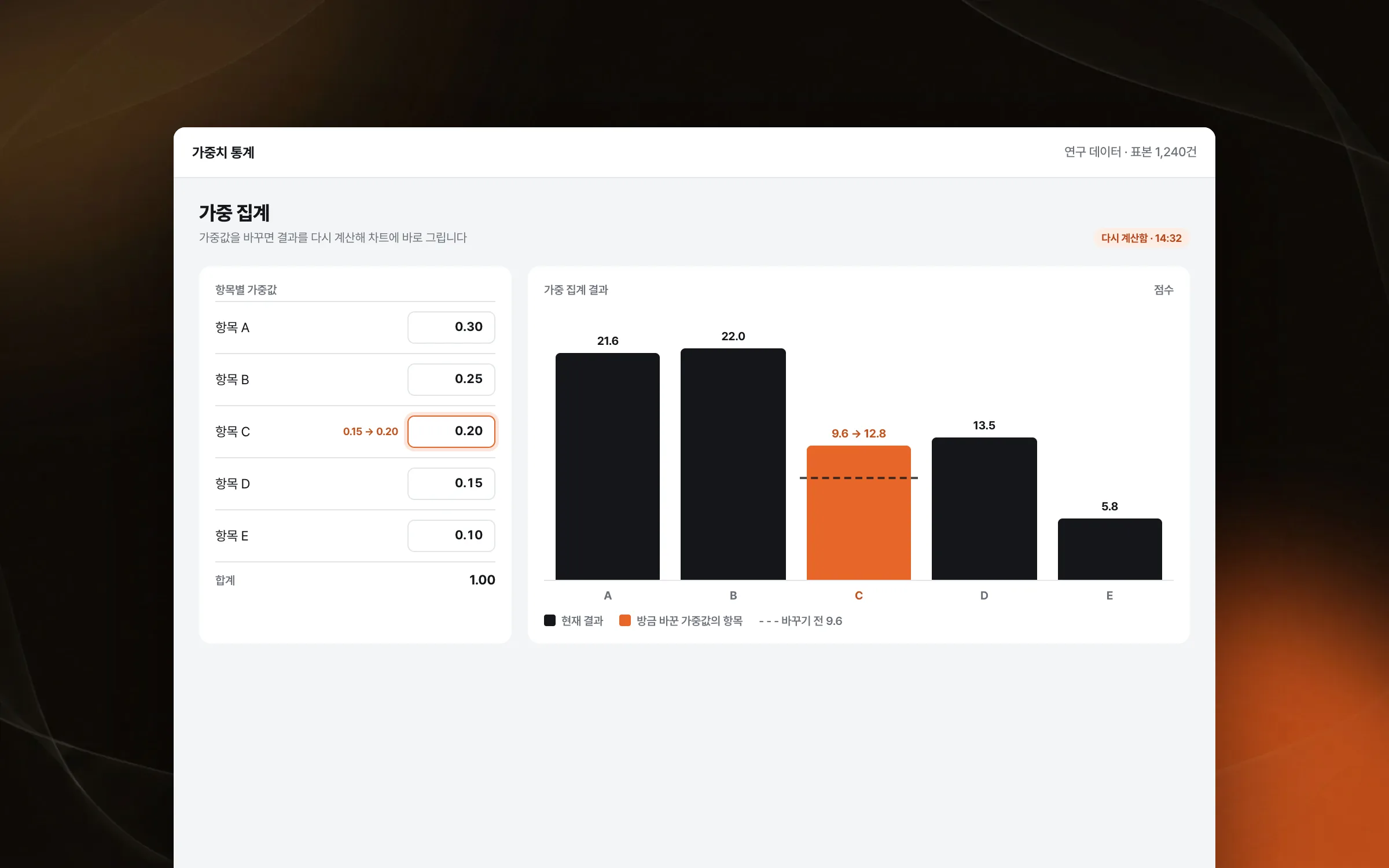
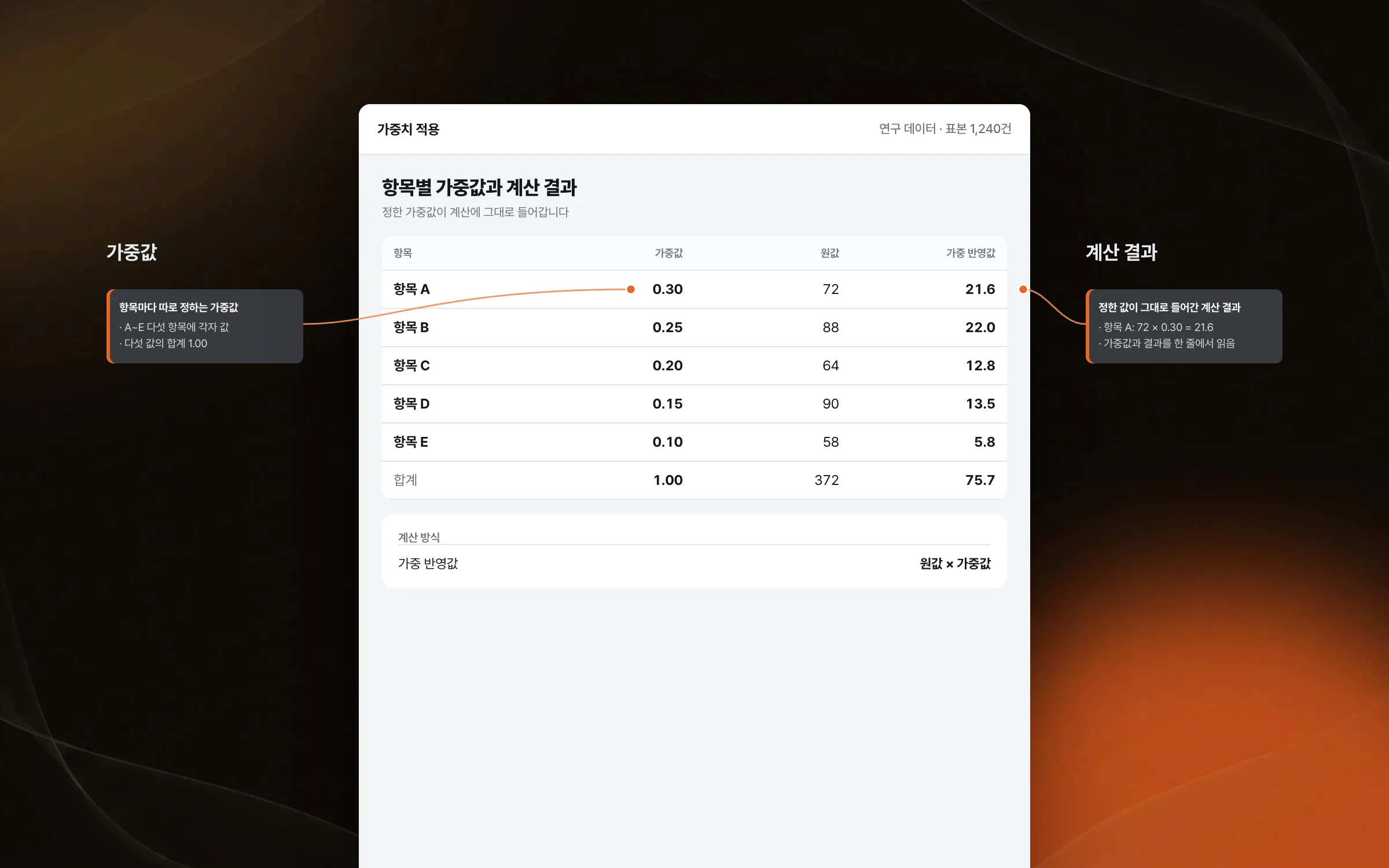
Weights assigned item by item
The weighted statistics tool produces its result by assigning weights not to one data item but to several. We implemented the weighting logic so that each item gets its own weight and the value set goes into the calculation exactly as entered. A researcher can interpret the result only when it reads together with which item was given what weight.

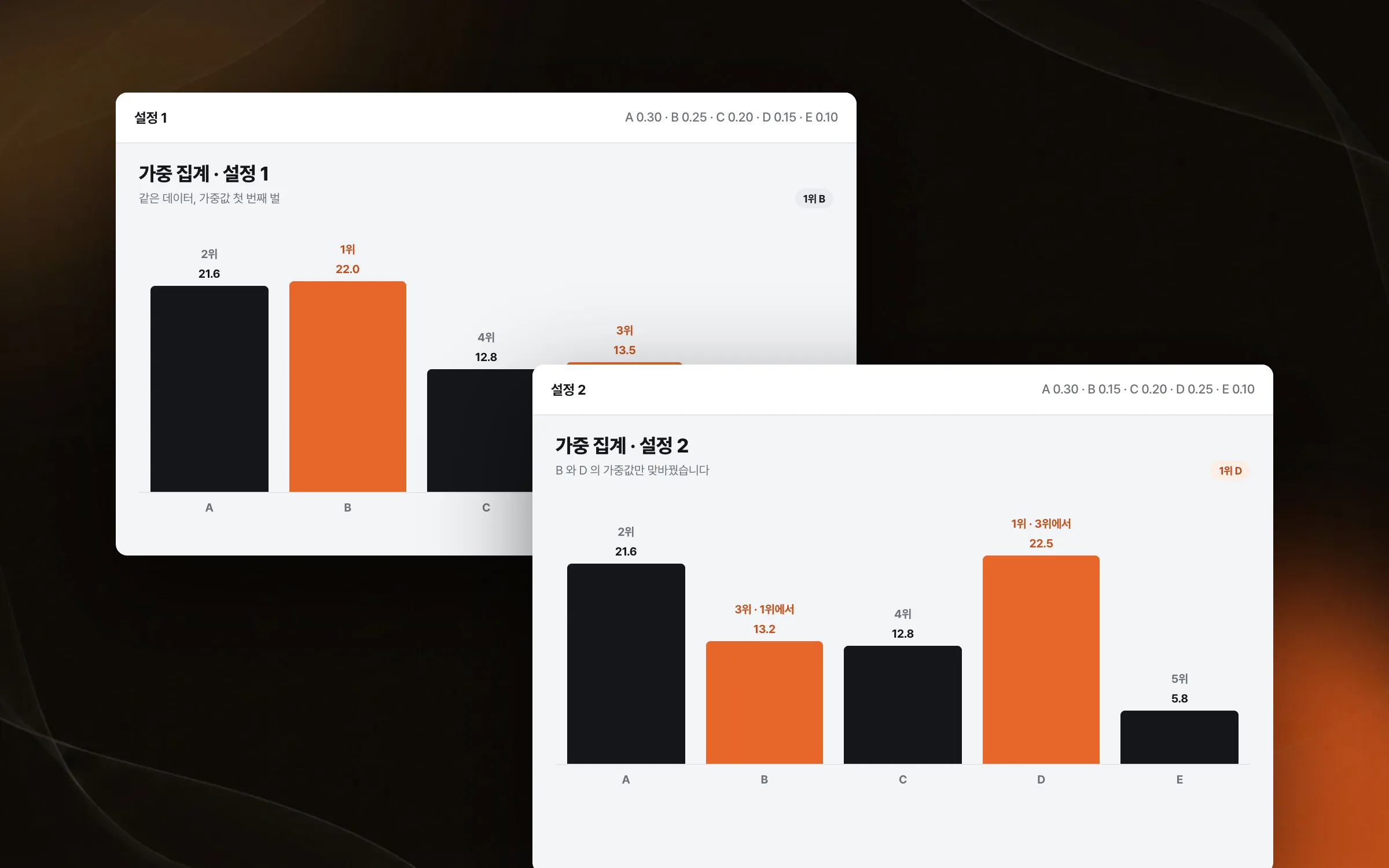
Comparing how results shift with the weights
The purpose of the weighted statistics tool is not to show one right answer but to let researchers compare and analyze how results change with the weights. We set up the chart display and controls so researchers could compare and analyze results. The same data ranks and scales differently depending on the weights, and reading that difference is the researcher's job.

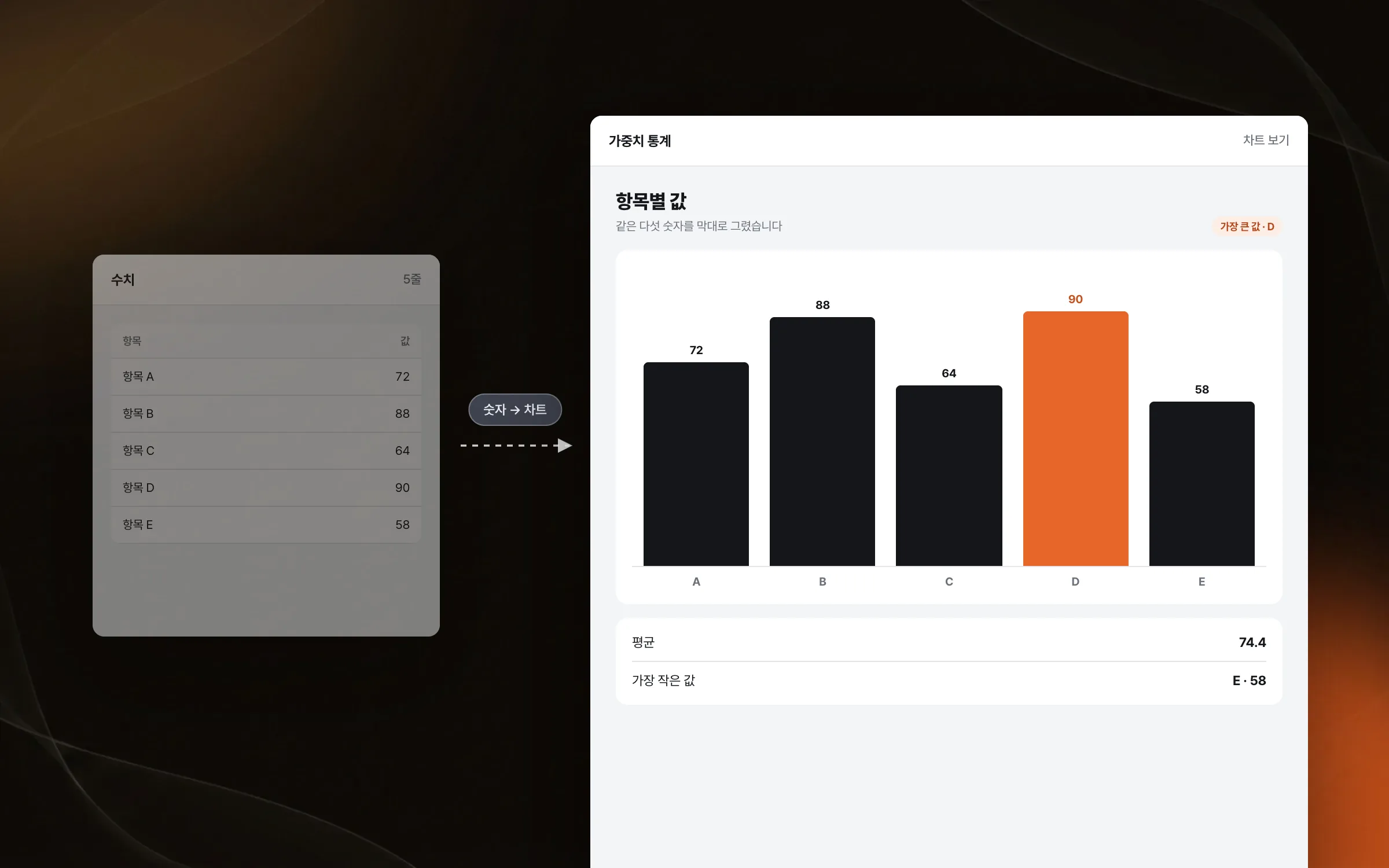
A display structure that lets numbers read as meaning
When statistical results are just rows of numbers, the researcher has to draw the picture again in their head. We organized how the charts display and respond, refining the visualization so numeric data reads meaningfully on screen. The standard for the layout was that results follow visibly from the values the researcher set.

Highlights
A statistics chart that aggregates several data items by assigned weights
Charts that recalculate and redraw as soon as a weight changes
Chart display and controls built for researchers to compare and analyze results
Insights
GA4 client_storage: 'none'은 정말 쿠키를 막을까?
두 달 전 이 블로그에 「GA4 쿠키 없이 쓰기」라는 글을 썼습니다. clientstorage: 'none' 으로 쿠키 저장을 끄고, 자체 분석이 쓰던 익명 ID 를 clientid 로 넘기면 쿠키 0개로 GA4 를 쓸 수 있다는 내…
GA4 Measurement Protocol: gtag.js 없이 서버에서 이벤트 보내기
랜딩 페이지의 전송량을 파일 단위로 쪼개 보다가, 가장 큰 파일이 우리 코드가 아니라는 것을 알았습니다. Google Analytics 의 gtag.js 였고, 방문 한 번에 176KB 를 받고 있었습니다. 페이지 전체가 1,094K…
중소 제조업 AI 도입 순서: DX를 먼저 끝내야 할까?
공장을 가진 중소·중견 제조기업 16만여 곳 가운데 스마트공장을 도입한 곳은 19.5%입니다. 회사가 작을수록 이 비율은 더 떨어집니다. 중소벤처기업부가 2025년 4월에 낸 제1차 스마트제조혁신 실태조사 결과입니다. 그림: 기업 규…
Next.js loading.tsx와 404: 버튼이 화면보다 먼저 살아나게 하기
관리 화면 왼쪽 위에 사이드바를 접고 펴는 ☰ 버튼이 있습니다. 폭 하나 바꾸는 버튼인데, 대시보드에서 누르면 2초 넘게 아무 반응이 없었습니다. 레이아웃만 바꾸는 일이 왜 이렇게 오래 걸리는지부터 들여다봤습니다. Next.js 16…