Shared marketing-analytics module
We designed and built a shared library that collects customer screen visits, product browsing, cart, and purchase behaviour in one consistent way for a cosmetics company's shopping app. Shopping analytics measures the path from product view to add-to-cart to purchase, along with revenue, as events, to see at which step customers stop buying. If event names or values differ slightly by screen or platform, the same behaviour shows up as different numbers in marketing analysis. The library fixes one way of creating events, and event names and values were organised around the marketers' analysis criteria. The work ran from the collection structure to the marketing analytics connection and the event specification.
Customer behaviour recorded the same way, from product view to purchase
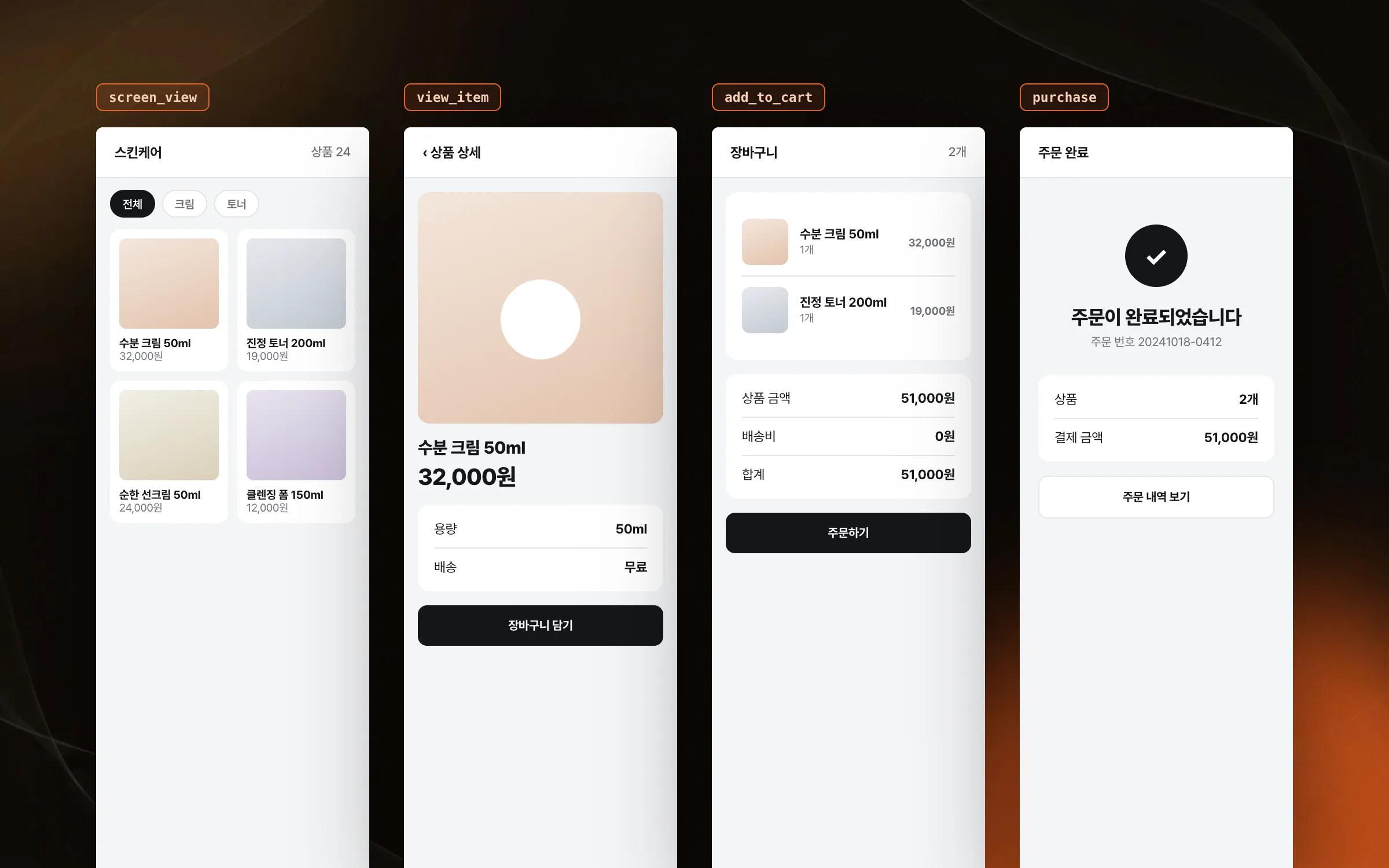
For a cosmetics shopping app, we built a shared library that collects screen visits, product views, searches, add-to-cart, and purchases in the same way. When each screen writes its own tracking code, the same behaviour gets recorded under different names. We mapped which screen each event happens on and what data it carries, so a customer's purchase journey can be analysed end to end.

Events assembled with required and optional values kept apart
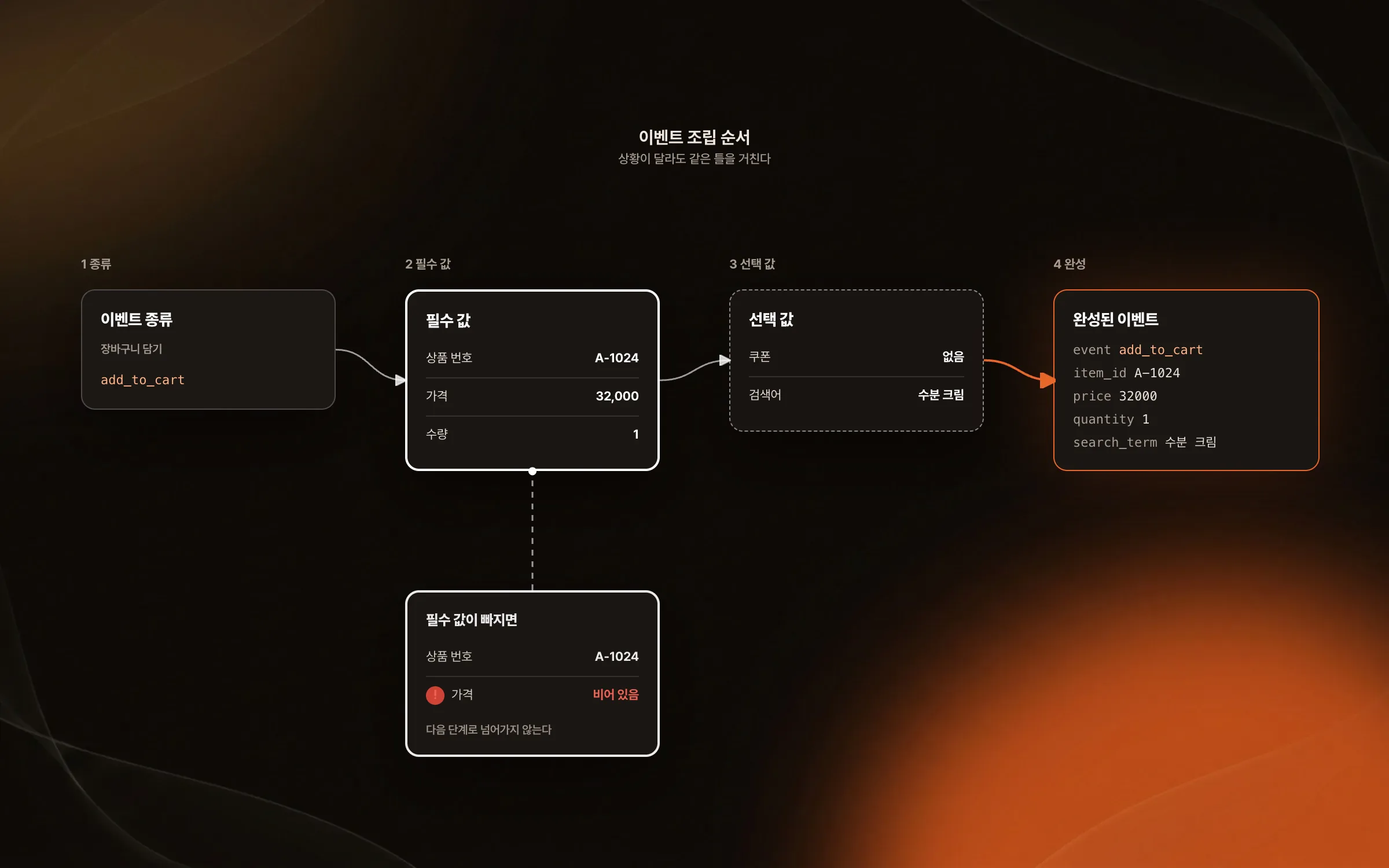
Each type of analytics event has its own set of values that must be present and values that may be left out. We designed event objects to be assembled step by step, separating required values from optional ones so each event's combination of values is put together safely. However different the situation, every event goes through the same frame.

Event delivery that lines up with the marketers' analysis criteria
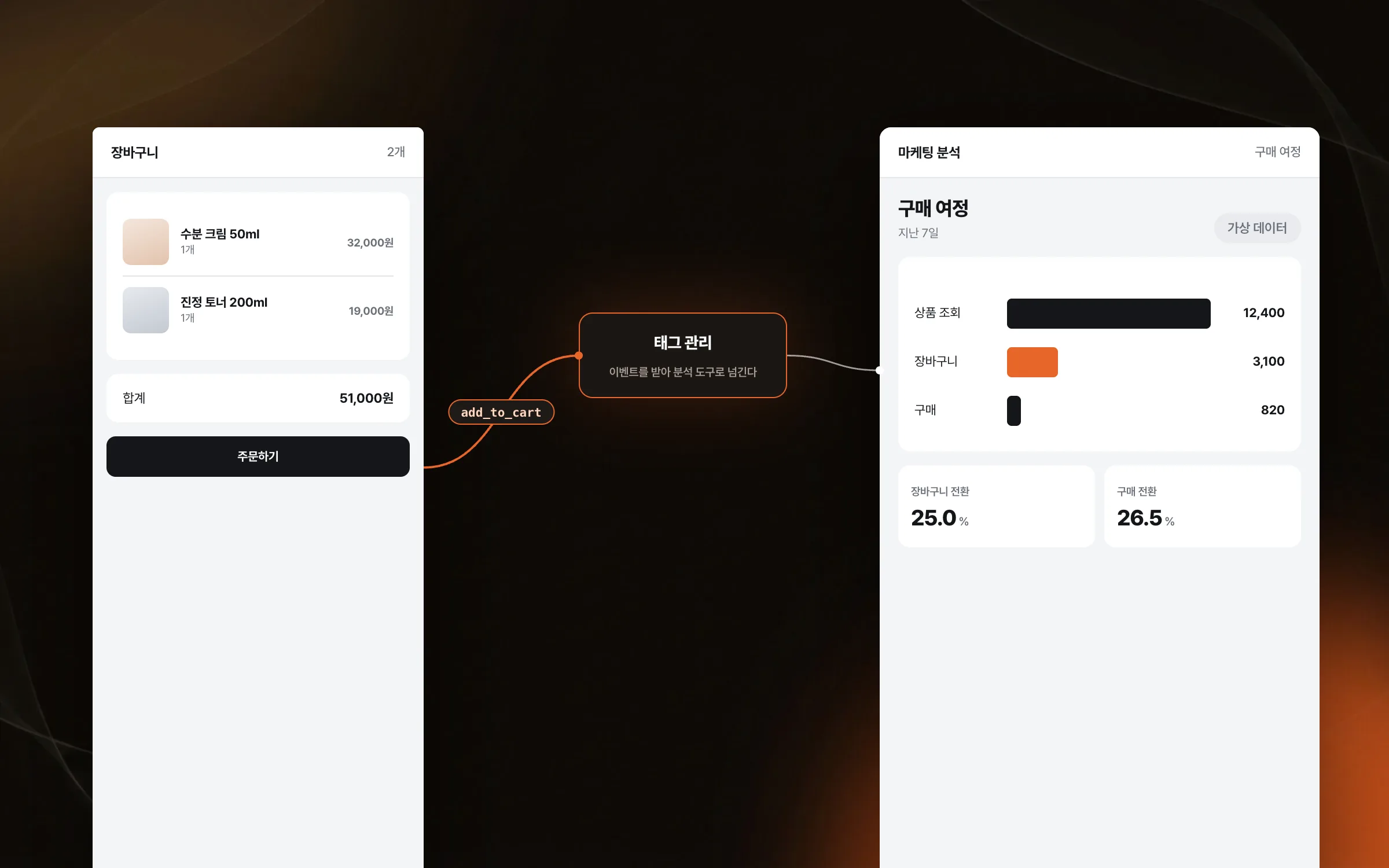
Events raised in the shopping app were wired to pass through a tag management tool into the marketing analytics tool. With a tag management tool in between, which events go to which analytics tool can be adjusted without shipping a new version of the app's collection code. The event names and values used in the app, and the order of customer actions, have to match the marketers' analysis criteria before the results can be used as they are. We checked with the marketers which data was actually needed and which event should fire on which screen, and aligned the specification.

An event specification aligned so both platforms produce the same analysis
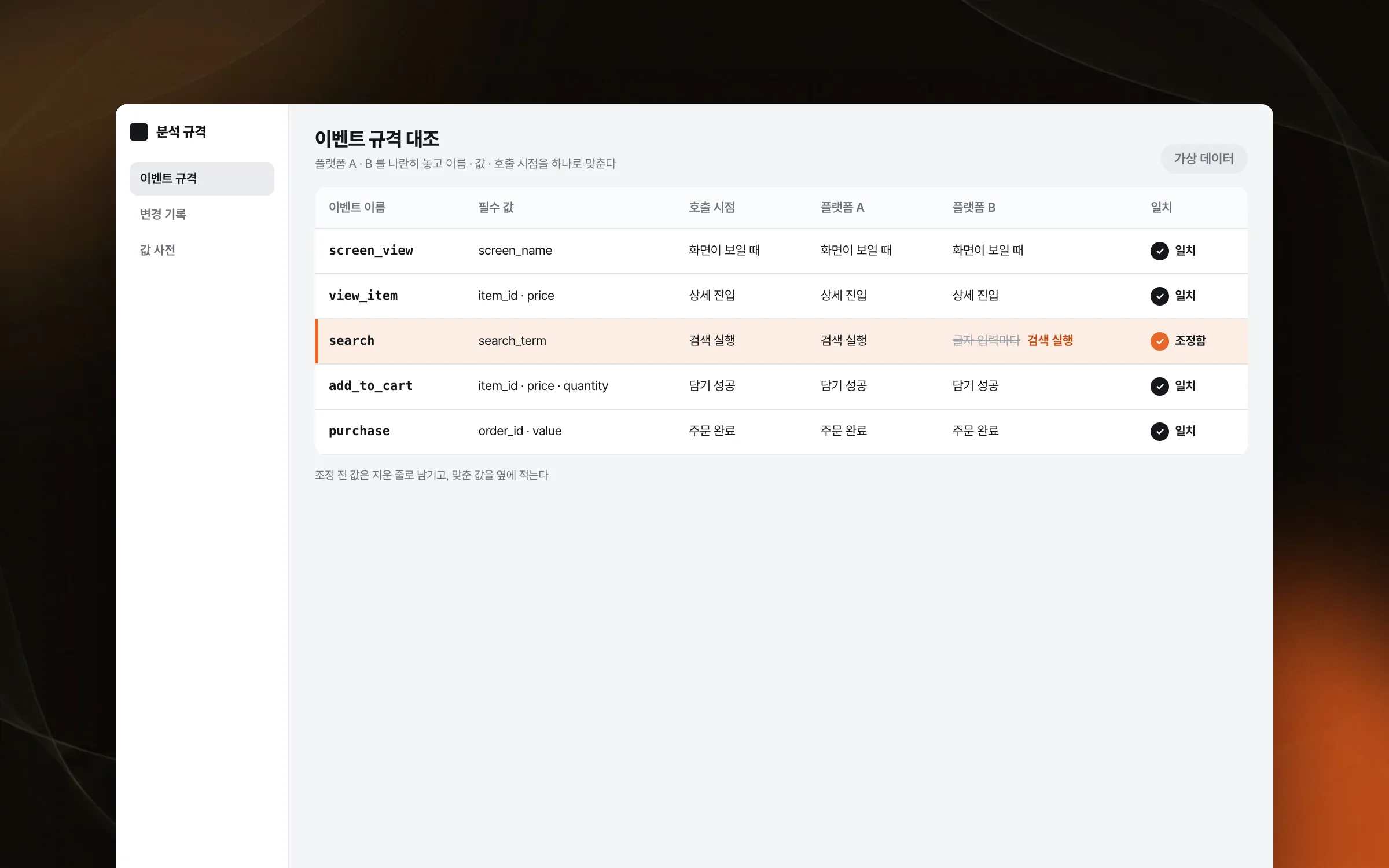
Even for the same customer action, analysis results split when event names, values, or firing points differ between platforms. We set the event specification side by side with the developer who handled the other platform's app and adjusted names, values, and firing points into one.

Highlights
A tracking library that collects screen visits, product views, cart, and purchases one way
An event structure assembled with required and optional values kept apart
An event specification agreed with marketers and the other platform's developer
Insights
GA4 client_storage: 'none'은 정말 쿠키를 막을까?
두 달 전 이 블로그에 「GA4 쿠키 없이 쓰기」라는 글을 썼습니다. clientstorage: 'none' 으로 쿠키 저장을 끄고, 자체 분석이 쓰던 익명 ID 를 clientid 로 넘기면 쿠키 0개로 GA4 를 쓸 수 있다는 내…
GA4 Measurement Protocol: gtag.js 없이 서버에서 이벤트 보내기
랜딩 페이지의 전송량을 파일 단위로 쪼개 보다가, 가장 큰 파일이 우리 코드가 아니라는 것을 알았습니다. Google Analytics 의 gtag.js 였고, 방문 한 번에 176KB 를 받고 있었습니다. 페이지 전체가 1,094K…
중소 제조업 AI 도입 순서: DX를 먼저 끝내야 할까?
공장을 가진 중소·중견 제조기업 16만여 곳 가운데 스마트공장을 도입한 곳은 19.5%입니다. 회사가 작을수록 이 비율은 더 떨어집니다. 중소벤처기업부가 2025년 4월에 낸 제1차 스마트제조혁신 실태조사 결과입니다. 그림: 기업 규…
Next.js loading.tsx와 404: 버튼이 화면보다 먼저 살아나게 하기
관리 화면 왼쪽 위에 사이드바를 접고 펴는 ☰ 버튼이 있습니다. 폭 하나 바꾸는 버튼인데, 대시보드에서 누르면 2초 넘게 아무 반응이 없었습니다. 레이아웃만 바꾸는 일이 왜 이렇게 오래 걸리는지부터 들여다봤습니다. Next.js 16…