Mobile banking app development
We joined the mobile team of a major Korean bank's personal mobile banking app as a developer. We built and fixed features tied to banking screens such as account lookup, transfers, financial products, and utility bill payment. In a banking app, one wrong input value or one wrong button state blocks the user's task, and the more users there are, the further a small change reaches. In a large project where several vendors, planners, PMs, and server, web, and mobile developers moved together, we kept our scope clearly defined.
Banking features that run from account lookup to utility bill payment
A major bank's personal mobile banking app lets customers handle account lookup, transfers, financial products such as deposits, savings and loans, and utility bill payment on their smartphone, with funds, foreign exchange, and card services in the same app. As a developer on the mobile team, we built features connected to those banking screens. Because many teams split the app between them, we worked by checking where our features met other teams' screens.

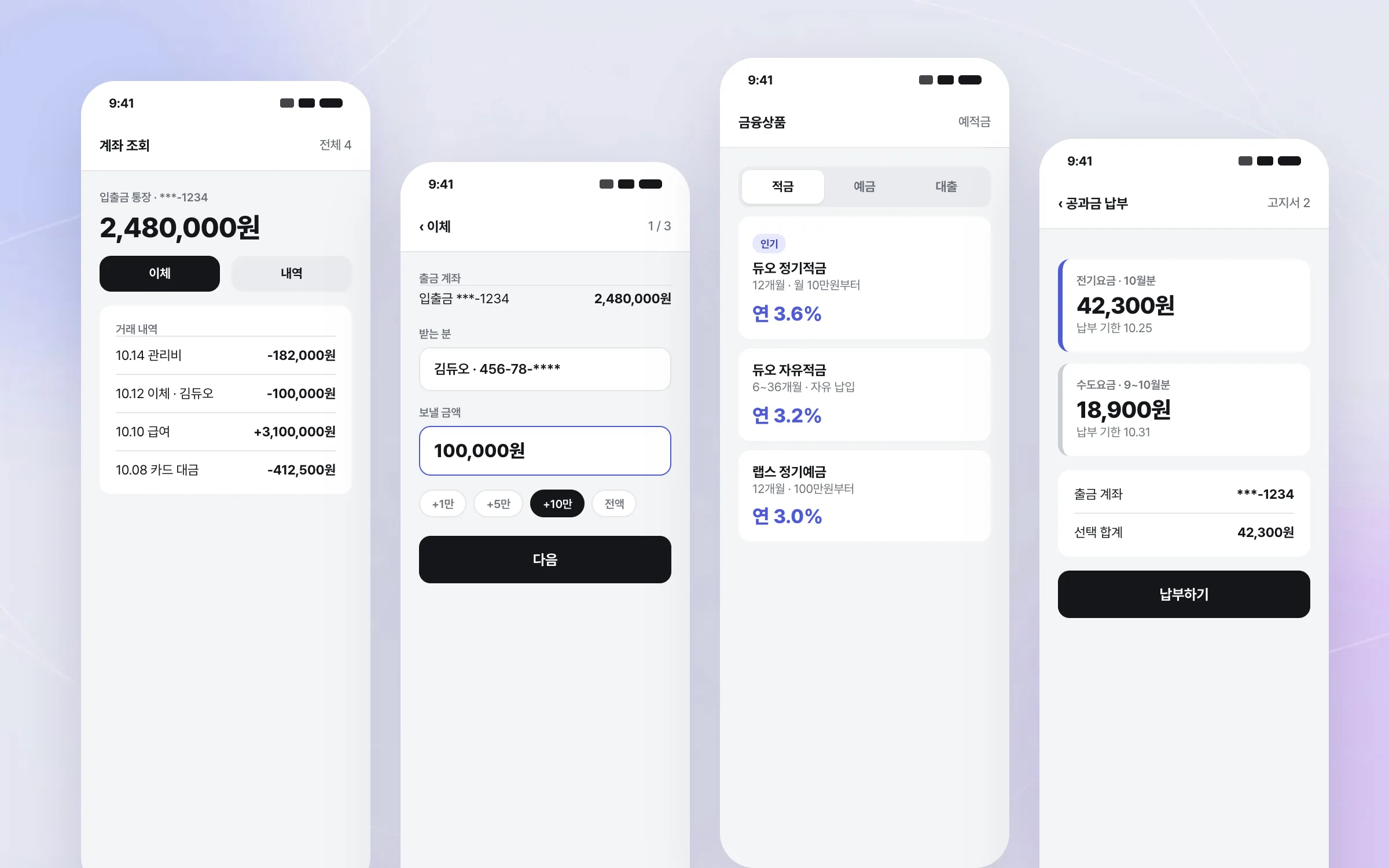
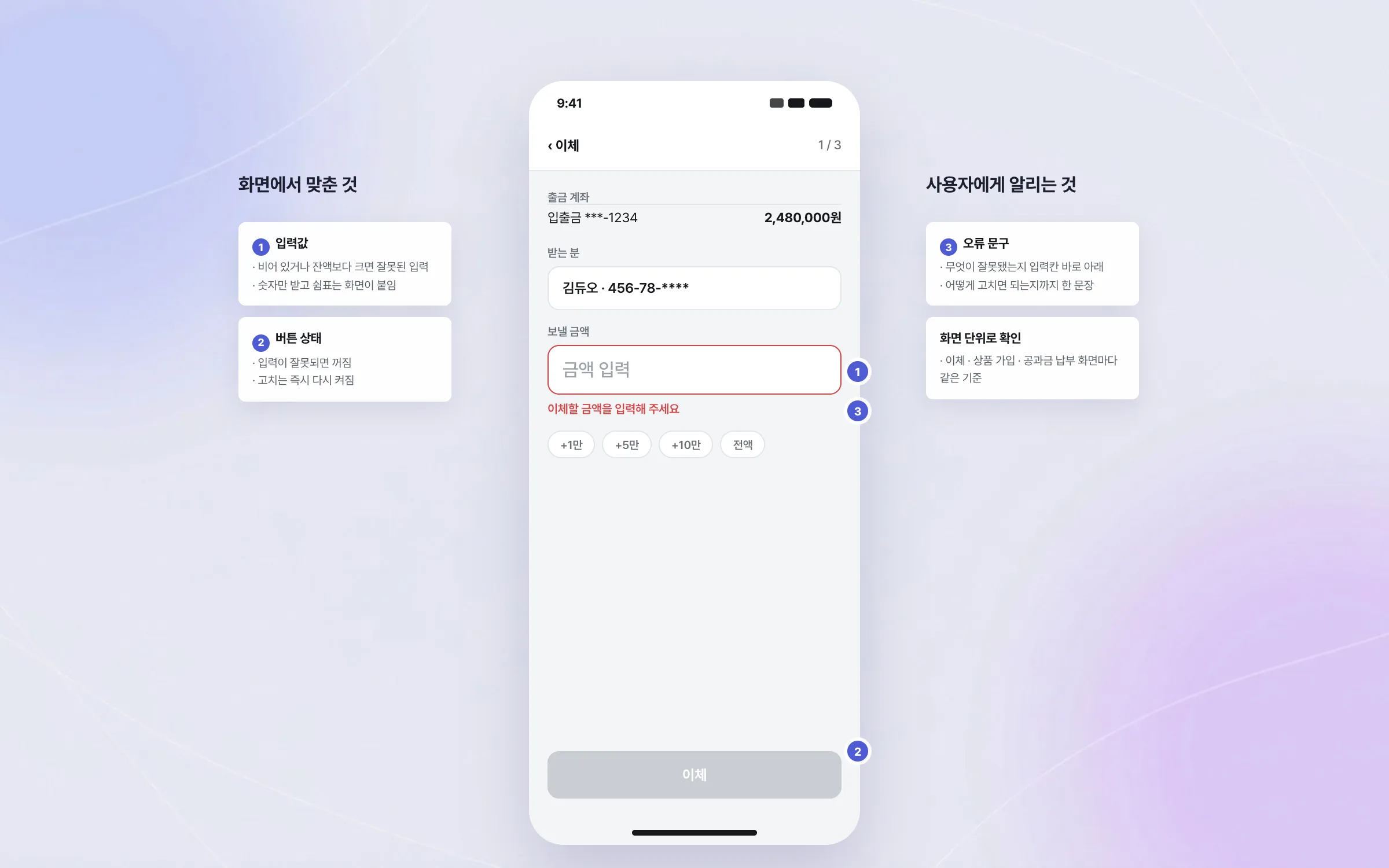
Stabilisation that checked input values, button states, and error messages screen by screen
In a banking app, input values, button states, screen transitions, and error messages directly affect whether users can get their task done. We checked the behaviour and exception cases of the mobile banking app's screens one by one. For each screen, we settled what state a button should be in when input is wrong and what message should tell the user.

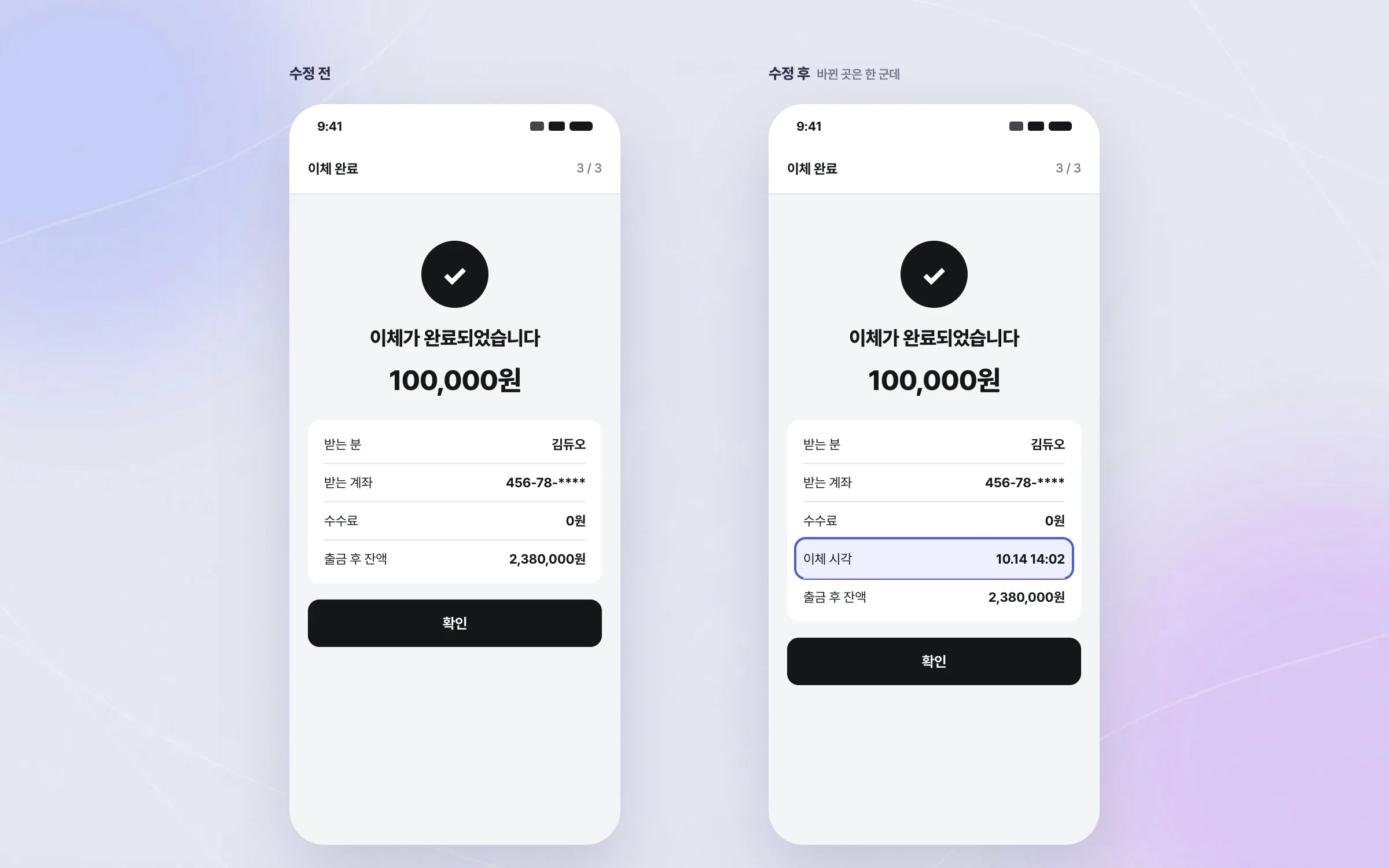
Fixes in live service that kept existing banking flows intact
The mobile banking app was already in use by a great many people, so any fix had to leave existing banking flows as they were. We made the necessary fixes and improvements while keeping those flows intact. This work made it concrete that in a service with many users, even a small change goes in only after thorough verification.

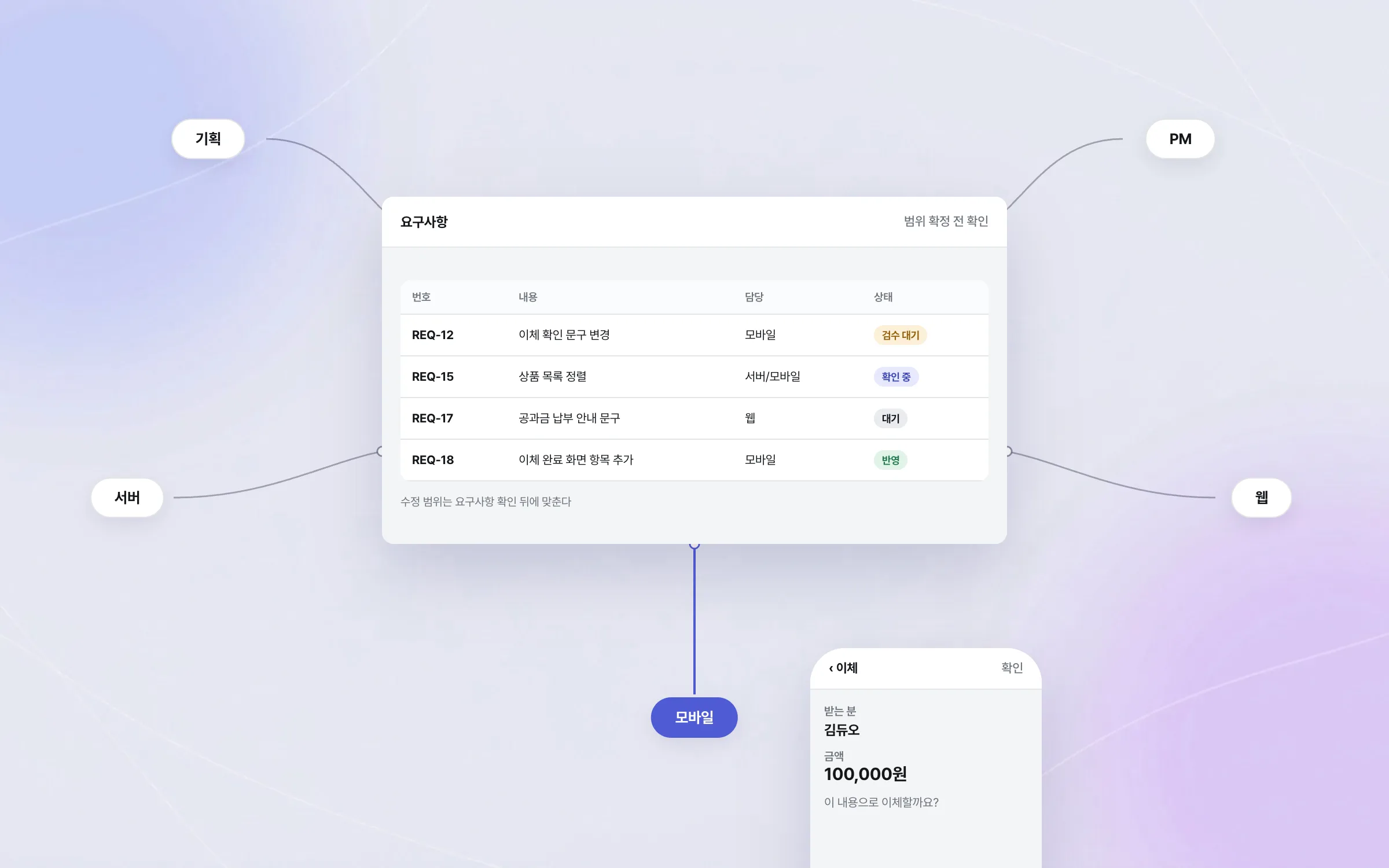
Scope coordination in a large project where planning, PM, server, web, and mobile moved together
Developing the major bank's mobile banking app was a large project in which several vendors and stakeholders moved together. Requirement changes, acceptance reviews, and schedule adjustments came often, so we kept our scope clearly defined and agreed the extent of each change after confirming requirements with planners, PMs, and server, web, and mobile developers. The project showed first-hand that the direction and communication of decision-makers such as planners and PMs shape how a project goes.

Highlights
Features linked to account lookup, transfer, product, and utility-bill screens
Per-screen exception checks covering input values, button states, transitions, and error messages
A clearly defined scope inside a large multi-vendor project
Insights
GA4 client_storage: 'none'은 정말 쿠키를 막을까?
두 달 전 이 블로그에 「GA4 쿠키 없이 쓰기」라는 글을 썼습니다. clientstorage: 'none' 으로 쿠키 저장을 끄고, 자체 분석이 쓰던 익명 ID 를 clientid 로 넘기면 쿠키 0개로 GA4 를 쓸 수 있다는 내…
GA4 Measurement Protocol: gtag.js 없이 서버에서 이벤트 보내기
랜딩 페이지의 전송량을 파일 단위로 쪼개 보다가, 가장 큰 파일이 우리 코드가 아니라는 것을 알았습니다. Google Analytics 의 gtag.js 였고, 방문 한 번에 176KB 를 받고 있었습니다. 페이지 전체가 1,094K…
중소 제조업 AI 도입 순서: DX를 먼저 끝내야 할까?
공장을 가진 중소·중견 제조기업 16만여 곳 가운데 스마트공장을 도입한 곳은 19.5%입니다. 회사가 작을수록 이 비율은 더 떨어집니다. 중소벤처기업부가 2025년 4월에 낸 제1차 스마트제조혁신 실태조사 결과입니다. 그림: 기업 규…
Next.js loading.tsx와 404: 버튼이 화면보다 먼저 살아나게 하기
관리 화면 왼쪽 위에 사이드바를 접고 펴는 ☰ 버튼이 있습니다. 폭 하나 바꾸는 버튼인데, 대시보드에서 누르면 2초 넘게 아무 반응이 없었습니다. 레이아웃만 바꾸는 일이 왜 이렇게 오래 걸리는지부터 들여다봤습니다. Next.js 16…