Bank app screen refit
We reworked five mobile apps run by a regional bank for the new smartphone screen, with a notch cut into the top and a home bar along the bottom. The older screens placed elements at hard-coded positions based on an earlier, smaller screen size, so on the new screen the top menus and bottom buttons could be clipped or overlap. In a banking app, a button, input field, or authentication step that displays wrongly gets in the way of the task itself. We checked every screen, separated fixes that could follow one shared rule from those each app needed on its own, and re-checked every screen we changed.
Screen layouts moved clear of the notch and the home bar
The new smartphone added a notch cut into the top centre of the screen and a home bar along the bottom edge. For five regional-bank apps, every screen was checked and fixed so that the status bar and menu area at the top, and the buttons and tabs at the bottom, stay out of those zones. Because screen ratios and top heights differ from device to device, the layout rules were set against the manufacturer's design guideline for the safe area, so nothing is clipped or overlapped.

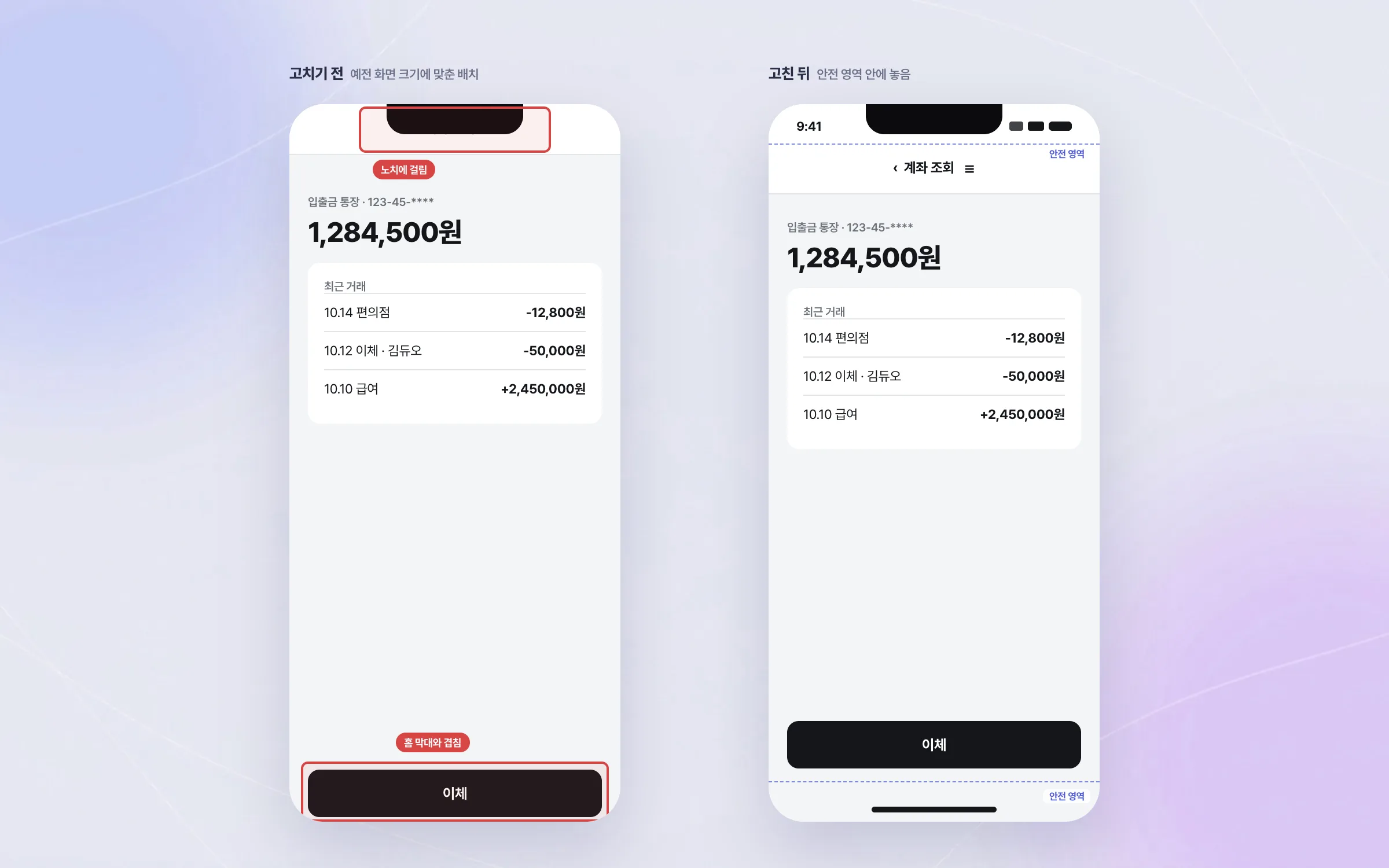
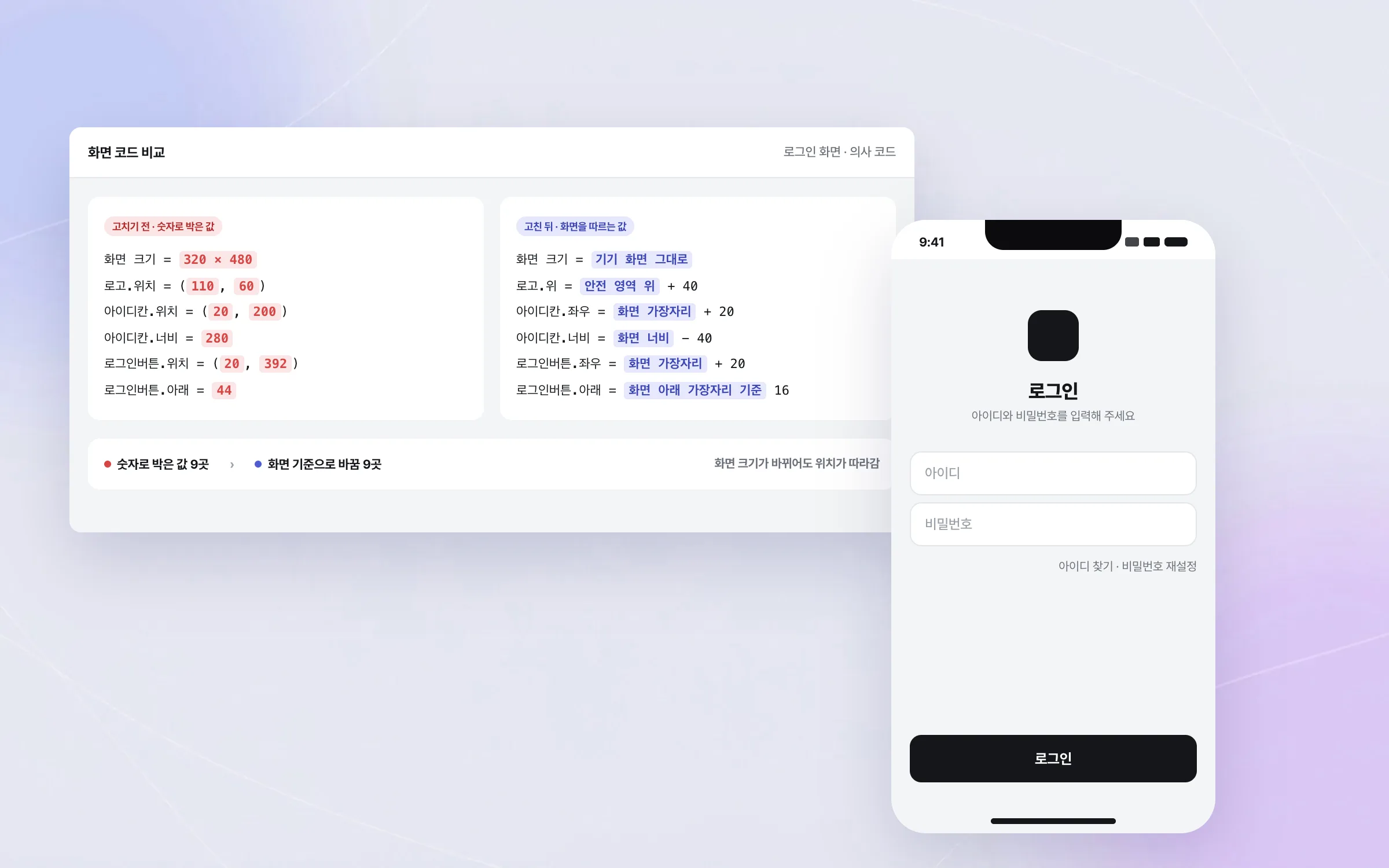
Old screen code with a small screen size hard-coded in numbers
The regional bank's older screen code was drawn against the fixed screen size of an early, small smartphone, with each element's position and size written in as numbers. Code like that falls out of line the moment the screen size changes. We tracked down the numbers that broke when the screen size changed and reworked them so that positions and sizes follow the screen on current devices.

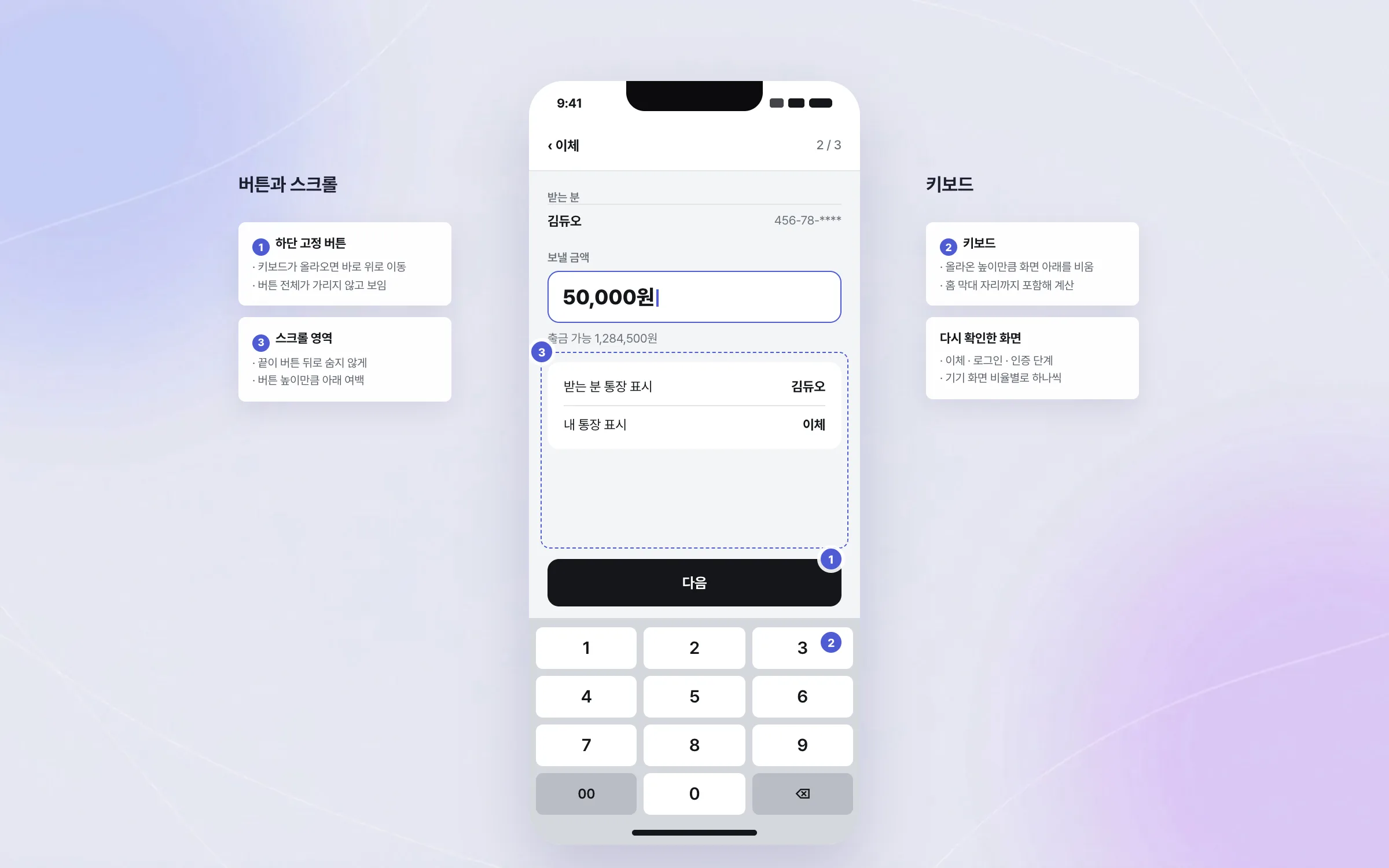
Regression checks down to the bottom button meeting the keyboard
In a banking app, a button, input field, authentication step, or notice that displays wrongly can stop the user from finishing the task. Every screen whose layout was changed was checked again, one by one. The focus was on buttons fixed to the bottom of the screen being hidden by the keyboard or overlapping the scrolling area.

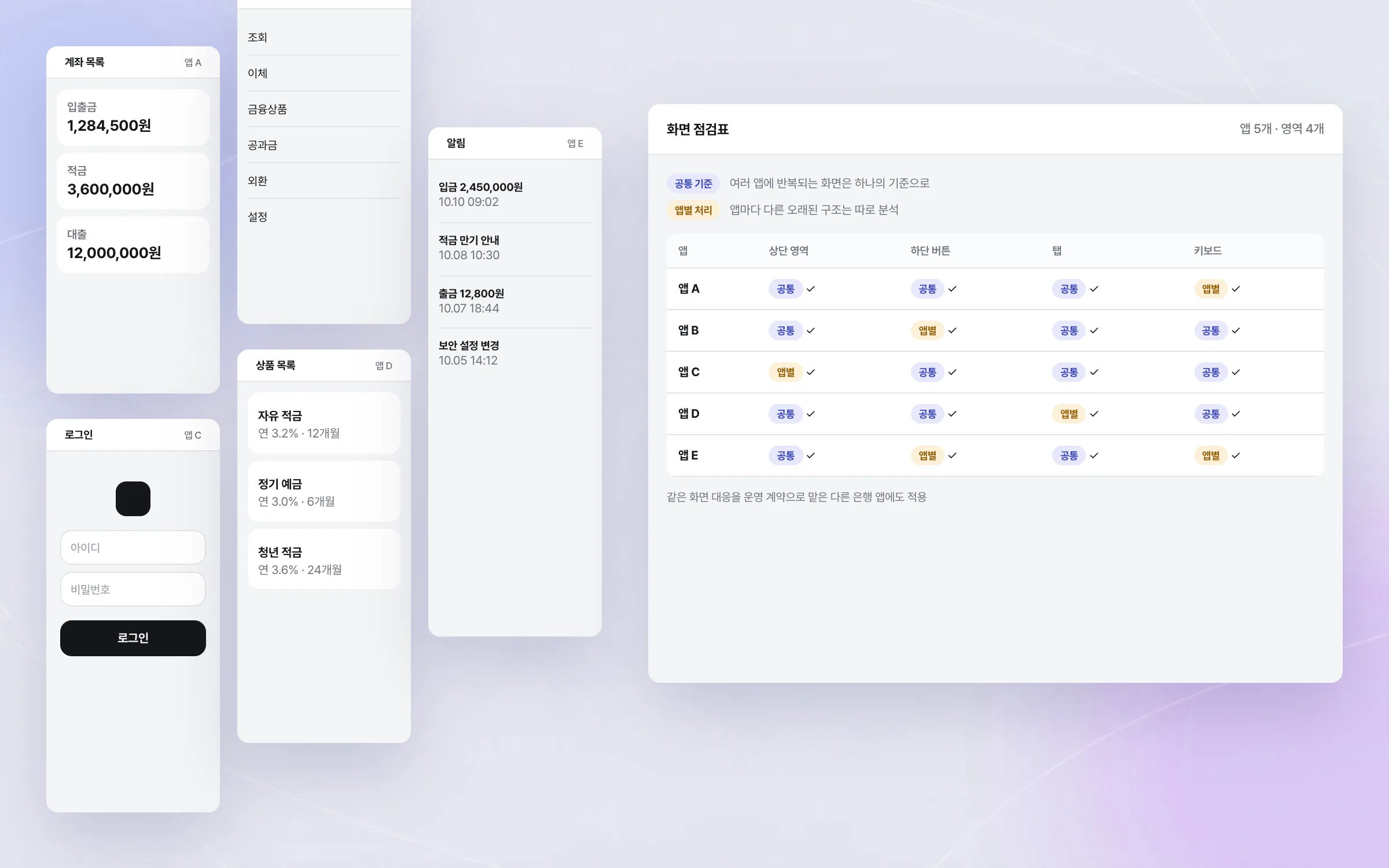
One shared rule across five apps, with app-by-app handling
Five of the regional bank's apps were reworked at the same time. The bank splits its apps by user and task, for example running personal and corporate mobile banking as separate apps. Screen patterns that repeated across apps were brought to one shared rule, while the older structures that differed from app to app were analysed and handled one by one. The same screen work was also done on another bank's app, which we were maintaining under an operations contract. The problem was the same, but code structure and screen policy differed by app, so each fix was fitted to that app's state.

Highlights
Five bank apps fitted to the new screen format with a notch and home bar
Legacy screen code with positions hard-coded for a small screen, cleaned up
Regression checks centred on fixed bottom buttons, the keyboard, and scrolling areas
Insights
GA4 client_storage: 'none'은 정말 쿠키를 막을까?
두 달 전 이 블로그에 「GA4 쿠키 없이 쓰기」라는 글을 썼습니다. clientstorage: 'none' 으로 쿠키 저장을 끄고, 자체 분석이 쓰던 익명 ID 를 clientid 로 넘기면 쿠키 0개로 GA4 를 쓸 수 있다는 내…
GA4 Measurement Protocol: gtag.js 없이 서버에서 이벤트 보내기
랜딩 페이지의 전송량을 파일 단위로 쪼개 보다가, 가장 큰 파일이 우리 코드가 아니라는 것을 알았습니다. Google Analytics 의 gtag.js 였고, 방문 한 번에 176KB 를 받고 있었습니다. 페이지 전체가 1,094K…
중소 제조업 AI 도입 순서: DX를 먼저 끝내야 할까?
공장을 가진 중소·중견 제조기업 16만여 곳 가운데 스마트공장을 도입한 곳은 19.5%입니다. 회사가 작을수록 이 비율은 더 떨어집니다. 중소벤처기업부가 2025년 4월에 낸 제1차 스마트제조혁신 실태조사 결과입니다. 그림: 기업 규…
Next.js loading.tsx와 404: 버튼이 화면보다 먼저 살아나게 하기
관리 화면 왼쪽 위에 사이드바를 접고 펴는 ☰ 버튼이 있습니다. 폭 하나 바꾸는 버튼인데, 대시보드에서 누르면 2초 넘게 아무 반응이 없었습니다. 레이아웃만 바꾸는 일이 왜 이렇게 오래 걸리는지부터 들여다봤습니다. Next.js 16…