Mobile car-repair booking platform rebuild
For a mobile car-repair service in which a technician comes to the customer's home or office at the time they pick and replaces the engine oil or battery on the spot, we designed the structure that version 2.0 of the app would stand on and built its groundwork. The job was turning a design that existed only as a concept into an actual project structure, while keeping the existing booking flow intact. When structure is vague, every new feature spreads changes across many screens. The work runs from separating screens, networking, and on-device storage to discussing the structure with fellow developers and handing it over.
An app structure that turned a design on paper into a real project
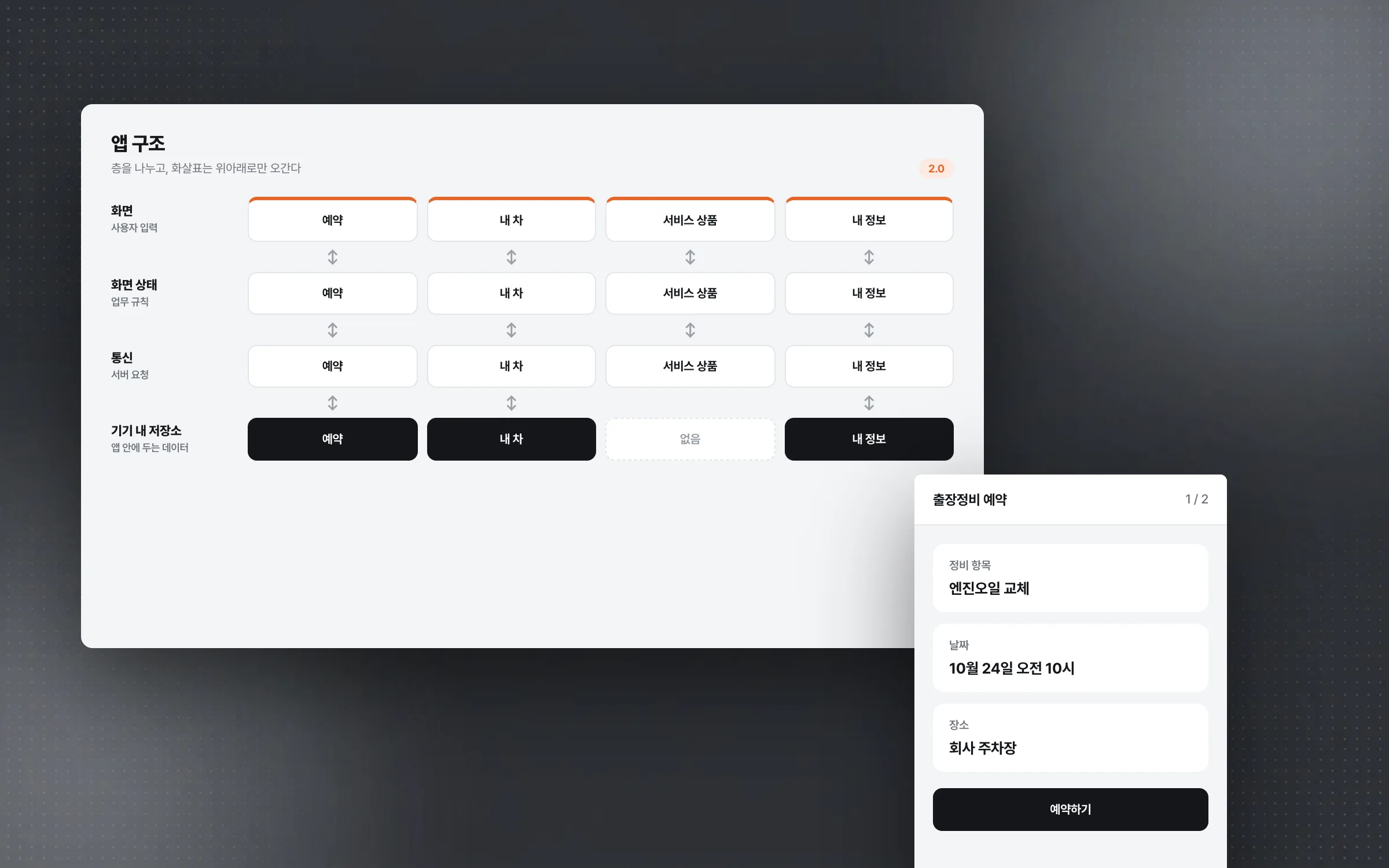
The 2.0 rebuild of the mobile car-repair app began with the overall design existing only as a concept. It was made concrete as an actual project structure by drawing lines between screen modules, data models, the networking layer, and on-device storage. Each screen separates server requests, business rules, screen state, and user input, so what each screen is responsible for is clear. The yardstick was a shape in which new features can be attached without touching the existing boundaries.

A networking layer that puts booking, vehicle, and product requests in one frame
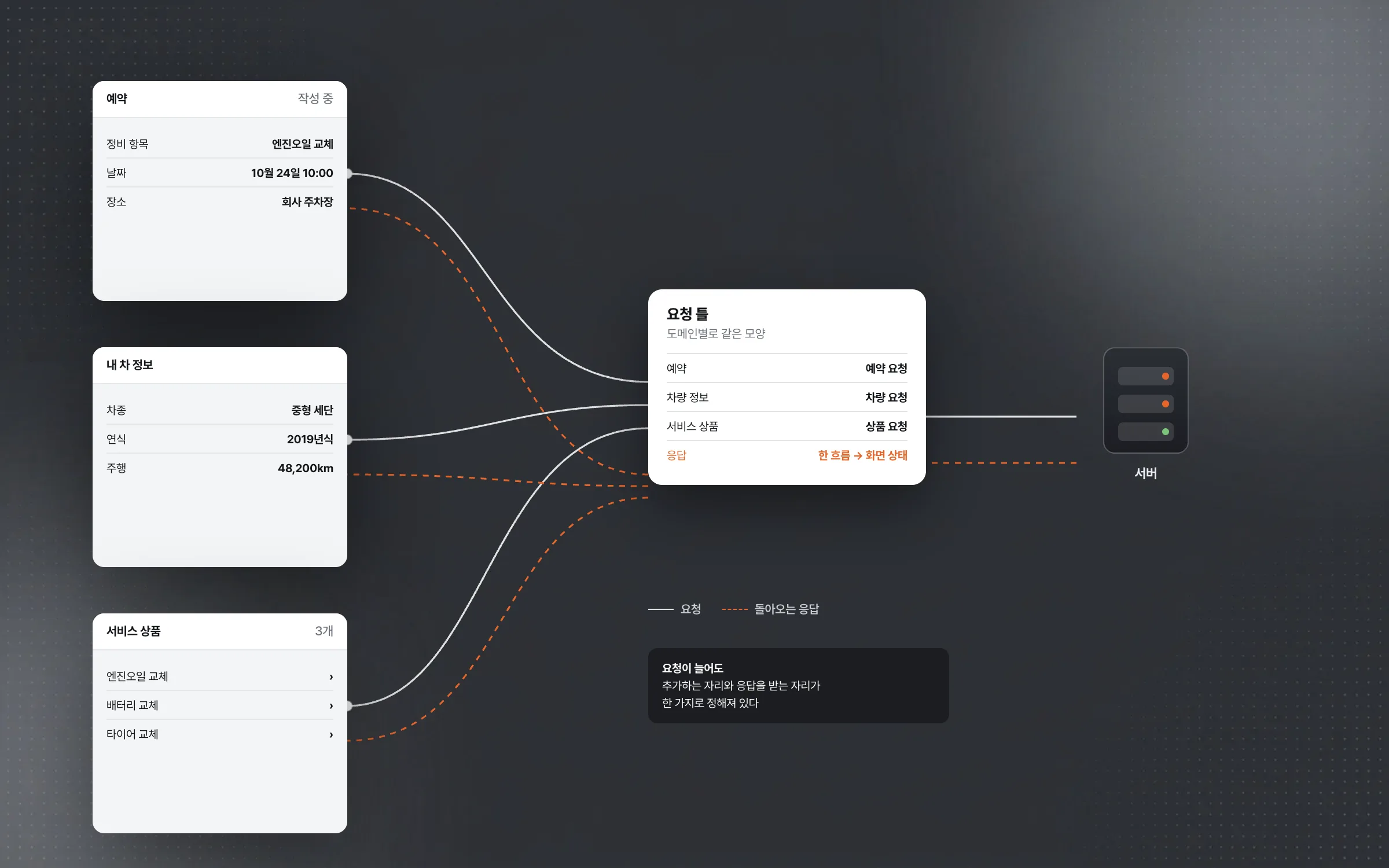
The mobile car-repair app sends different kinds of server requests, such as repair bookings, vehicle information, and service products, from many screens. A customer registers a vehicle, picks a service product such as an engine oil or battery change, and books the time and place for the technician's visit. Requests were organized by domain into a common frame, and asynchronous responses are received through a single flow that feeds into screen state. As requests grow, where to add one and where its response arrives stay settled in one way.

On-device storage that keeps vehicle data and in-progress bookings inside the app
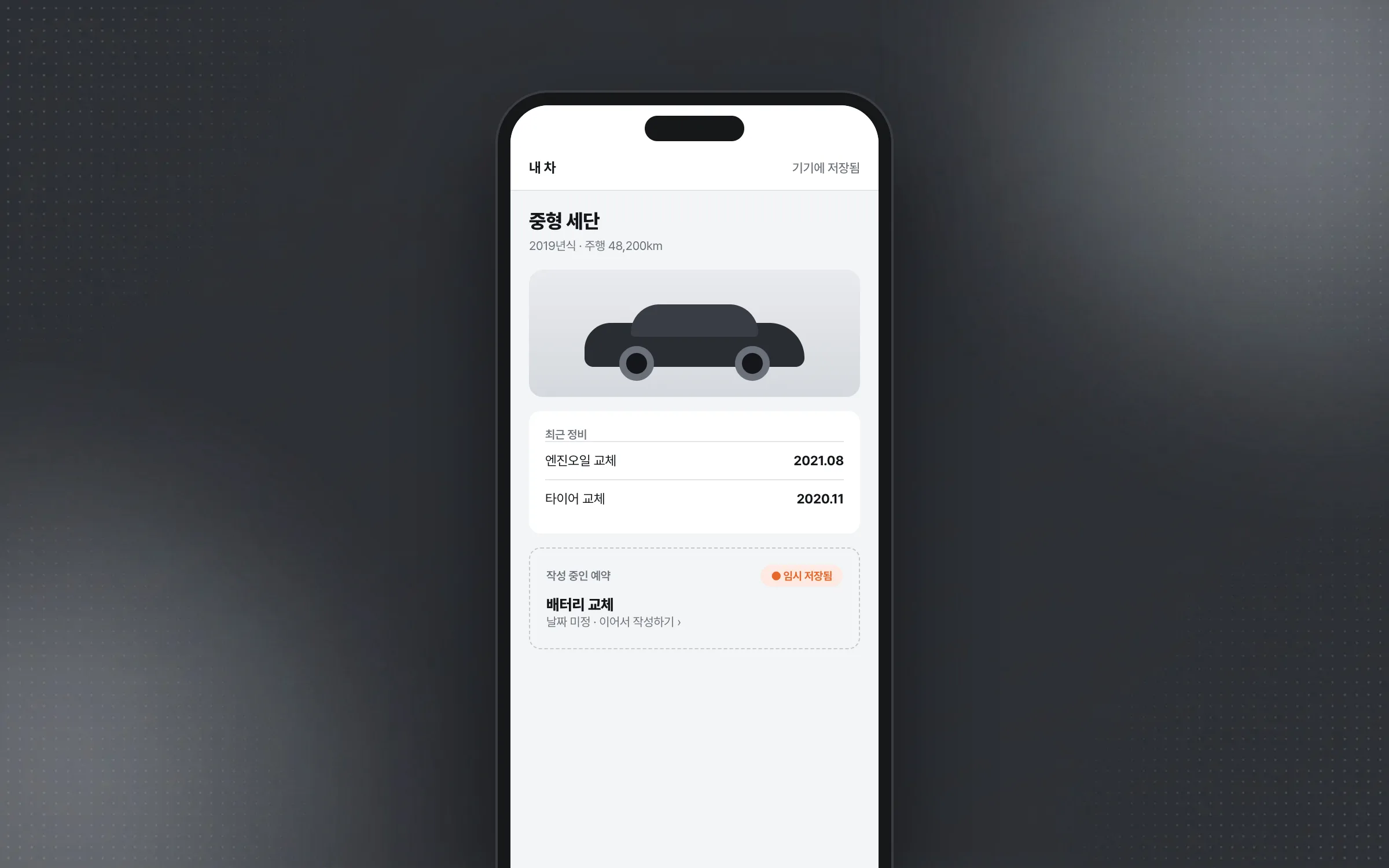
The mobile car-repair app keeps vehicle information, user state, and temporarily saved data inside the app. An on-device storage structure was designed for that data, with a separate access layer that reads and updates what is needed according to network state and screen flow. This was the step where it was decided which data lives on the device and which is fetched fresh from the server.

Design intent aligned with juniors and handed on to a senior
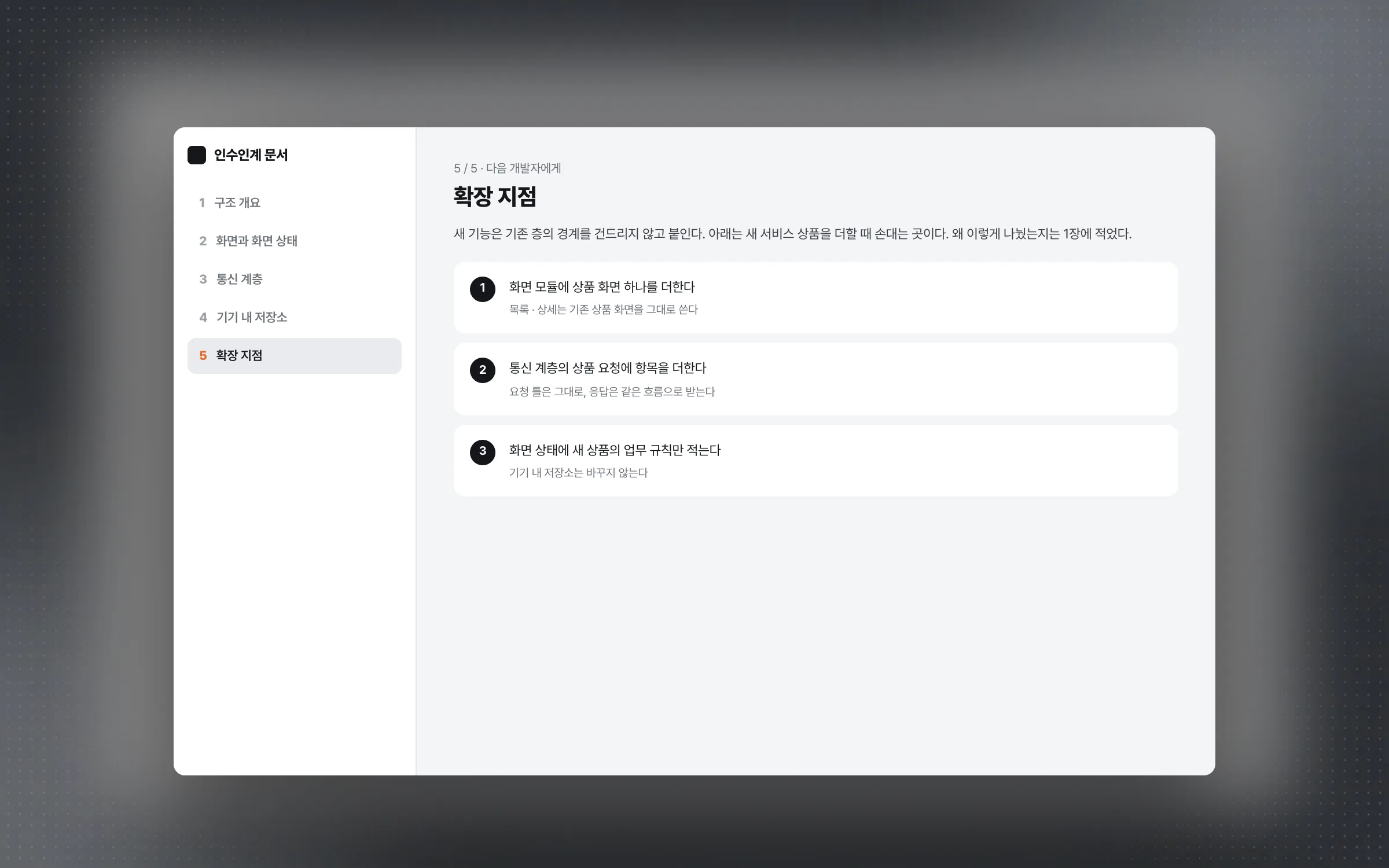
The structure of the mobile car-repair app was discussed with junior developers, who helped validate the direction of implementation. Beyond writing code, the work included explaining why screen state, networking, and on-device storage need to be separate, and aligning on each one's role together. Once the structural work was done, the reasons behind the design decisions and the points where it can be extended were written up and handed to the senior developer who would continue the build.

Highlights
An app structure with clear lines between screens, networking, and on-device storage
A networking layer that handles booking, vehicle, and service-product requests in one frame
A handover that passed on the reasons behind design decisions and where to extend
Insights
GA4 client_storage: 'none'은 정말 쿠키를 막을까?
두 달 전 이 블로그에 「GA4 쿠키 없이 쓰기」라는 글을 썼습니다. clientstorage: 'none' 으로 쿠키 저장을 끄고, 자체 분석이 쓰던 익명 ID 를 clientid 로 넘기면 쿠키 0개로 GA4 를 쓸 수 있다는 내…
GA4 Measurement Protocol: gtag.js 없이 서버에서 이벤트 보내기
랜딩 페이지의 전송량을 파일 단위로 쪼개 보다가, 가장 큰 파일이 우리 코드가 아니라는 것을 알았습니다. Google Analytics 의 gtag.js 였고, 방문 한 번에 176KB 를 받고 있었습니다. 페이지 전체가 1,094K…
중소 제조업 AI 도입 순서: DX를 먼저 끝내야 할까?
공장을 가진 중소·중견 제조기업 16만여 곳 가운데 스마트공장을 도입한 곳은 19.5%입니다. 회사가 작을수록 이 비율은 더 떨어집니다. 중소벤처기업부가 2025년 4월에 낸 제1차 스마트제조혁신 실태조사 결과입니다. 그림: 기업 규…
Next.js loading.tsx와 404: 버튼이 화면보다 먼저 살아나게 하기
관리 화면 왼쪽 위에 사이드바를 접고 펴는 ☰ 버튼이 있습니다. 폭 하나 바꾸는 버튼인데, 대시보드에서 누르면 2초 넘게 아무 반응이 없었습니다. 레이아웃만 바꾸는 일이 왜 이렇게 오래 걸리는지부터 들여다봤습니다. Next.js 16…