Micropayment app
We took on the app for a telecom carrier's payment service, where people pay by phone micropayment instead of a credit card and the amount is added to the next month's phone bill. When we joined, the code was tangled and mixed with unused code, so we first mapped and cleaned up the screen, payment, notification, and release code. On that base we added barcode payment for use in stores and a home-screen widget that goes straight into payment. If users misread whether a payment succeeded, failed, or is still in progress, they cannot even tell whether they paid, so status display and error handling were checked together.
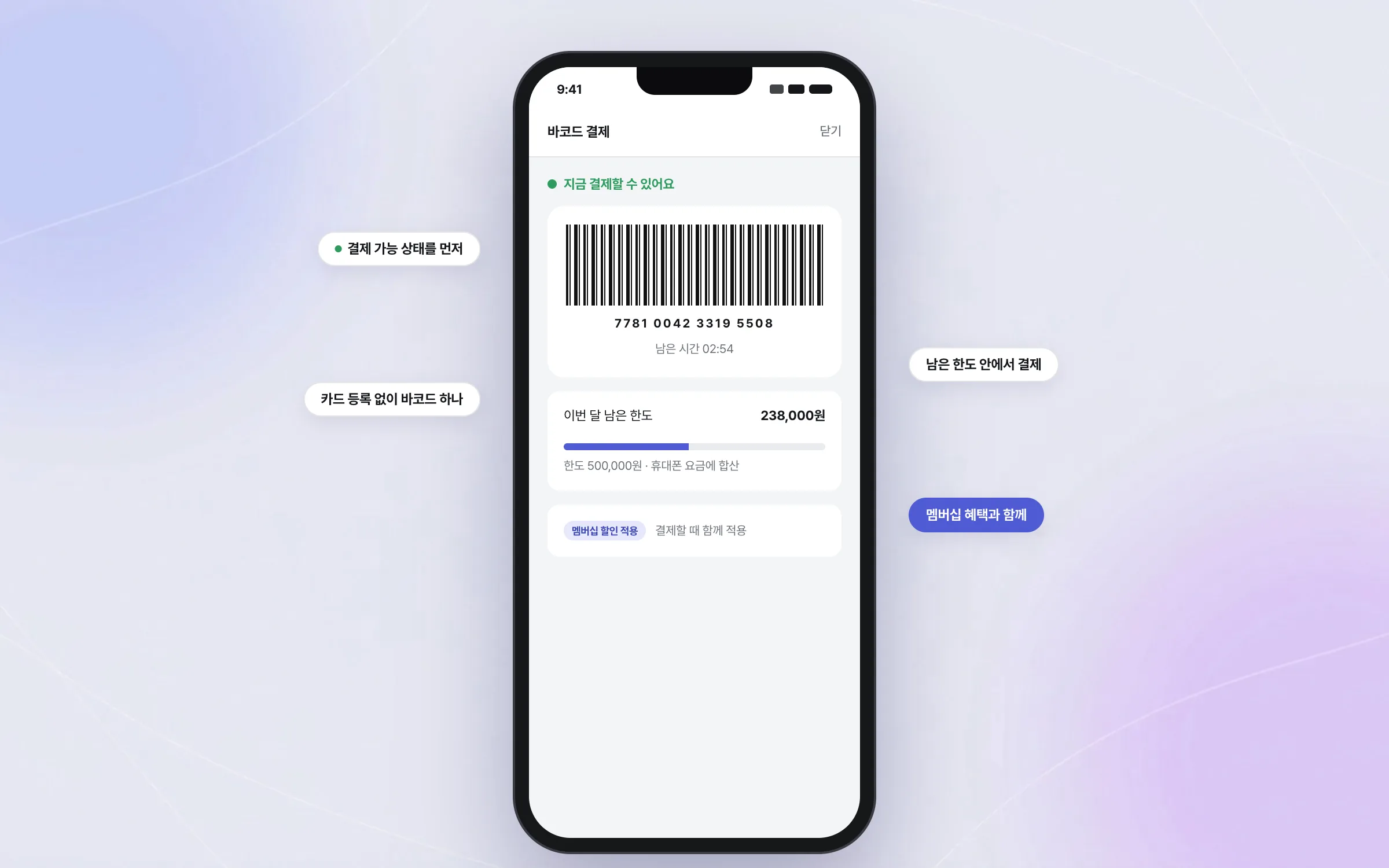
In-store barcode payment charged to the phone bill, with no card to register
Carrier micropayment lets subscribers pay without registering a card, adding purchases to the phone bill within a micropayment limit. The amount is billed with the next month's phone charges, and at the store the carrier's membership discount and the payment are applied in one step. We added barcode payment for stores such as convenience stores, bakeries, and restaurants. The flow, from entering the payment screen and showing the barcode to showing whether payment is available right now and explaining when it is not, was built to finish quickly at the counter.

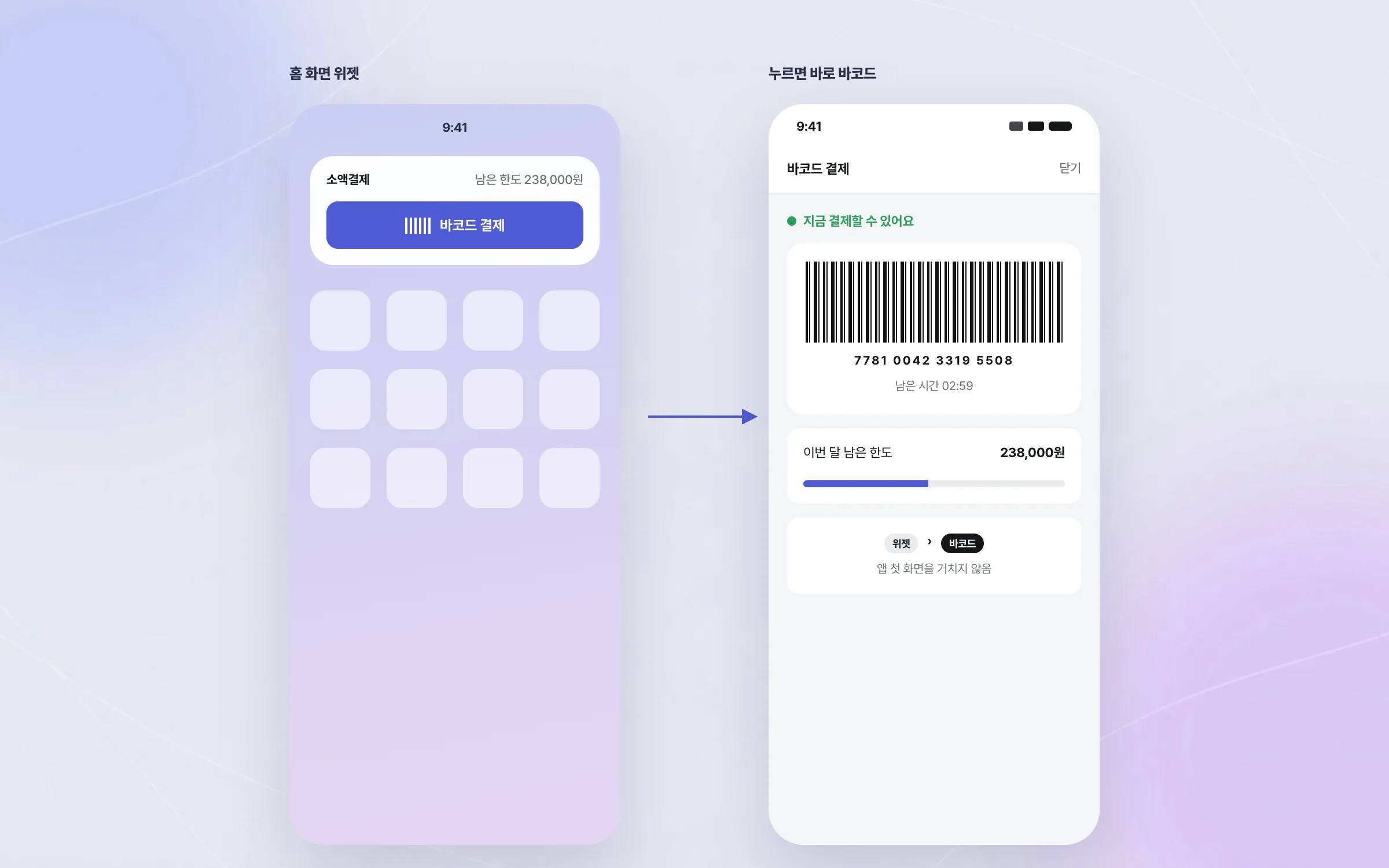
Entry to payment that starts from a widget, without opening the app
In a payment app, the fewer steps between taking out the phone and seeing the payment screen, the better. We built a home-screen widget that goes straight to the payment screen without opening the app first. The work focused on cutting the steps between the widget and the start of payment.

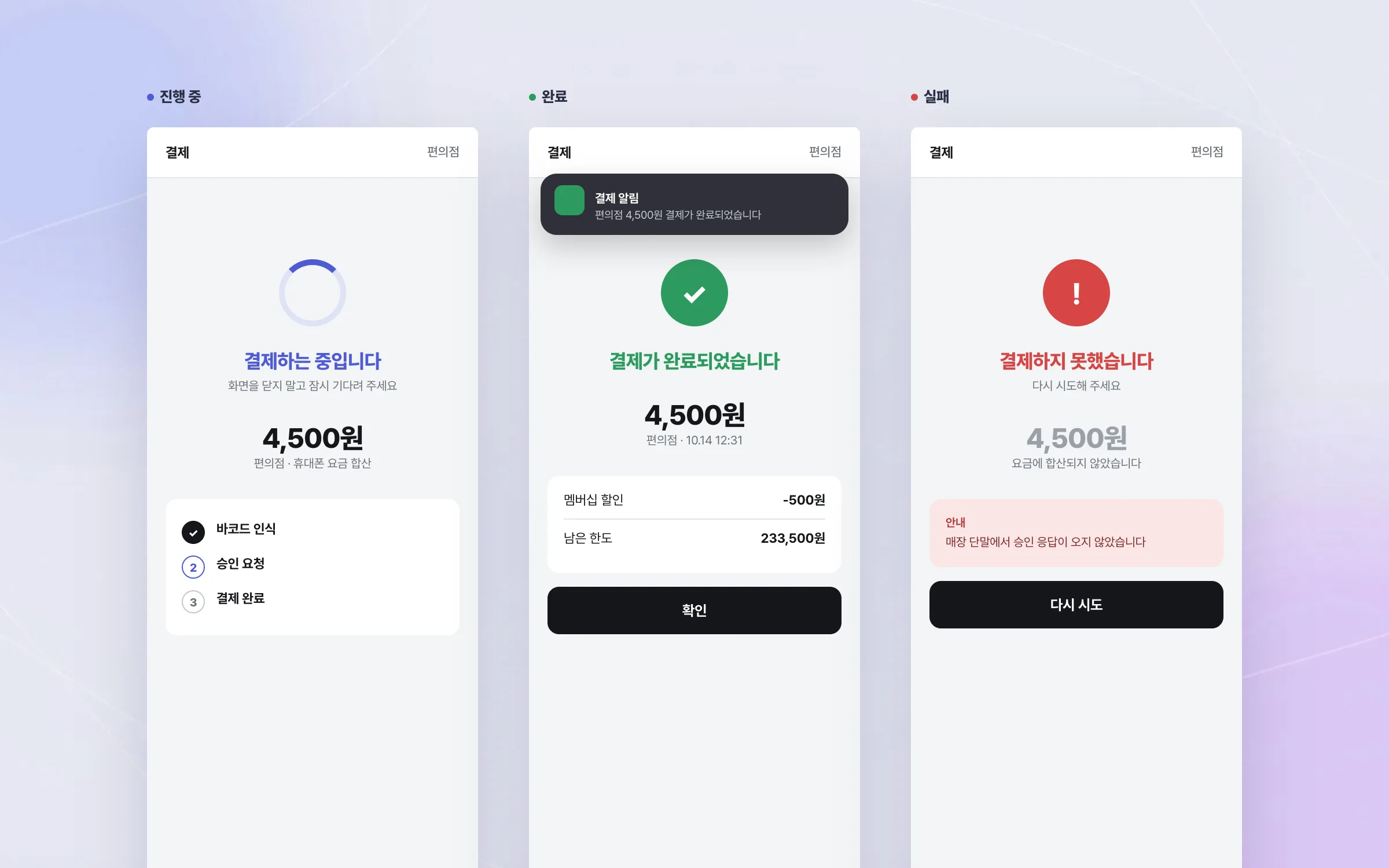
Payment status shown so success, failure, and in-progress never blur
If users of a micropayment app misread the payment status, they cannot tell whether they have paid. Screen flows and exception cases were checked together so that success, failure, and in-progress are clearly distinct on screen. Notifications travel over two delivery routes, so we verified receipt, device registration, and error cases while checking how each route behaves differently and what exceptions can occur in live service.

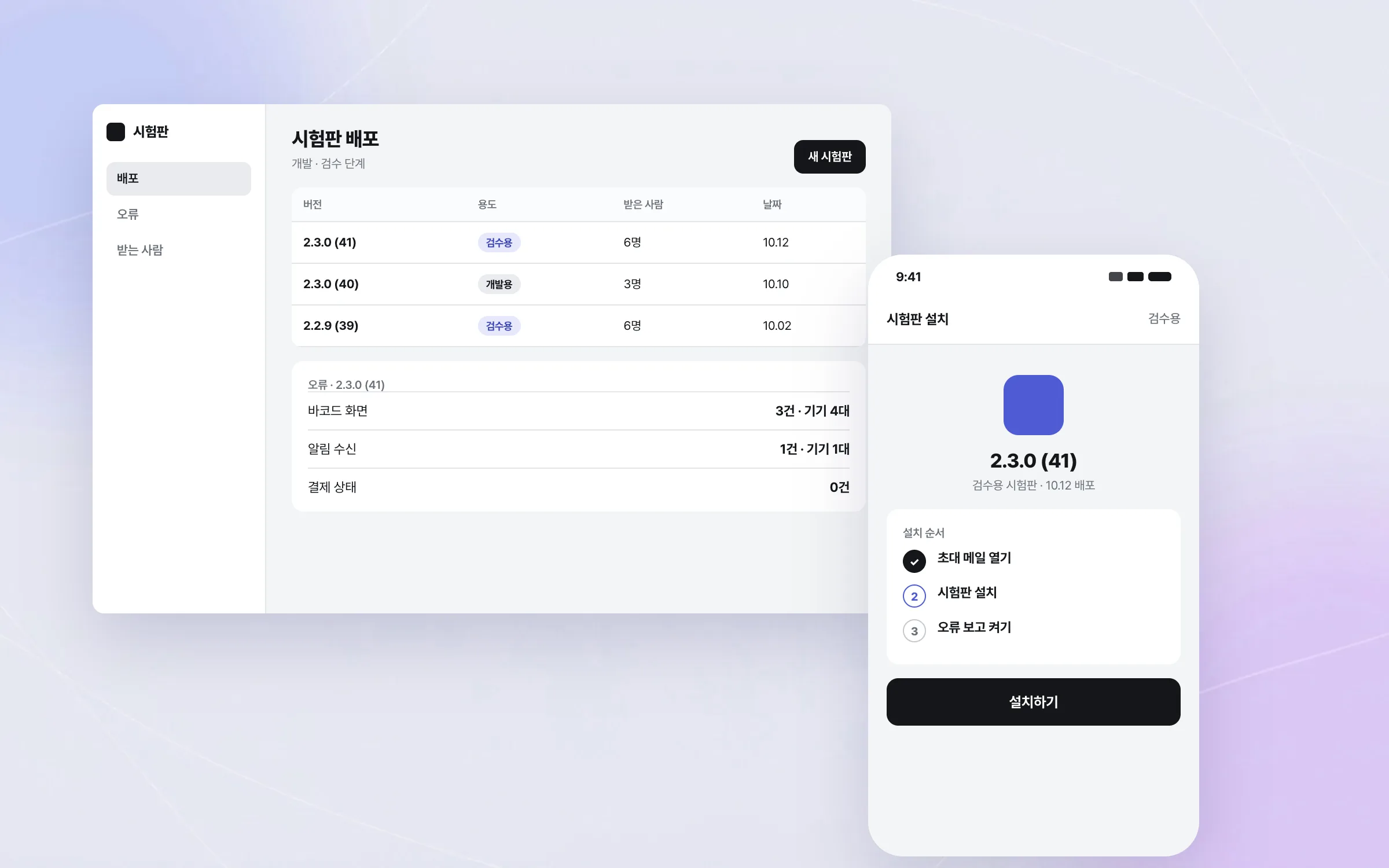
Untangled code, plus a test distribution and crash tracking setup
When we joined, the micropayment app's code was tangled and mixed with unused code. To get it to a state where it could be maintained and extended, we first mapped and cleaned up the code for screens, payments, notifications, and releases. We then set up an environment for test distribution and crash tracking, so that test builds could be handed out and errors checked during development and acceptance testing.

Highlights
Tangled code cleaned up into a state where features could be added
In-store barcode payment and entry to payment from a home-screen widget
Verified notification delivery and device registration, plus a test distribution and crash tracking setup
Insights
GA4 client_storage: 'none'은 정말 쿠키를 막을까?
두 달 전 이 블로그에 「GA4 쿠키 없이 쓰기」라는 글을 썼습니다. clientstorage: 'none' 으로 쿠키 저장을 끄고, 자체 분석이 쓰던 익명 ID 를 clientid 로 넘기면 쿠키 0개로 GA4 를 쓸 수 있다는 내…
GA4 Measurement Protocol: gtag.js 없이 서버에서 이벤트 보내기
랜딩 페이지의 전송량을 파일 단위로 쪼개 보다가, 가장 큰 파일이 우리 코드가 아니라는 것을 알았습니다. Google Analytics 의 gtag.js 였고, 방문 한 번에 176KB 를 받고 있었습니다. 페이지 전체가 1,094K…
중소 제조업 AI 도입 순서: DX를 먼저 끝내야 할까?
공장을 가진 중소·중견 제조기업 16만여 곳 가운데 스마트공장을 도입한 곳은 19.5%입니다. 회사가 작을수록 이 비율은 더 떨어집니다. 중소벤처기업부가 2025년 4월에 낸 제1차 스마트제조혁신 실태조사 결과입니다. 그림: 기업 규…
Next.js loading.tsx와 404: 버튼이 화면보다 먼저 살아나게 하기
관리 화면 왼쪽 위에 사이드바를 접고 펴는 ☰ 버튼이 있습니다. 폭 하나 바꾸는 버튼인데, 대시보드에서 누르면 2초 넘게 아무 반응이 없었습니다. 레이아웃만 바꾸는 일이 왜 이렇게 오래 걸리는지부터 들여다봤습니다. Next.js 16…