Crypto exchange app rebuild
We took part in rebuilding a crypto exchange app, which had wrapped web screens, into native app screens. An exchange app is where users watch live prices, buy and sell digital assets, and check their holdings and order status. The trading flow and information structure of the existing web screens were carried over, and the key was making sure constantly changing data such as prices, assets, and orders never showed wrong on screen. If prices or assets display incorrectly on an exchange, users place orders based on the wrong numbers. In a team of five, we worked on screen state management, the navigation structure, and the price, trading, and asset screens.
A conversion that read the web screens' trading flow and moved it into app screens
The existing crypto exchange app worked by displaying web screens inside the app. We analysed the trading flow and information structure of those web screens and moved the same flow into screens drawn by the app itself. The order users were used to was kept, while performance and the user experience were improved on the app side.

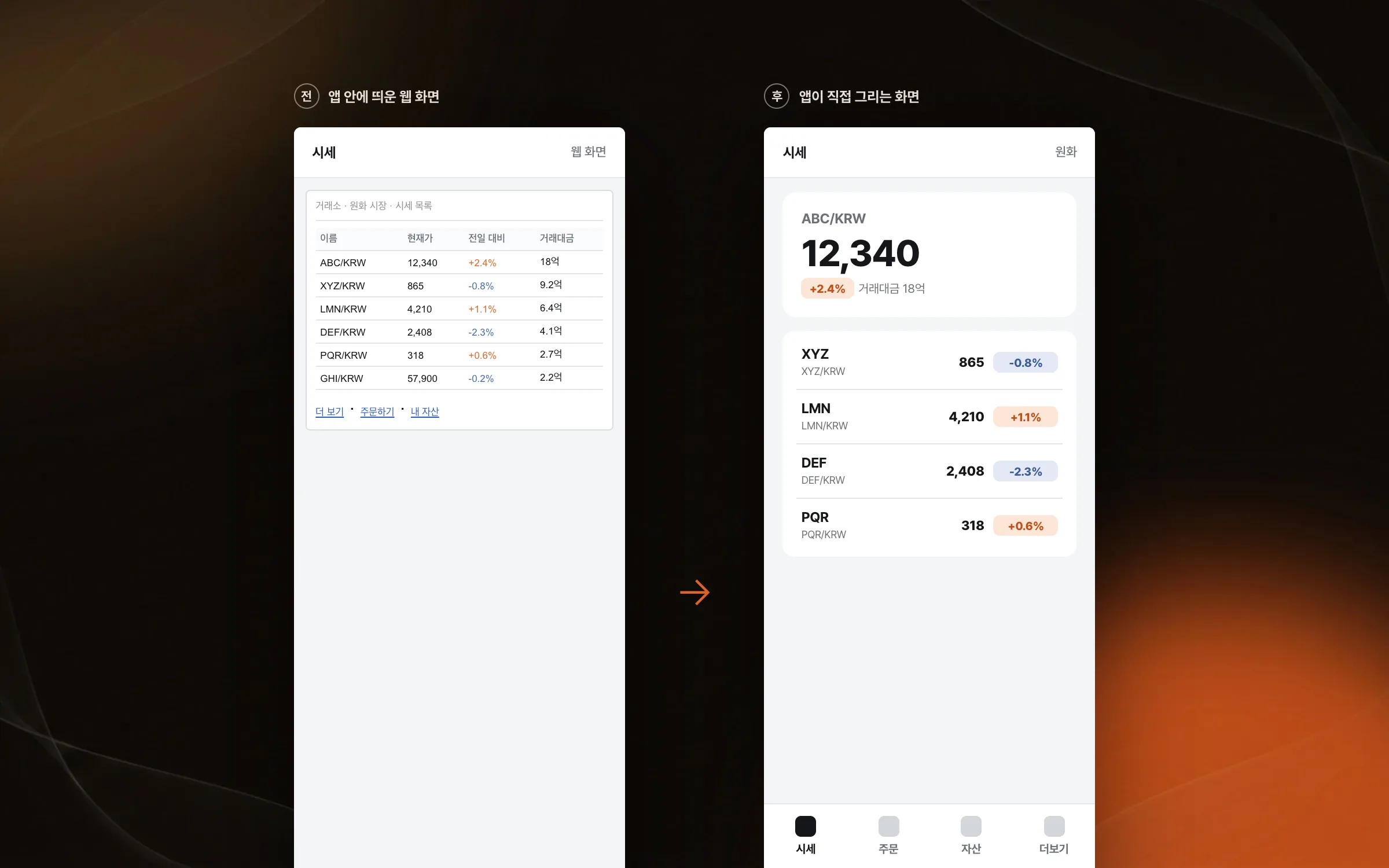
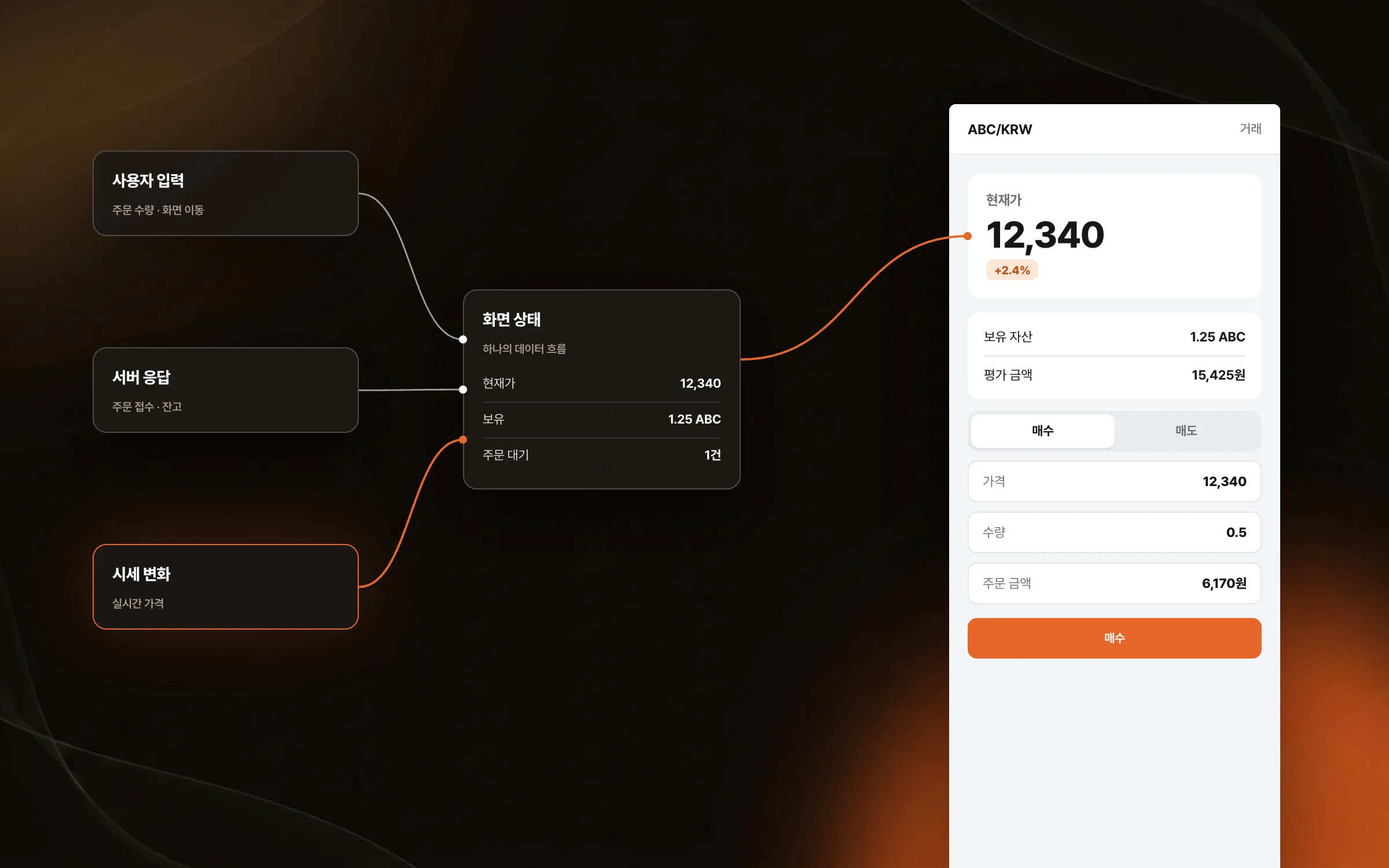
Screen state that stays consistent while prices, assets, and orders change at once
In an exchange app, events such as price changes, asset updates, orders, and screen transitions happen at the same time. We tied user input, server responses, and screen updates into a single data flow so the state of complex screens became easy to trace. The update flow was checked so that sensitive numbers like price moves and user assets never linger on screen with stale values.

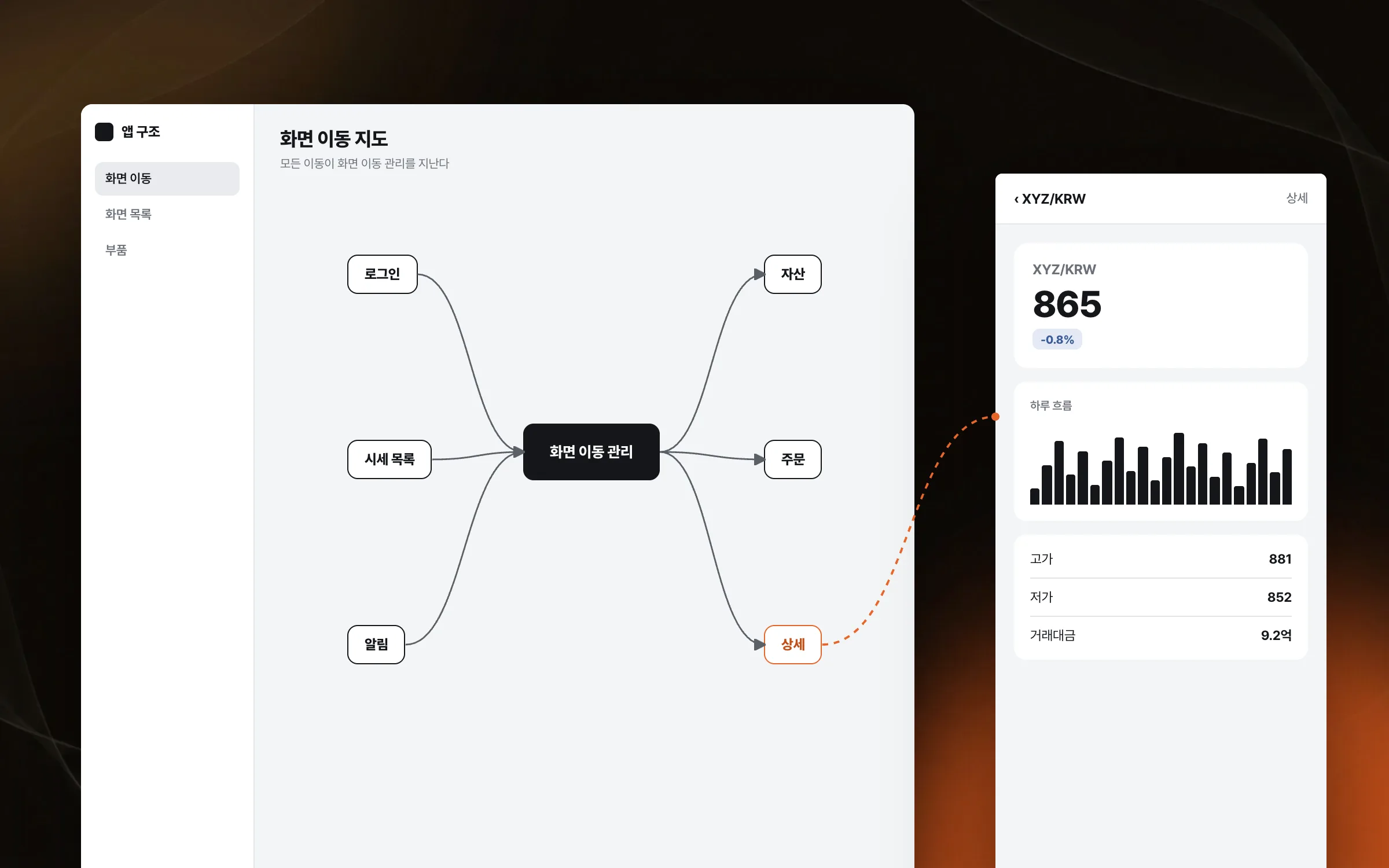
A structure that handles many entry paths from one place
An exchange app has many paths into its login, asset, order, and detail screens. We took the responsibility for deciding where each screen leads out of the screens themselves and managed navigation separately. Since screens no longer carry their own navigation code, adding a new screen touches fewer existing ones.

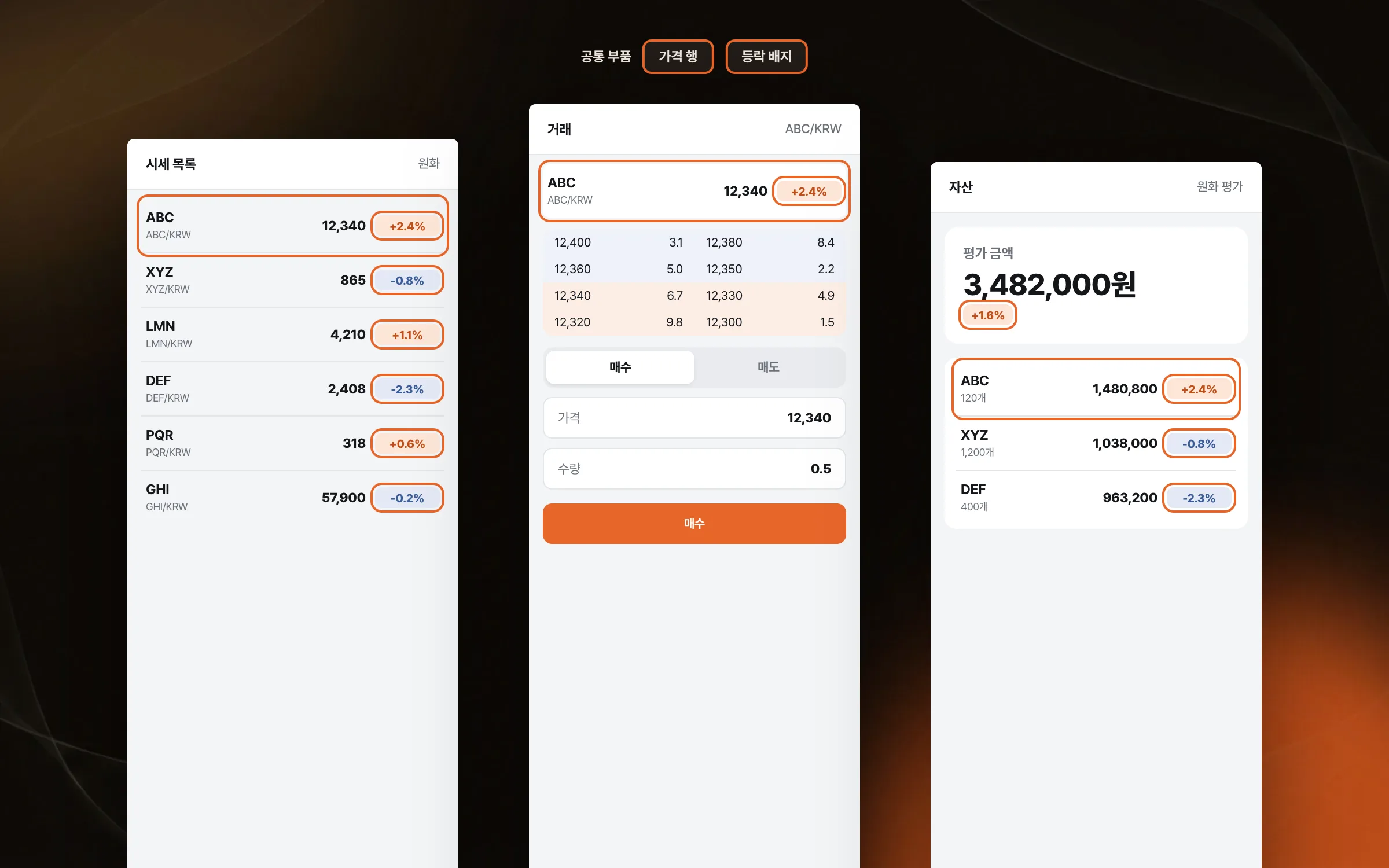
Reusable parts, laid out in code, for dense price and trading screens
The exchange app's price list, trading screen, and asset screen pack a lot of numbers onto each screen. We laid out screens in code rather than a visual layout tool, so several screens reuse the same parts and the layout structure is plain to read. The team had three internal and two external members, and with old and new approaches side by side, we kept aligning how screens were built and how the code was written.

Highlights
Converting a web-screen-based exchange app into native screens
A clear real-time update flow for screens where prices, assets, and orders change together
A separate navigation structure for paths into login, assets, orders, and detail screens
Insights
GA4 client_storage: 'none'은 정말 쿠키를 막을까?
두 달 전 이 블로그에 「GA4 쿠키 없이 쓰기」라는 글을 썼습니다. clientstorage: 'none' 으로 쿠키 저장을 끄고, 자체 분석이 쓰던 익명 ID 를 clientid 로 넘기면 쿠키 0개로 GA4 를 쓸 수 있다는 내…
GA4 Measurement Protocol: gtag.js 없이 서버에서 이벤트 보내기
랜딩 페이지의 전송량을 파일 단위로 쪼개 보다가, 가장 큰 파일이 우리 코드가 아니라는 것을 알았습니다. Google Analytics 의 gtag.js 였고, 방문 한 번에 176KB 를 받고 있었습니다. 페이지 전체가 1,094K…
중소 제조업 AI 도입 순서: DX를 먼저 끝내야 할까?
공장을 가진 중소·중견 제조기업 16만여 곳 가운데 스마트공장을 도입한 곳은 19.5%입니다. 회사가 작을수록 이 비율은 더 떨어집니다. 중소벤처기업부가 2025년 4월에 낸 제1차 스마트제조혁신 실태조사 결과입니다. 그림: 기업 규…
Next.js loading.tsx와 404: 버튼이 화면보다 먼저 살아나게 하기
관리 화면 왼쪽 위에 사이드바를 접고 펴는 ☰ 버튼이 있습니다. 폭 하나 바꾸는 버튼인데, 대시보드에서 누르면 2초 넘게 아무 반응이 없었습니다. 레이아웃만 바꾸는 일이 왜 이렇게 오래 걸리는지부터 들여다봤습니다. Next.js 16…