Professional community app
We built and maintained a professional community app where dentists upload clinical videos and share cases with fellow dentists. Only the outer frame is a native app and the screens inside are drawn as web pages, so loading timing, link navigation, and sign-in state tend to slip at the boundary between the two. In a video-centred service, a break anywhere between the list, playback, and detail screens directly takes away from what the service is for. We worked not as an outside agency but as part of the client's in-house development team.
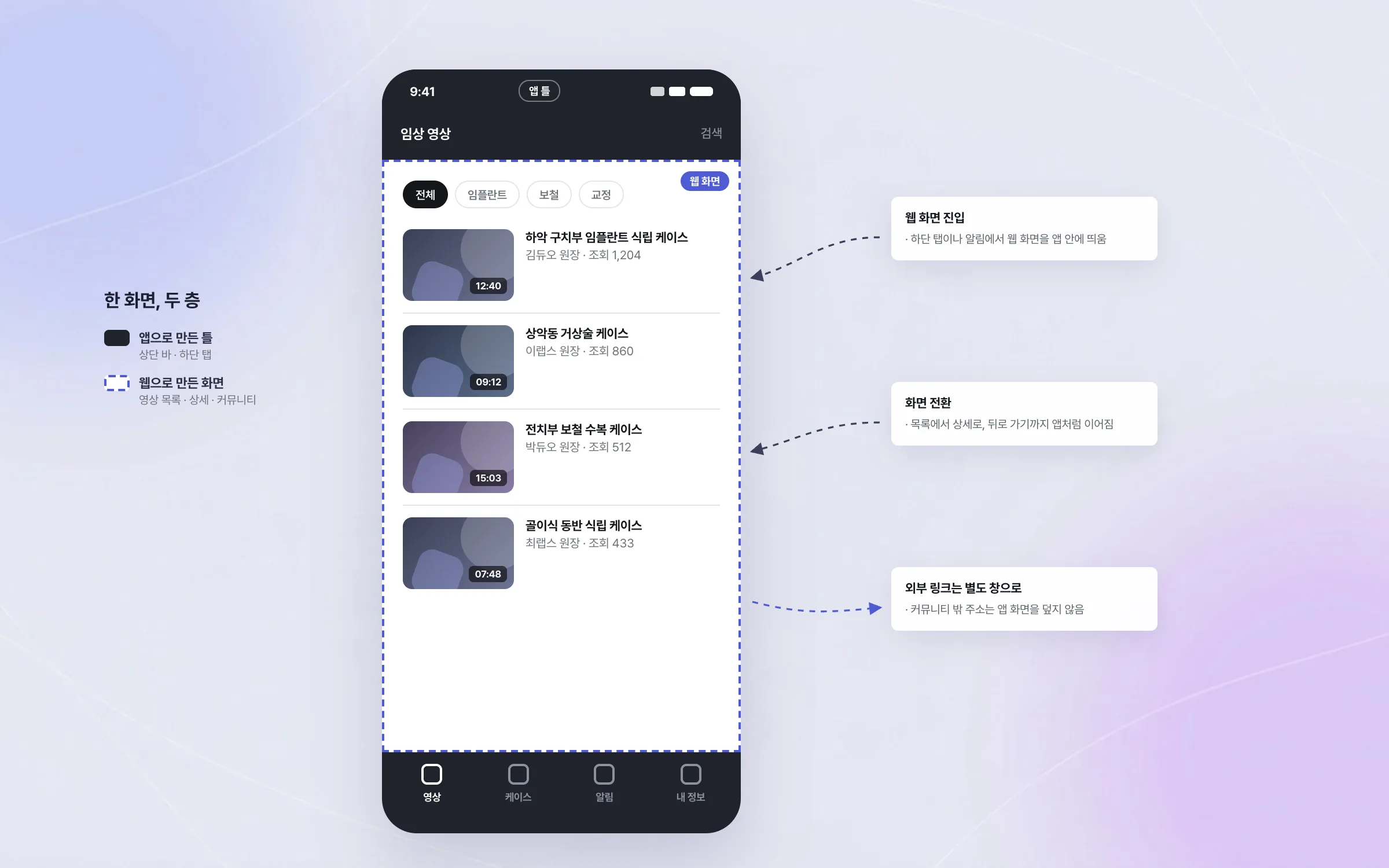
A native frame that carries web screens inside it
The dentists' community app is built with a native outer frame and web screens inside it. To make those web screens behave naturally inside the app, we defined how users enter them, how screens transition, and how outside links open. The test was that users never have to notice whether the screen in front of them is web or app.

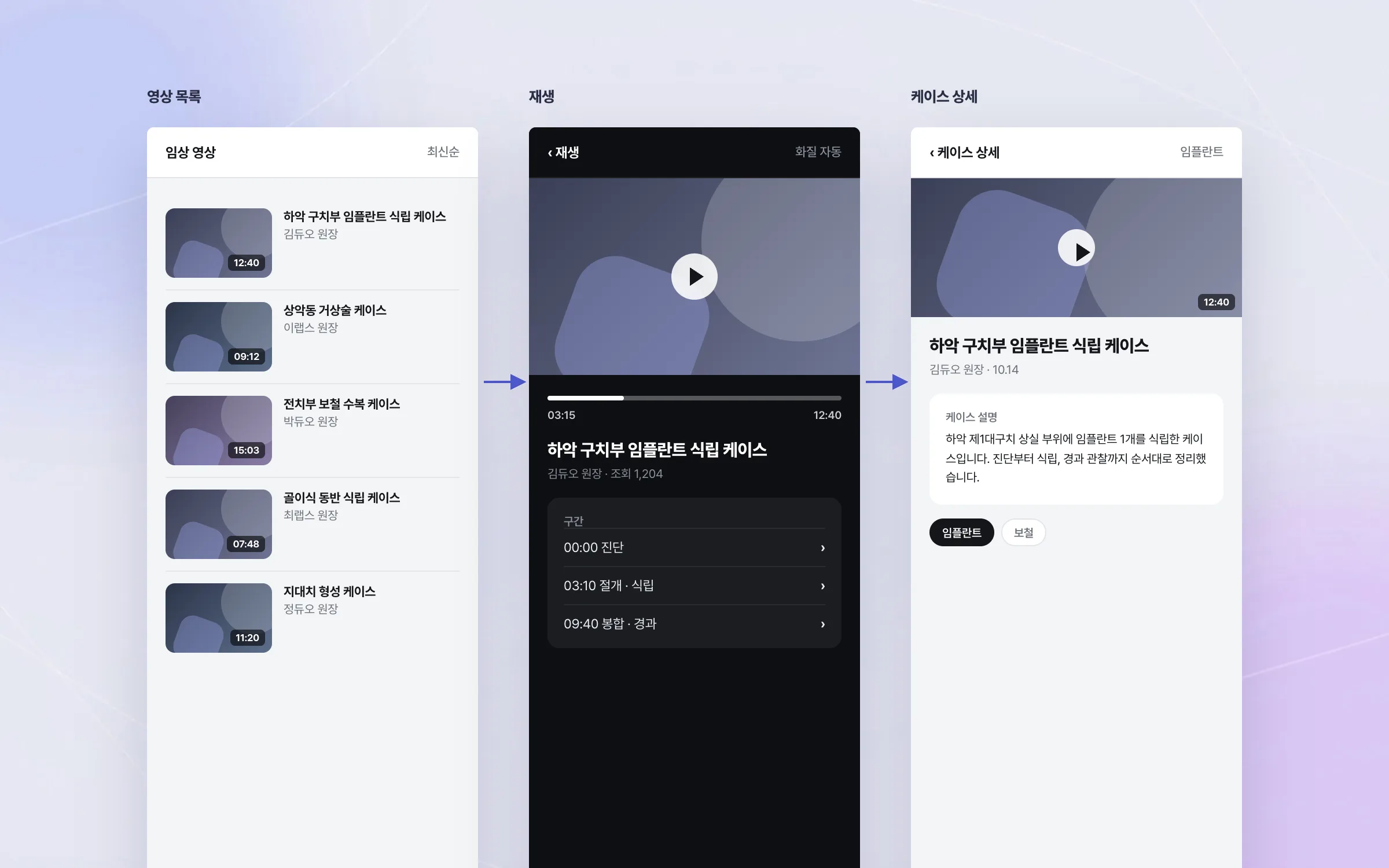
Clinical videos that run from list to playback to detail without a break
Clinical videos uploaded by dentists are at the centre of this community. While a user scans the video list, opens and plays a video, and moves on to its detail screen, the web-based video content must not break inside the app. Problems along that path were found and fixed screen by screen.

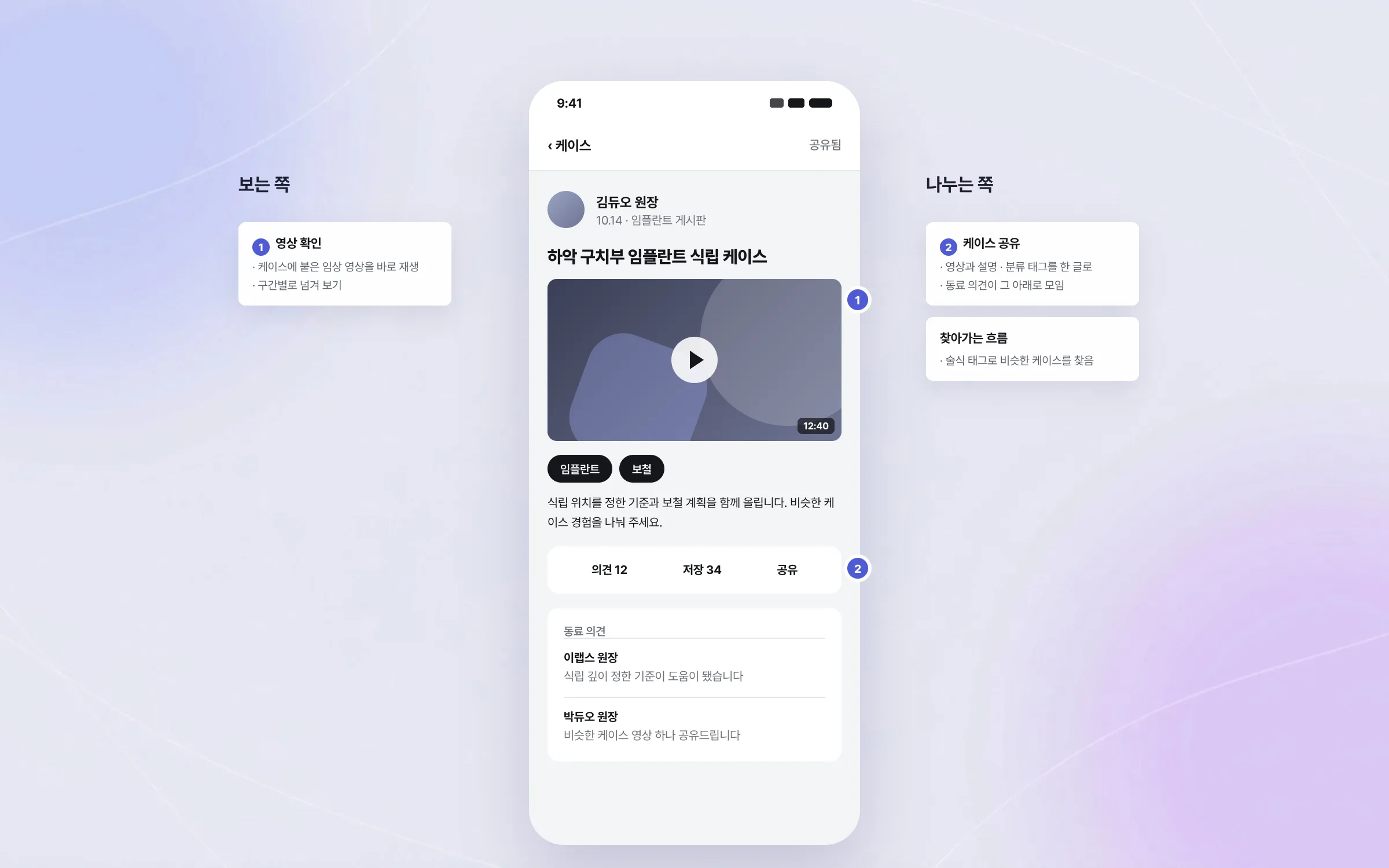
Screens built for professionals sharing cases with their peers
The users of the dentists' community app are not general consumers but dentists. We built and maintained the community screens where dentists review and share clinical videos and cases. A service for professionals has a different information structure from a shopping or banking app, so the way information is presented and found was shaped around that use.

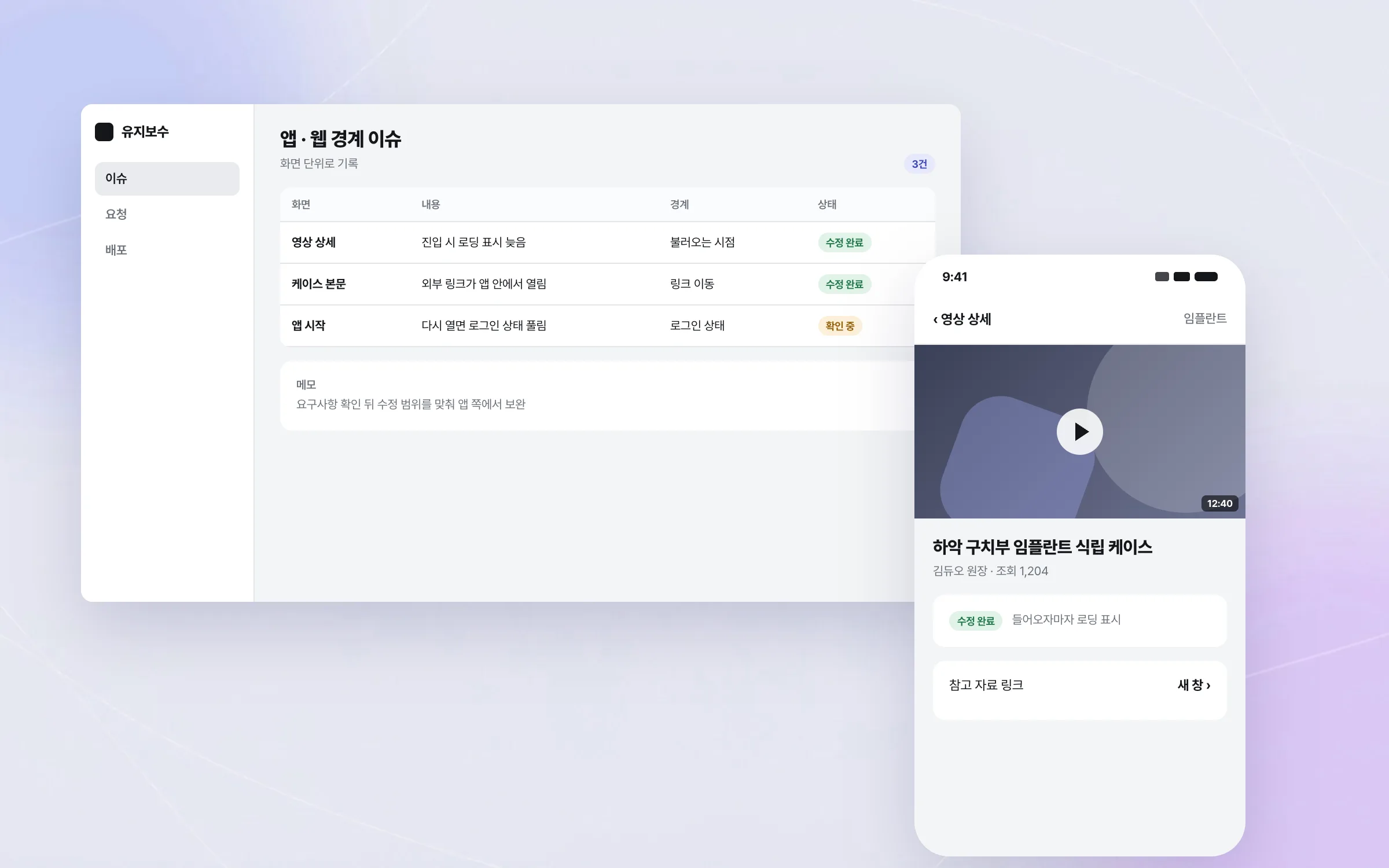
Loading, links, and sign-in state: maintenance at the app-web boundary
When web screens live inside a native frame, problems usually appear at the boundary between the two. That boundary covers when a web screen loads, how it is displayed, where a link takes the user, and sign-in state. These problems were handled from the app side. We worked inside the client's in-house development team, confirming requirements and agreeing the scope of each fix as we went.

Highlights
A structure where web screens behave like the app inside a native frame
Clinical videos that flow from list to playback to detail without breaks
Fixes for problems at the app-web boundary, such as loading, link navigation, and sign-in state
Insights
GA4 client_storage: 'none'은 정말 쿠키를 막을까?
두 달 전 이 블로그에 「GA4 쿠키 없이 쓰기」라는 글을 썼습니다. clientstorage: 'none' 으로 쿠키 저장을 끄고, 자체 분석이 쓰던 익명 ID 를 clientid 로 넘기면 쿠키 0개로 GA4 를 쓸 수 있다는 내…
GA4 Measurement Protocol: gtag.js 없이 서버에서 이벤트 보내기
랜딩 페이지의 전송량을 파일 단위로 쪼개 보다가, 가장 큰 파일이 우리 코드가 아니라는 것을 알았습니다. Google Analytics 의 gtag.js 였고, 방문 한 번에 176KB 를 받고 있었습니다. 페이지 전체가 1,094K…
중소 제조업 AI 도입 순서: DX를 먼저 끝내야 할까?
공장을 가진 중소·중견 제조기업 16만여 곳 가운데 스마트공장을 도입한 곳은 19.5%입니다. 회사가 작을수록 이 비율은 더 떨어집니다. 중소벤처기업부가 2025년 4월에 낸 제1차 스마트제조혁신 실태조사 결과입니다. 그림: 기업 규…
Next.js loading.tsx와 404: 버튼이 화면보다 먼저 살아나게 하기
관리 화면 왼쪽 위에 사이드바를 접고 펴는 ☰ 버튼이 있습니다. 폭 하나 바꾸는 버튼인데, 대시보드에서 누르면 2초 넘게 아무 반응이 없었습니다. 레이아웃만 바꾸는 일이 왜 이렇게 오래 걸리는지부터 들여다봤습니다. Next.js 16…