Integrated fleet and device control system
We built the dashboard screens of an integrated control system where a central control center watches the status of many vehicles and devices in real time. The location and speed data gathered at the control center are what dispatch intervals are adjusted by and what route and schedule compliance is checked against. A control screen has to show many targets at once, so it is dense with information, and noticing a change late means responding late. Our part was the control-screen flow from the device list, through the display of location, operation, and device status, to detailed lookup.
A control dashboard that gathers many devices on one screen
The integrated control system lets a central control center watch and control the status of many vehicles and devices in real time. We developed the dashboard screen that operators look at, so the status of many devices could be monitored on one screen. However many targets there are, a control screen starts from seeing the whole picture in one place without hopping between screens.

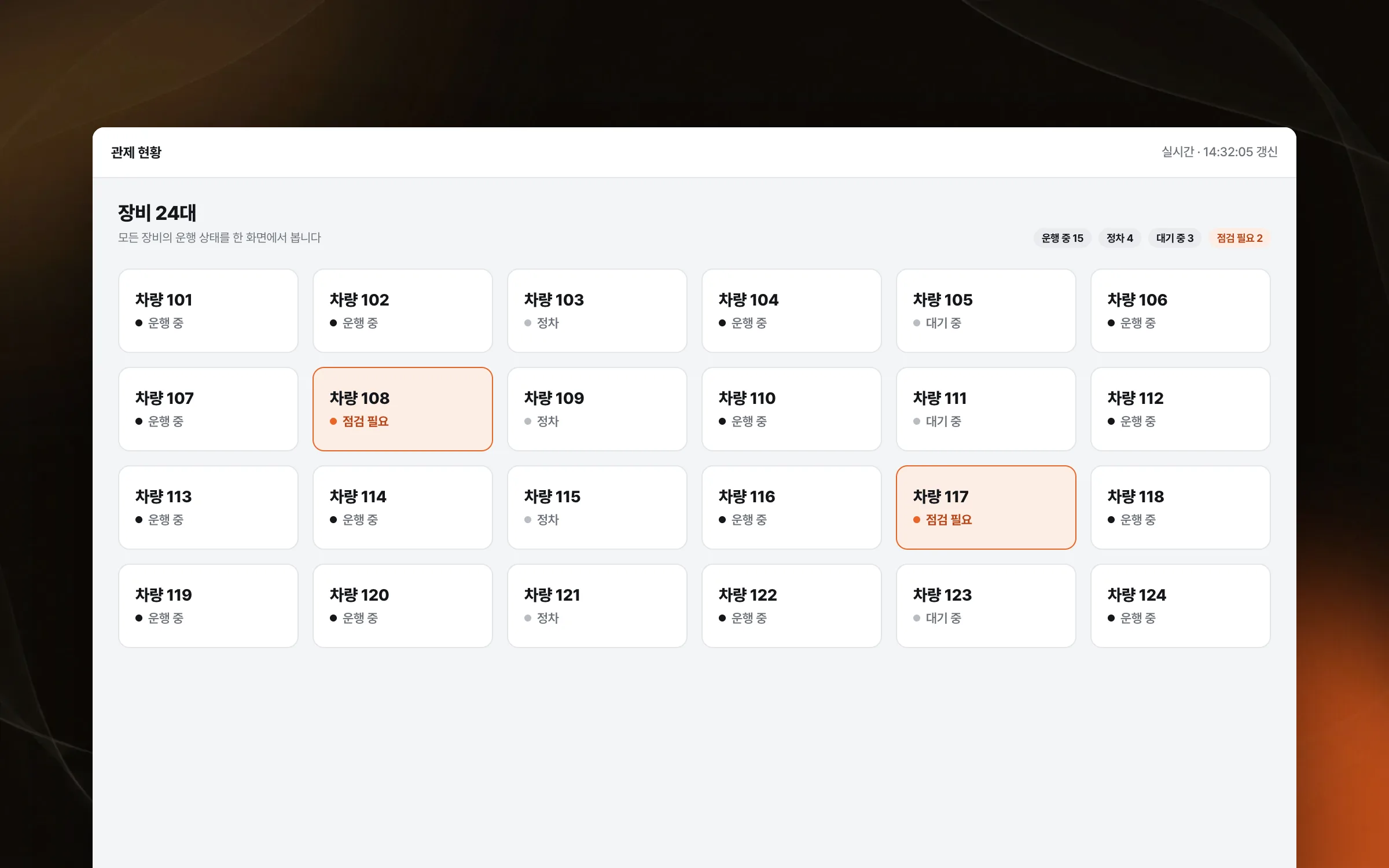
A live display arranged so a change is noticed at once
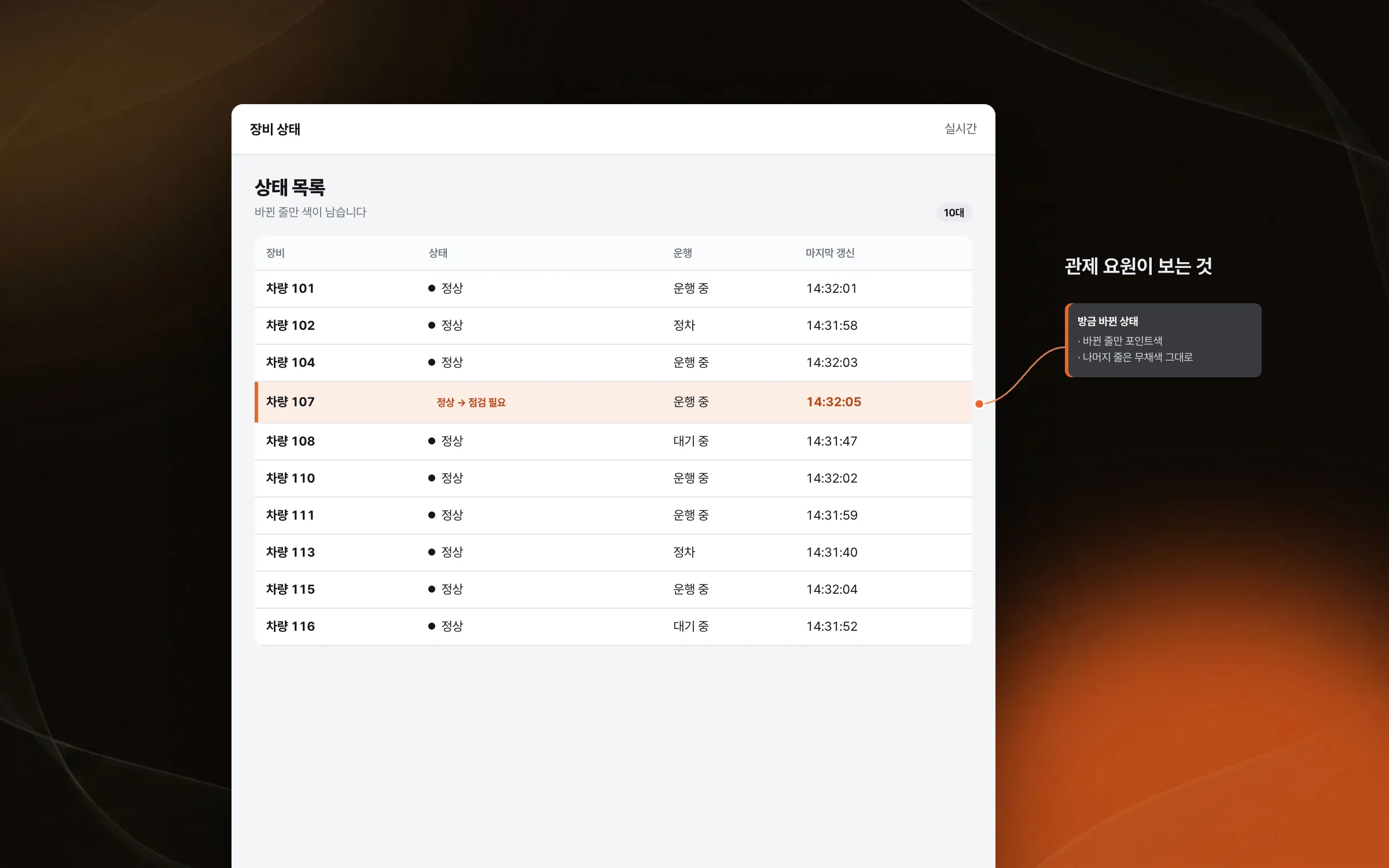
In control work, noticing the moment a device's status changes is what matters. We arranged the information on the dashboard so real-time status changes could be grasped quickly. A control screen is dense with information, so it needed a layout where a change does not get buried among everything else.

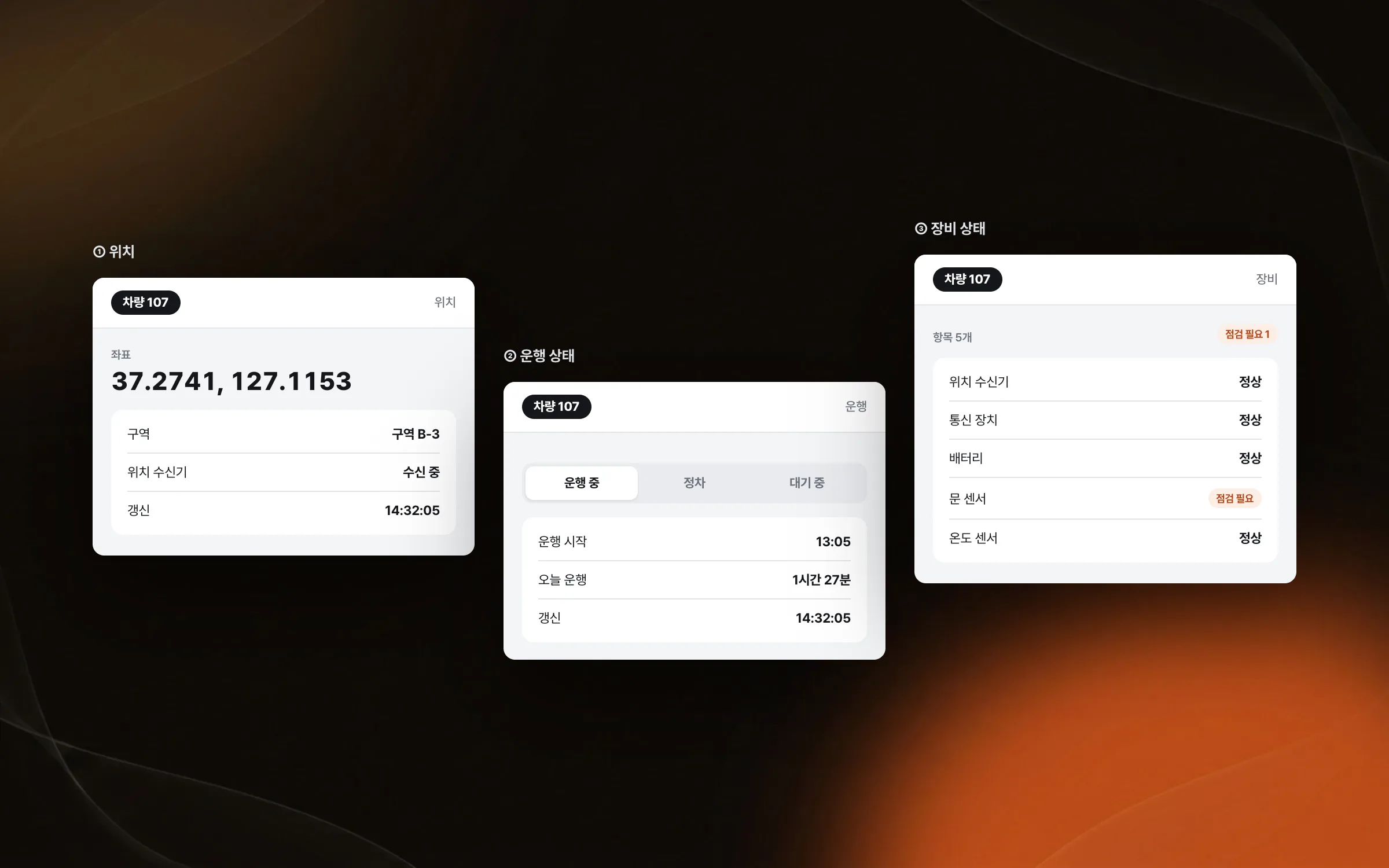
A screen layout that shows location, operation, and device status together
Location and operation data in the integrated control system are sent straight to the central control center over a wireless network by the positioning receivers and communication units fitted to vehicles and devices. Along with where a vehicle is, how fast it is moving arrives the same way. What an operator checks falls into three kinds: where a device is, how it is operating, and the condition of the device itself. We displayed these three visually to suit control work, where the status of many targets has to be checked at the same time.

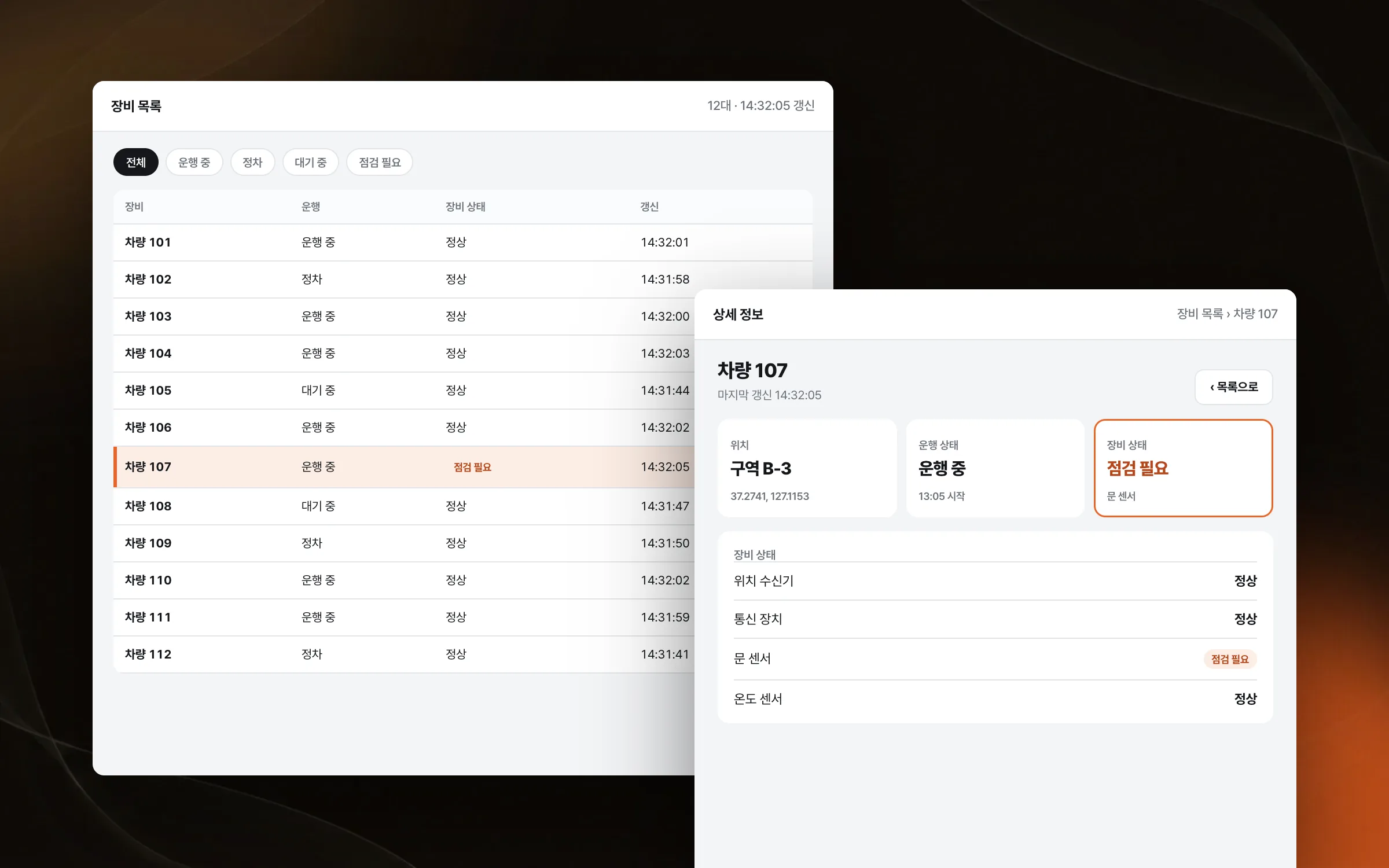
A lookup flow that runs unbroken from list to detail
Work on a control screen runs in order: find a target in the device list, check its status, and open the details when needed. We implemented that flow of device list, status check, and detailed lookup. Only when the three steps form one flow do operators avoid wandering the screen while checking a single target.

Highlights
A control dashboard that shows many devices' status on one screen
A live display that puts location, operation, and device status in view at once
Controls that lead from the device list to status checks and detail lookup
Insights
GA4 client_storage: 'none'은 정말 쿠키를 막을까?
두 달 전 이 블로그에 「GA4 쿠키 없이 쓰기」라는 글을 썼습니다. clientstorage: 'none' 으로 쿠키 저장을 끄고, 자체 분석이 쓰던 익명 ID 를 clientid 로 넘기면 쿠키 0개로 GA4 를 쓸 수 있다는 내…
GA4 Measurement Protocol: gtag.js 없이 서버에서 이벤트 보내기
랜딩 페이지의 전송량을 파일 단위로 쪼개 보다가, 가장 큰 파일이 우리 코드가 아니라는 것을 알았습니다. Google Analytics 의 gtag.js 였고, 방문 한 번에 176KB 를 받고 있었습니다. 페이지 전체가 1,094K…
중소 제조업 AI 도입 순서: DX를 먼저 끝내야 할까?
공장을 가진 중소·중견 제조기업 16만여 곳 가운데 스마트공장을 도입한 곳은 19.5%입니다. 회사가 작을수록 이 비율은 더 떨어집니다. 중소벤처기업부가 2025년 4월에 낸 제1차 스마트제조혁신 실태조사 결과입니다. 그림: 기업 규…
Next.js loading.tsx와 404: 버튼이 화면보다 먼저 살아나게 하기
관리 화면 왼쪽 위에 사이드바를 접고 펴는 ☰ 버튼이 있습니다. 폭 하나 바꾸는 버튼인데, 대시보드에서 누르면 2초 넘게 아무 반응이 없었습니다. 레이아웃만 바꾸는 일이 왜 이렇게 오래 걸리는지부터 들여다봤습니다. Next.js 16…