Government knowledge portal
We built the screens of a public information portal that links a government ministry's knowledge and policy information by how items relate, so people find things by meaning rather than by keyword. If the relationships between items do not show on screen, even carefully linked data looks no different from a list of keyword search results. Our part covered the exploration screens, the views that reveal relationships and context between items, and the flow from search to selection and detail.
Policy information found by meaning, not by keyword
The government knowledge portal is a public information service that links a large body of knowledge and policy information by meaning and relationship. Each item carries data on what it is about and how it connects to other items, so the portal could take people beyond simple keyword search to finding by meaning. The work dates from when the government was starting to bring meaning-based web technology into public portals.

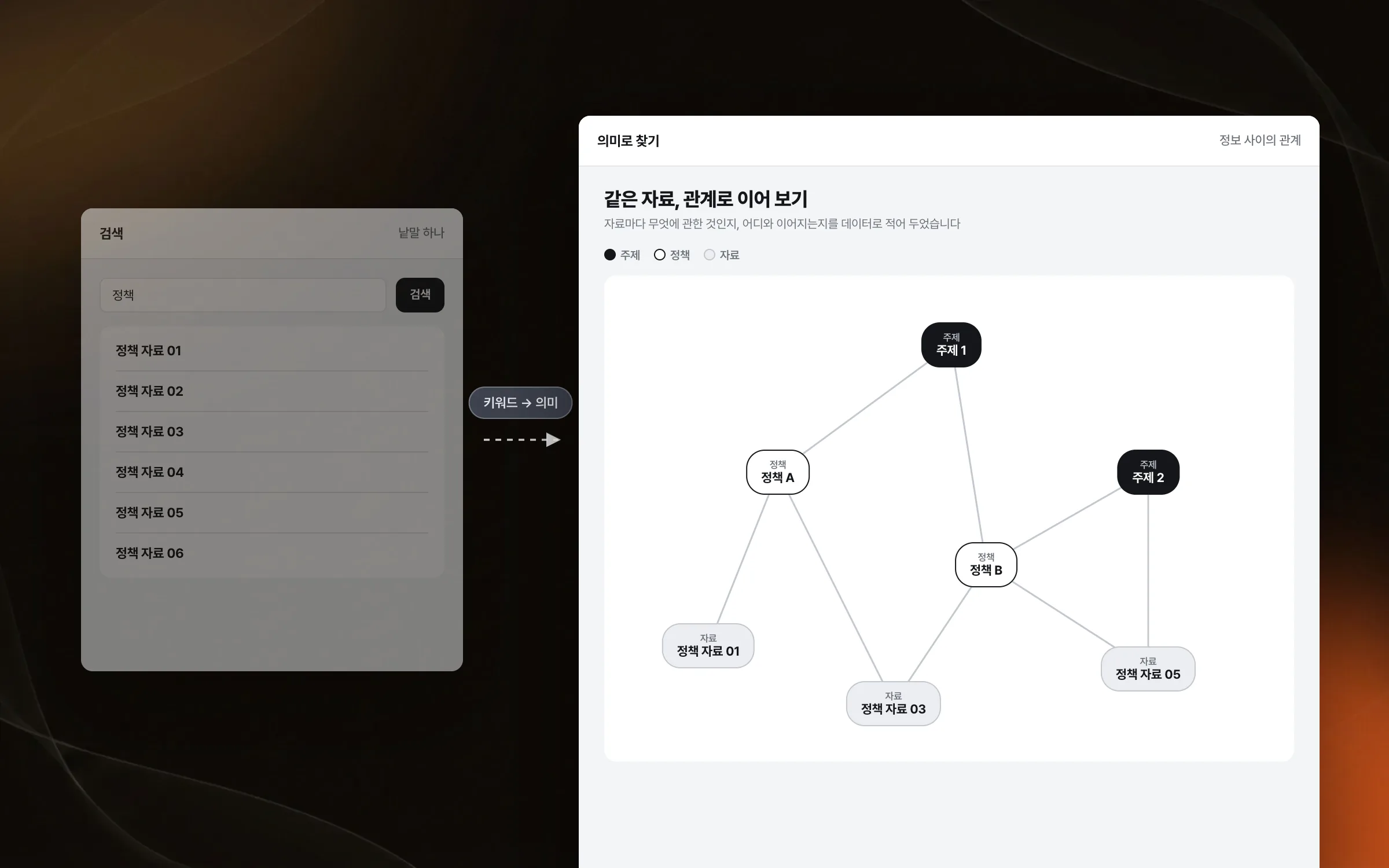
Exploration screens that draw out relationships and context
Data linked by meaning becomes useful only when those links are visible on screen. What a meaning-based portal hands back is not a single matching item but the other items linked to it and how the two relate. We implemented the structure and visual presentation of the exploration screens so users could see the relationships and context between items. The focus was on letting people explore complex information by following it with their eyes.

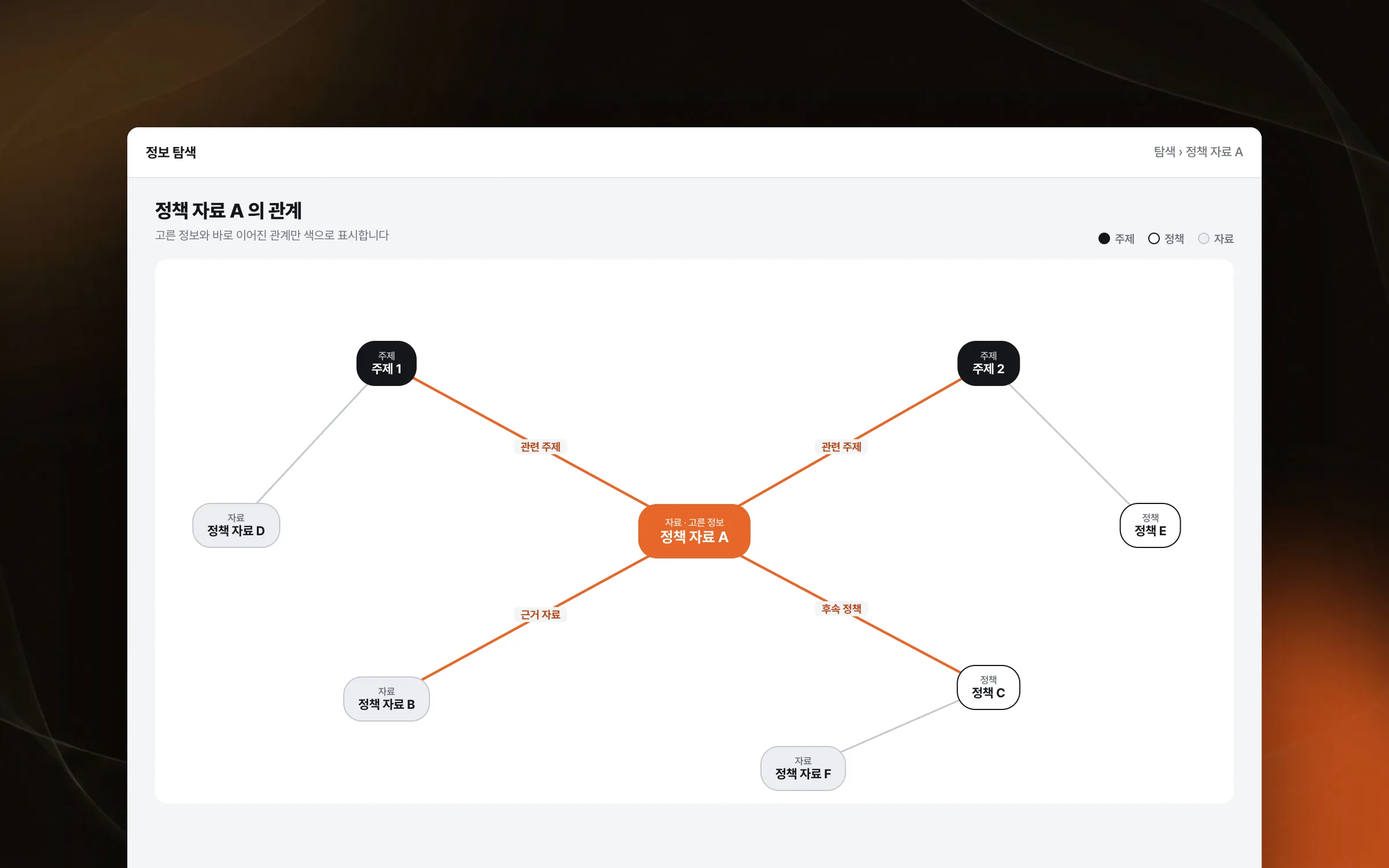
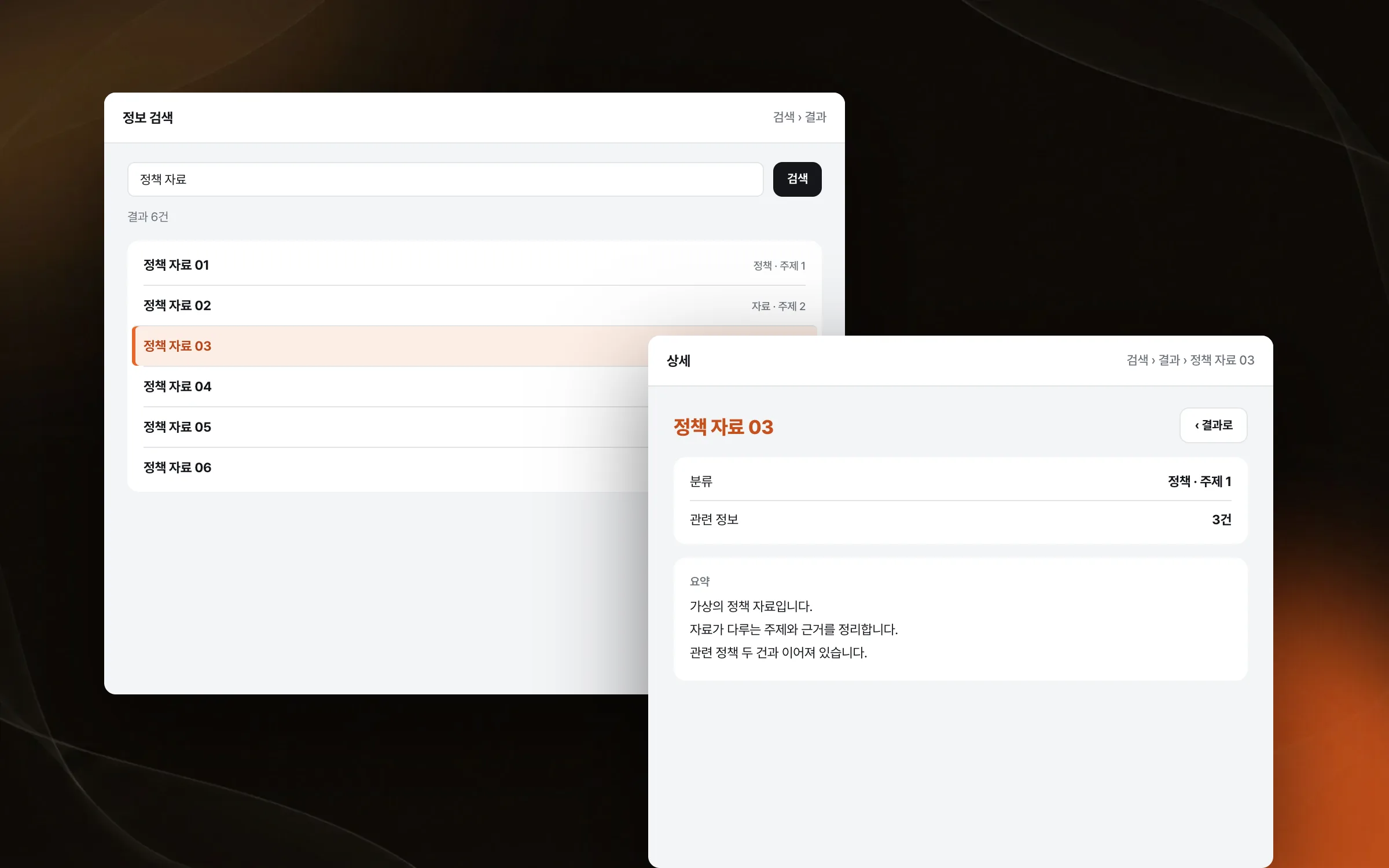
A flow from search to selection to detail without breaks
Exploring an information portal runs in order: search, pick from the results, check the details. Using screen components and handling for user actions, we built this so the sequence carries on naturally without breaking each time the screen changes. The rule for the flow was that users never lose track of where they are while moving between the three steps.

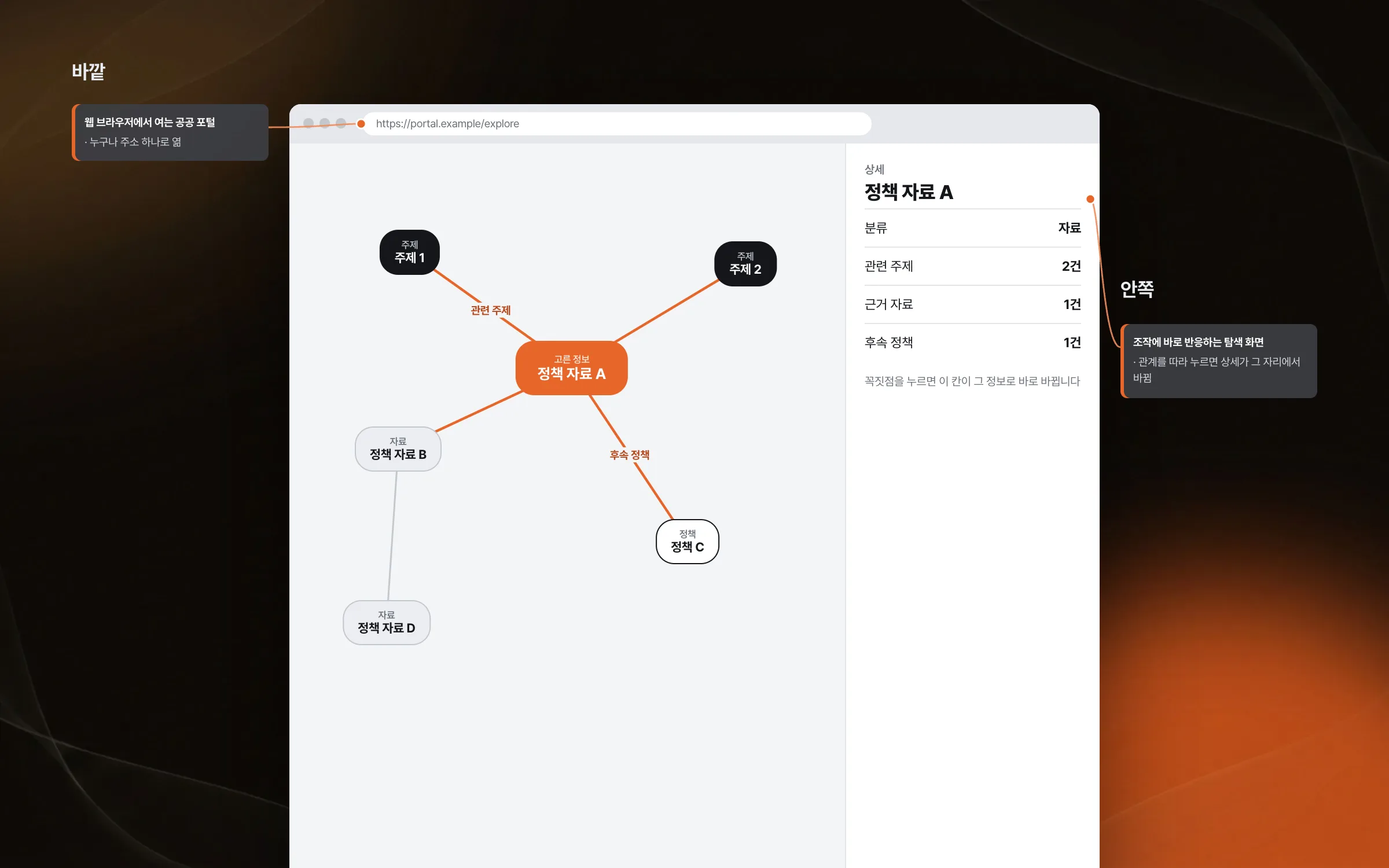
Portal controls that respond like an application inside the browser
A public portal is opened by anyone in a web browser, so the exploration screens also had to run inside the browser. We implemented the portal screens to respond like an application inside the browser, giving them richer interaction and visuals than ordinary web pages. A web page that still responds immediately to what happens on screen suited exploration that moves between items along their relationships.

Highlights
Exploration screens that reveal relationships and context between policy information
A public portal that goes beyond keyword search to finding by meaning
An exploration flow from search to selection to detail
Insights
GA4 client_storage: 'none'은 정말 쿠키를 막을까?
두 달 전 이 블로그에 「GA4 쿠키 없이 쓰기」라는 글을 썼습니다. clientstorage: 'none' 으로 쿠키 저장을 끄고, 자체 분석이 쓰던 익명 ID 를 clientid 로 넘기면 쿠키 0개로 GA4 를 쓸 수 있다는 내…
GA4 Measurement Protocol: gtag.js 없이 서버에서 이벤트 보내기
랜딩 페이지의 전송량을 파일 단위로 쪼개 보다가, 가장 큰 파일이 우리 코드가 아니라는 것을 알았습니다. Google Analytics 의 gtag.js 였고, 방문 한 번에 176KB 를 받고 있었습니다. 페이지 전체가 1,094K…
중소 제조업 AI 도입 순서: DX를 먼저 끝내야 할까?
공장을 가진 중소·중견 제조기업 16만여 곳 가운데 스마트공장을 도입한 곳은 19.5%입니다. 회사가 작을수록 이 비율은 더 떨어집니다. 중소벤처기업부가 2025년 4월에 낸 제1차 스마트제조혁신 실태조사 결과입니다. 그림: 기업 규…
Next.js loading.tsx와 404: 버튼이 화면보다 먼저 살아나게 하기
관리 화면 왼쪽 위에 사이드바를 접고 펴는 ☰ 버튼이 있습니다. 폭 하나 바꾸는 버튼인데, 대시보드에서 누르면 2초 넘게 아무 반응이 없었습니다. 레이아웃만 바꾸는 일이 왜 이렇게 오래 걸리는지부터 들여다봤습니다. Next.js 16…