Internal intranet build
We built the intranet that staff at a public institution in the insurance sector use for internal work. In an institution's internal system, if the basic actions of entering, looking up, and switching screens are unsteady, the work built on them stalls too. We implemented the intranet screens and work functions and the entry flows staff follow, and made them behave close to a desktop application inside the web browser.
An intranet used like a desktop application inside the web browser
The intranet is the system staff use for internal work, and it opens in a web browser. We implemented its screens and work functions so they could be used inside the browser with controls close to a desktop application. Because a browser is all it needs, nothing has to be installed separately at each desk.

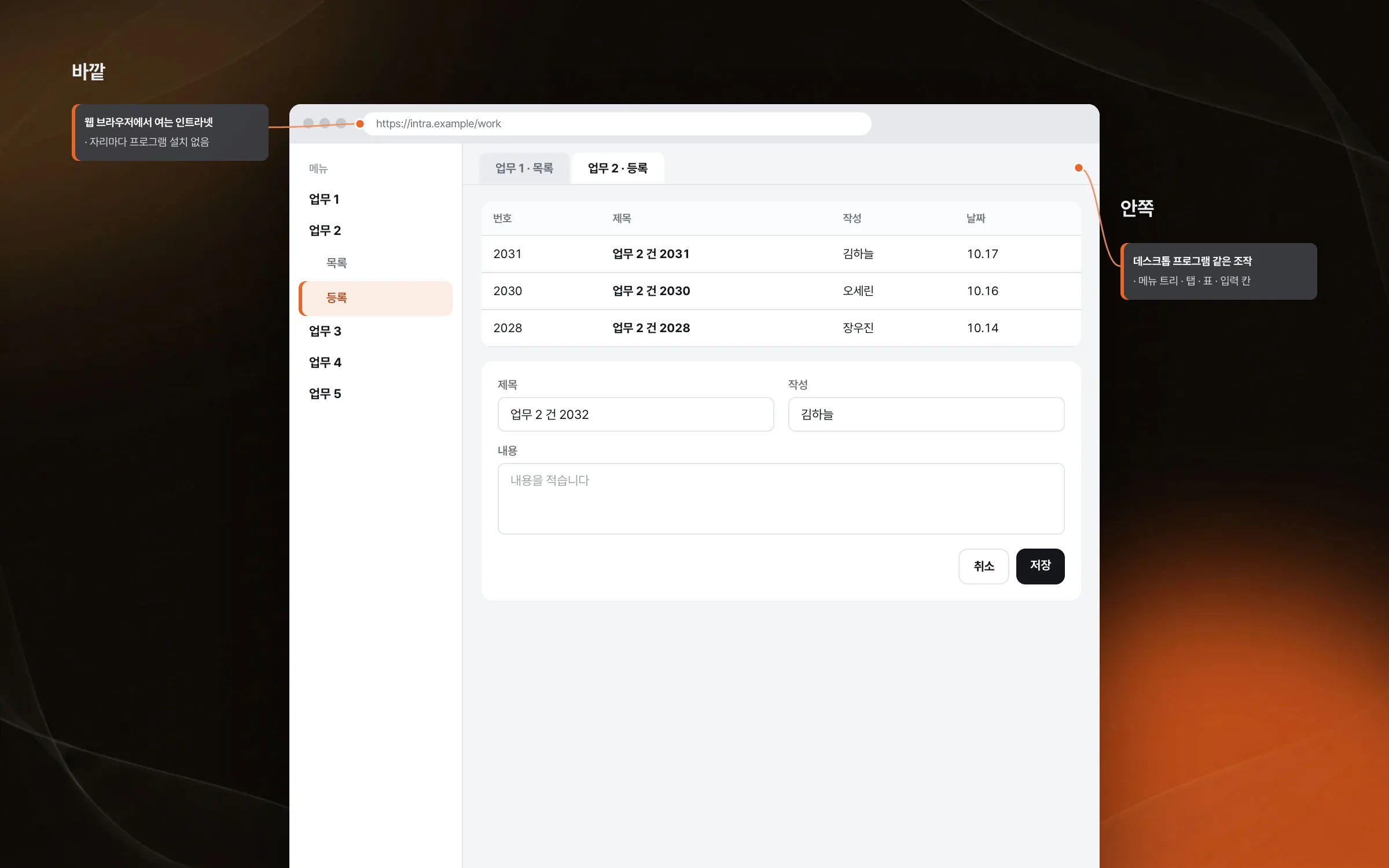
Work screens organized so no one gets lost as functions grow
As functions are added one by one, internal work screens make it harder to tell where to do what. We set the screen structure of the intranet staff use for internal work, and organized the screens so the flow stays easy to understand even as the work functions grow complex. The functions growing complex cannot be stopped, but keeping staff from losing the flow is the screen's job.

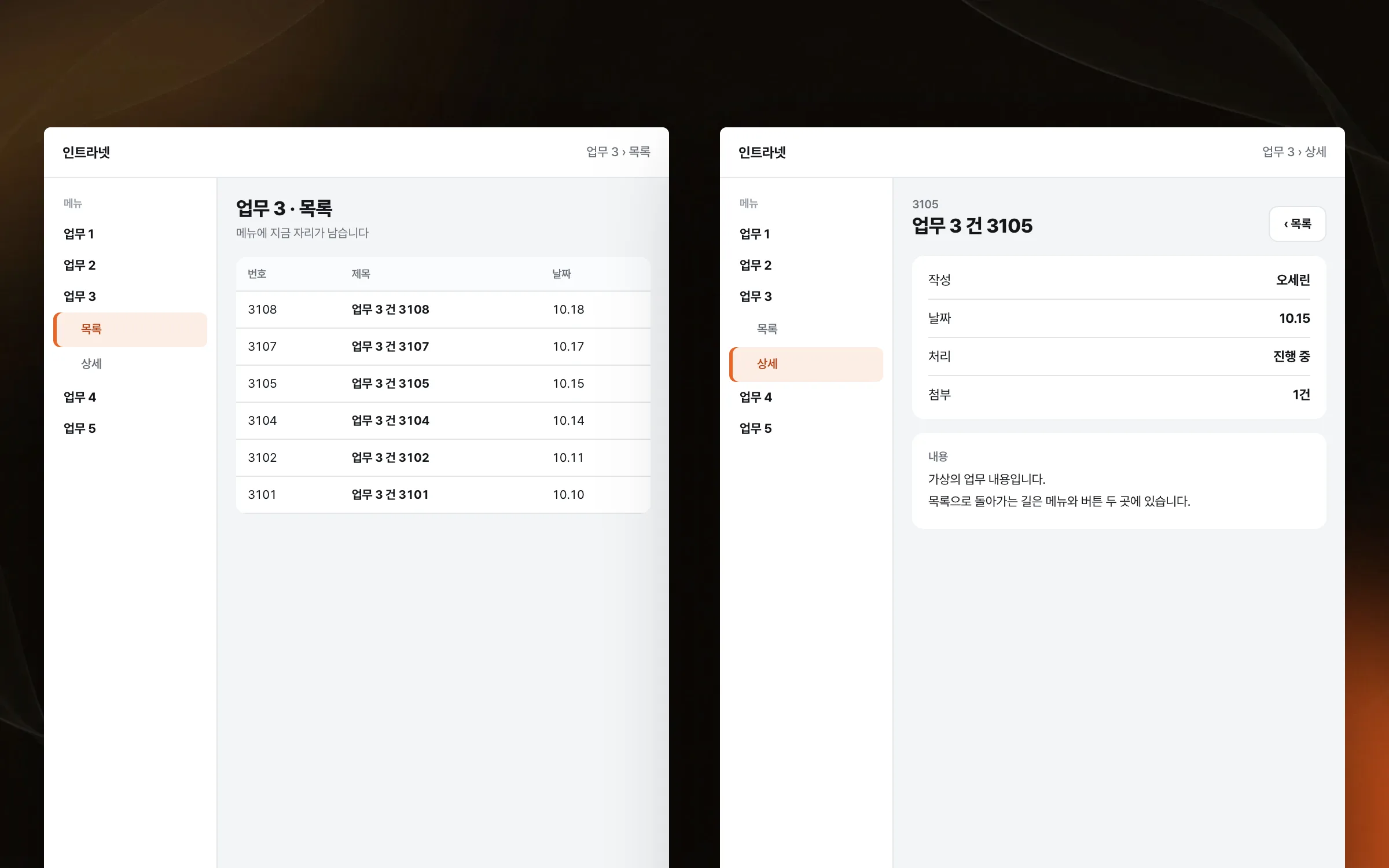
An entry flow that lets staff finish the task by following the screen
We set up the entry flow in which staff record their work in the intranet. Screen structure and input order were decided together so staff could handle internal work by following the screen. When the order of the fields drifts from the order in which the work is done, staff end up scrolling up and down hunting for blanks.

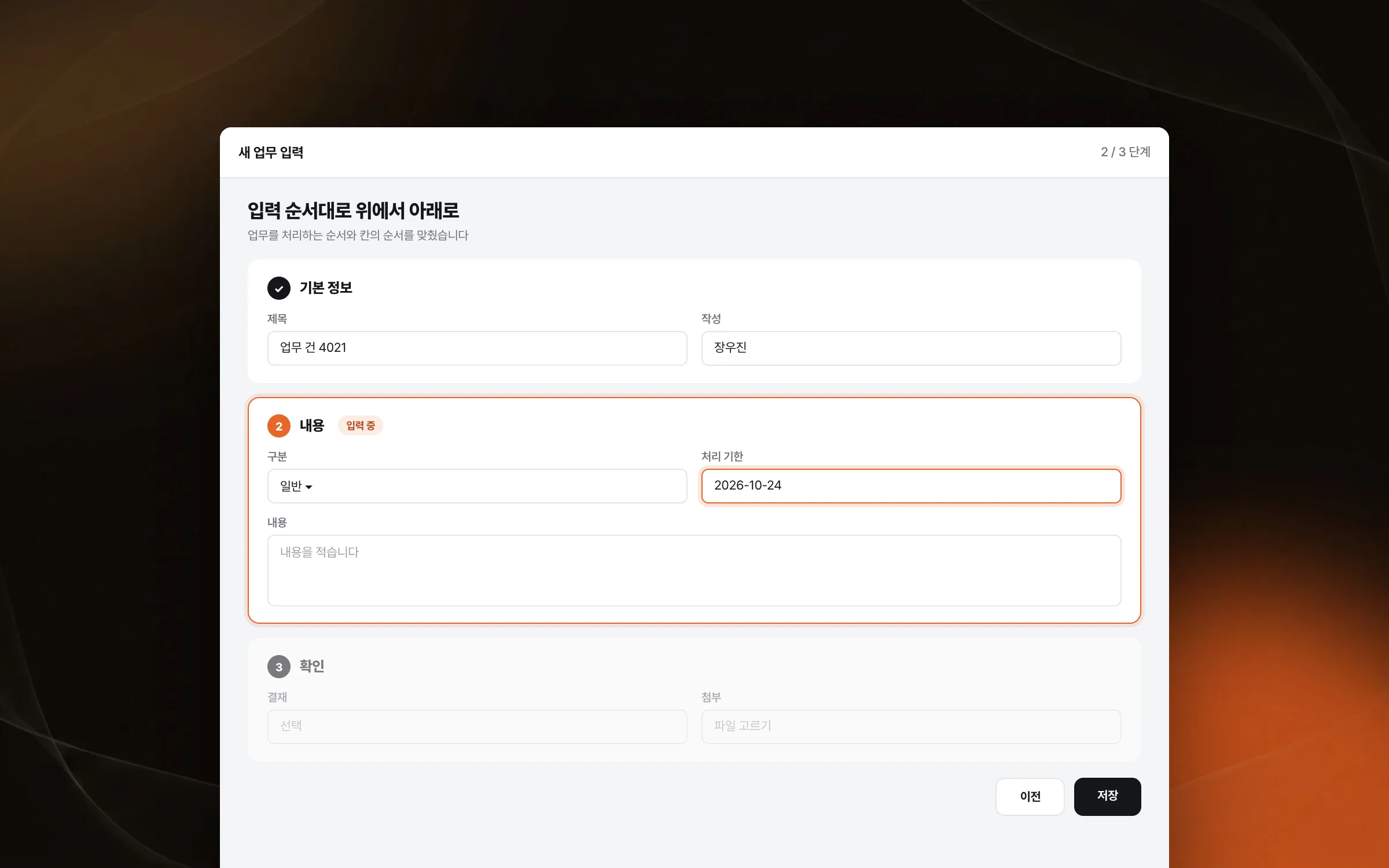
Behavior that holds steady through entry, lookup, and screen changes
For an institution's internal system, steady entry, lookup, and screen changes matter more than anything. We handled the intranet's basic screen components and user-action processing one by one, with care. The work later became the foundation for building business-system screens for public institutions and companies.

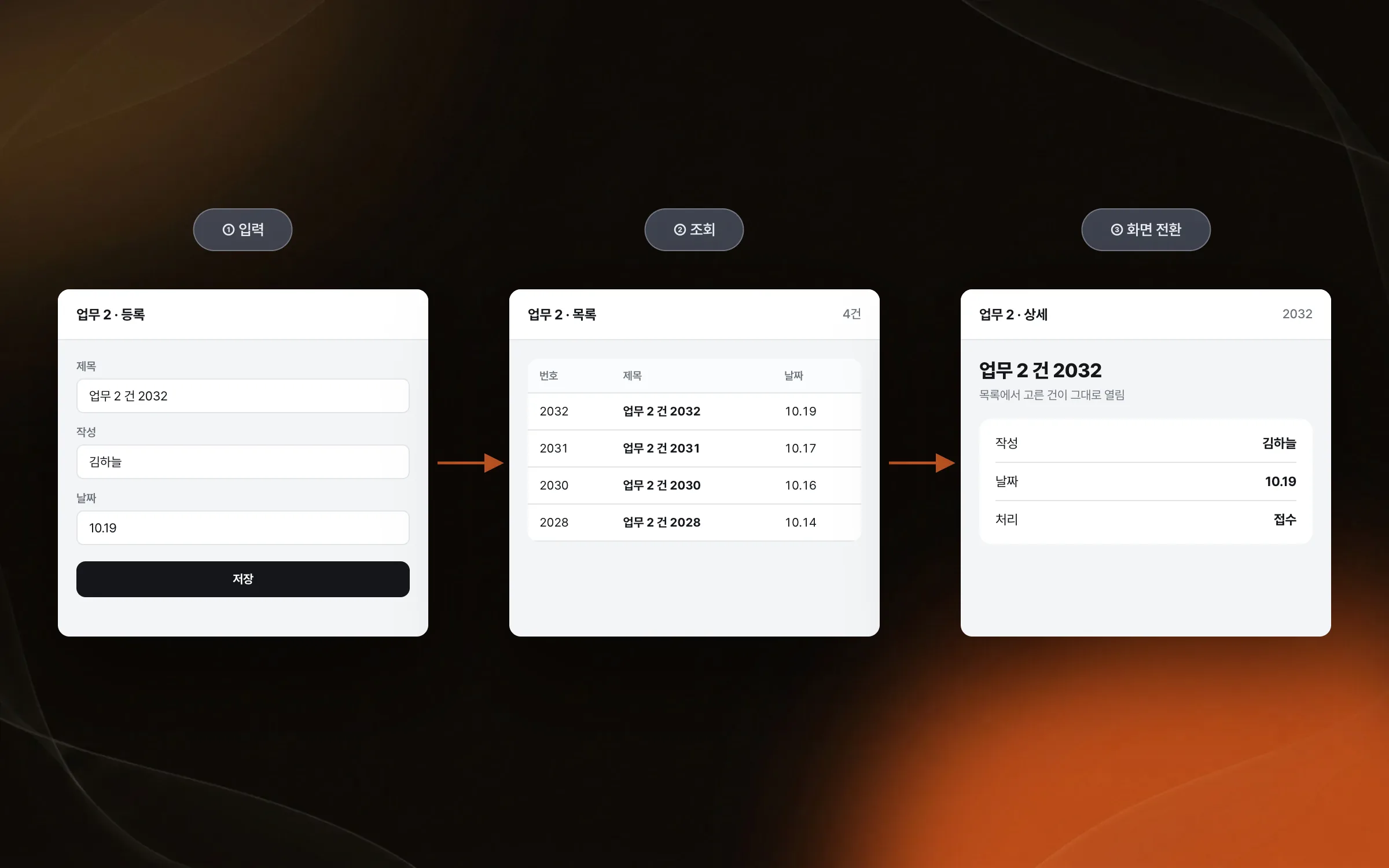
Highlights
An intranet that works like a desktop application in the web browser
Screens and entry flows that stay easy to follow as the work grows complex
Steady behavior in entry, lookup, and screen changes
Insights
GA4 client_storage: 'none'은 정말 쿠키를 막을까?
두 달 전 이 블로그에 「GA4 쿠키 없이 쓰기」라는 글을 썼습니다. clientstorage: 'none' 으로 쿠키 저장을 끄고, 자체 분석이 쓰던 익명 ID 를 clientid 로 넘기면 쿠키 0개로 GA4 를 쓸 수 있다는 내…
GA4 Measurement Protocol: gtag.js 없이 서버에서 이벤트 보내기
랜딩 페이지의 전송량을 파일 단위로 쪼개 보다가, 가장 큰 파일이 우리 코드가 아니라는 것을 알았습니다. Google Analytics 의 gtag.js 였고, 방문 한 번에 176KB 를 받고 있었습니다. 페이지 전체가 1,094K…
중소 제조업 AI 도입 순서: DX를 먼저 끝내야 할까?
공장을 가진 중소·중견 제조기업 16만여 곳 가운데 스마트공장을 도입한 곳은 19.5%입니다. 회사가 작을수록 이 비율은 더 떨어집니다. 중소벤처기업부가 2025년 4월에 낸 제1차 스마트제조혁신 실태조사 결과입니다. 그림: 기업 규…
Next.js loading.tsx와 404: 버튼이 화면보다 먼저 살아나게 하기
관리 화면 왼쪽 위에 사이드바를 접고 펴는 ☰ 버튼이 있습니다. 폭 하나 바꾸는 버튼인데, 대시보드에서 누르면 2초 넘게 아무 반응이 없었습니다. 레이아웃만 바꾸는 일이 왜 이렇게 오래 걸리는지부터 들여다봤습니다. Next.js 16…