Software for eyeglass-lens manufacturing equipment
We built the operating screens and the lens explainer videos for the dedicated software inside eyeglass-lens manufacturing equipment. The task was helping opticians and floor operators understand, on screen, optical properties that are hard to put into words: functional lenses, progressive lenses, and how curvature differs from lens to lens. The equipment was widely installed in Korean optical shops and exported to some 40 countries, so the screens had to be easy to use on site and never stall. Our part covered the equipment status and lens information screens, the control screens running from input to guidance, and the 3D lens videos and animations.
An operating screen that puts machine status and lens data first
The operating screen of the lens manufacturing equipment is where floor operators check the machine's status and lens information and run the machine. The equipment photographs the wearer in the chosen frame and measures what a lens needs to fit: pupillary distance, the distance between eye and lens, and frame tilt. Because the screen is read in the middle of work, it is laid out so that the machine's current state and the lens being handled catch the eye first. The screen is part of the dedicated software built into the equipment, used by opticians and factory operators alike.

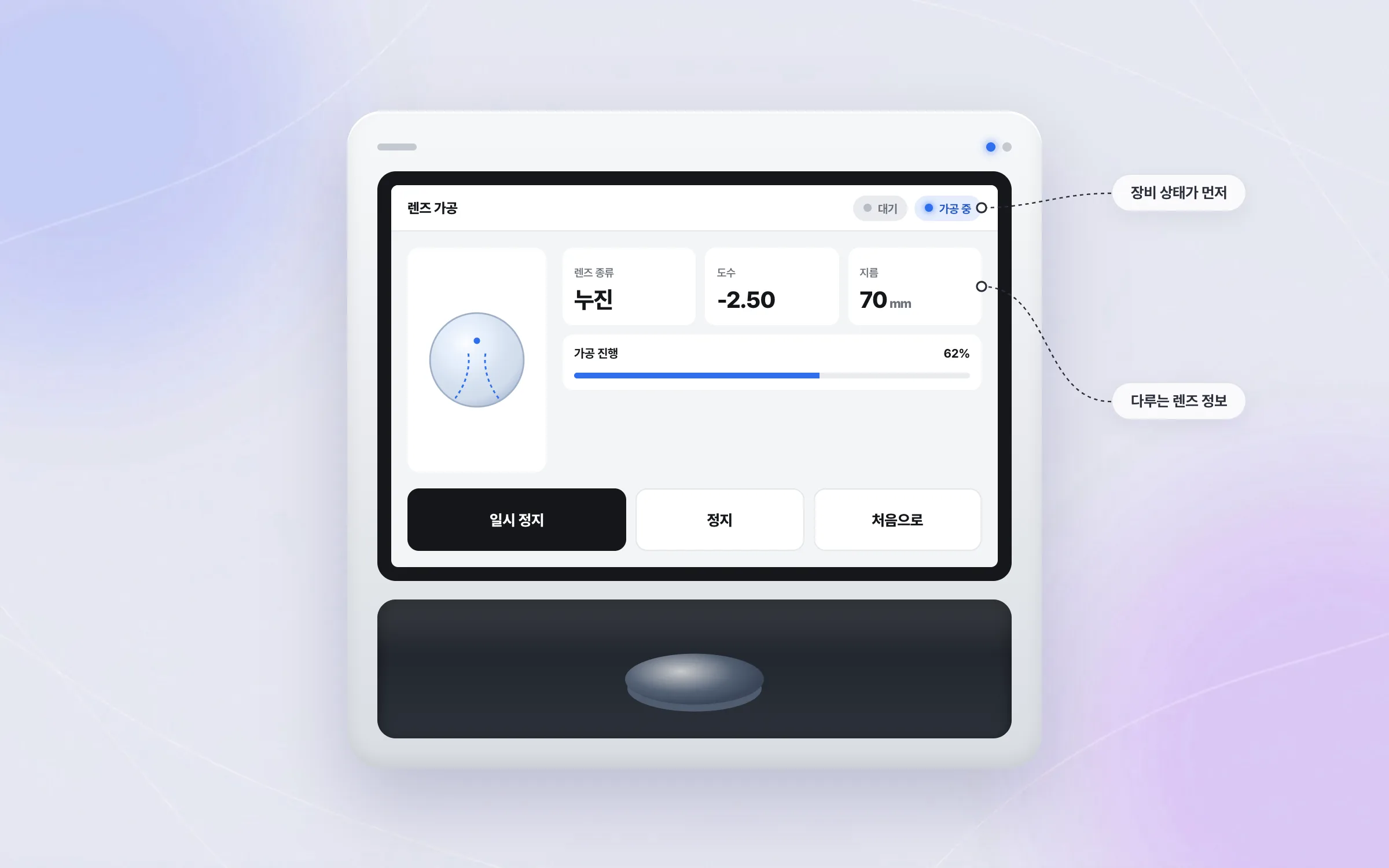
3D videos that show lens curvature words struggle to explain
Functional lenses, progressive lenses, and the different curvature of each lens are optical properties that are hard to convey in numbers or words. The equipment does more than take measurements: on the same screen it also serves as an explainer for differences in lens thickness and progressive lens design. We produced the 3D videos and animations that show these differences and placed them on the equipment's screens. Opticians and floor operators understand those properties by seeing the lens in three dimensions.

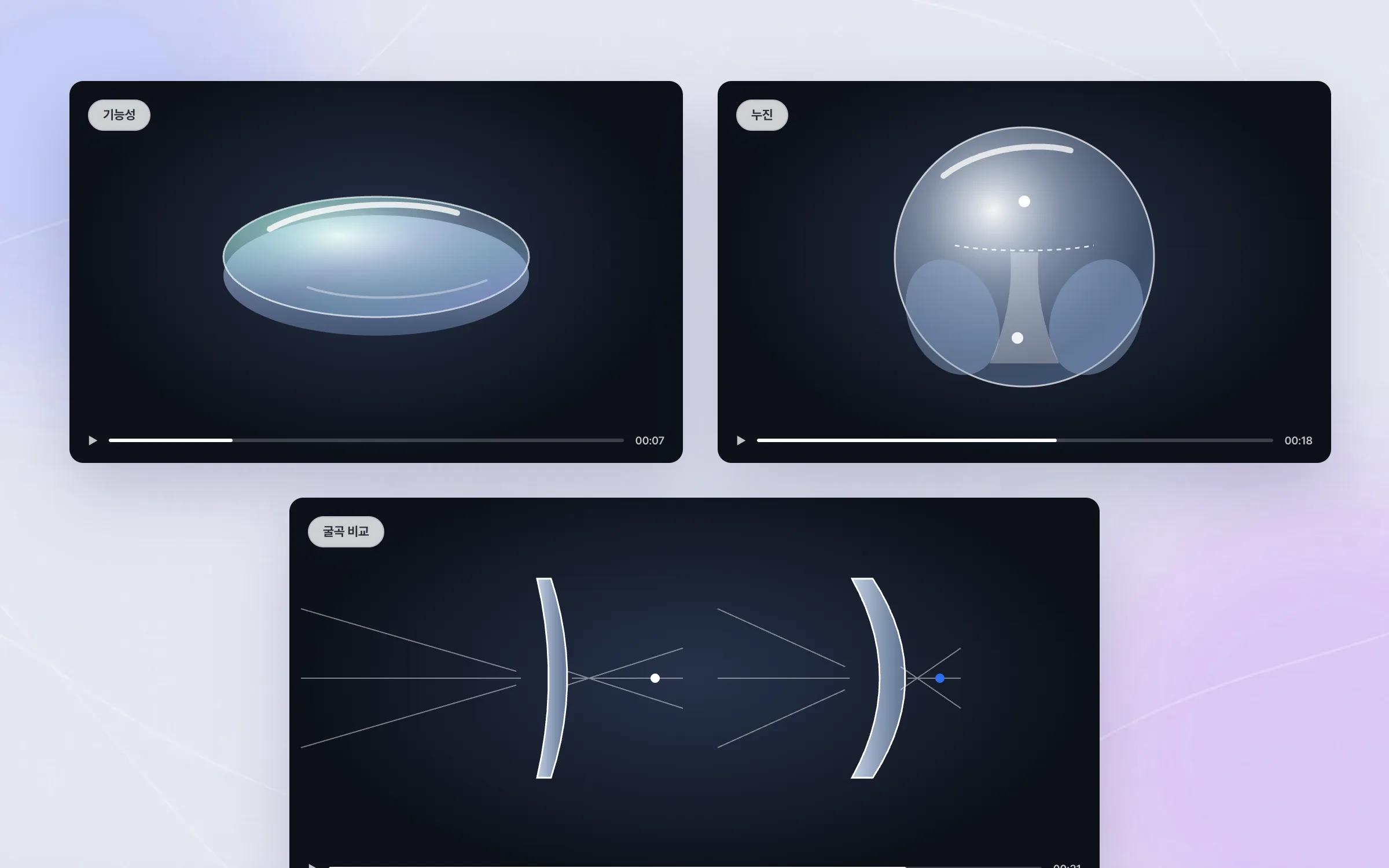
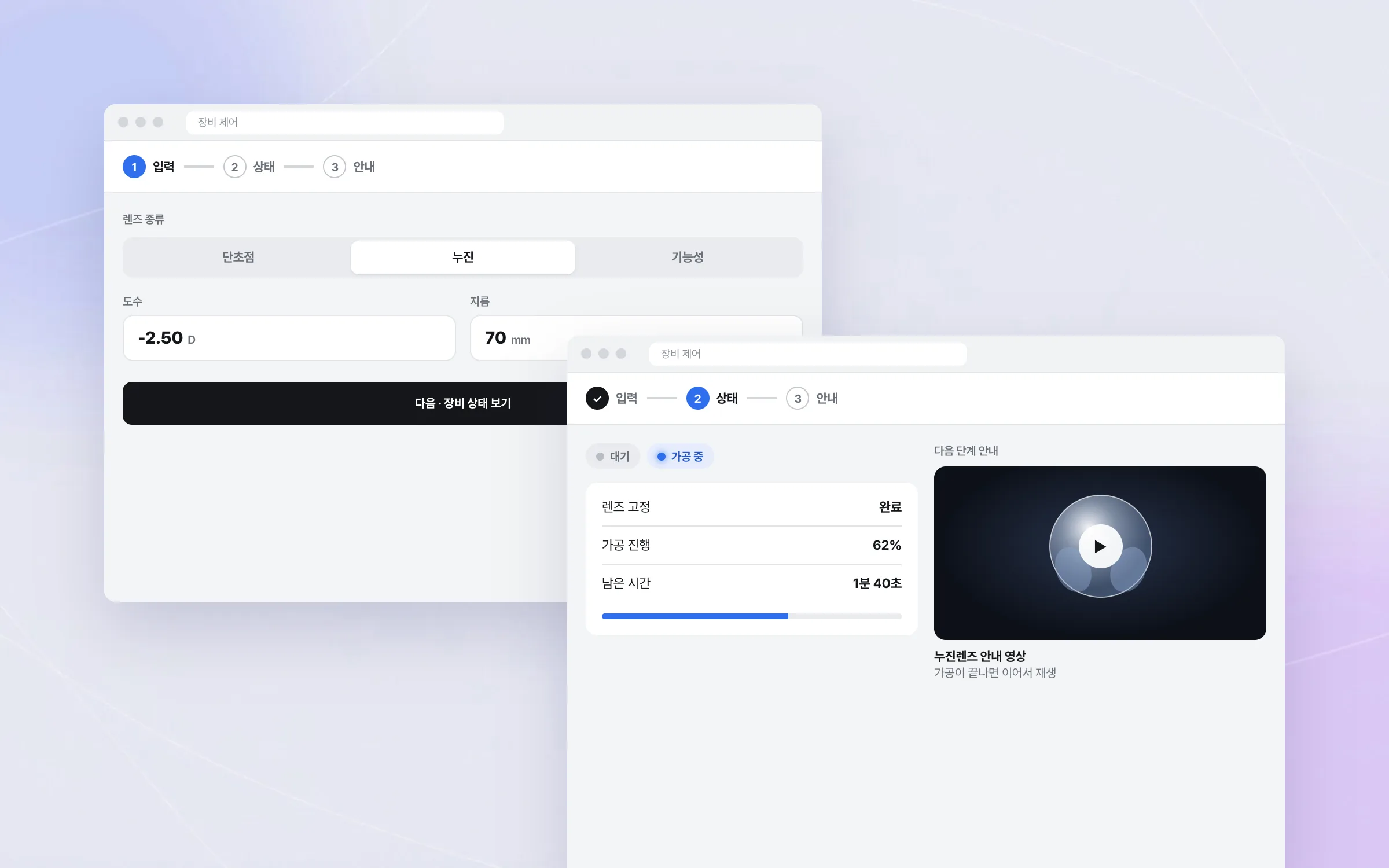
A control flow where input, status, and guidance run without a break
The equipment control screens connect entering values, checking the machine's status, and viewing guidance content into one flow. If those steps sit apart on separate screens, operators jump between them and lose track of where they are. We designed the screen flow so that input, status display, and guidance follow on naturally, in order, on the screens linked to the machine.

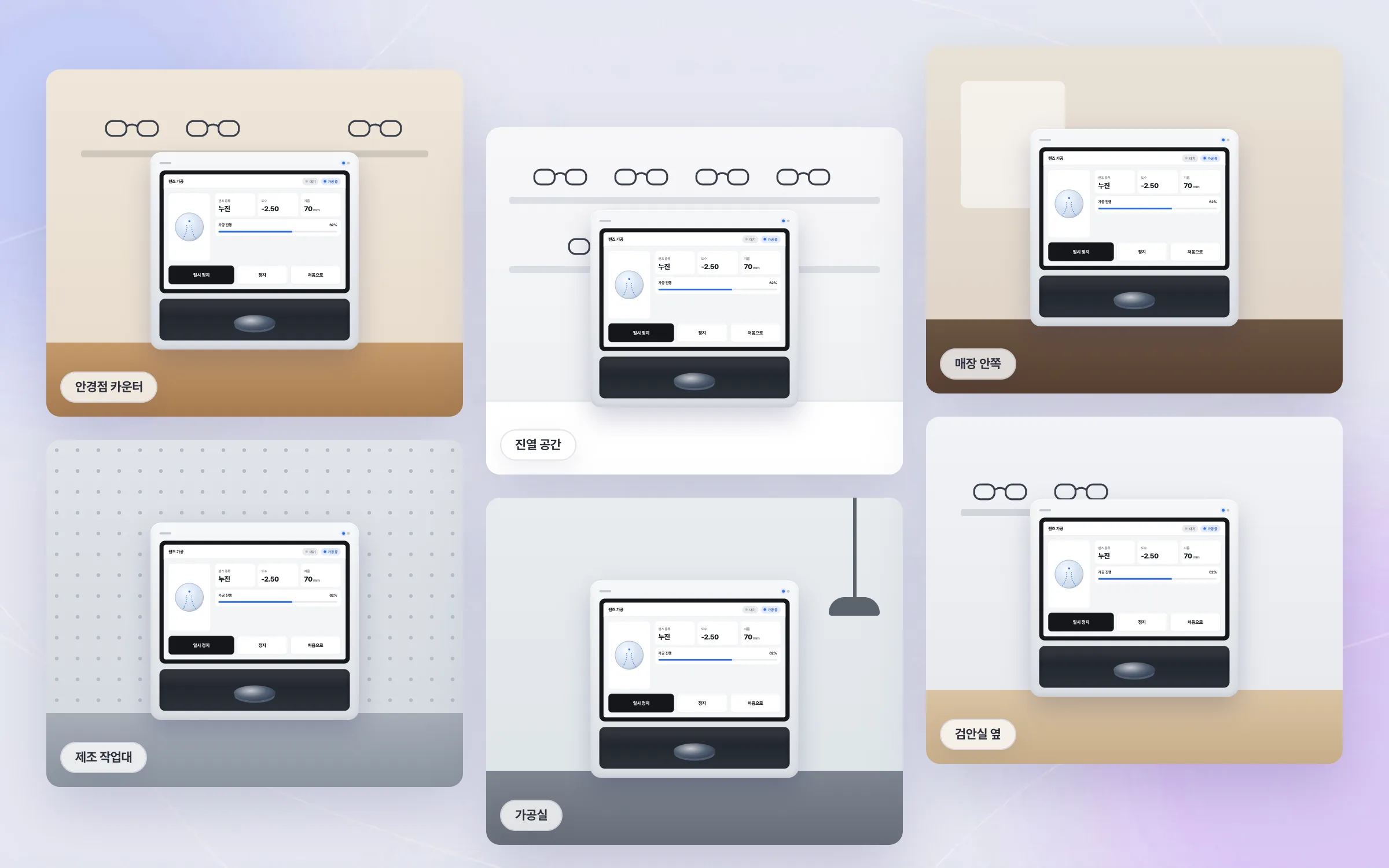
Export equipment at work in some 40 countries
This eyeglass-lens manufacturing equipment was widely adopted by Korean optical shops and exported to some 40 countries. Since the software runs inside equipment used on site in many countries, the screens were built against two tests: easy to use on site, and never stalling. Early in our founder's career, this was hands-on ownership of the core operating screens and visual content of an export product.

Highlights
Equipment screens for checking status and lens data and operating the machine
3D videos and animations showing functional and progressive lenses and curvature differences
Software built into equipment exported to some 40 countries
Insights
GA4 client_storage: 'none'은 정말 쿠키를 막을까?
두 달 전 이 블로그에 「GA4 쿠키 없이 쓰기」라는 글을 썼습니다. clientstorage: 'none' 으로 쿠키 저장을 끄고, 자체 분석이 쓰던 익명 ID 를 clientid 로 넘기면 쿠키 0개로 GA4 를 쓸 수 있다는 내…
GA4 Measurement Protocol: gtag.js 없이 서버에서 이벤트 보내기
랜딩 페이지의 전송량을 파일 단위로 쪼개 보다가, 가장 큰 파일이 우리 코드가 아니라는 것을 알았습니다. Google Analytics 의 gtag.js 였고, 방문 한 번에 176KB 를 받고 있었습니다. 페이지 전체가 1,094K…
중소 제조업 AI 도입 순서: DX를 먼저 끝내야 할까?
공장을 가진 중소·중견 제조기업 16만여 곳 가운데 스마트공장을 도입한 곳은 19.5%입니다. 회사가 작을수록 이 비율은 더 떨어집니다. 중소벤처기업부가 2025년 4월에 낸 제1차 스마트제조혁신 실태조사 결과입니다. 그림: 기업 규…
Next.js loading.tsx와 404: 버튼이 화면보다 먼저 살아나게 하기
관리 화면 왼쪽 위에 사이드바를 접고 펴는 ☰ 버튼이 있습니다. 폭 하나 바꾸는 버튼인데, 대시보드에서 누르면 2초 넘게 아무 반응이 없었습니다. 레이아웃만 바꾸는 일이 왜 이렇게 오래 걸리는지부터 들여다봤습니다. Next.js 16…