Loyalty-points app features
We took part in new feature development and maintenance for an integrated membership app where points are earned and spent across many stores. Members use the app to check their point balance and history, find stores where points can be spent, and join missions and events to earn more points. Frequently opened screens such as point balance, events, and benefits mixed app screens with web screens, and we handled the problems that appear where the two meet. With a large user base, even a small screen change reaches many people at once, so every fix started by checking that existing screens still worked. The work ran from app features to web screen fixes and support on server responses.
New features on the screens people open most, from point balance to events
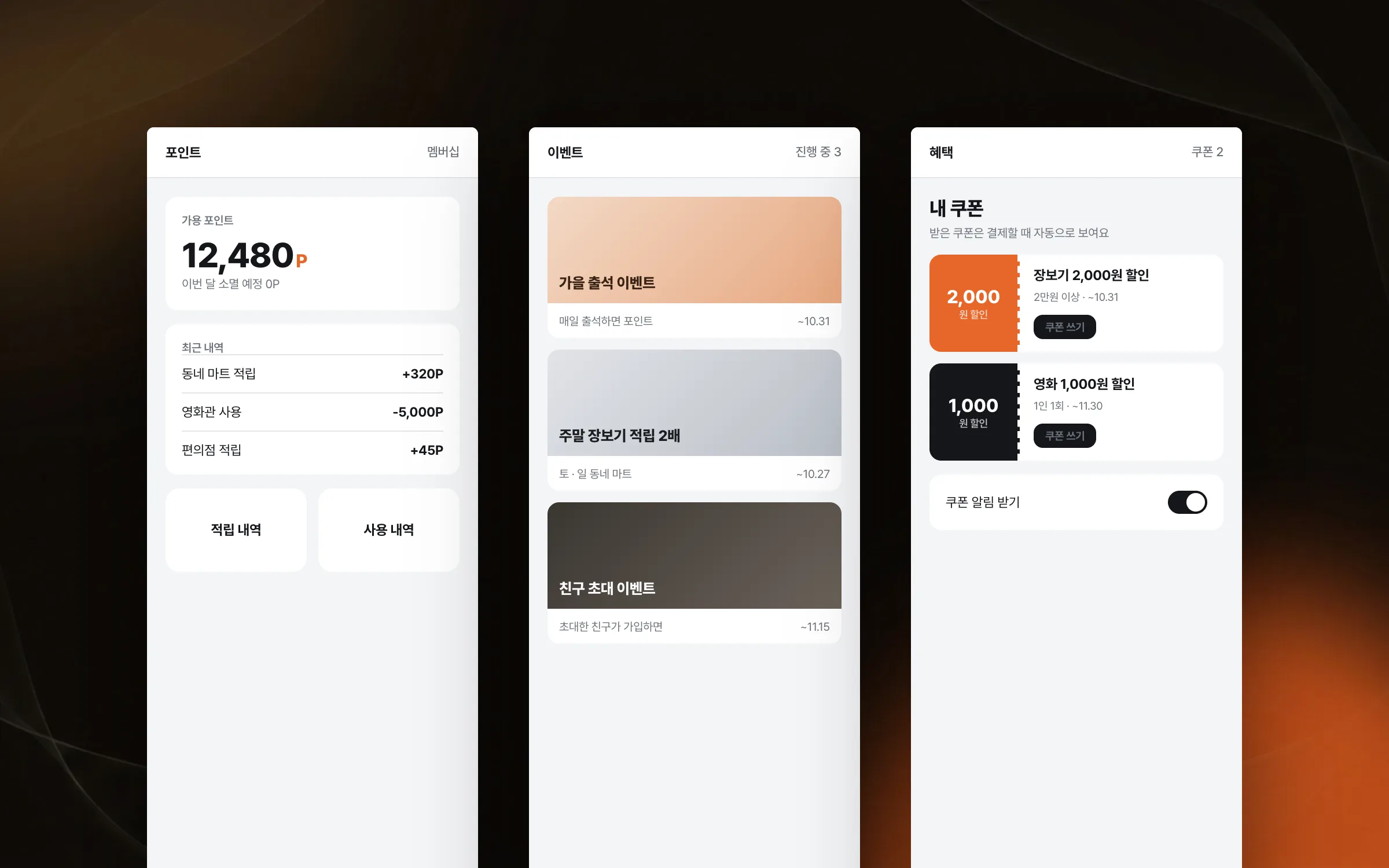
In the integrated membership app, we added and fixed features on the screens users open most: point balance, events, and benefits. The event and benefit screens are where members join missions and events to earn points. These screens mix app and web screens, so even a single feature needed an agreed line on whether the app or the web side should change. With so many users, a single fix reaches many people at once. Every time a feature was added, re-checking that existing screens still worked came first.

Behaviour realigned while moving from the old web view engine to the new one
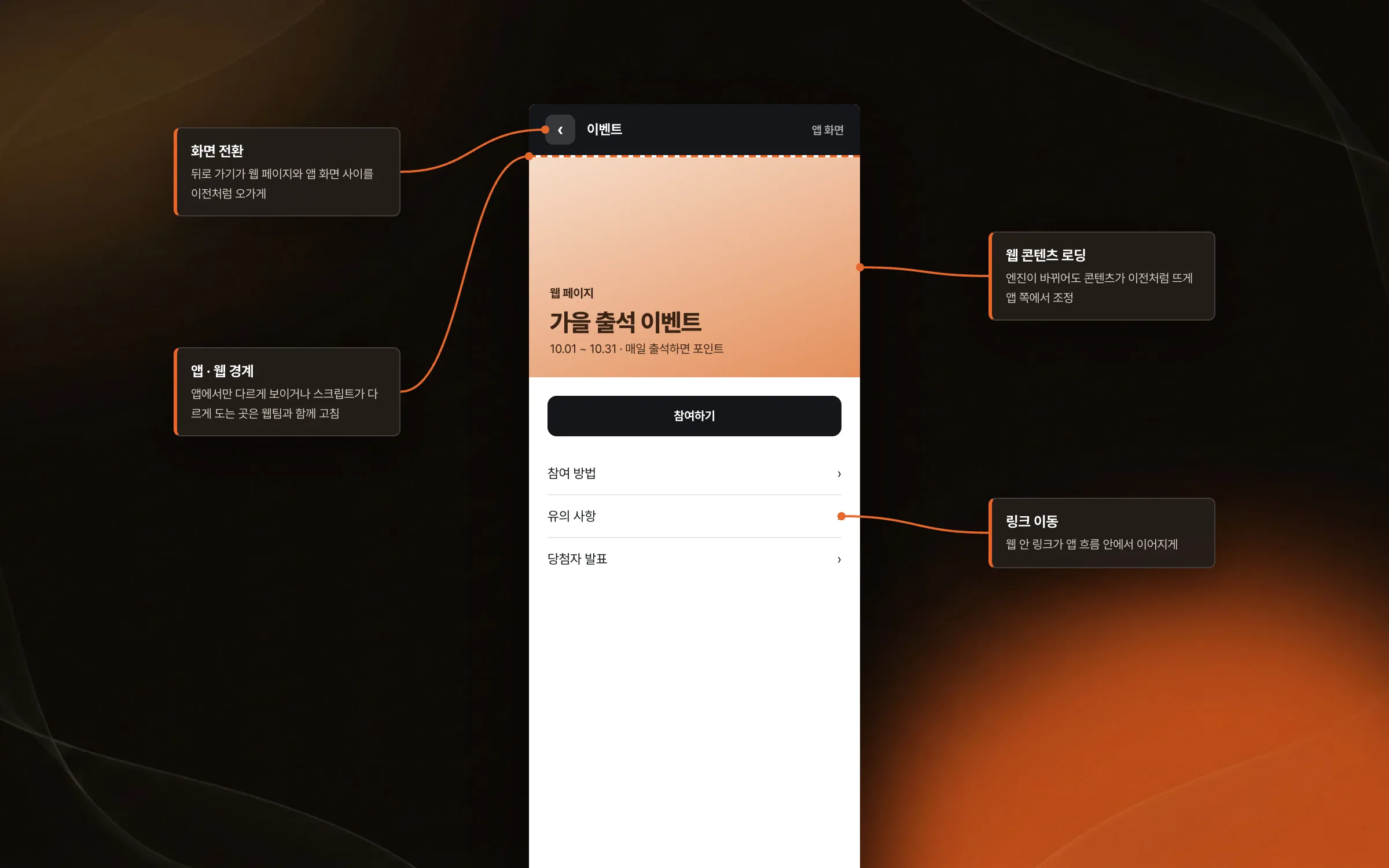
The web screens inside the membership app were moving from an old web view engine to a new one. When the engine changes, web content loading, link navigation, and screen transitions behave differently than before. We adjusted these problems from the app side, where app and web meet. Anything that looked or ran differently only inside the app was fixed together with the web team, so the web screens fit naturally into the app's flow.

Server responses adjusted together with what the app screens needed
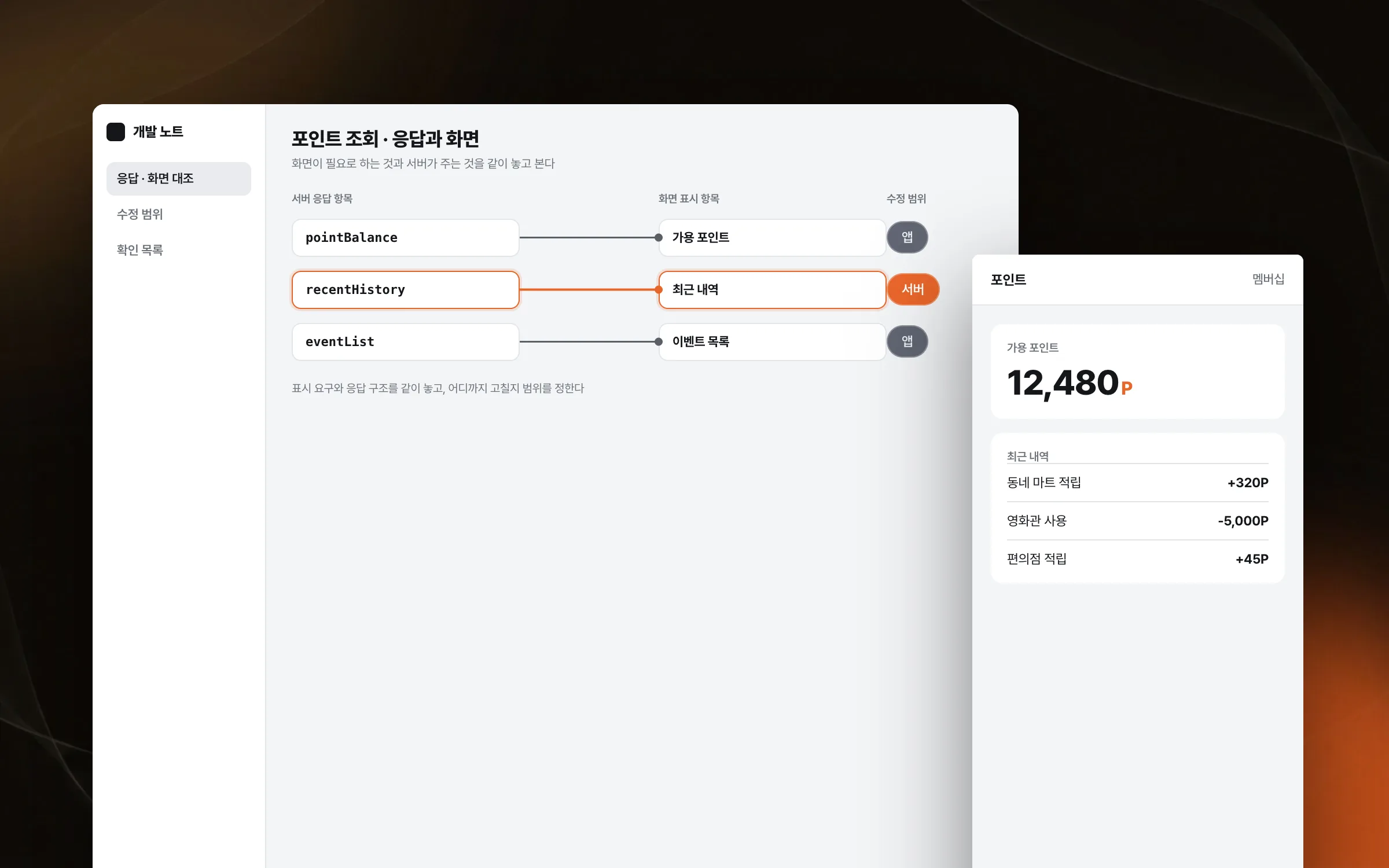
In some membership app features, what appears on screen was tied to the structure of the server response. For those features we did not stop at app development and also took on part of the server-side changes. We laid the display requirements of the screen next to the response structure from the server and agreed on how far each change should go.

Web screen fixes, checked as they look inside the app
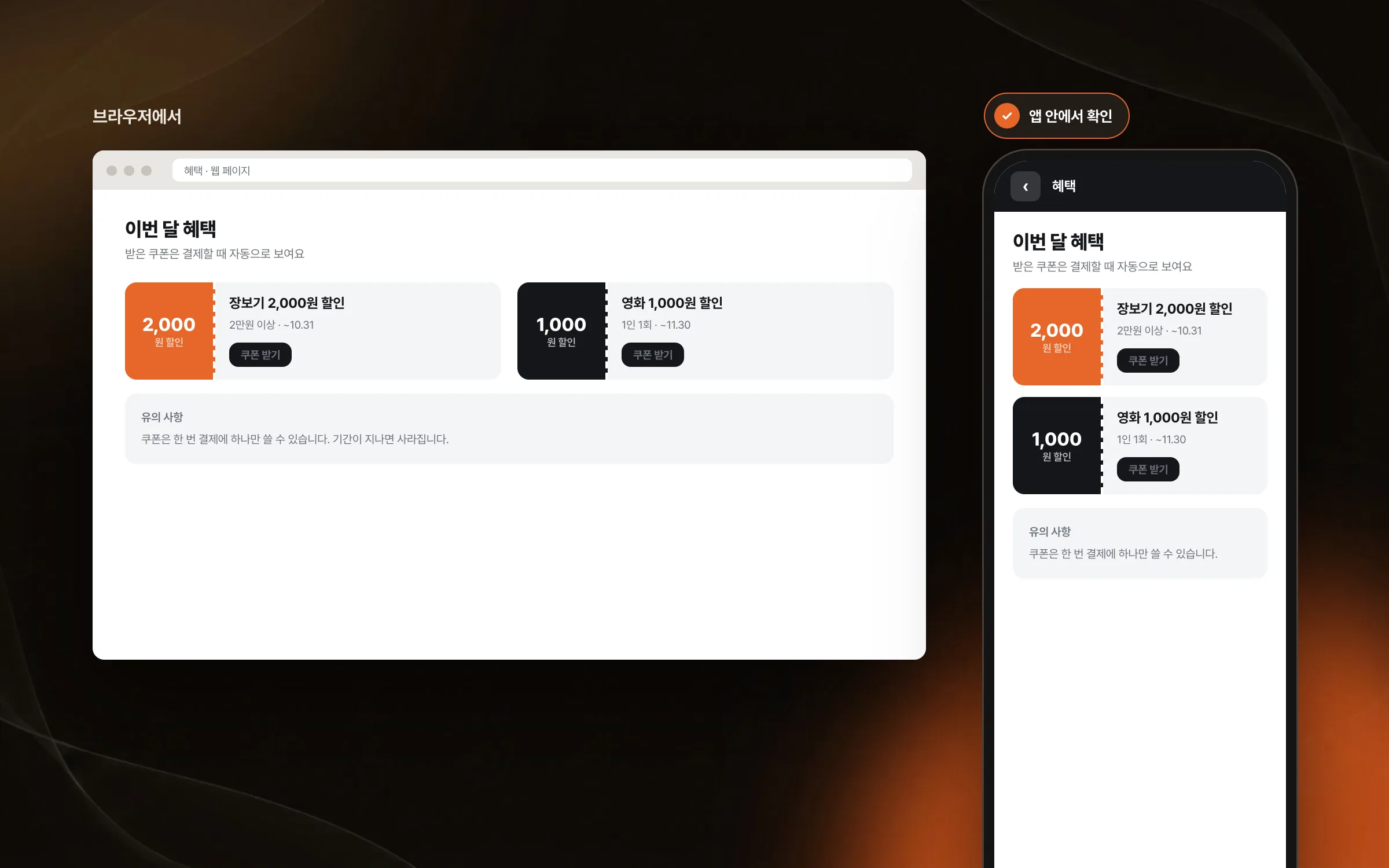
We also helped with small fixes and checks on web screens that appear in the membership app. A web screen that looks right in a browser can look different inside the app, so each fixed screen was opened inside the app and checked there. Along the way, we agreed with the web team on where the web's job ends and the app's begins.

Highlights
New features and maintenance for the point balance, event, and benefit screens
Fixing loading, link navigation, and screen transitions for web screens inside the app
Support on server responses and web screens to match what the app screens needed
Insights
GA4 client_storage: 'none'은 정말 쿠키를 막을까?
두 달 전 이 블로그에 「GA4 쿠키 없이 쓰기」라는 글을 썼습니다. clientstorage: 'none' 으로 쿠키 저장을 끄고, 자체 분석이 쓰던 익명 ID 를 clientid 로 넘기면 쿠키 0개로 GA4 를 쓸 수 있다는 내…
GA4 Measurement Protocol: gtag.js 없이 서버에서 이벤트 보내기
랜딩 페이지의 전송량을 파일 단위로 쪼개 보다가, 가장 큰 파일이 우리 코드가 아니라는 것을 알았습니다. Google Analytics 의 gtag.js 였고, 방문 한 번에 176KB 를 받고 있었습니다. 페이지 전체가 1,094K…
중소 제조업 AI 도입 순서: DX를 먼저 끝내야 할까?
공장을 가진 중소·중견 제조기업 16만여 곳 가운데 스마트공장을 도입한 곳은 19.5%입니다. 회사가 작을수록 이 비율은 더 떨어집니다. 중소벤처기업부가 2025년 4월에 낸 제1차 스마트제조혁신 실태조사 결과입니다. 그림: 기업 규…
Next.js loading.tsx와 404: 버튼이 화면보다 먼저 살아나게 하기
관리 화면 왼쪽 위에 사이드바를 접고 펴는 ☰ 버튼이 있습니다. 폭 하나 바꾸는 버튼인데, 대시보드에서 누르면 2초 넘게 아무 반응이 없었습니다. 레이아웃만 바꾸는 일이 왜 이렇게 오래 걸리는지부터 들여다봤습니다. Next.js 16…