Music streaming web player
We built a dedicated web player that a music service offered separately for listeners of one genre. Listeners play tracks straight from the web browser, and if the controls and current state are not visible at a glance, they end up hunting through the screen mid-song. We developed the whole player screen: basic controls for play, stop, seek, and status, the playlist screen with play-order management, and how buttons and states are shown.
A genre-specific player that plays straight from the web browser
The genre-specific web player was a separate service a music provider set up for listeners who enjoy one particular genre. We implemented a player screen that plays inside the browser, so listeners could hear tracks straight from the web browser. The aim was a player that sits inside a web page yet behaves like an installed music application.

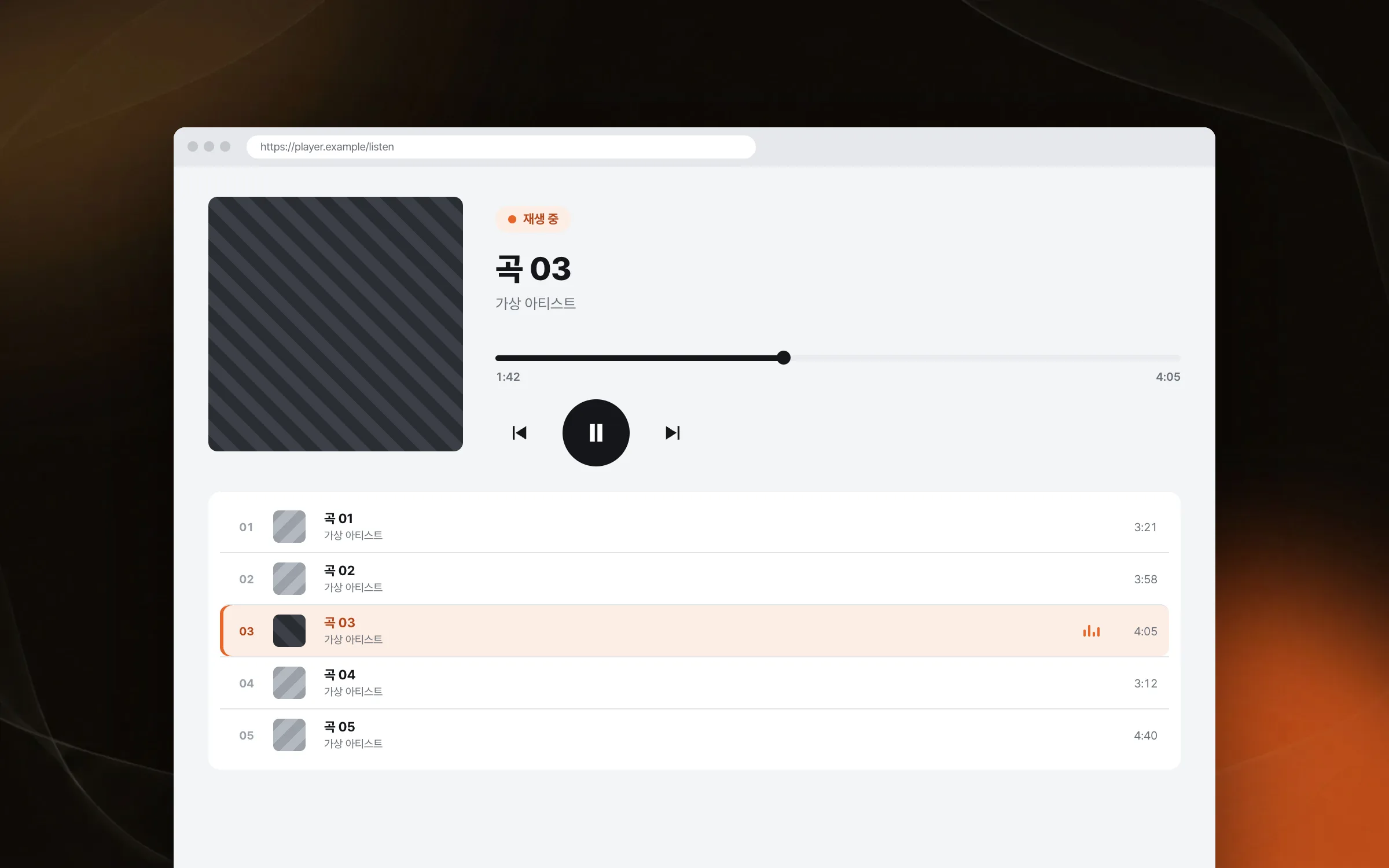
Basic controls with play, stop, seek, and a status display
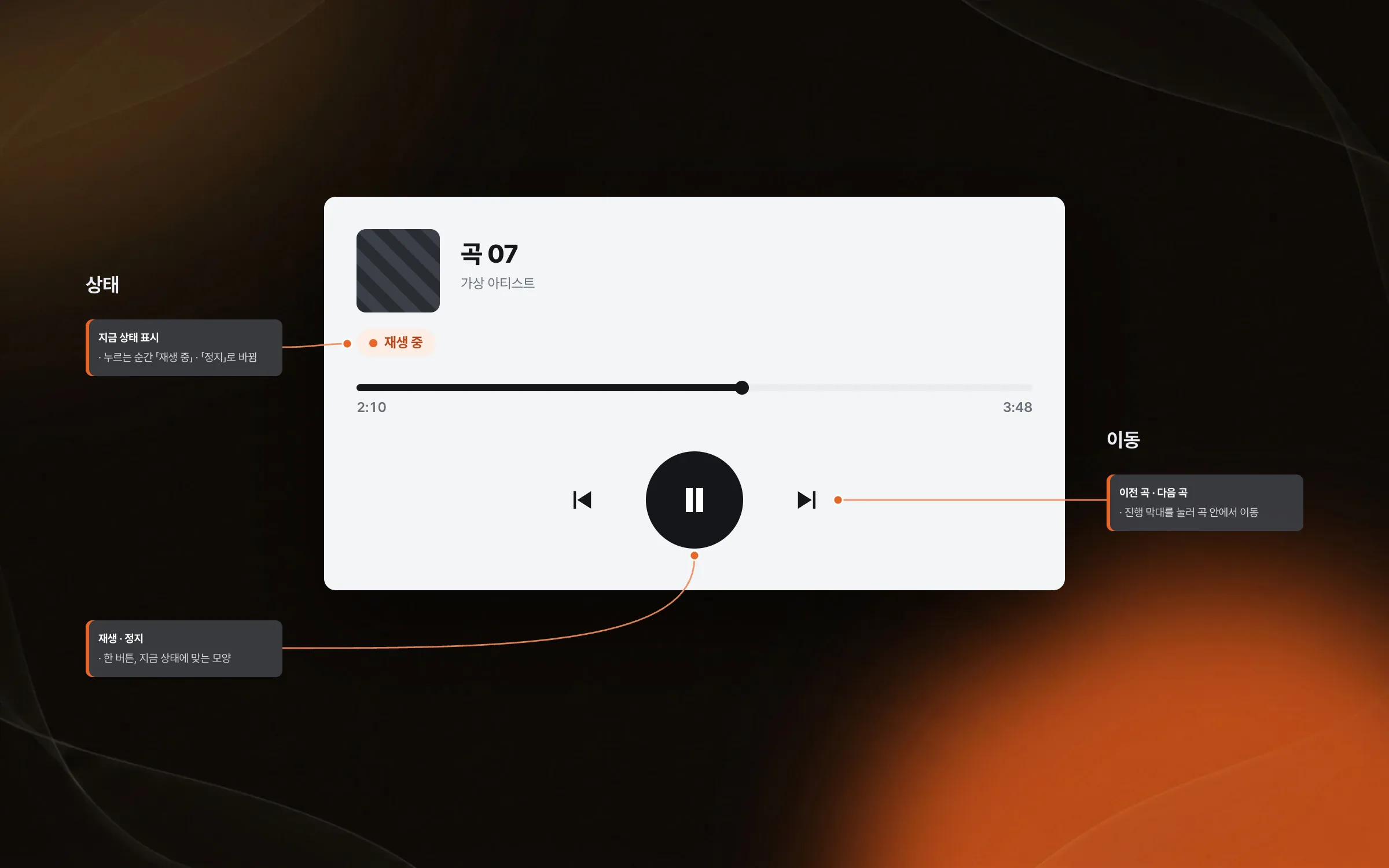
The basic controls of the web player are play, stop, seek, and a display that shows the current state. We developed each of these media-player control flows so that the moment a listener presses a button, the screen tells them what the player is doing. When the playback state shows on screen at once, listeners do not press the same button again while waiting for sound.

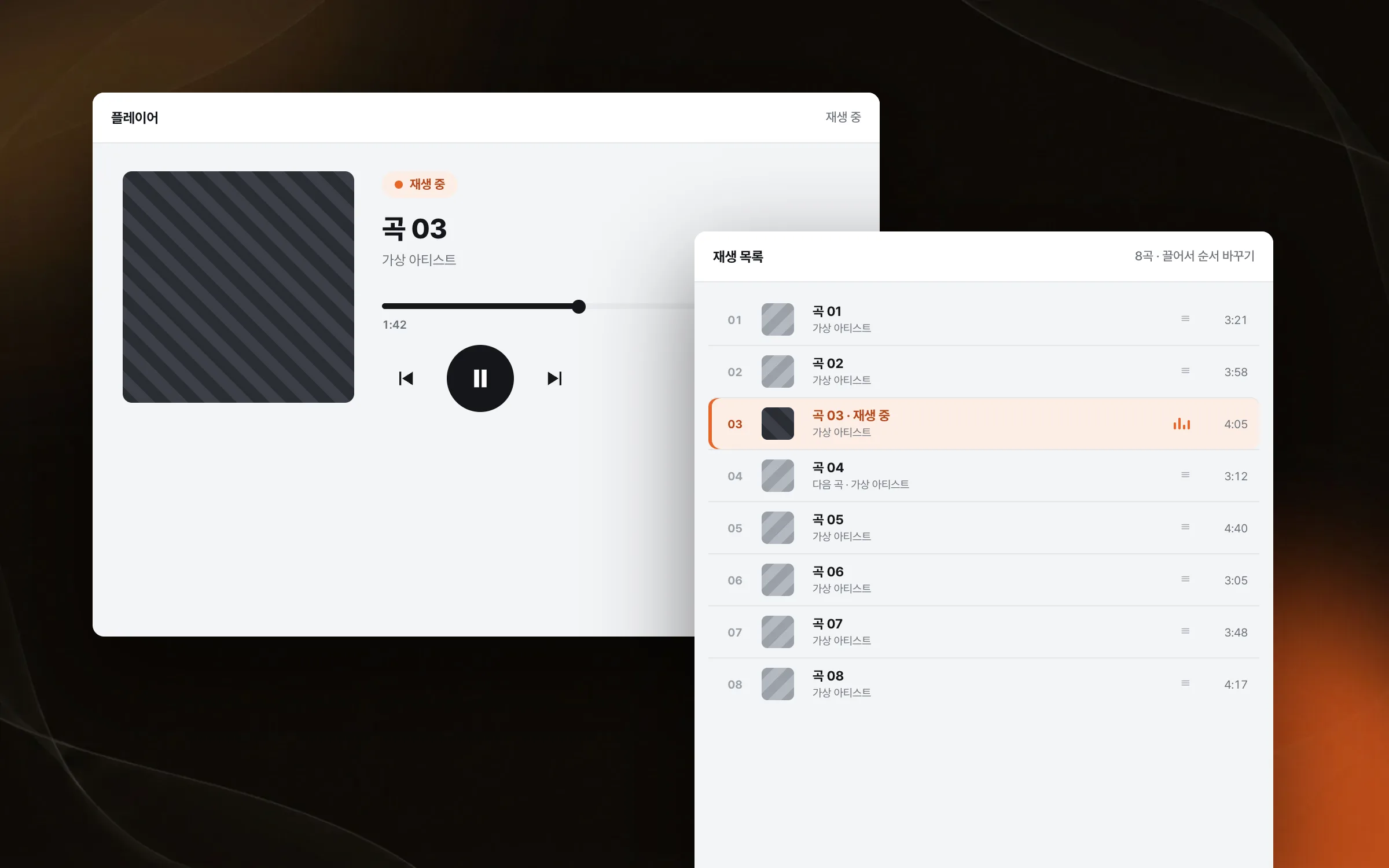
A playlist for seeing the tracks and setting their order
The playlist is the screen where listeners check the tracks they will hear and manage the play order. We implemented the track list screen together with the controls for managing play order. The list has to set the current track apart from the next one, or listeners cannot follow the order.

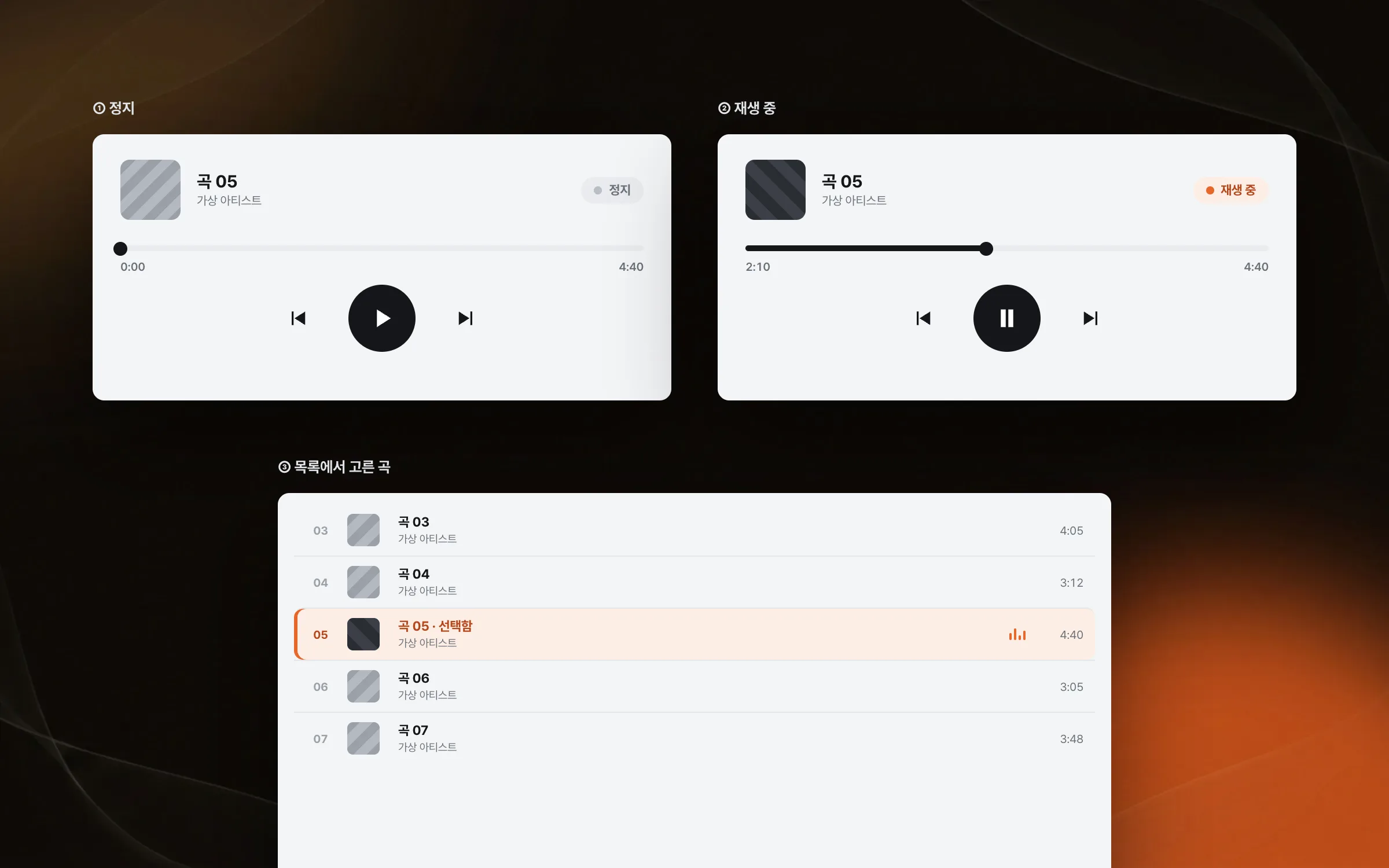
State shown so the pressed button and chosen track are clear at once
A music player has to make it obvious on screen whether something is playing and which track is selected. We designed the player screen and its responses so control buttons, playback state, and selection state read intuitively. We refined how the screen moves so the player responds like an installed desktop program even inside the web.

Highlights
A genre-specific web player that plays straight in the browser
Play, stop, and seek controls with a playback status display
A playlist for viewing tracks and managing play order
Insights
GA4 client_storage: 'none'은 정말 쿠키를 막을까?
두 달 전 이 블로그에 「GA4 쿠키 없이 쓰기」라는 글을 썼습니다. clientstorage: 'none' 으로 쿠키 저장을 끄고, 자체 분석이 쓰던 익명 ID 를 clientid 로 넘기면 쿠키 0개로 GA4 를 쓸 수 있다는 내…
GA4 Measurement Protocol: gtag.js 없이 서버에서 이벤트 보내기
랜딩 페이지의 전송량을 파일 단위로 쪼개 보다가, 가장 큰 파일이 우리 코드가 아니라는 것을 알았습니다. Google Analytics 의 gtag.js 였고, 방문 한 번에 176KB 를 받고 있었습니다. 페이지 전체가 1,094K…
중소 제조업 AI 도입 순서: DX를 먼저 끝내야 할까?
공장을 가진 중소·중견 제조기업 16만여 곳 가운데 스마트공장을 도입한 곳은 19.5%입니다. 회사가 작을수록 이 비율은 더 떨어집니다. 중소벤처기업부가 2025년 4월에 낸 제1차 스마트제조혁신 실태조사 결과입니다. 그림: 기업 규…
Next.js loading.tsx와 404: 버튼이 화면보다 먼저 살아나게 하기
관리 화면 왼쪽 위에 사이드바를 접고 펴는 ☰ 버튼이 있습니다. 폭 하나 바꾸는 버튼인데, 대시보드에서 누르면 2초 넘게 아무 반응이 없었습니다. 레이아웃만 바꾸는 일이 왜 이렇게 오래 걸리는지부터 들여다봤습니다. Next.js 16…