Character-themed navigation (R&D)
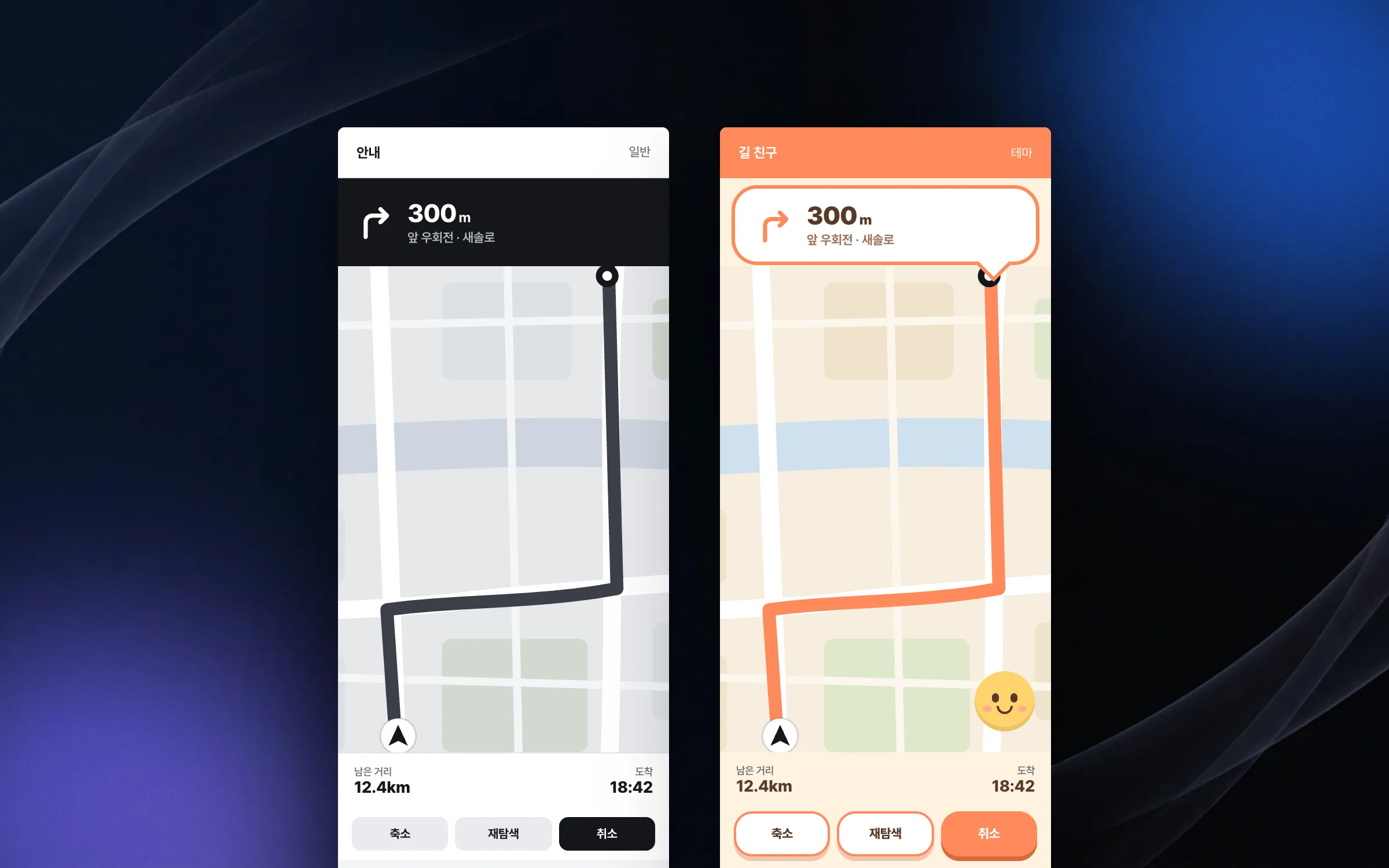
We did R&D on a navigation app whose entire standard interface was redrawn in one character concept. It was an internal project meant to test what screen presentation could do rather than to ship commercially, and it did not become a product. Navigation is read while driving, so even with a character theme the route guidance had to stay readable. The map, guidance, buttons, and status indicators were rebuilt for the theme, and elements the standard components could not handle were implemented by hand.
The same route guidance, redrawn in a character concept
A character-themed navigation app works like ordinary navigation, but its entire interface changes into one character concept. Screen elements such as the map, route guidance, buttons, and status indicators were reinterpreted and rebuilt one by one to fit the theme. It was an in-house R&D project meant to validate screen presentation techniques, not a commercial release.

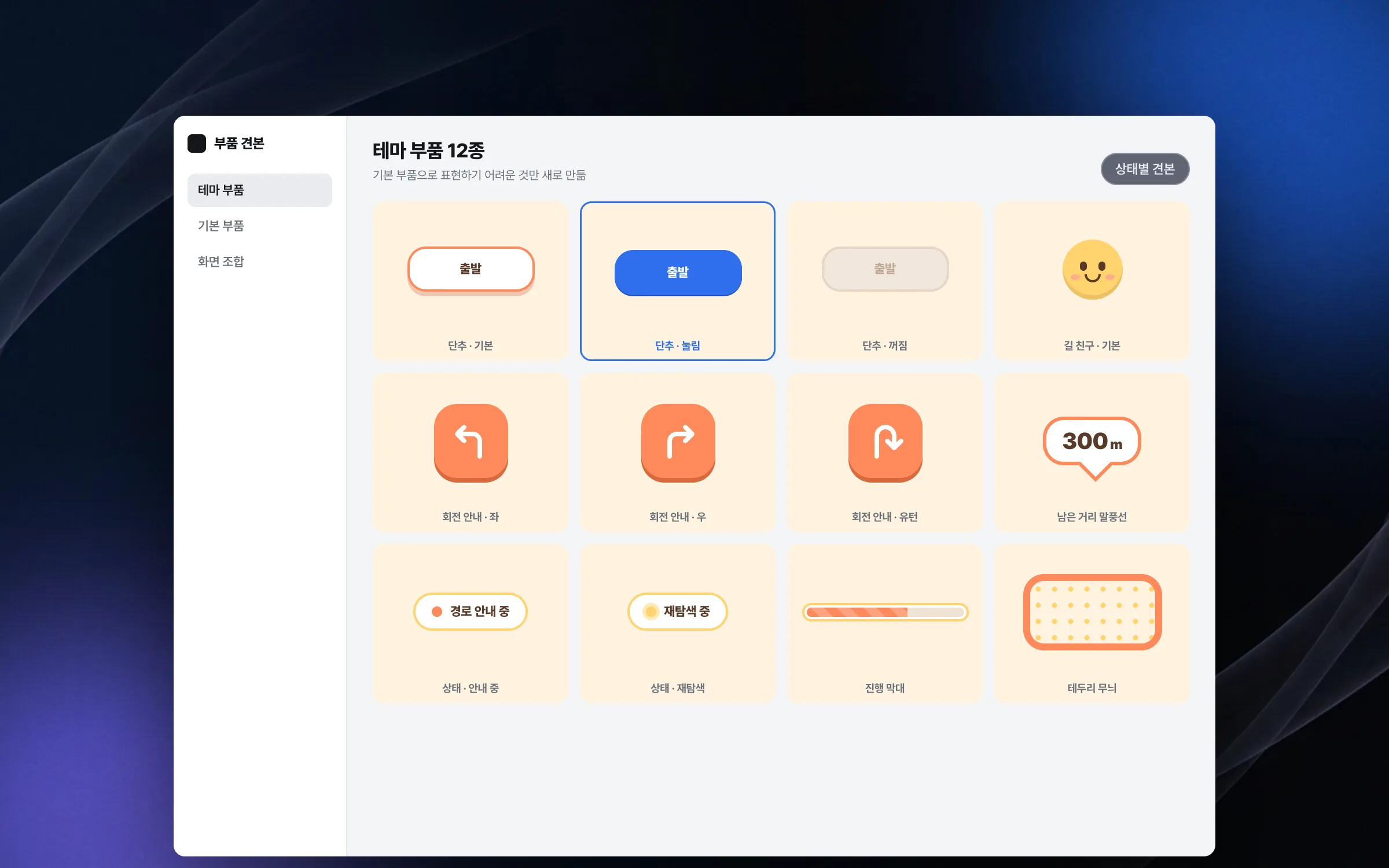
Custom components made for what the standard ones could not show
The character theme was hard to express with only the screen components that the app development tools provide out of the box. Elements such as themed buttons, guidance markers, and status indicators were implemented by hand, and interactions and visual elements were tried out screen by screen. Along the way we built broad experience in how to divide and design screen components.

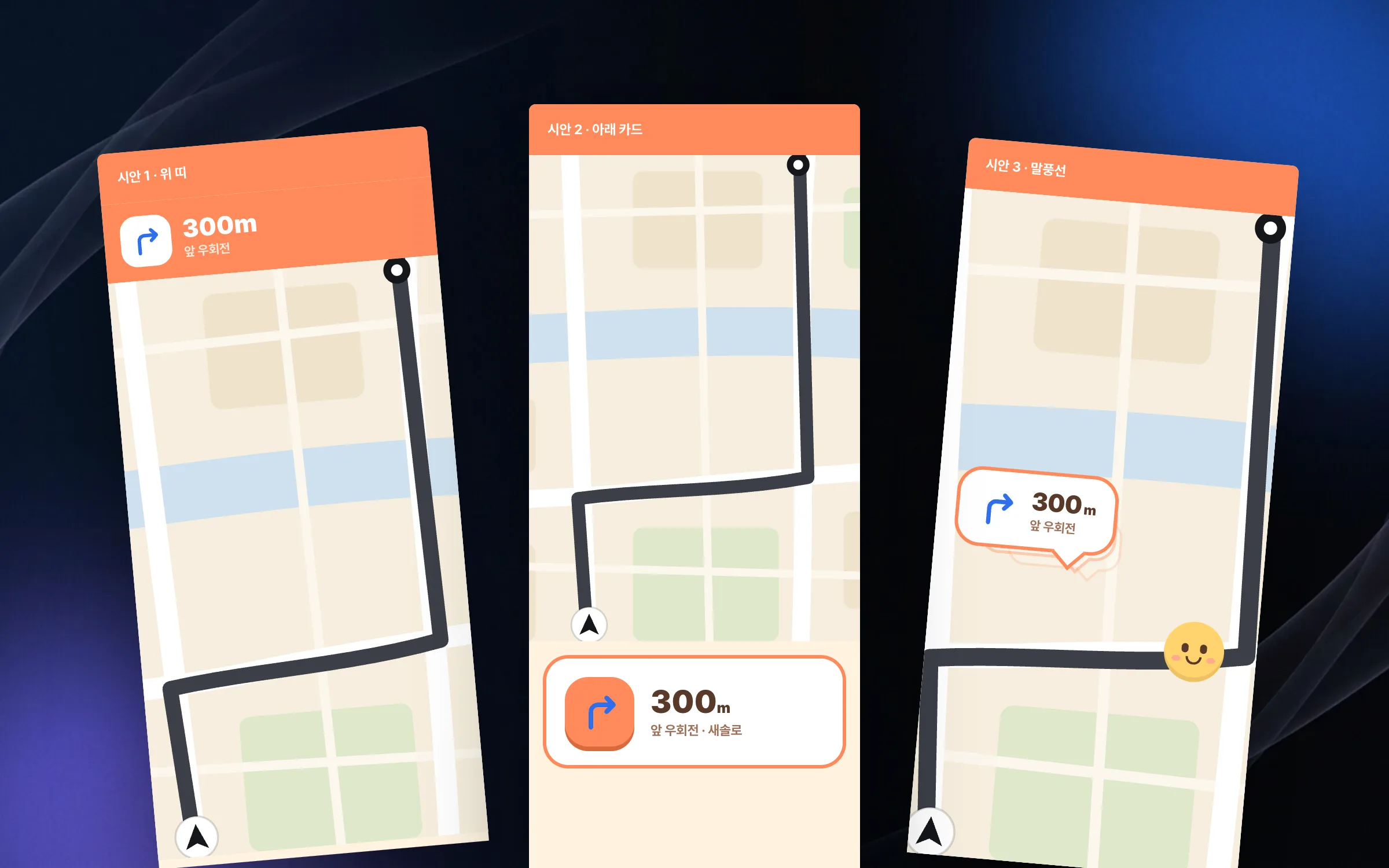
Presentation styles tested by varying motion and layout
The character-themed navigation was closer to technical validation and exploration than to a commercial release. With the same guidance information, a range of presentation styles, animations, and screen layouts was tried. The aim was to find out how far things could go rather than to pick a single right answer.

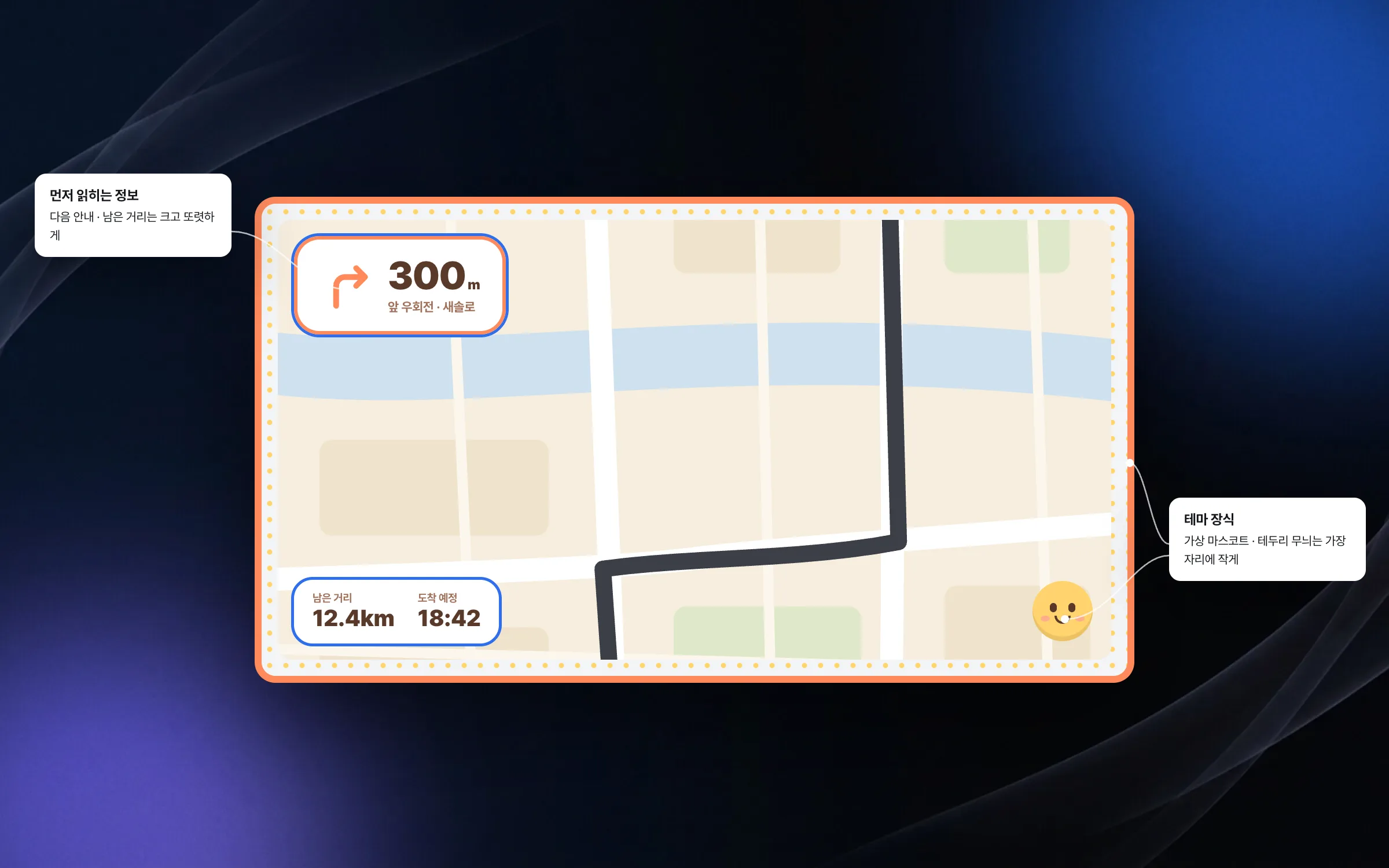
A balance where guidance still reads first, even with the fun added
The basic rule of a navigation app is that it must stay easy to use while driving. To keep that rule while applying a character theme, the focus was on balancing the readability of information against visual fun. This R&D was our third navigation project with the same company, and it was the period of deepening our screen techniques right before the major update that followed.

Highlights
Map, guidance, buttons, and status indicators redrawn in a character theme
Custom components built for what standard components could not express
Experiments in balancing readable guidance with visual fun
Insights
GA4 client_storage: 'none'은 정말 쿠키를 막을까?
두 달 전 이 블로그에 「GA4 쿠키 없이 쓰기」라는 글을 썼습니다. clientstorage: 'none' 으로 쿠키 저장을 끄고, 자체 분석이 쓰던 익명 ID 를 clientid 로 넘기면 쿠키 0개로 GA4 를 쓸 수 있다는 내…
GA4 Measurement Protocol: gtag.js 없이 서버에서 이벤트 보내기
랜딩 페이지의 전송량을 파일 단위로 쪼개 보다가, 가장 큰 파일이 우리 코드가 아니라는 것을 알았습니다. Google Analytics 의 gtag.js 였고, 방문 한 번에 176KB 를 받고 있었습니다. 페이지 전체가 1,094K…
중소 제조업 AI 도입 순서: DX를 먼저 끝내야 할까?
공장을 가진 중소·중견 제조기업 16만여 곳 가운데 스마트공장을 도입한 곳은 19.5%입니다. 회사가 작을수록 이 비율은 더 떨어집니다. 중소벤처기업부가 2025년 4월에 낸 제1차 스마트제조혁신 실태조사 결과입니다. 그림: 기업 규…
Next.js loading.tsx와 404: 버튼이 화면보다 먼저 살아나게 하기
관리 화면 왼쪽 위에 사이드바를 접고 펴는 ☰ 버튼이 있습니다. 폭 하나 바꾸는 버튼인데, 대시보드에서 누르면 2초 넘게 아무 반응이 없었습니다. 레이아웃만 바꾸는 일이 왜 이렇게 오래 걸리는지부터 들여다봤습니다. Next.js 16…