Tablet-ready navigation
We extended a phone navigation app so that one app runs on both phones and tablets. The tablet case we designed for was a tablet mounted in the car and used as the navigation unit. Since the screen is read while driving, simply enlarging the phone layout would make guidance harder to read and controls clumsier, so we designed a structure that keeps shared features in one place and manages each device's screen differences separately. The work ran from the app structure to the tablet screens and support for different resolutions.
Shared features in one place, screen differences split by device
We designed the app structure so that a single navigation app supports both phones and tablets. Shared features such as route search and guidance stay as they are, and only the screen layouts that differ by device are managed separately. A feature fix is made in one place, while each screen can still be tuned to its device's size.

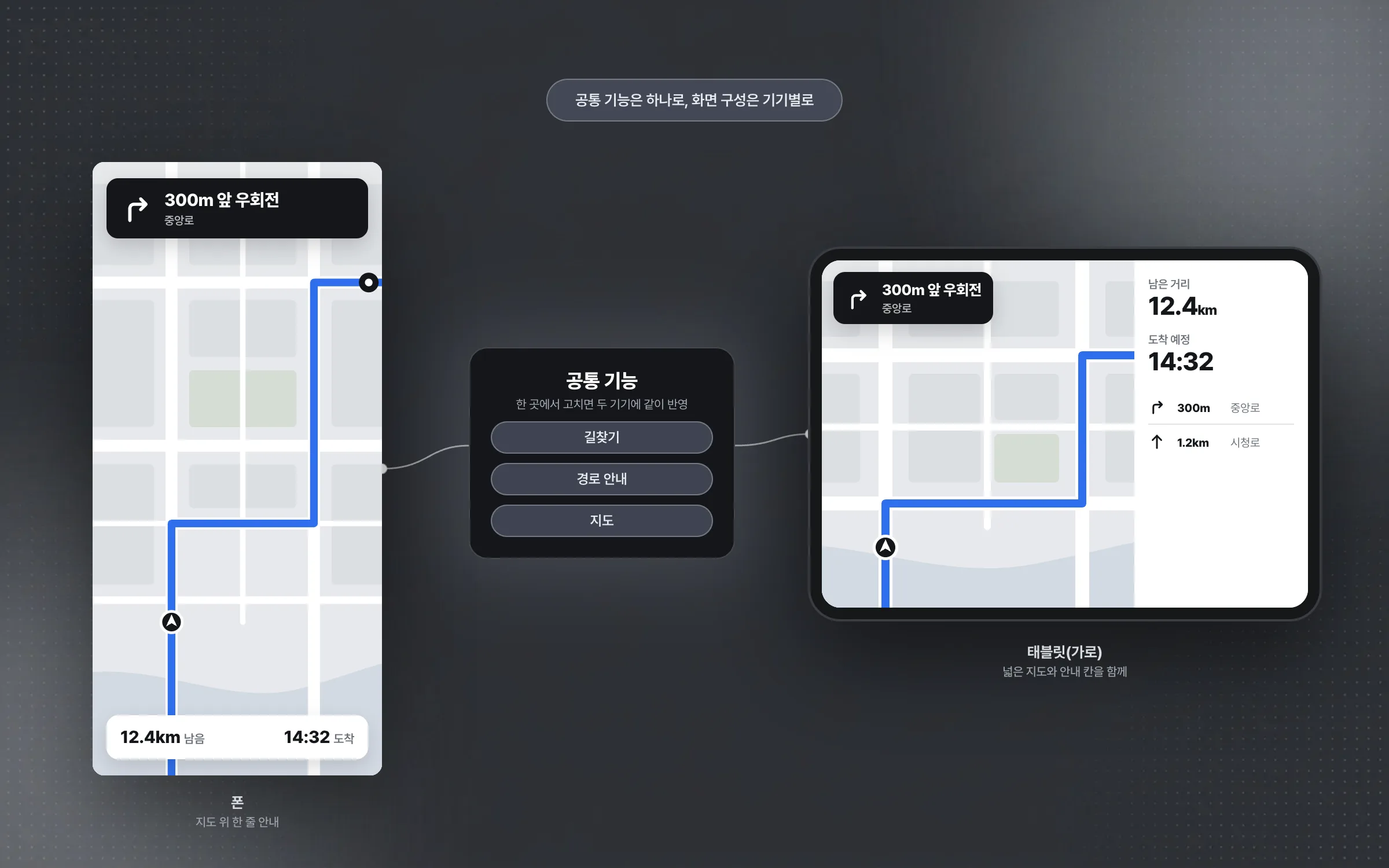
A tablet layout that gives the map, guidance, nearby info, and controls more room
The tablet navigation screen is laid out in four parts: the map, route guidance, nearby information, and the control area. Rather than stretching the phone screen, we rebuilt each of the four areas to be wider and easier to read on the larger surface. How much room each area gets was decided around a tablet used as the navigation unit inside the car.

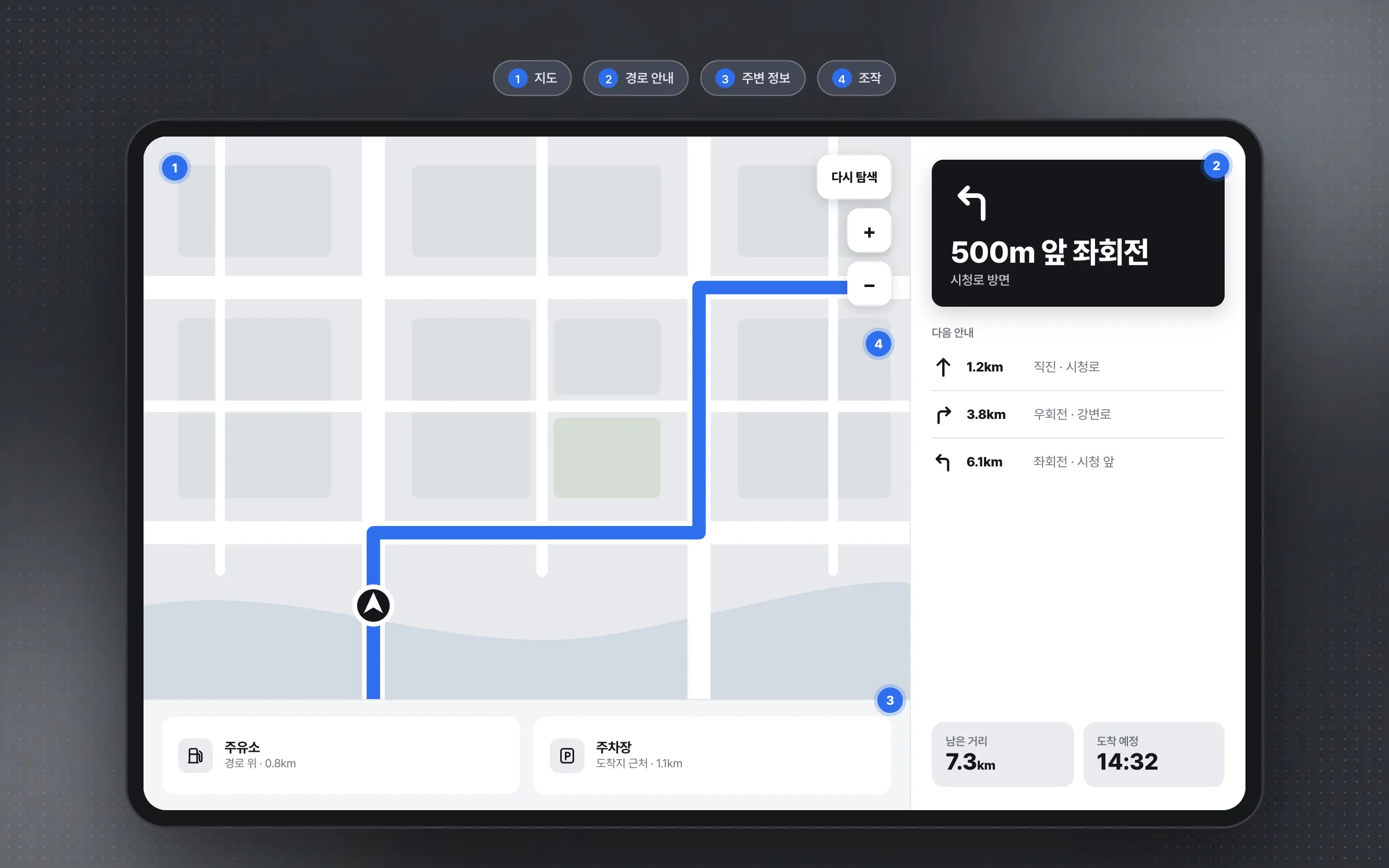
In-car screen rules set so a quick glance while driving is enough
A tablet navigator sits in the car and is read while driving, so legibility and ease of operation came first. Drivers cannot look at the screen for long, so guidance text and distances have to be readable at a glance. We also tuned the screens so that operations finish in a few taps.

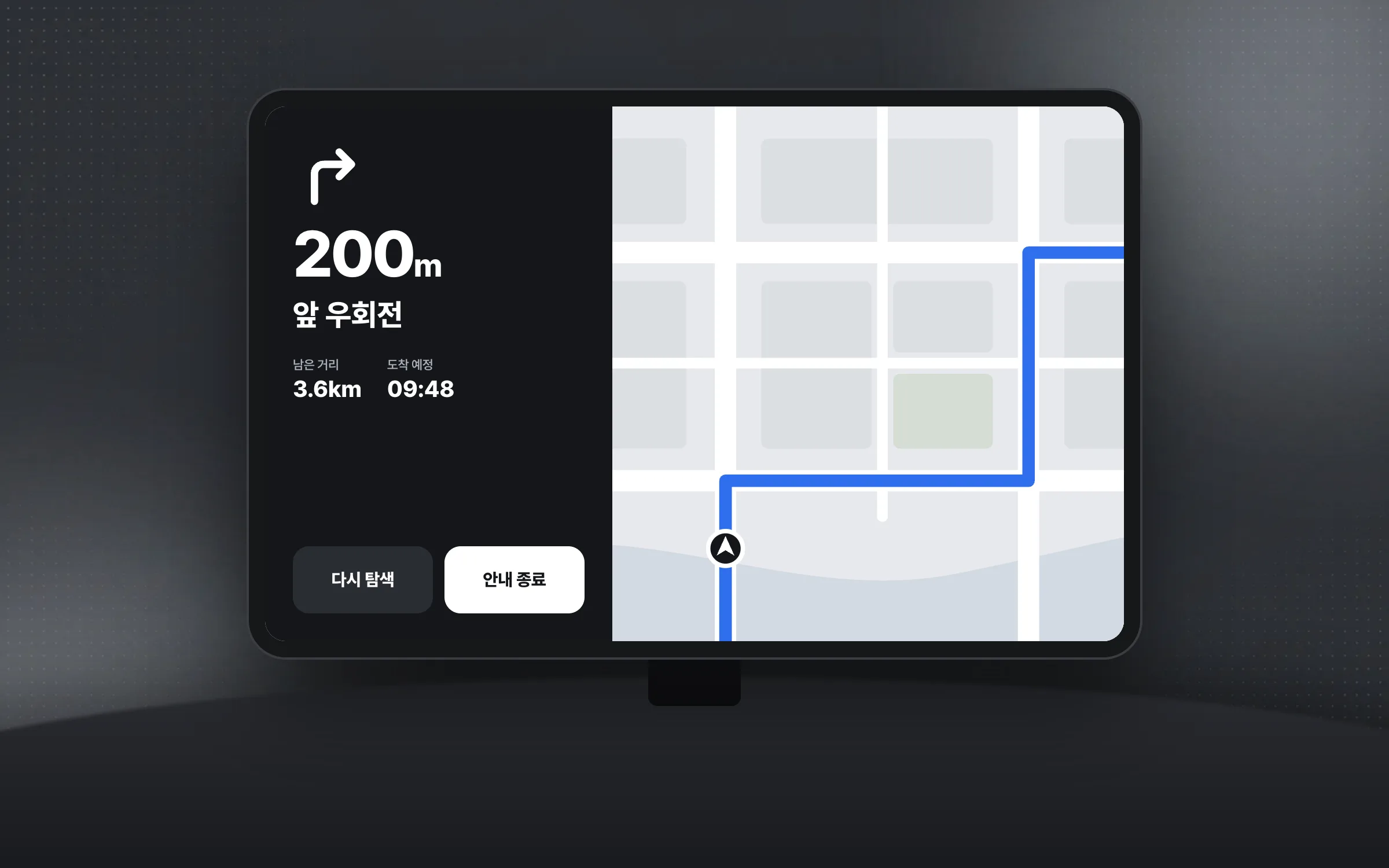
Maps and guidance that hold steady across sizes and resolutions
Phones and tablets differ in screen size and resolution, so a single layout used as-is makes the map and guidance look misaligned. We adjusted the screen structure for each device's size and resolution so that the map and guidance screens display reliably on any of them. This work widened the base of the earlier phone version to a larger screen, and it carried into the next version that supports several devices together.

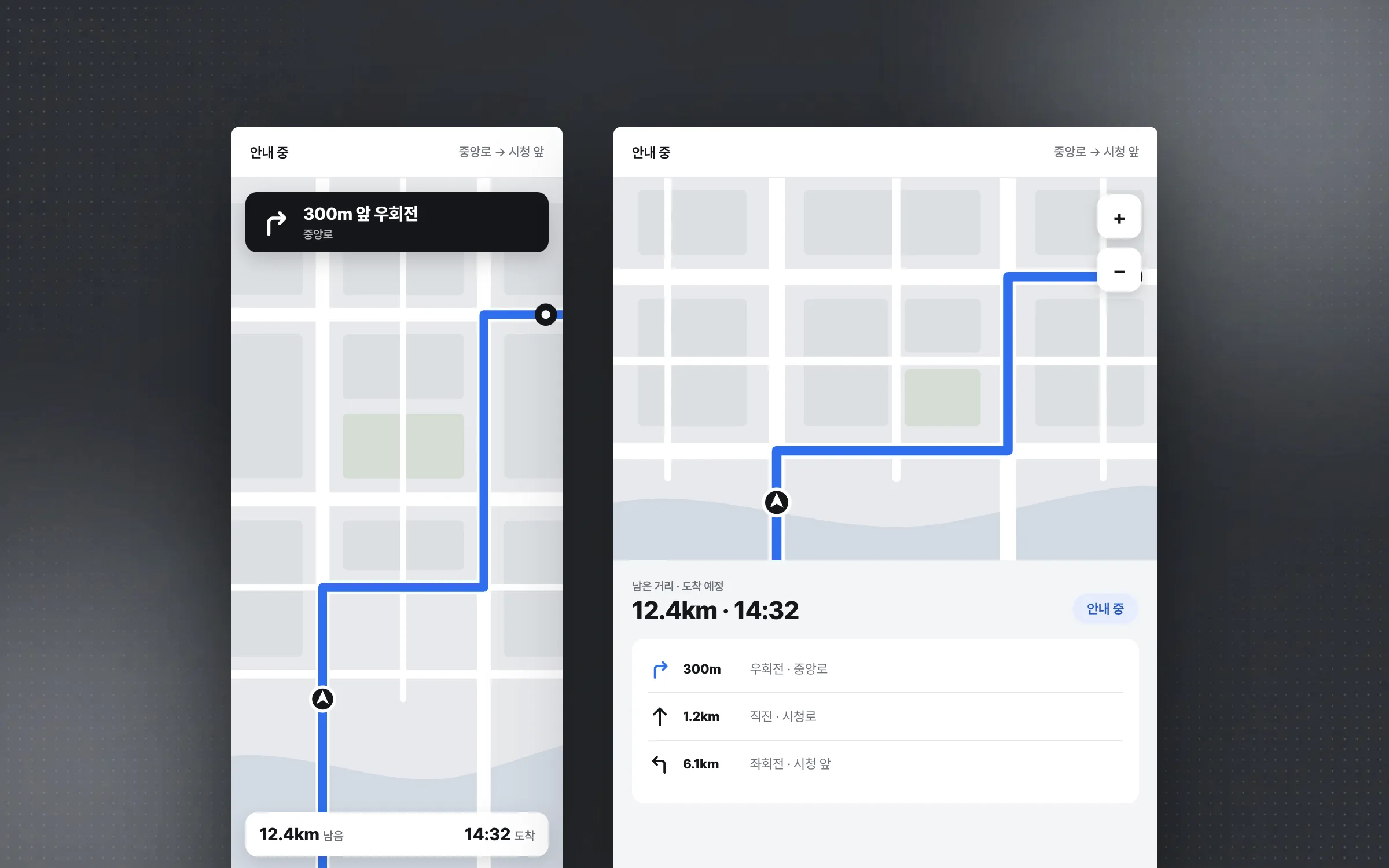
Highlights
One app structure that serves both phones and tablets
A tablet screen with wider map, route guidance, nearby info, and control areas
Support for each device's screen size and resolution
Insights
GA4 client_storage: 'none'은 정말 쿠키를 막을까?
두 달 전 이 블로그에 「GA4 쿠키 없이 쓰기」라는 글을 썼습니다. clientstorage: 'none' 으로 쿠키 저장을 끄고, 자체 분석이 쓰던 익명 ID 를 clientid 로 넘기면 쿠키 0개로 GA4 를 쓸 수 있다는 내…
GA4 Measurement Protocol: gtag.js 없이 서버에서 이벤트 보내기
랜딩 페이지의 전송량을 파일 단위로 쪼개 보다가, 가장 큰 파일이 우리 코드가 아니라는 것을 알았습니다. Google Analytics 의 gtag.js 였고, 방문 한 번에 176KB 를 받고 있었습니다. 페이지 전체가 1,094K…
중소 제조업 AI 도입 순서: DX를 먼저 끝내야 할까?
공장을 가진 중소·중견 제조기업 16만여 곳 가운데 스마트공장을 도입한 곳은 19.5%입니다. 회사가 작을수록 이 비율은 더 떨어집니다. 중소벤처기업부가 2025년 4월에 낸 제1차 스마트제조혁신 실태조사 결과입니다. 그림: 기업 규…
Next.js loading.tsx와 404: 버튼이 화면보다 먼저 살아나게 하기
관리 화면 왼쪽 위에 사이드바를 접고 펴는 ☰ 버튼이 있습니다. 폭 하나 바꾸는 버튼인데, 대시보드에서 누르면 2초 넘게 아무 반응이 없었습니다. 레이아웃만 바꾸는 일이 왜 이렇게 오래 걸리는지부터 들여다봤습니다. Next.js 16…