Navigation port to a new platform
We moved a navigation service first released on one smartphone platform to another platform. It became the company's first navigation app on the new platform. Route guidance and route search follow the original service, rebuilt to fit the new platform's screen conventions and controls. Because it is used while driving, information had to read quickly on a small screen and controls had to stay simple. The work covered the project structure and screen foundation through the map, guidance, screen transitions, and input.
A port that carried the original route-finding flow into the new platform's ways
After the navigation service launched on one smartphone platform, we moved the same service so it could be used on another. Route guidance and route search stayed the same as the original, while screen layout and controls were rebuilt to the new platform's conventions. It was not a matter of copying a feature list; the same route finding had to be rebuilt on a different set of screen rules.

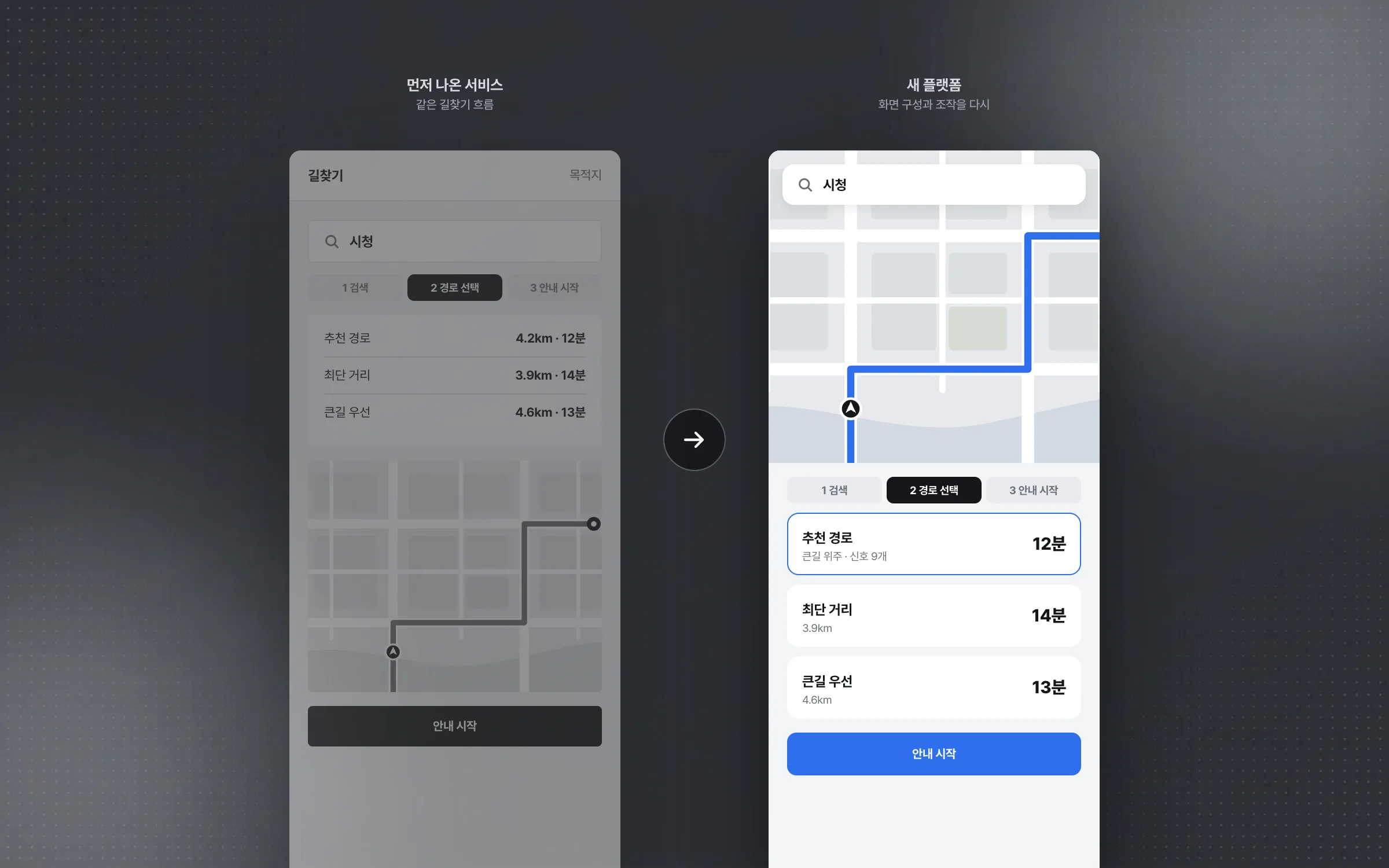
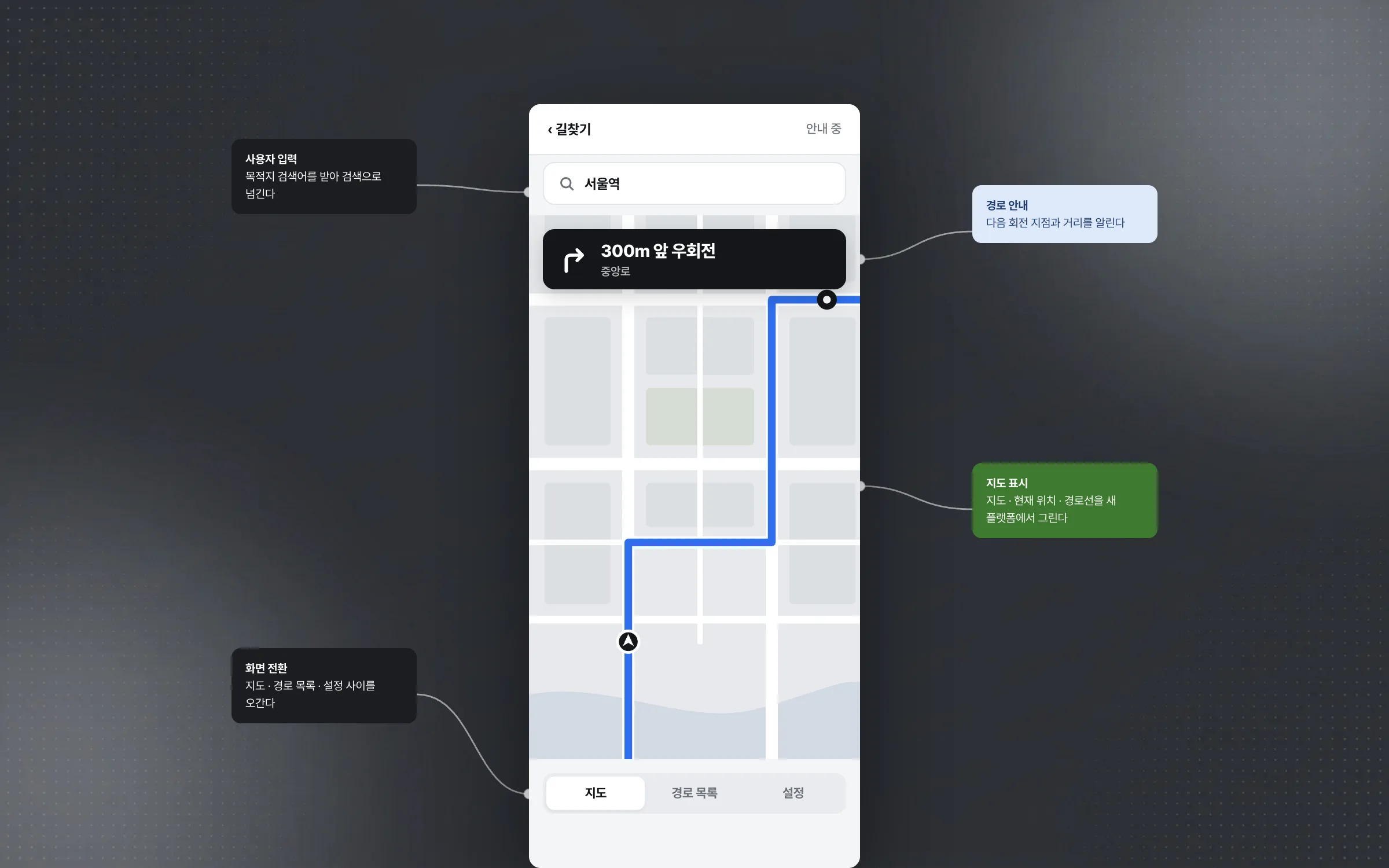
Map, guidance, screen transitions, and input: the skeleton of a navigation app
We implemented the map display, route guidance, screen transitions, and user input a navigation app needs, directly on the new platform. Because this was the company's first navigation app on that platform, the project structure and screen foundation had to be built from scratch. The app lifecycle, memory management, and the platform's way of composing screens were also learned for the new platform through this work.

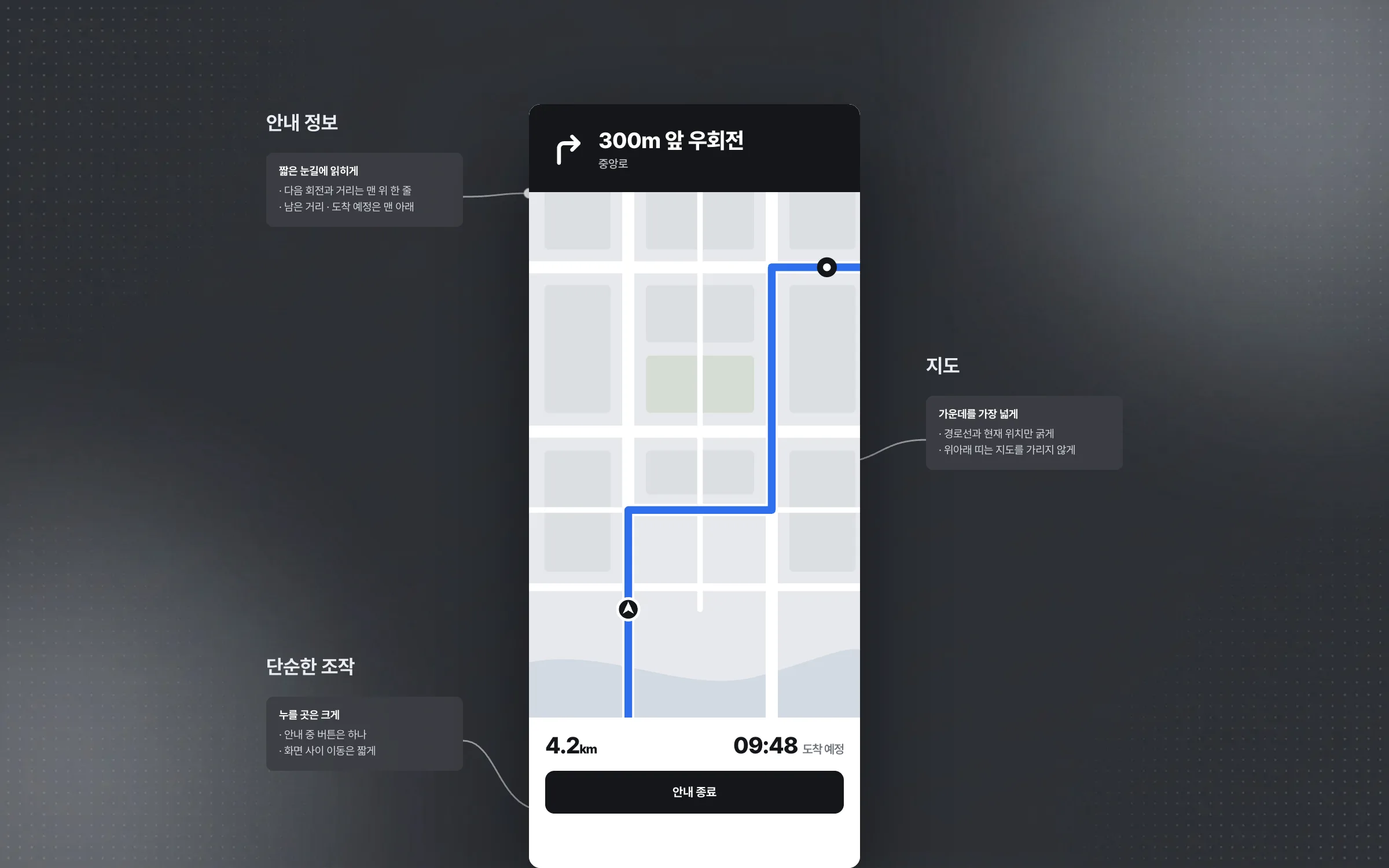
A small-screen layout reworked to be read at a glance while driving
A navigation app used while driving has to show information quickly and keep operation simple. Most of the effort went into balancing the map and guidance information on a small phone screen. The flow between screens was also kept short and simple.

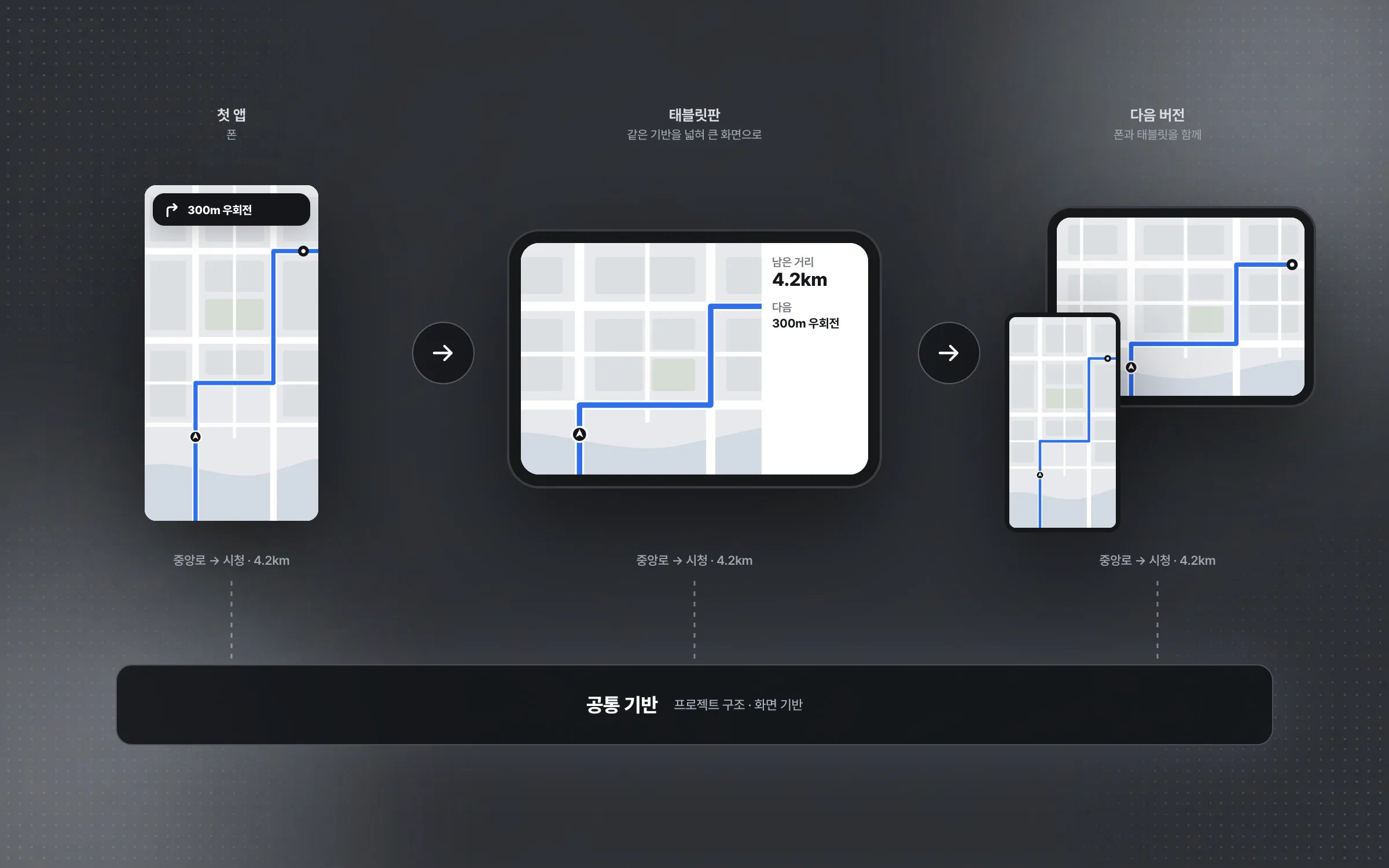
A first foundation that carried into the tablet edition and the next version
The project structure and screen foundation first set up on the new platform did not end with this one app. A version that also supports tablets, and a later new version, were developed on the same foundation. The tablet edition was a matter of widening this foundation to support a larger screen.

Highlights
The original service's route-finding flow, ported to fit a new platform
A first app foundation with the map, route guidance, screen transitions, and input
A driving layout that balances the map and guidance on a small phone screen
Insights
GA4 client_storage: 'none'은 정말 쿠키를 막을까?
두 달 전 이 블로그에 「GA4 쿠키 없이 쓰기」라는 글을 썼습니다. clientstorage: 'none' 으로 쿠키 저장을 끄고, 자체 분석이 쓰던 익명 ID 를 clientid 로 넘기면 쿠키 0개로 GA4 를 쓸 수 있다는 내…
GA4 Measurement Protocol: gtag.js 없이 서버에서 이벤트 보내기
랜딩 페이지의 전송량을 파일 단위로 쪼개 보다가, 가장 큰 파일이 우리 코드가 아니라는 것을 알았습니다. Google Analytics 의 gtag.js 였고, 방문 한 번에 176KB 를 받고 있었습니다. 페이지 전체가 1,094K…
중소 제조업 AI 도입 순서: DX를 먼저 끝내야 할까?
공장을 가진 중소·중견 제조기업 16만여 곳 가운데 스마트공장을 도입한 곳은 19.5%입니다. 회사가 작을수록 이 비율은 더 떨어집니다. 중소벤처기업부가 2025년 4월에 낸 제1차 스마트제조혁신 실태조사 결과입니다. 그림: 기업 규…
Next.js loading.tsx와 404: 버튼이 화면보다 먼저 살아나게 하기
관리 화면 왼쪽 위에 사이드바를 접고 펴는 ☰ 버튼이 있습니다. 폭 하나 바꾸는 버튼인데, 대시보드에서 누르면 2초 넘게 아무 반응이 없었습니다. 레이아웃만 바꾸는 일이 왜 이렇게 오래 걸리는지부터 들여다봤습니다. Next.js 16…