Navigation app upgrade
We developed a major update to a navigation app that a navigation software company ran as its own product. Building on experience from the app's first version and its tablet version, we raised the features and the polish of the screens across the board while keeping the existing structure. The screens are read while driving, so a small defect or a hard-to-read display hurts the experience right away. We designed the screen elements ourselves, such as the map, guidance, buttons, and status indicators, and supported smartphones and tablets together.
A major update that kept the structure and raised the polish
The navigation app's major update was a full overhaul of the features and screens of an app people were already using. Drawing on experience from building the app's first version and tablet version, we kept the existing structure and focused on raising the user experience and screen quality. Because the app was being improved rather than rebuilt, every screen change came with a check that existing features still worked as before.

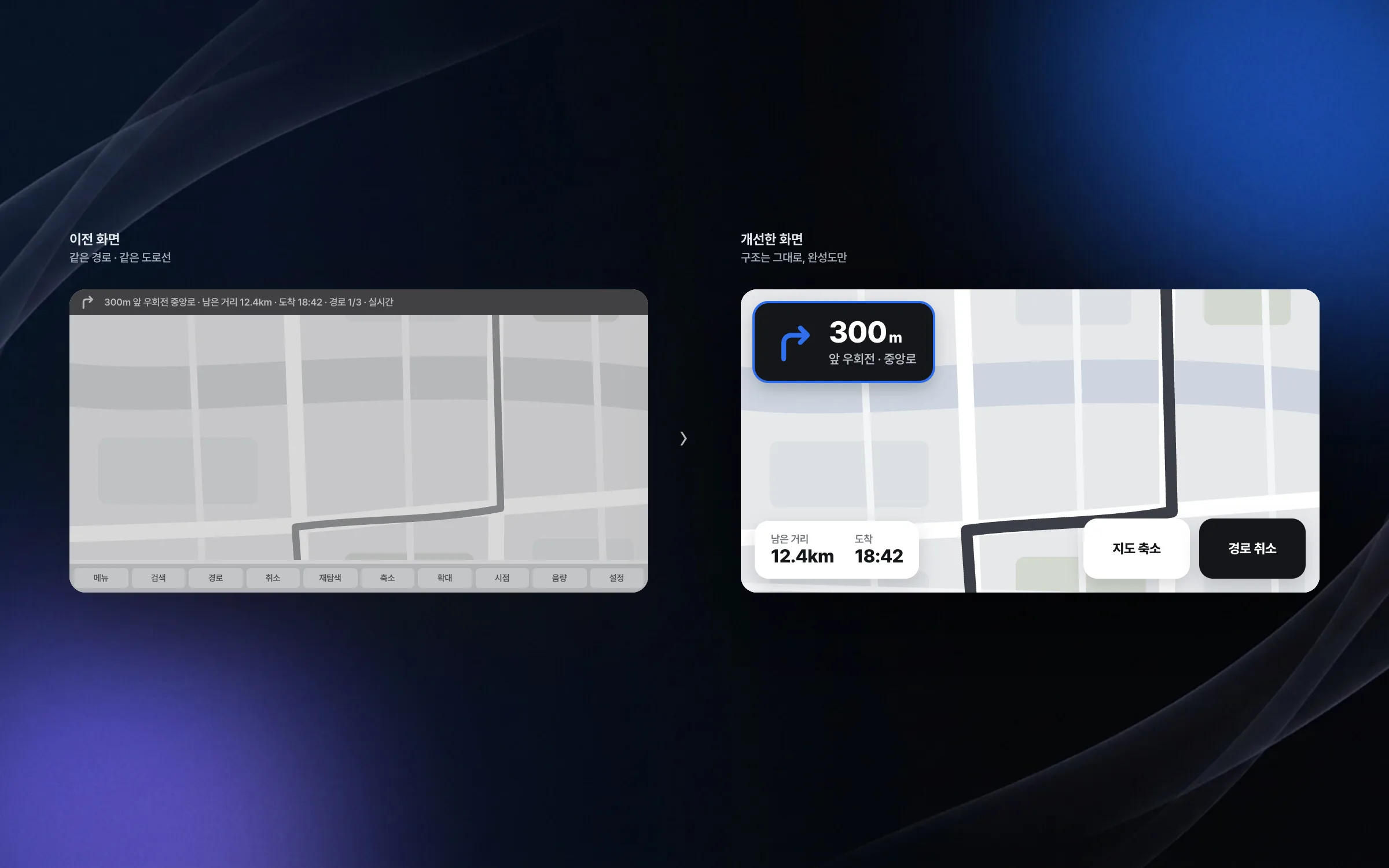
Map, guidance, and buttons that read at a glance while driving
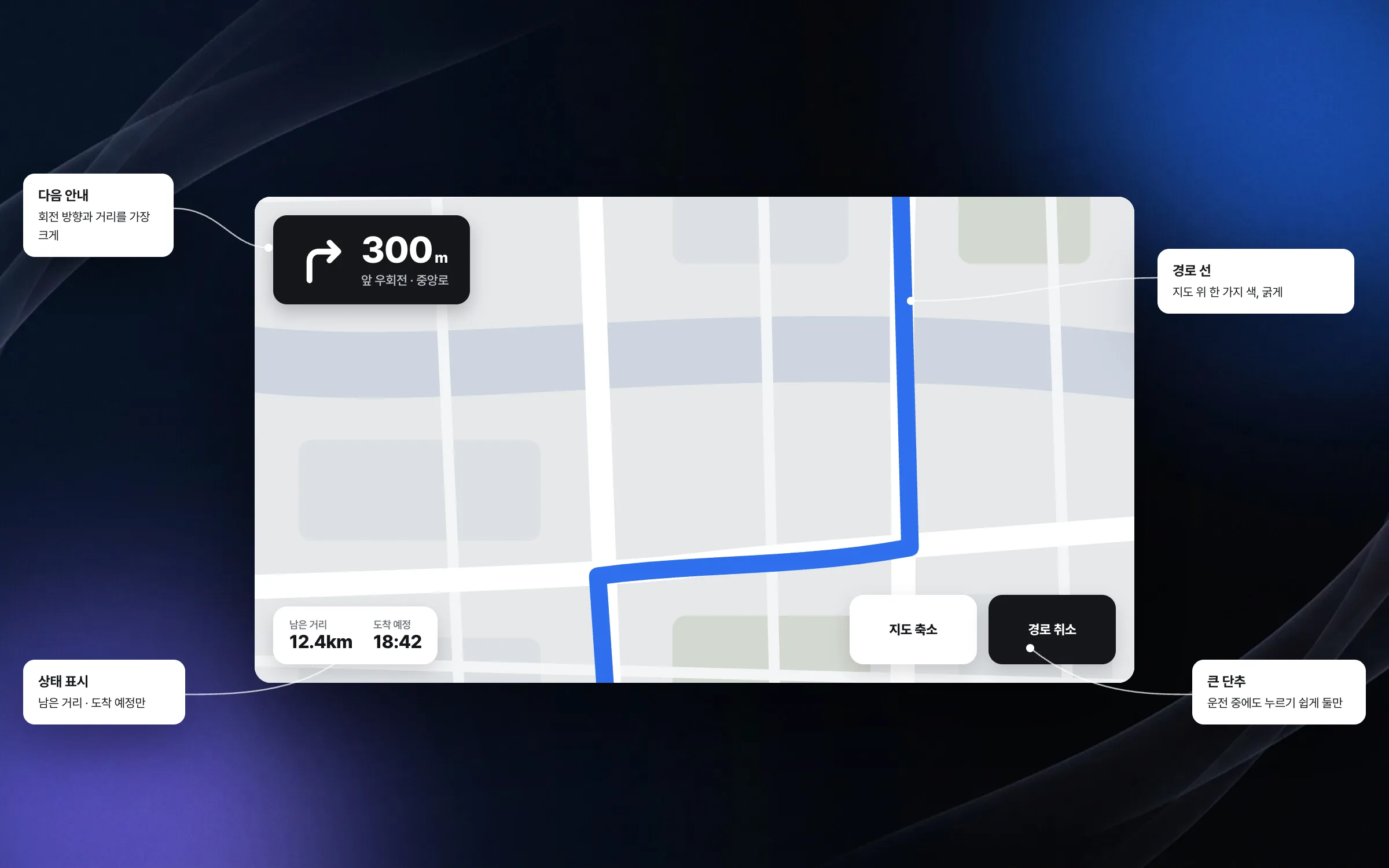
We designed and implemented the screen elements a navigation app needs, such as the map, route guidance, buttons, and status indicators. Drivers cannot look at the screen for long, so the screens were built around being easy to read and easy to operate. Elements that the standard screen components could not express were made from scratch.

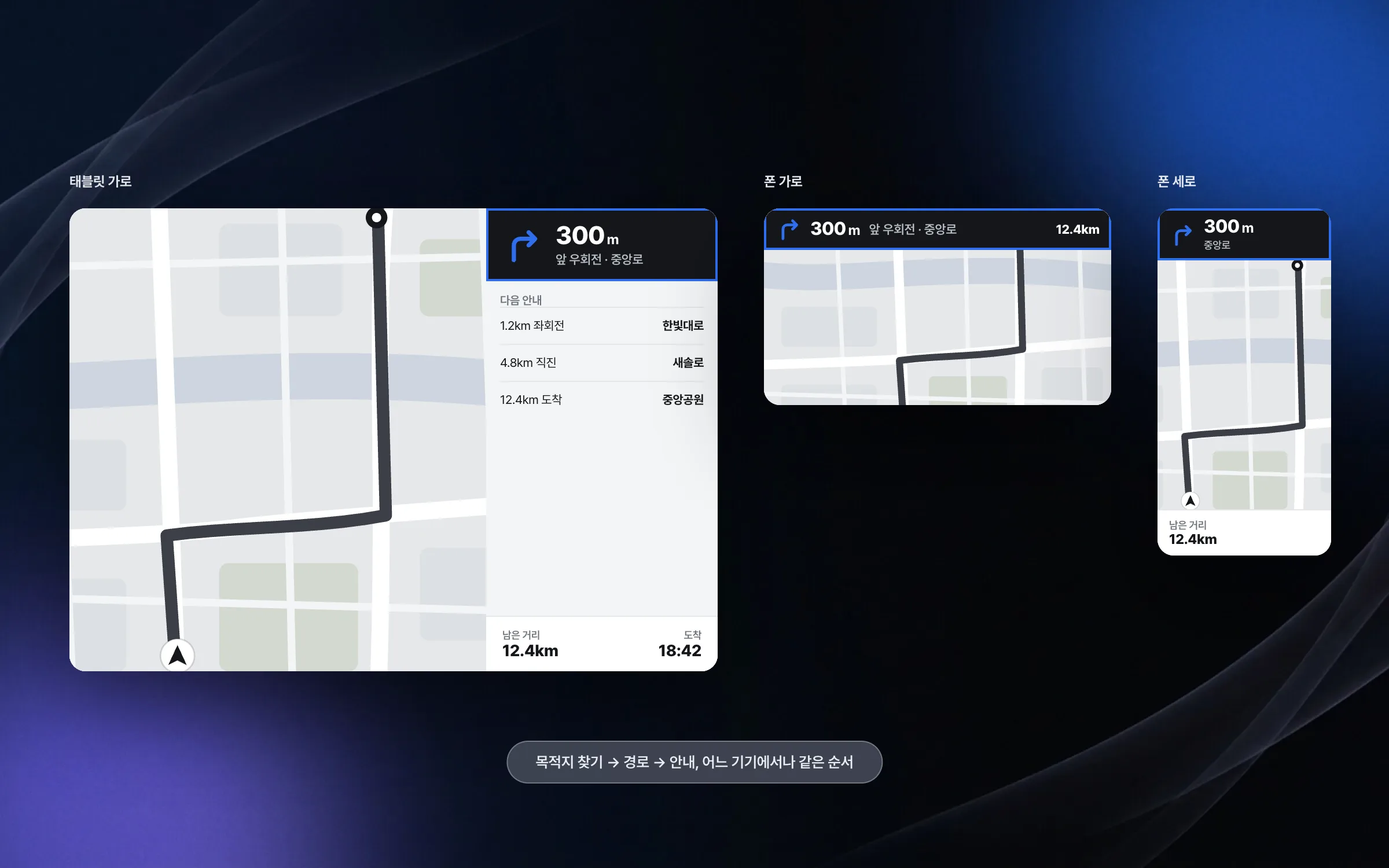
Route finding that follows the same steps on smartphones and tablets
The navigation app update supported smartphones and tablets together. The two kinds of device differ in resolution and shape, so the layout had to be set differently for each. The layouts differ, but the flow of finding a destination and following guidance stays the same on every device.

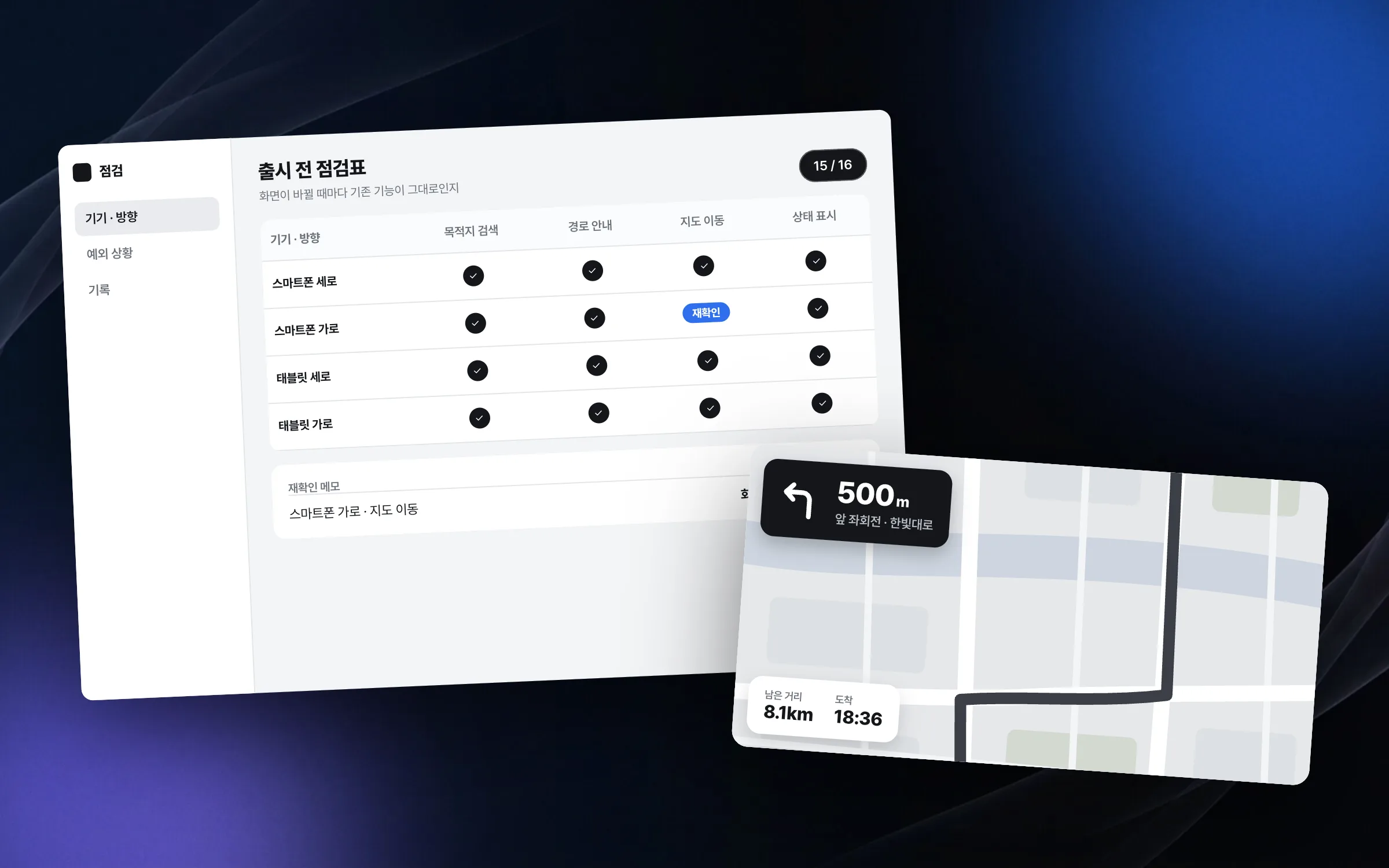
Exception checks for a service where small defects spread far
Navigation is a service where small defects spread into the whole experience. Drawing on what we had learned building earlier versions of the same app, feature stability and exceptional cases were checked one by one. Verification and stabilization got as much time as adding new features.

Highlights
A major update that overhauled features and screens while keeping the existing structure
Map, guidance, and button elements that stay readable and tappable while driving
The same flow on smartphones and tablets, with exception checks and stabilization
Insights
GA4 client_storage: 'none'은 정말 쿠키를 막을까?
두 달 전 이 블로그에 「GA4 쿠키 없이 쓰기」라는 글을 썼습니다. clientstorage: 'none' 으로 쿠키 저장을 끄고, 자체 분석이 쓰던 익명 ID 를 clientid 로 넘기면 쿠키 0개로 GA4 를 쓸 수 있다는 내…
GA4 Measurement Protocol: gtag.js 없이 서버에서 이벤트 보내기
랜딩 페이지의 전송량을 파일 단위로 쪼개 보다가, 가장 큰 파일이 우리 코드가 아니라는 것을 알았습니다. Google Analytics 의 gtag.js 였고, 방문 한 번에 176KB 를 받고 있었습니다. 페이지 전체가 1,094K…
중소 제조업 AI 도입 순서: DX를 먼저 끝내야 할까?
공장을 가진 중소·중견 제조기업 16만여 곳 가운데 스마트공장을 도입한 곳은 19.5%입니다. 회사가 작을수록 이 비율은 더 떨어집니다. 중소벤처기업부가 2025년 4월에 낸 제1차 스마트제조혁신 실태조사 결과입니다. 그림: 기업 규…
Next.js loading.tsx와 404: 버튼이 화면보다 먼저 살아나게 하기
관리 화면 왼쪽 위에 사이드바를 접고 펴는 ☰ 버튼이 있습니다. 폭 하나 바꾸는 버튼인데, 대시보드에서 누르면 2초 넘게 아무 반응이 없었습니다. 레이아웃만 바꾸는 일이 왜 이렇게 오래 걸리는지부터 들여다봤습니다. Next.js 16…